
Inserting/Removing a USB Flash Drive from the Digital Piano
-
Follow the precautions in the instructions that are supplied with the USB flash drive.
-
Avoid storing or using the product in the places outlined below. Data on the USB flash drive may be corrupted.
Locations with high temperature, humidity, or corrosive conditions
Locations prone to strong static electricity or electrical noise
-
Do not operate the Digital Piano or remove the USB flash drive while data is being saved or loaded. Doing so can corrupt the data on the USB flash drive and damage the USB Type A port.
-
Never insert devices other than those specified in this manual into the USB Type A port. Doing so may cause a malfunction.
-
When operating a USB flash drive for the first time after it is inserted into the Digital Piano, or when operating a USB flash drive for the first time after turning on the power, the Digital Piano may become temporarily inoperable as the system prepares to exchange data with the USB flash drive (mounting).
-
Mounting is executed each time a USB flash drive is inserted into the Digital Piano.
-
During mounting, the indicators above the “SOUND MODE” and “a” buttons will light up sequentially, and the Visual Information Bar will indicate that it is in progress (lighting sequentially from the left). Do not operate the Digital Piano while it is mounting.
-
It may take tens of seconds to several minutes for the monitoring system to complete mounting and become operational.
Insertion
-
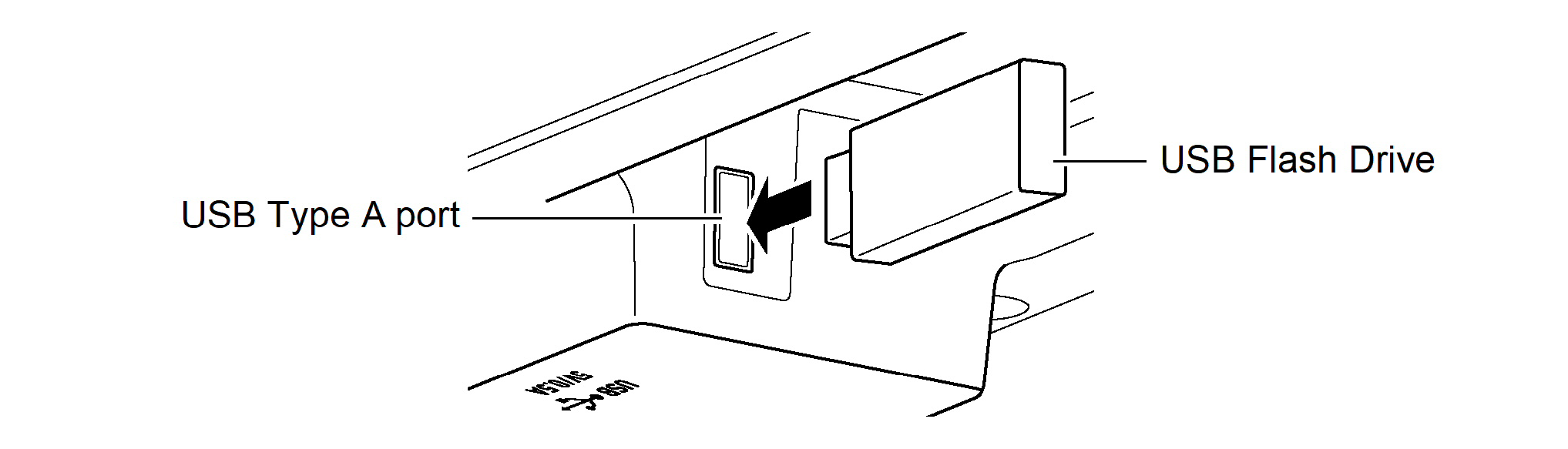
Insert the USB flash drive into the USB Type A port of the Digital Piano.
-
Make sure to fully insert the drive. Do not insert the drive forcibly.
-
The Digital Piano may malfunction if static electricity is transferred to the USB Type A port from your hand or a USB flash drive. If this happens, turn the Digital Piano off and then back on again.
-
Removal
-
Make sure that no data is being exchanged between the Digital Piano and the USB flash drive, before unplugging and removing the USB flash drive.
-
After prolonged use, the USB flash drive, which was removed, may be warm, but this is not a malfunction.
-