
Listen Back Using Specified Number of Seconds
Touching the “a” button during replay will start replay 10 seconds before the last note you played, but it is possible to replay from even earlier than 10 seconds back. For earlier than 10 seconds, you can specify the number of seconds to start replay in 5-second increments.
-
Start performance.
-
While recording, the “0(REC)” button blinks slowly.
-
-
To replay, stop playing and hold down the “a” button and press the white key that specifies the number of seconds to return and start replay from to specify the number of desired seconds.
Selecting a Setting Value Directly (operation type A)
-
Replays the performance from the note played a specified number of seconds before to the last note played.
-
For the white keys that specify the amount of seconds to return and start from, see “Start mark and start seconds for Instant RePlayer”.
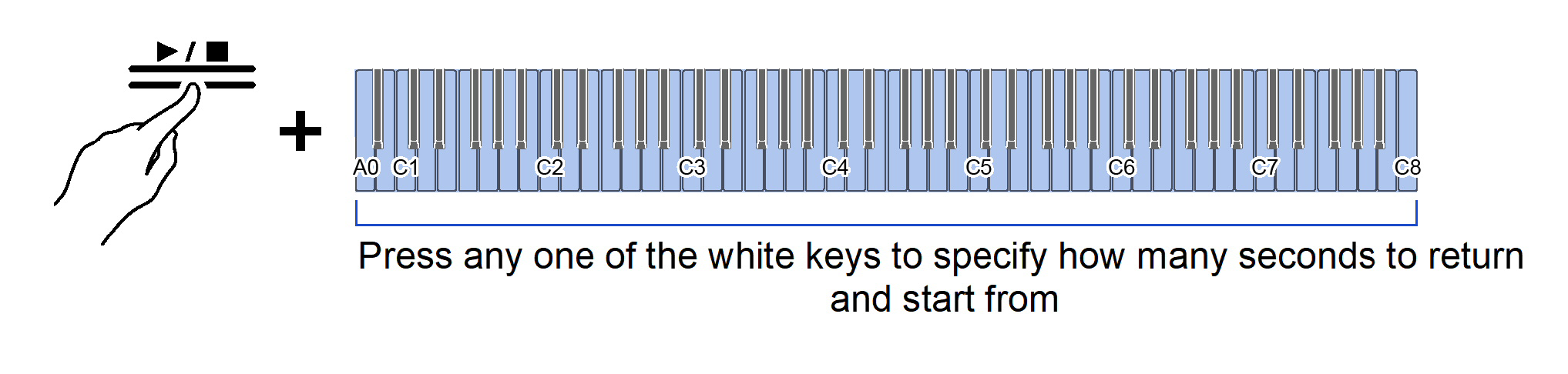
-
-
After replay, begin the next performance.
Example of specifying the number of seconds to return back to
When you want replay to start 60 seconds back in time:
-
While holding down the “a” button, press the C2 key (number of seconds to return and replay from (60 seconds back in time)).
Selecting a Setting Value Directly (operation type A)
-
Starts replay by cueing up 60 seconds back in time.

-