
Using a Cable to Connect with an Audio Device
The Digital Keyboard can be connected to a commercially available playback device or amplifier for playing back at louder volumes, or to a recording device to record your performance. You can also enjoy playing along with the background sound from a portable audio player or other device through the Digital Keyboard.
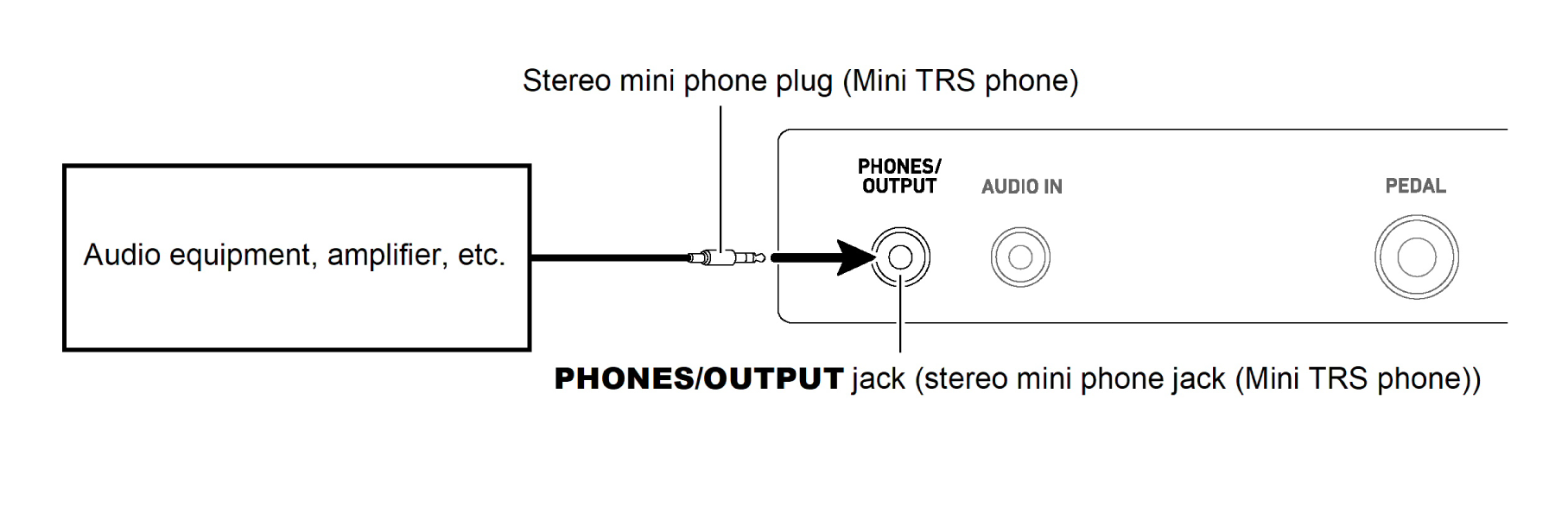
Listening to the Digital Keyboard via an external device
For this connection, you can use a commercially available cable.
Use a cable with a stereo mini phone plug (Mini TRS phone) on the side that connects to the Digital Keyboard, and a plug that matches the input jack on the external device.
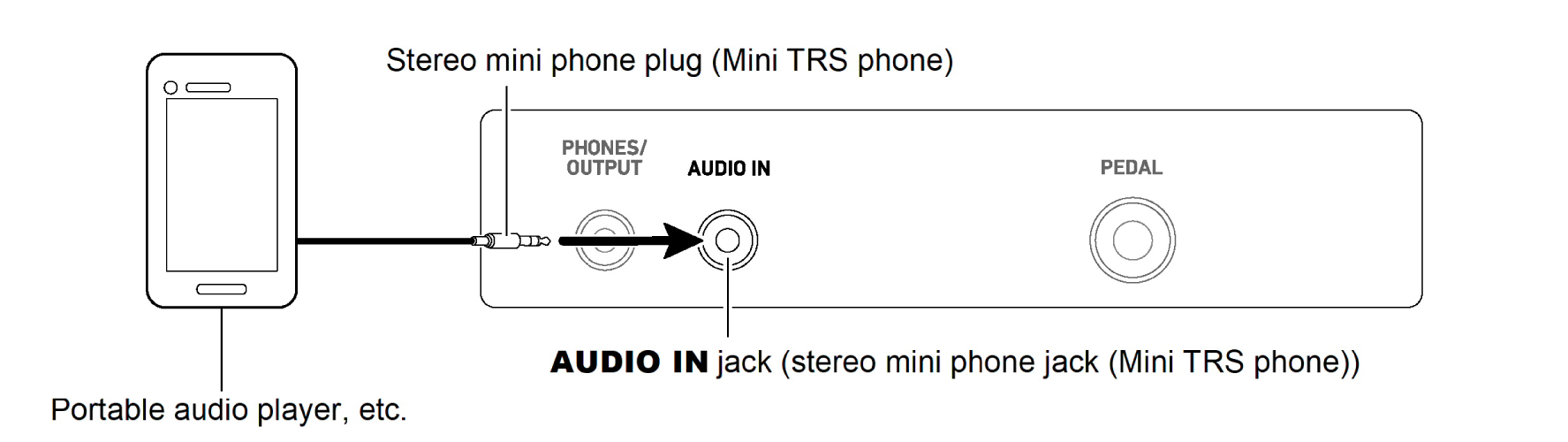
Play sound from external devices through the Digital Keyboard
For this connection, you can use a commercially available cable.
Use a cable with a stereo mini phone plug (Mini TRS phone) on the side that connects to the Digital Keyboard, and a plug that matches the input jack on the external device.
When using the Digital Keyboard to play an input sound from an external device, use the external device to adjust the volume. You cannot adjust the volume of sound from external devices by using the Digital Keyboard.
Center localization cancellation of input audio (AUDIO IN center cancel)
The sound of vocals input to the Digital Keyboard from an external device can be cut (deleted or lowered in volume). For details, see “Switching AUDIO IN Center Cancel On/Off”.