
Selecting the range of keys for which the Feel Sync function is enabled
The Feel Sync function is enabled for the entire keyboard by default, but can be enabled for only the right or left half as well. Use this function when you want the Feel Sync function to correct your sound on half of the keys, but produce the sound of the actual notes that you play on the other half.
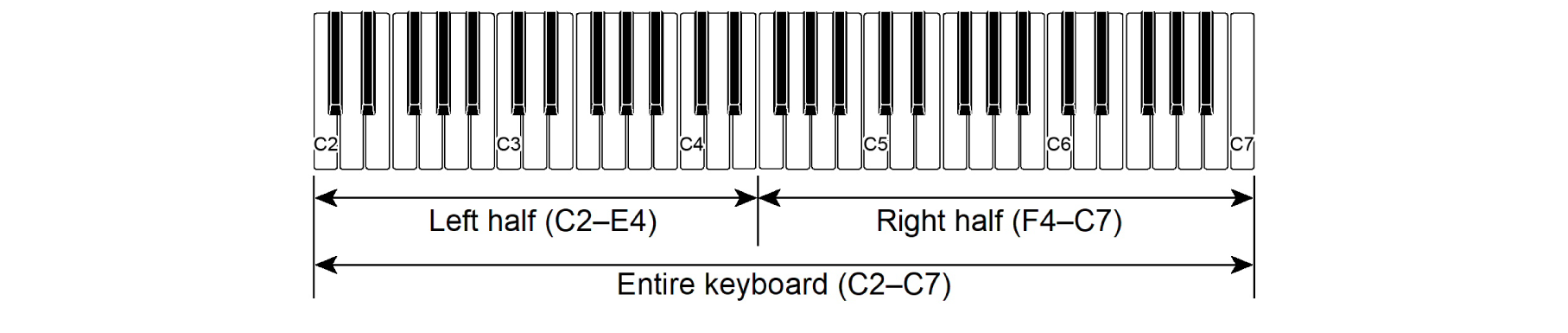
-
Press and hold the FUNCTION button, and press the D2 key.
-
Do not release the FUNCTION button until step 2.

-
Each press of the D2 key changes the setting in the order shown in the table below. A notification tone signals which setting you have switched to after you press a key.
Notification tone
Setting
Plays once
Entire keyboard (default setting)
Plays twice
Left half
Plays three times
Right half
-
-
To exit the settings, release the FUNCTION button.