
Part Names and Functions
Front panel
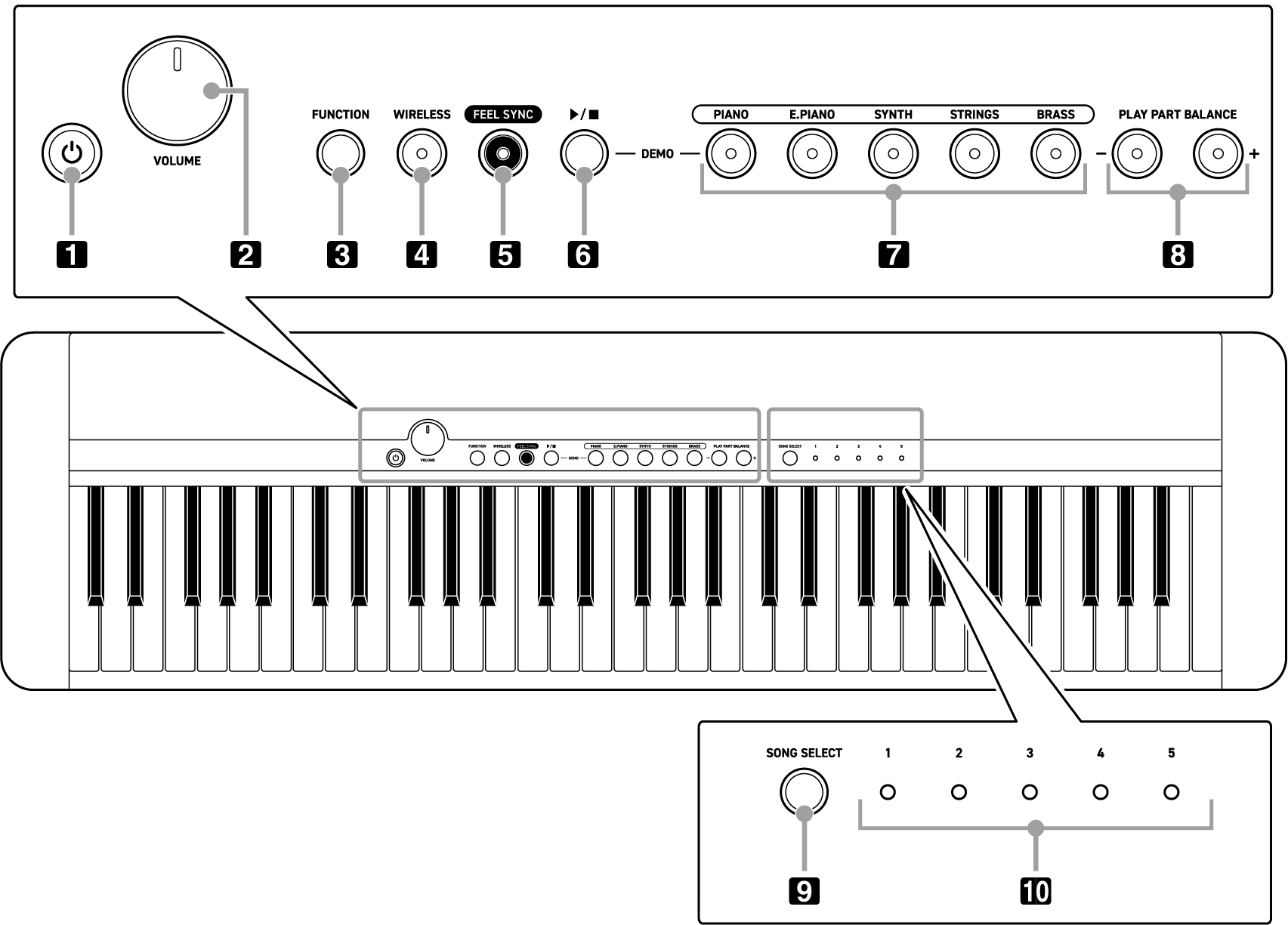
-
P(Power) button
Press to turn on the power. Press and hold to turn off the power.
-
VOLUME knob
Turn this knob to change the master volume.
-
FUNCTION button
You can change settings on the Digital Keyboard by pressing and holding this button and pressing a specific key.
-
WIRELESS button
Press this button briefly to toggle the Digital Keyboard’s Bluetooth® function on/off. Press and hold for audio pairing with a smart device.
(Refer to “Pairing for Bluetooth audio”)
-
FEEL SYNC button
Each time you press this button, the Feel Sync function toggles on/off.
-
a button
Press to play back the selected demo song, and press again to stop. Press this button and the PIANO button at the same time to enter the “Feel Sync Demo Mode”, which plays all of the demo songs repeatedly.
-
Main tone buttons
The tone changes according to the button you press.
-
PLAY PART BALANCE buttons
These adjust the balance between the playback volume of the song and what you play on the keyboard.
-
SONG SELECT button
Each press of this button switches in order from 1 to 5 for the demo song to play back.
-
SONG SELECT LEDs
The LED of the number of the currently selected demo song lights up.
Back
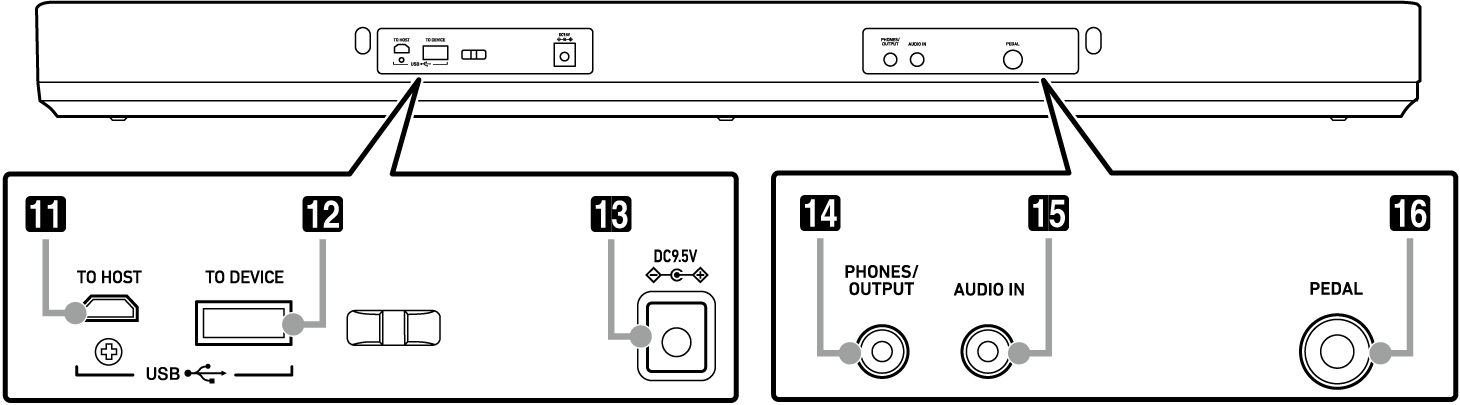
-
USB Micro B port
-
USB Type A port
-
Power terminal (DC 9.5V)
-
PHONES/OUTPUT jack
-
AUDIO IN jack
-
PEDAL jack