
What is the Feel Sync function?
When a key is pressed during song playback, the Feel Sync function plays notes by correcting the pitches to match the chord progression of the song that’s playing back. Even if you don’t have experience playing the keyboard, simply play along with the rhythm and enjoy the feeling of harmonizing with the flow of the song. Songs compatible with the Feel Sync function are as follows.
Demo songs built into this Digital Keyboard
The demo songs are useful for easily experiencing the Feel Sync function. Five demo songs pre-arranged for Feel Sync with famous melodies can be played back (see “Demo Song List” for the song titles).
For more information, see “Using the Feel Sync Function While Playing Demo Songs”.
Songs played using the Feel Sync app for smart devices
The Feel Sync app is a dedicated app for using the Feel Sync function. This lets you play back audio files (MP3, WAV, etc.) on smart devices, or songs from content services provided on the app. We invite you to experience the Feel Sync function with your favorite songs by using the app.
For details, see “Using the Feel Sync Function While Playing a Song on the Dedicated App”.
Feel Sync function operation flow
The general flow of operations according to how you use the Feel Sync function is shown below.
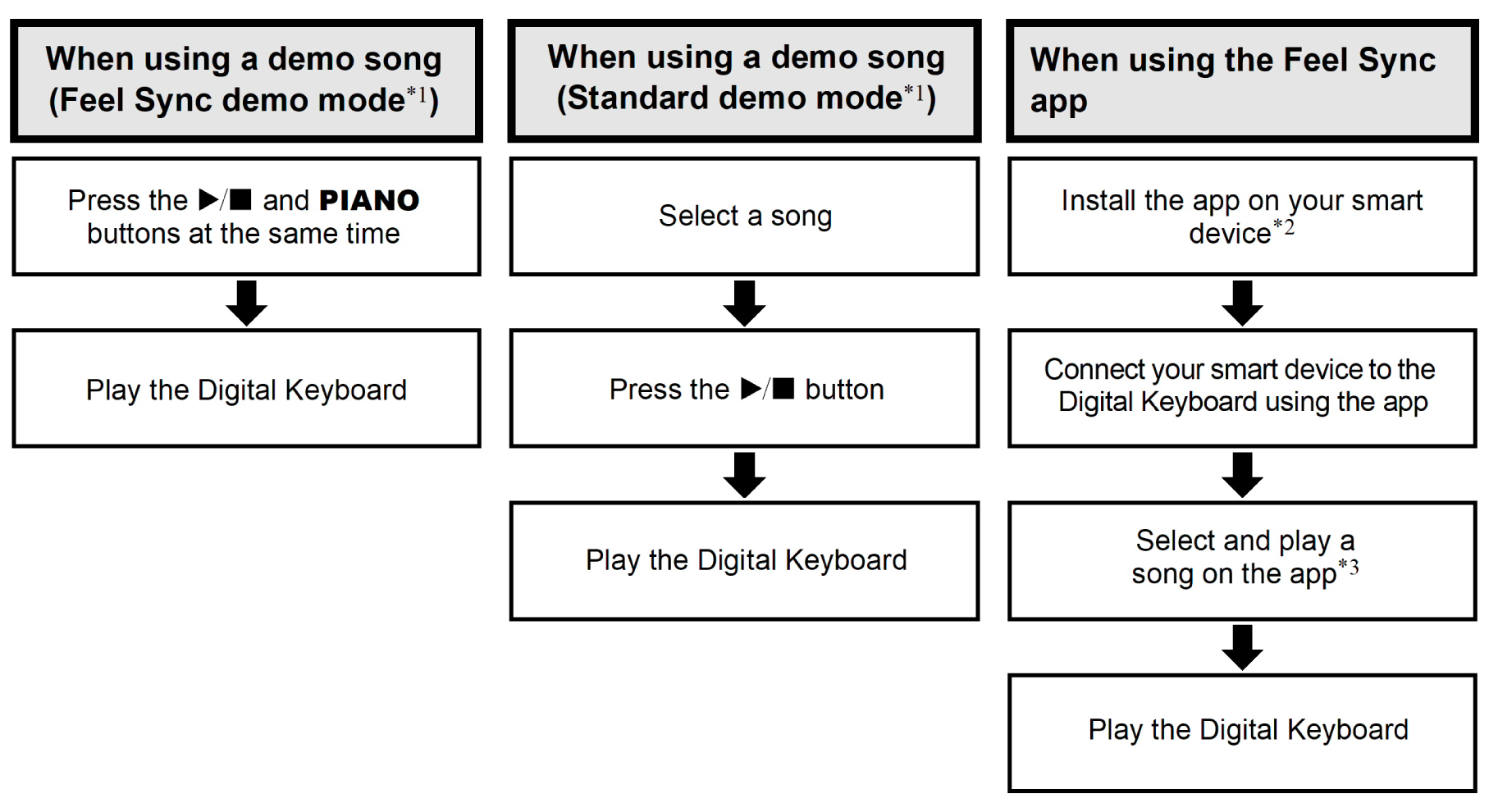
-
see “Using the Feel Sync Function While Playing Demo Songs”.
-
This operation is required only for the first time.
-
If the Digital Keyboard and the smart device are not audio-paired, playback sound is heard from the smart device’s speakers. If you want to hear sound through the Digital Keyboard, you must perform the “Pairing for Bluetooth audio” operation.