
Error Display List
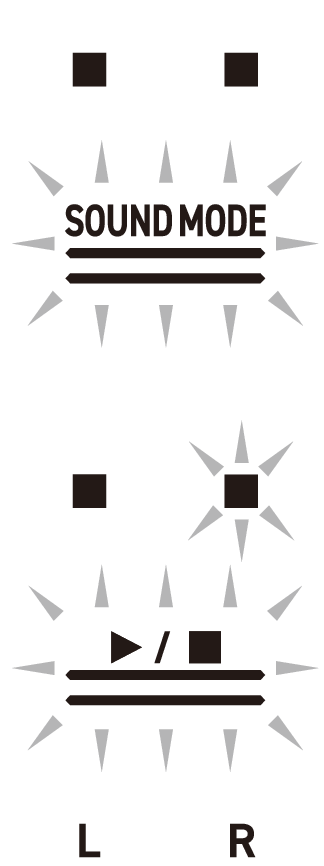
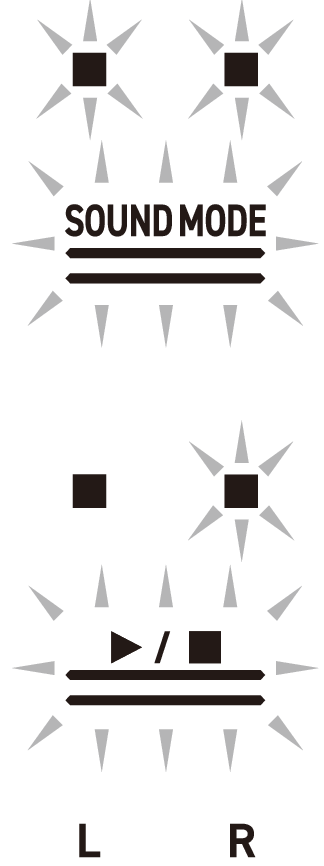
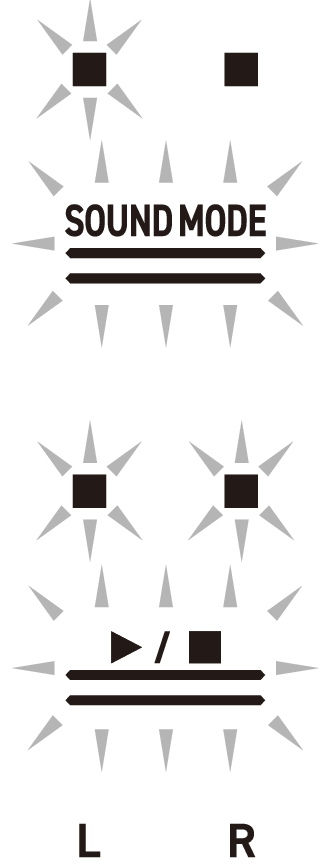
When an error occurs, the Visual Information Bar uses divided bars that blink alternately (error display).
The touch buttons and indicators blink as shown in the illustration below.
|
Display |
Cause |
Solution |
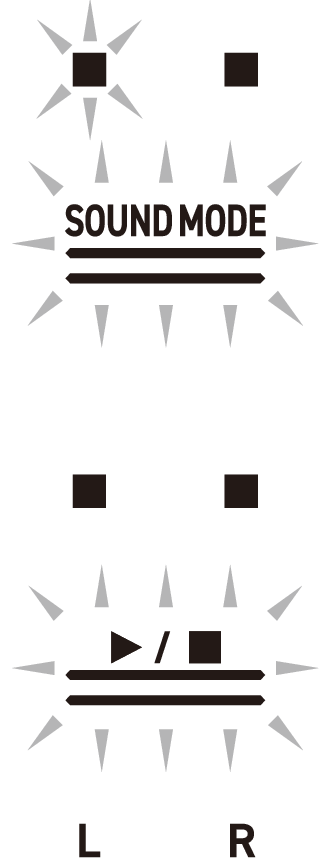
|
A USB flash drive is not properly inserted into the USB Type A port on the Digital Piano. |
Correctly insert a USB flash drive into the USB Type A port. |
|
A USB flash drive was removed or inserted during operation. |
Do not move USB flash drives while the Digital Piano is in operation. |
|
|
The USB flash drive is protected. |
Cancel the protection of the USB flash drive. |
|
|
The USB flash drive contains antivirus software. |
Use a USB flash drive that does not contain antivirus software. |
|

|
There are no files in the target folder that can be read or played. |
Move the file you want to load or play to the target folder for loading. For more information, see “Copying MIDI Song Data to a USB Flash Drive Using a Computer” and “Copying Audio Data (WAV, MP3) to a USB Flash Drive Using a Computer”. |
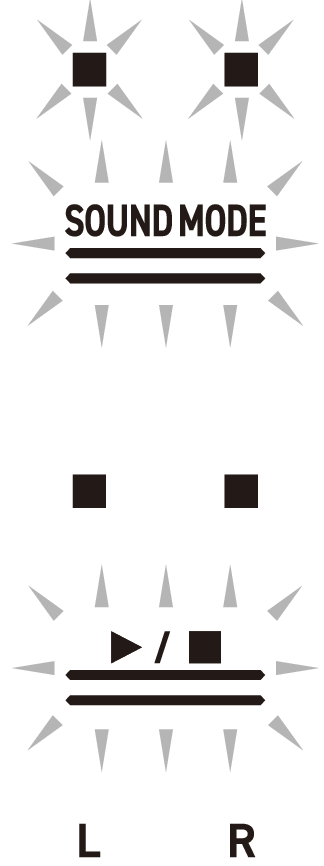
|
Tried to save data to a USB flash drive when there was no recording data. |
Record and then save. |
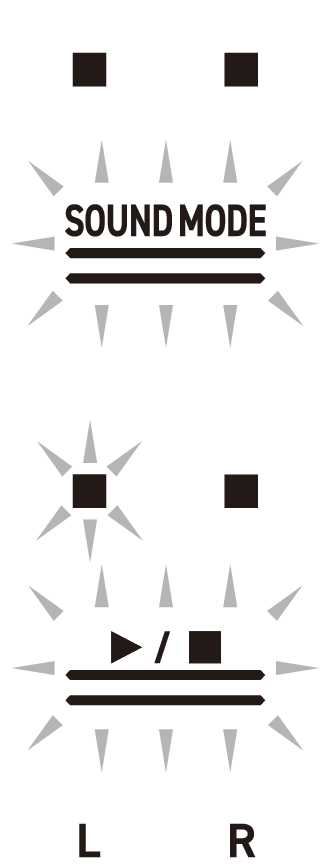
|
You are trying to save different data using the same name as a read-only file on the USB flash drive. |
|

|
Insufficient free space on USB flash drive. |
|
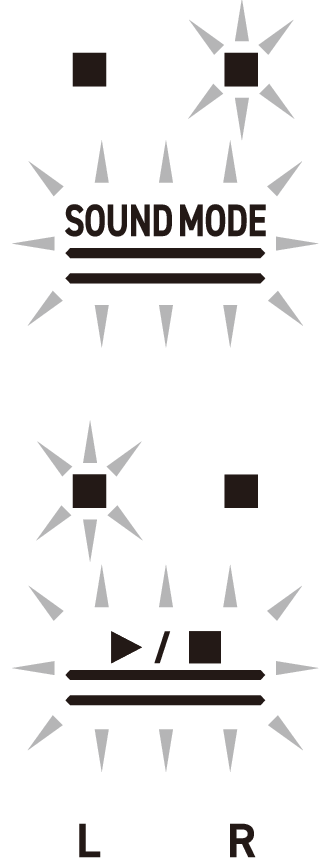
|
You attempted to start recording beyond the maximum number of songs (99) on the Audio Recorder. TAKE99.WAV or TAKE99.MP3 is already in the AUDIOREC folder on the USB flash drive. |
Using a computer, move TAKE**.WAV (** = 01-99) or TAKE**.MP3 (** = 01-99) in the AUDIOREC folder of the USB flash drive to another folder or drive. |

|
You attempted to read or play a file in SMF format 2. |
The SMF format that can be read and played back by this Digital Piano is “0” or “1”. |
|
The size of the SMF file on the USB flash drive is too large to play on the Digital Piano. |
This Digital Piano can play back SMF files up to a maximum size of approximately 320 KB. |

|
Data on the USB flash drive is corrupted. |
– |

|
There is insufficient free memory space in the Digital Piano for converting MIDI recorder songs to SMF and saving them to a USB flash drive. |
|
|
The version of the file on the USB flash drive is not supported by the Digital Piano. |
Prepare a version of the file that is supported by the Digital Piano. |

|
The format of the USB flash drive is not compatible with this Digital Piano. |
|
|
The USB flash drive is corrupted. |
Use a different USB flash drive. |
|
|
The Wireless MIDI & audio adaptor is not inserted into the USB Type A port. |
Insert the Wireless MIDI & audio adaptor into the USB Type A port. |