Outputting the Digital Piano’s Sound to an Amplifier or Audio Equipment
When connected to an audio device or an amplifier for musical instruments, you can enjoy performances with more powerful volume and sound quality in line with the speaker capabilities of those devices. To make a connection, use a commercially available connection cord.
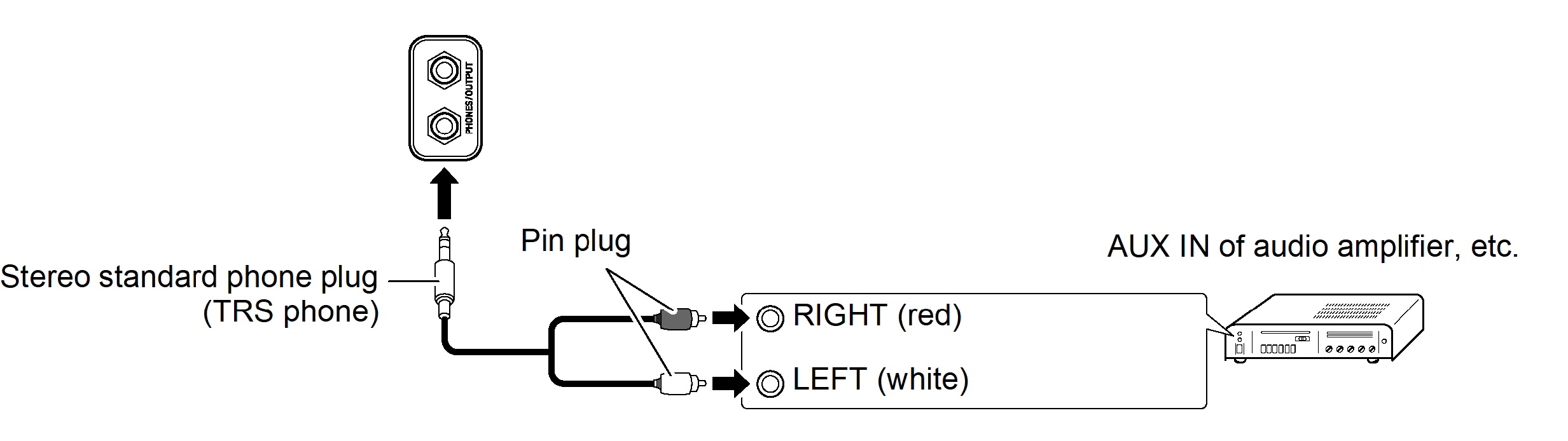
Connecting to Audio Equipment
Use a commercially available connection cord and make a connection as shown in the diagram. Use a stereo standard phone plug (TRS phone) to connect to the Digital Piano. A standard phone plug (TS phone) only produces one side of stereo output. Normally, switch the input selector of your audio device to the connected terminal (AUX IN etc.).
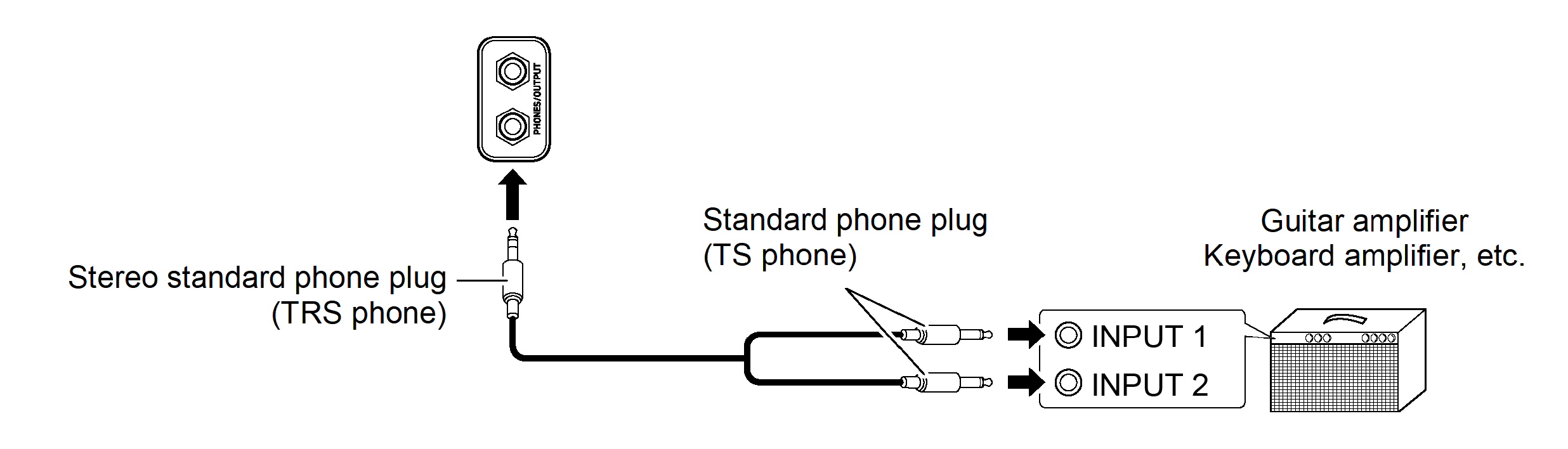
Connecting to a Musical Instrument Amplifier
Depending on the device you are connecting to, use a commercially available connection cord to make a connection as shown in the diagram. Make sure that the side connected to the amplifier receives both left and right channel signals. If either is missing, only one side of the stereo output will be heard.