
Shooting a Slow Motion Segment while Recording a Movie
Dramatic Slow Motion can be used during movie recording to switch to slow motion recording for a specific period. You can highlight specific portions of a movie by recording them in slow motion.
- You can use the recording setting screen items below to specify the slow motion start point and duration.
- Slow Motion Operation
- Slow Motion Time
-
1.Swipe the screen left or right to change the recording mode to “Dramatic Slow Motion”.
-
2.While checking what appears on the smartphone display, point the camera at the subject.
-
3.Tap the shutter button.
-
This will start movie recording.
- The image of what is currently being recorded will not appear on the display.
-
4.At the point you want to switch to slow motion recording, tap the slow motion start button.
-
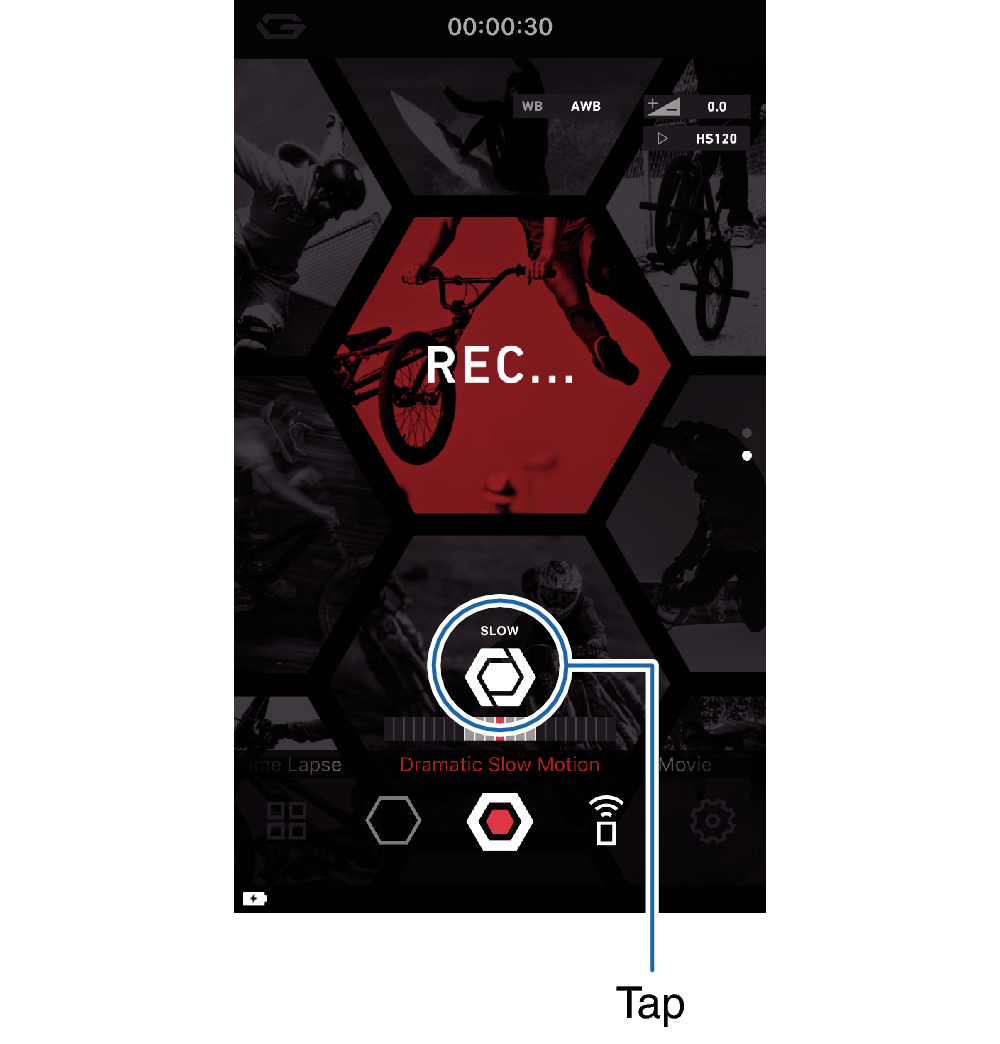
Slow motion recording will start in accordance with the setting you configured with “Slow Motion Operation”. Normal recording will resume after the time specified by the “Slow Motion Time” setting elapses.
- You can perform multiple slow motion recording operation within a single movie recording session.
-
5.Tap the shutter button to stop recording.
 Top of page