
Viewing Images in Camera Memory
You can use the procedure below to view images in camera memory on a smartphone, and manually send images from the camera to the smartphone.
-
1.Start up the “Gʼz EYE” app and establish a wireless LAN connection between the camera and smartphone.
-
2.On the top screen, tap “Viewing Images with the App”.
-
This will display the Play Screen (Multi Image View).
Play Screen (Multi Image View)
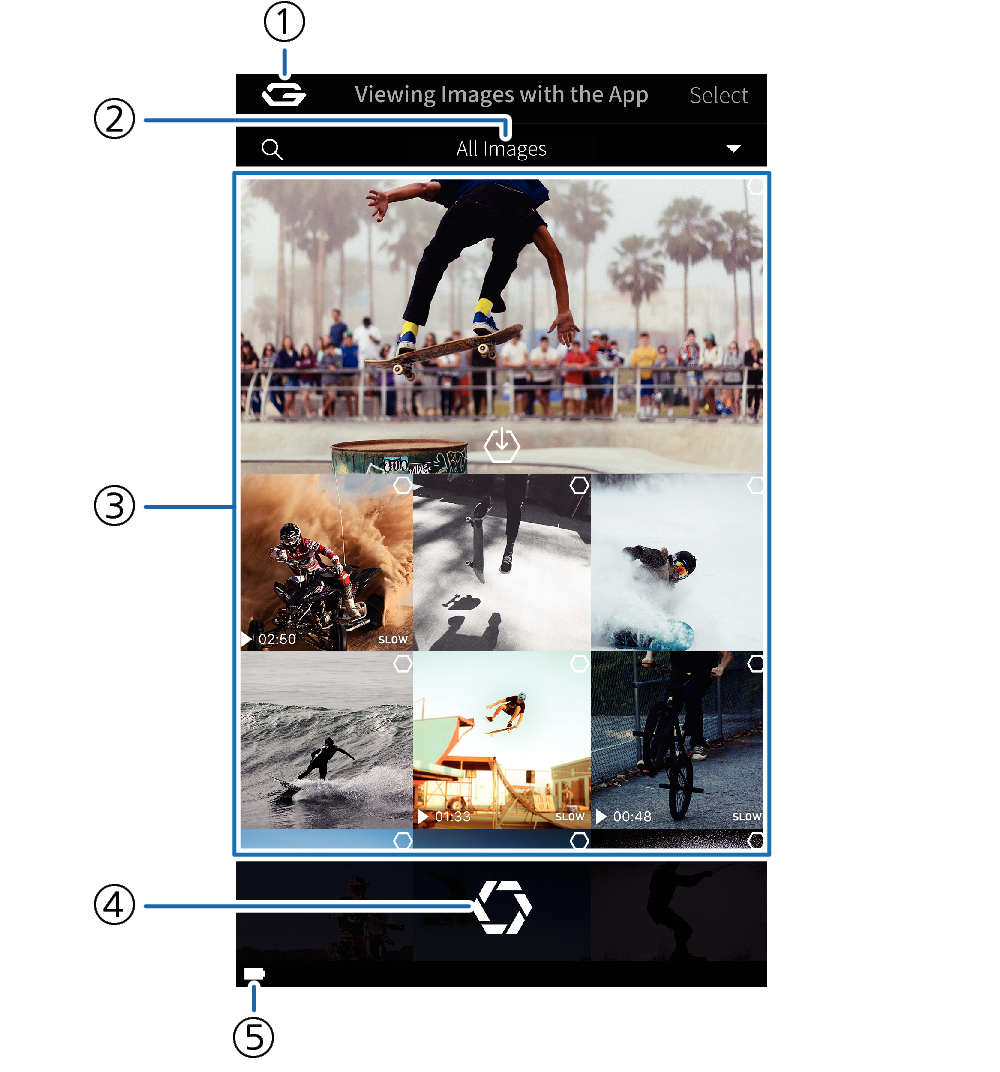
- ①
-
 button
Returns to the top screen.
- ②
-
Displayed image type
Use this setting to specify the type of images you want to display
- ③
-
Images
Shows images in camera memory.
- ④
-
Remote Capture button
Switches to the Remote Capture screen for recording of images with the camera.
- ⑤
-
Battery status
Shows the camera’s battery status.
 Top of page