
Displaying a Single Image
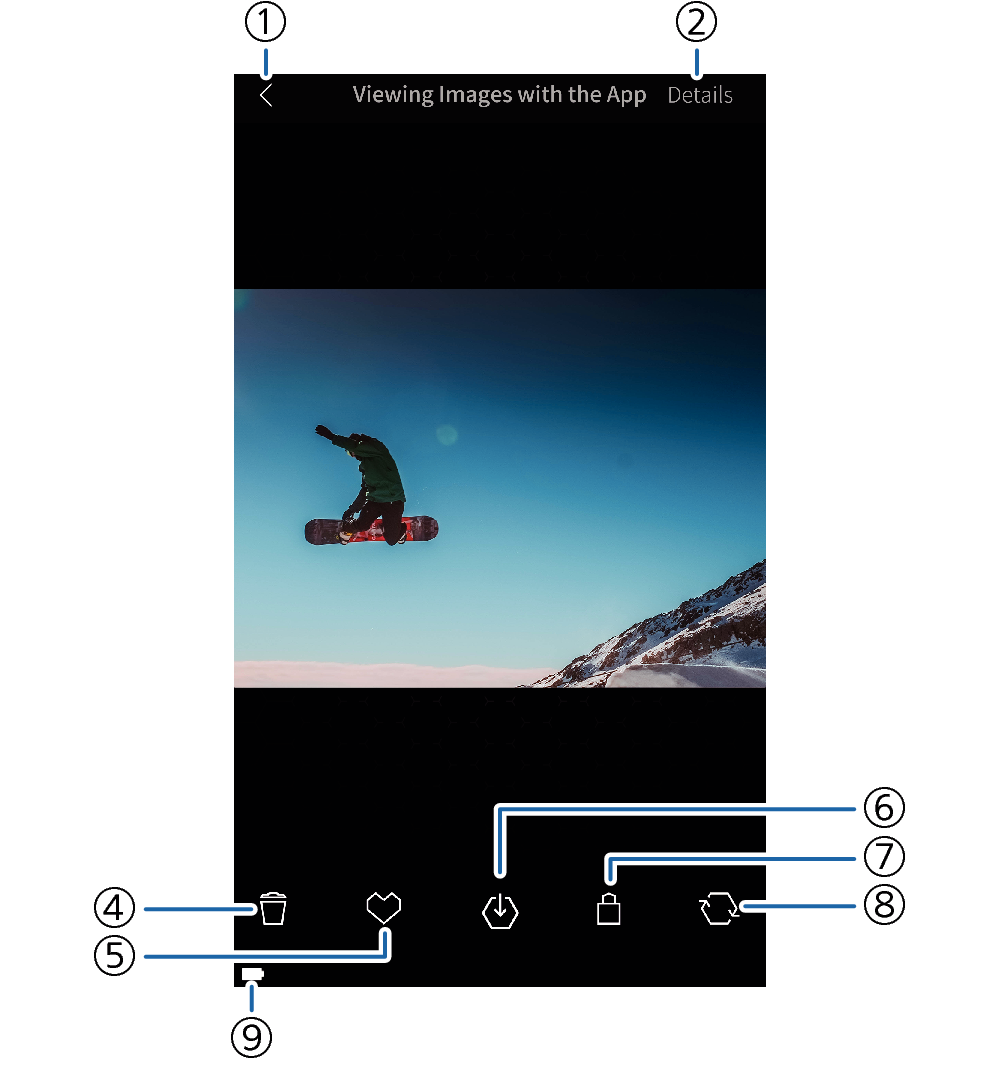
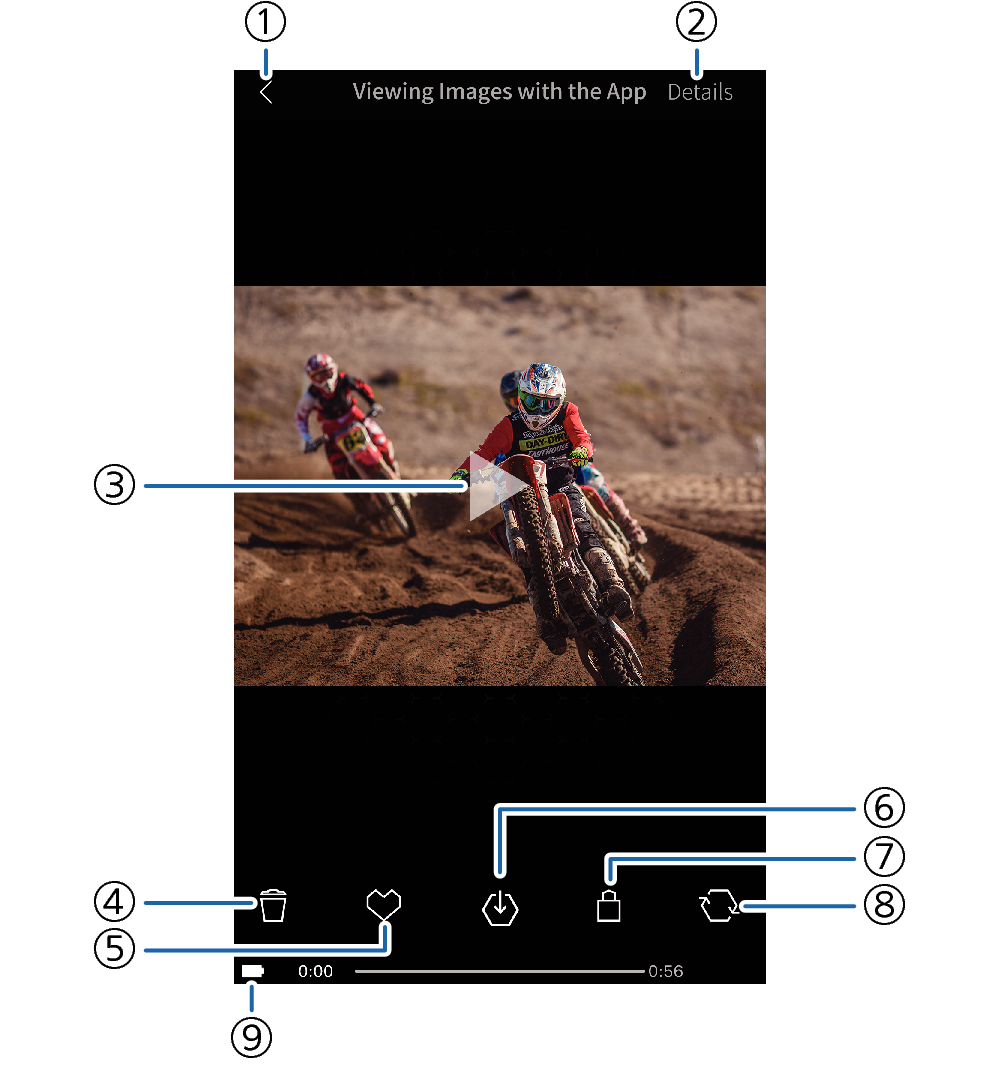
To change to the Single Image View of one of the images on the Play Screen (Multi Image View), tap the desired image. You can scroll through images on the Single Image View by swiping the screen left or right.
Snapshot
Movie
- ①
-
Back button
Returns to the Play Screen (Multi Image View).
- ②
-
Details button
Displays shooting information about the image.
- ③
-
PLAY button
Starts Simple Movie Playback.
- ④
-
Delete button
Deletes the image from camera memory.
- ⑤
-
Favorites button
Adds the image to Favorites.
- ⑥
-
Send button
Sends the image to the smartphone.
- ⑦
-
Protect button
Protects the image.
- ⑧
-
Rotate button
Rotates the image 90 degrees right.
- ⑨
-
Battery status
Shows the camera’s battery status.
 Top of page