Other Settings
This section explains other watch settings you can configure.
Enabling the Button Operation Tone
Use the procedure below to enable or disable the tone that sounds when you press a button.
-
Enter the Timekeeping Mode.
-
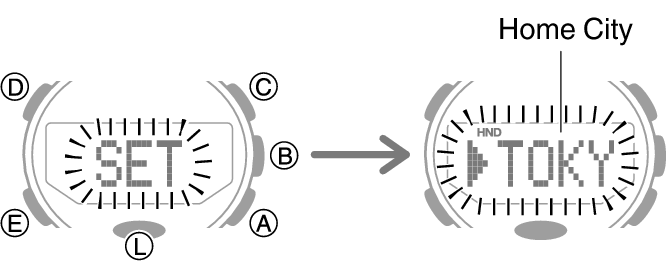
Hold down (D) for at least two seconds. Release the button when the name of the currently selected Home City appears on the display.
-
Press (E) twice.
-
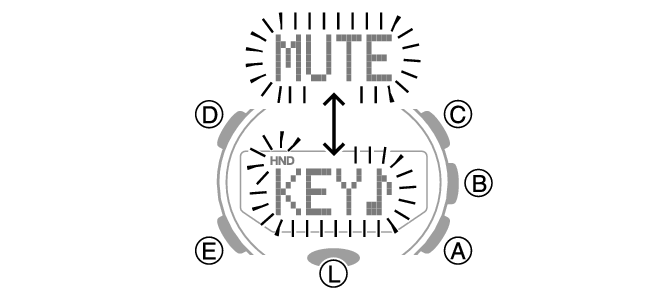
Use (A) to select [KEY♪] or [MUTE].
-
Press (D) twice to exit the setting screen.
This causes [KEY♪] or [MUTE] to flash on the display.

[KEY♪]: Operation tone enabled.
[MUTE]: Operation tone muted.
Note
Note that alarm and timer tones still sound even while the operation tone is muted.
Reflecting Altitude Differential in Activity Measurements
You can use the procedure below to specify whether or not you want to reflect altitude differential in physical exertion measurements.
Note
Reflecting altitude differential information in activity measurements makes it possible to obtain more accurate activity calculations.
CASIO WATCHES is used to specify your height and weight, and to calculate physical exertion.
This information is not displayed on the watch.
-
Enter the Timekeeping Mode.
-
Hold down (D) for at least two seconds. Release the button when the name of the currently selected Home City appears on the display.
-
Press (E) six times.
-
Use (A) to select [ON] or [OFF].
-
Press (D) twice to exit the setting screen.
This will display [SLOPE], followed by a flashing [ON] or [OFF].
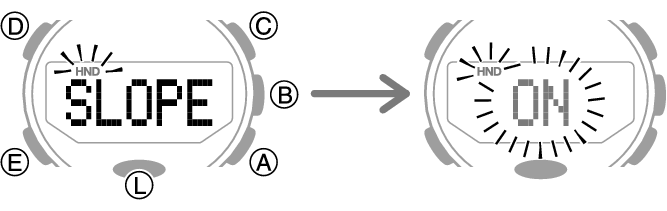
[ON]: Altitude differential reflected in physical exertion measurements.
[OFF]: Altitude differential not reflected in physical exertion measurements.
Resetting Watch Settings
This section explains how to return the watch settings below to their initial factory defaults.
Watch Settings
Compass
Altimeter
Barometer
Thermometer
Altitude recording
Step count data
Stopwatch
Timer
Alarm
-
Enter the Timekeeping Mode.
-
Hold down (D) for at least two seconds. Release the button when the name of the currently selected Home City appears on the display.
-
Press (D).
-
Hold down (C) for at least five seconds. Release it when [RESET] stops flashing.
-
Press (D) to exit the setting screen.
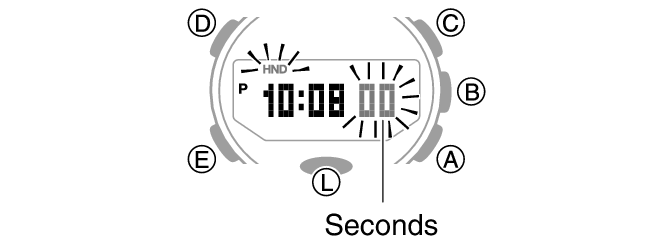
This causes the seconds to flash.

Important!
Reset cannot be performed while Mission Log is enabled.
Note
Resetting the watch also deletes information for pairing the watch with a phone, and unpair them.