Temperature Measurement
The watch can be used to take current air temperature readings.
Important!
Check the information at the link below to find out how to ensure correct readings.
Checking the Current Temperature
-
Enter the Thermometer Mode.
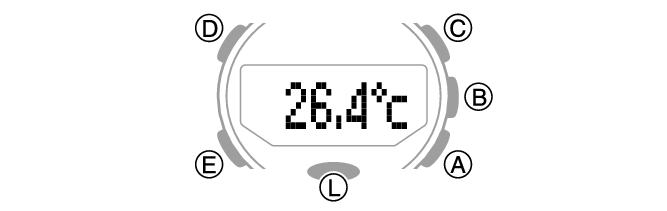
Entering the Thermometer Mode will start temperature measurement and display the result.
After you enter the Thermometer Mode, the watch takes readings about every five seconds for three minutes. After that, a measurement is taken about every two minutes.
To retrigger measurement, press (A).
Note
The watch will automatically return to the Timekeeping Mode if you do not perform any operation in the Thermometer Mode for about one hour.
The measuring range is -10.0 °C to 60.0 °C (14.0 °F to 140.0 °F) (0.1 °C (0.2 °F) units). [- - .-] will appear for the measured value if it is outside the allowable range.
To return to the Timekeeping Mode, hold down (E) for at least two seconds.
Calibrating Temperature Readings (Offset)
The watch’s temperature sensor is adjusted at the factory and normally does not require calibration. However, you can calibrate the displayed value if you notice major errors in readings.
Important!
Check to make sure that the value you use for calibration produces correct temperature readings.
Before calibrating the temperature reading, remove the watch from your wrist and leave it in the area where you plan to measure temperature for about 20 or 30 minutes to allow the case temperature to become the same as the air temperature.
-
Enter the Thermometer Mode.
-
Hold down (D) for at least two seconds. Release the button when [SET] starts to flash and then [°C] appears on the display.
-
Use (A) and (C) to calibrate the temperature.
-
Press (D) to exit the setting screen.
This displays the current temperature and enters the Temperature Offset Mode.
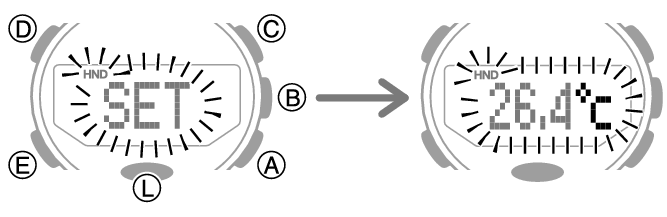
Calibration unit: 0.1 °C (0.2 °F)
To return the barometric pressure setting to its initial factory default, press (A) and (C) at the same time.
Specifying the Temperature Unit
You can select either Celsius (°C) or Fahrenheit (°F) as the temperature display unit.
Important!
When Tokyo (TOKYO) is the Home City, the temperature unit is fixed as Celsius (°C) and cannot be changed.
-
Enter the Timekeeping Mode.
-
Hold down (D) for at least two seconds. Release the button when the name of the currently selected Home City appears on the display.
-
Press (E) nine times.
-
Press (A) to toggle between temperature units.
-
Press (D) twice to exit the setting screen.
Example: When your Home City is Los Angeles
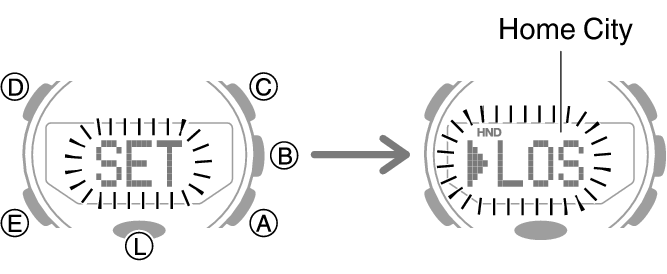
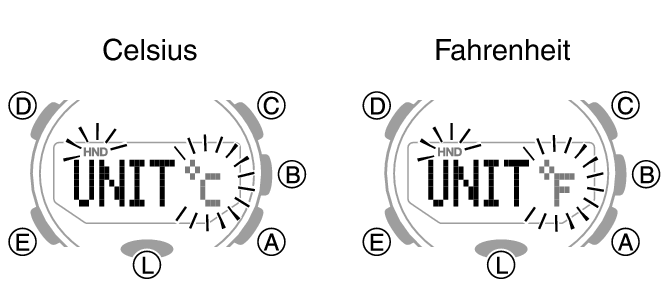
This will display [UNIT °C] with [°C] flashing, or [UNIT °F] with [°F] flashing.
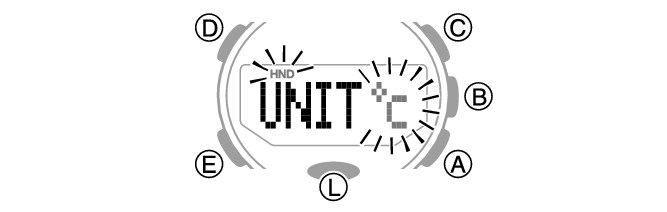
[°C]: Celsius
[°F]: Fahrenheit
Temperature Reading Precautions
Body temperature, direct sunlight, and humidity all have an effect on temperature readings. To help ensure more accurate temperature readings, remove the watch from your wrist, wipe it dry of any moisture, and place it in a well-ventilated location not exposed to direct sunlight. You should be able to take temperature readings after about 20 to 30 minutes.