About This Watch
This section provides an overview of the watch and introduces convenient ways it can be used.
Watch Features
The watch supports connection and communication with a Bluetooth capable phone.
World Time displays the current time in any of 38 cities (38 time zones)* around the globe and UTC.
Subject to being updated when connected with a phone.
An alarm sounds whenever a time specified by you is reached.
You can use the Compass Mode to determine the direction of north, and to check your bearing to a destination.
You can use this function to take an altitude reading at your current location.
You can record the altitude, along with the date and time of the measurement.
You can also measure the altitude differential between two points.
Barometric Pressure Measurement
You can display the current barometric pressure tendency, which helps you be on the alert for noteworthy pressure changes.
The watch can be used to take current air temperature readings.
You can view or delete records of altitude measurements.
You can look up the sunrise and sunset times for a specified date.
The stopwatch measures elapsed time in 1/100-second units for the first hour, and in 1-second units after that for up to 24 hours.
Countdown from a start time specified by you. An alarm sounds when the countdown reaches zero.
Important!
This watch is not a special-purpose measuring instrument. Measurement function readings are intended for general reference only.
Whenever using the Digital Compass of this watch for serious trekking, mountain climbing, or other activities, be sure to always take along another compass to confirm readings. If the readings produced by the Digital Compass of this watch are different from those of the other compass, perform figure 8 calibration or 2-point calibration of the watch compass to ensure better accuracy.
Compass readings and calibration will not be possible if the watch is in the vicinity of a permanent magnet (magnetic accessory, etc.), metal objects, high-voltage wires, aerial wires, or electrical household appliances (TV, computer, cellphone, etc.)
The watch’s altimeter function calculates and displays relative altitude based on barometric pressure readings produced by its pressure sensor. Because of this, altitude values displayed by the watch may be different from your actual elevation and/or sea level elevation indicated for the area where you are located. Regular calibration in accordance with the local altitude (elevation) indications is recommended.
Note
The illustrations included in this operation guide have been created to facilitate explanation. An illustration may differ somewhat from the item it represents.
General Guide
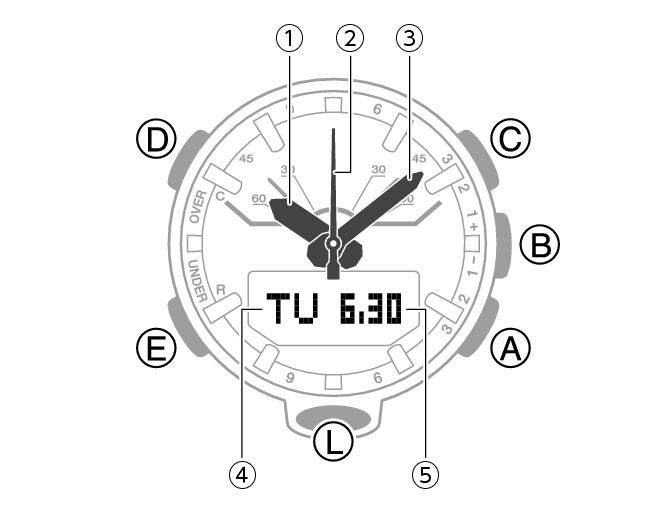
-
Hour hand
-
Second hand
-
Minute hand
-
Day of the week
-
Month, day
A button
Pressing this button in the Timekeeping Mode enters the Altimeter Mode.
B button
Press to connect with a paired phone.
C button
Pressing this button in the Timekeeping Mode enters the Compass Mode.
D button
Pressing this button in the Timekeeping Mode cycles between displays.
E button
Each press cycles between watch modes.
In any mode, hold down this button for at least two seconds to return to the Timekeeping Mode.
L button
Press to turn on illumination.
Watch Face and Display Indicators
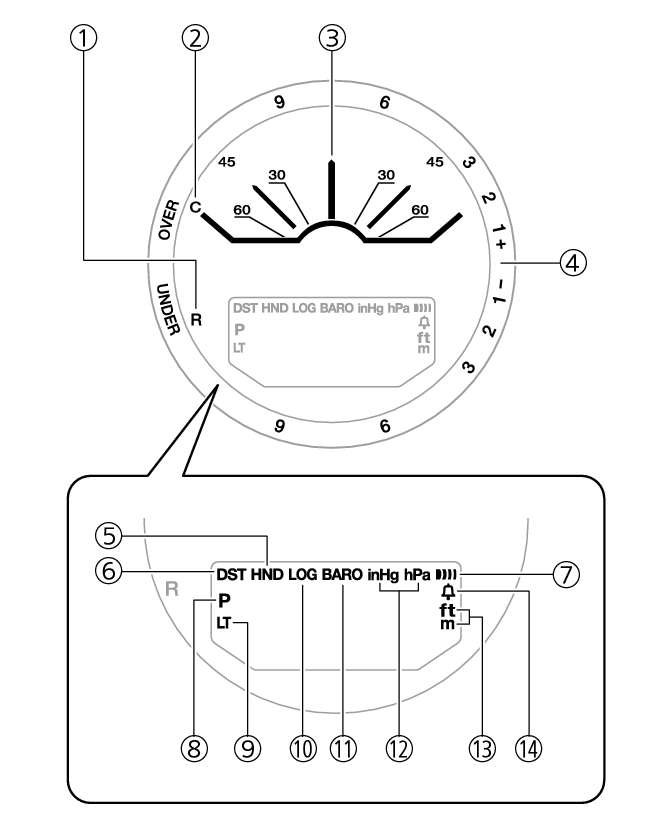
-
The second hand points to [R] when the watch is standing by for connection with a phone.
-
The second hand points to [C] when the watch is connected with a phone.
-
With 12 o’clock as the reference point, the second hand indicates either north (compass reading) or the approximate angle differential from your current location to a destination (Location Indicator).
-
The second hand indicates altitude/barometric pressure differential.
-
Flashes while the watch’s hands are shifted for easier reading.
-
Displayed when the indicated time is summer time.
-
Displayed when an alarm is turned on.
-
Displayed during p.m. times while 12-hour timekeeping is being used.
-
Displayed while Auto Light is enabled.
-
Displayed while Mission Log is enabled.
-
Displayed while barometric pressure trend information is enabled.
-
Shows the barometric pressure measurement unit.
-
Shows the altitude and distance measurement unit.
-
Appears when the hourly time signal is on.
Battery Replacement
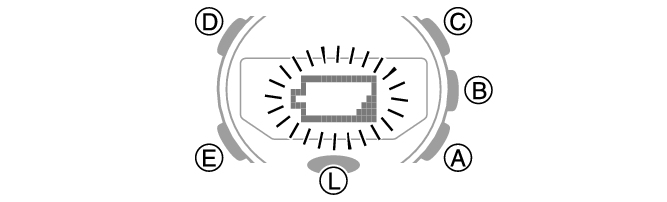
When battery power goes low,  will start to flash and some functions will become disabled. If continues to flash, replace the battery.
Request battery replacement from a CASIO service center or your original retailer.
Navigating Between Modes
Your watch has the modes shown below.
To return to the Timekeeping Mode from any other mode, hold down (E) for at least two seconds.
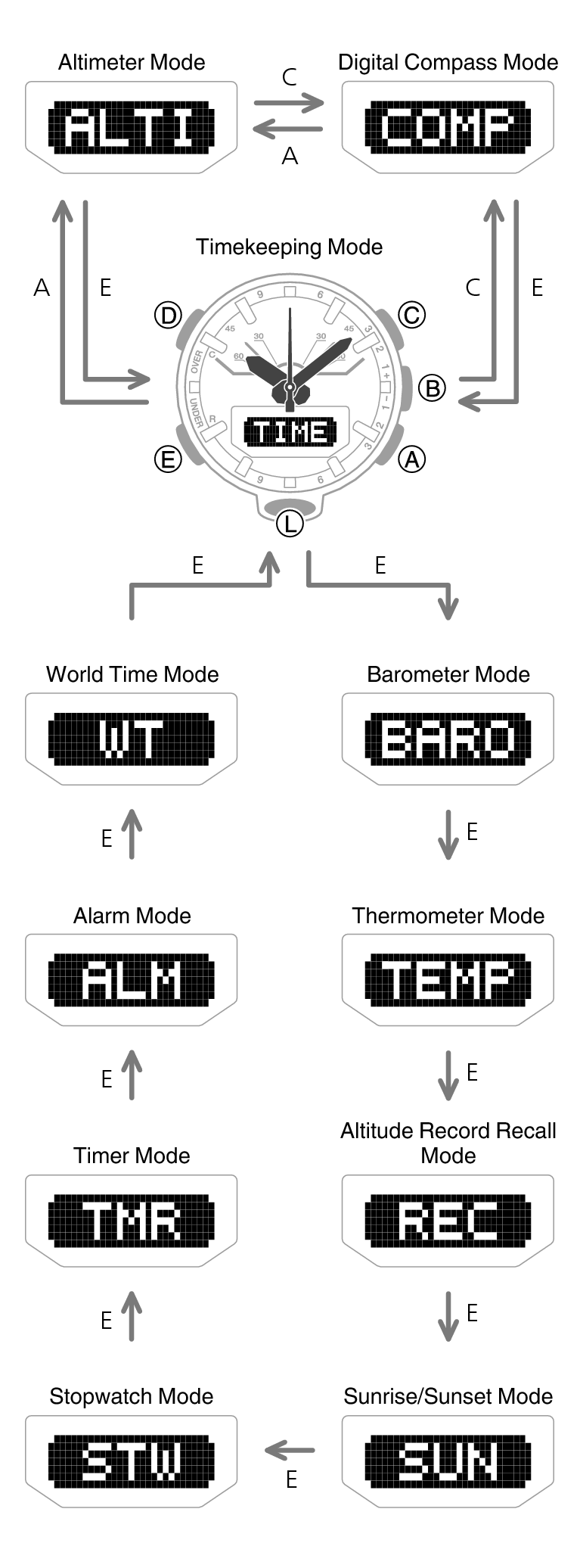
Use the buttons in the illustration above to navigate between modes.
Note
You can use CASIO WATCHES to change the arrangement of modes, or to delete or add modes.
To perform operations with CASIO WATCHES, you first need to pair the watch with the phone where the app is installed.
 Pair the watch with a phone.
Mode Overview
Timekeeping Mode
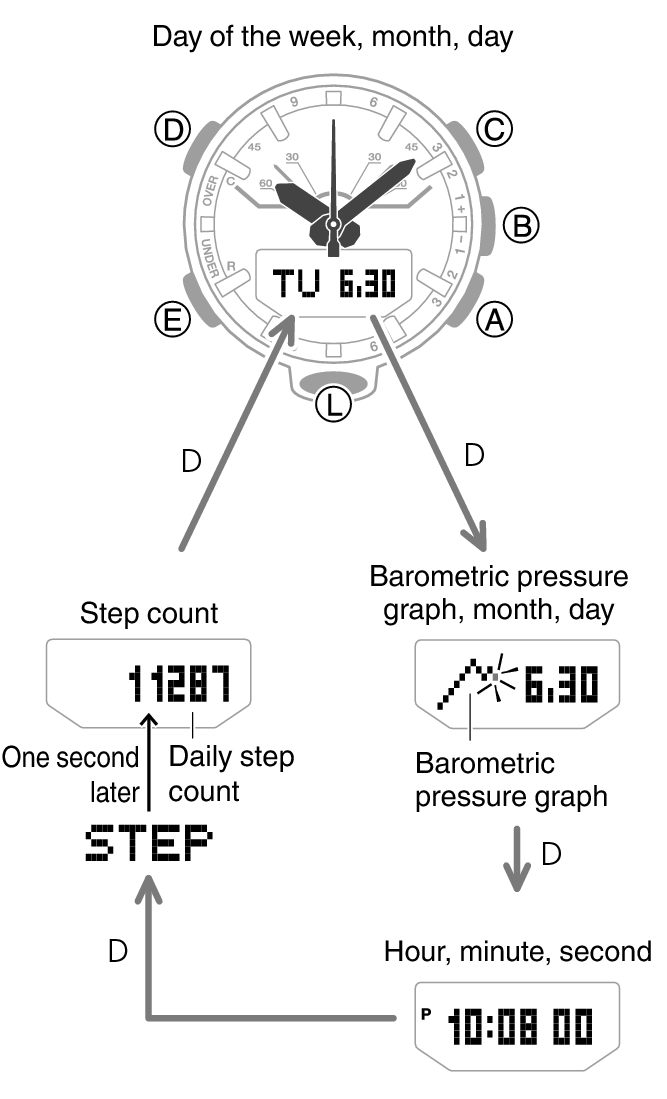
This mode shows the current time and date. You can also configure settings to show a barometric pressure graph, World Time, step count, and/or sunrise and sunset times.
You can navigate between display screens by pressing (D).
Note
You can use CASIO WATCHES to add the items below to the display.
You can also remove items from the display and rearrange their display locations.
Year, month, day
Barometric pressure graph
World Time hour and minute
Home City sunrise and sunset times
To perform operations with CASIO WATCHES, you first need to pair the watch with the phone where the app is installed.
Connecting with a Paired Phone to Correct the Watch’s Time
Press (B).
Searching for a Paired Phone
Hold down (B) for about 5 seconds.
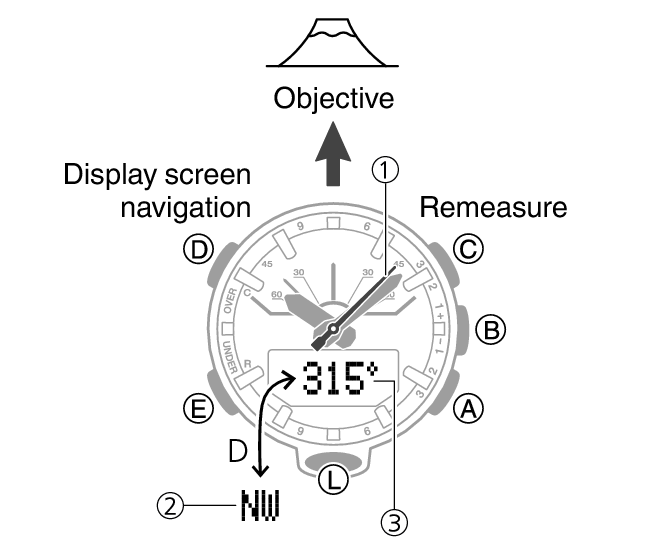
Digital Compass Mode
Use this mode to take direction and bearing angle readings.
-
North indication
-
Bearing at 12 o’clock
-
Bearing angle at 12 o’clock
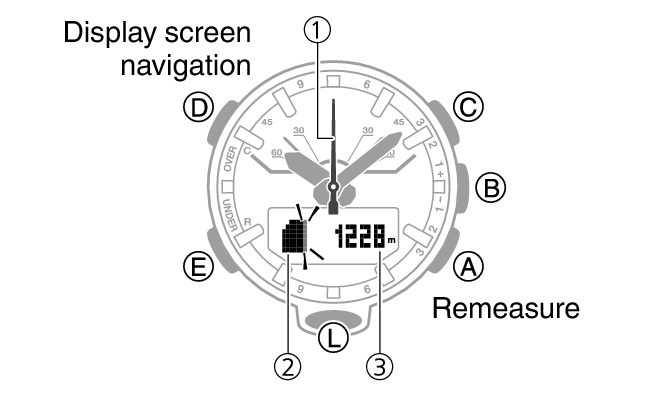
Altimeter Mode
Use this mode to take an altitude reading for your current location.
-
Altitude differential/current time seconds
-
Altitude graph
-
Altitude
Barometer Mode
Use this mode to take barometric pressure readings at your current location.
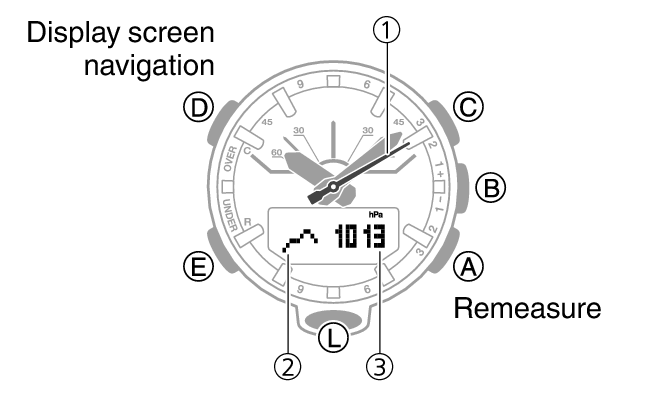
-
Barometric pressure differential/current time seconds
-
Barometric pressure graph
-
Barometric pressure
Thermometer Mode
Use this mode to take temperature readings at your current location.
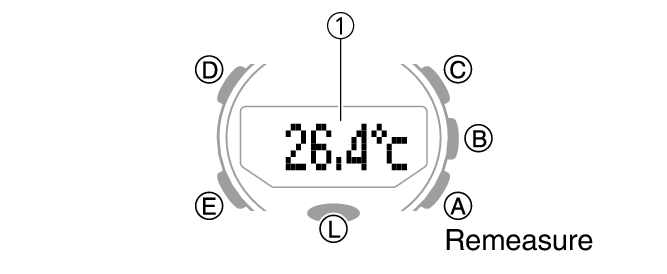
-
Temperature
Altitude Record Recall Mode
Use this mode to view altitude records.
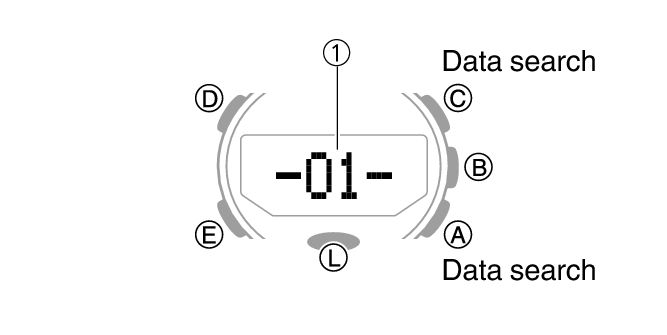
-
Number of the record displayed last time the Altitude Record Recall Mode was used
Sunrise/Sunset Mode
Use this mode to check the sunrise and sunset times for your Home City.
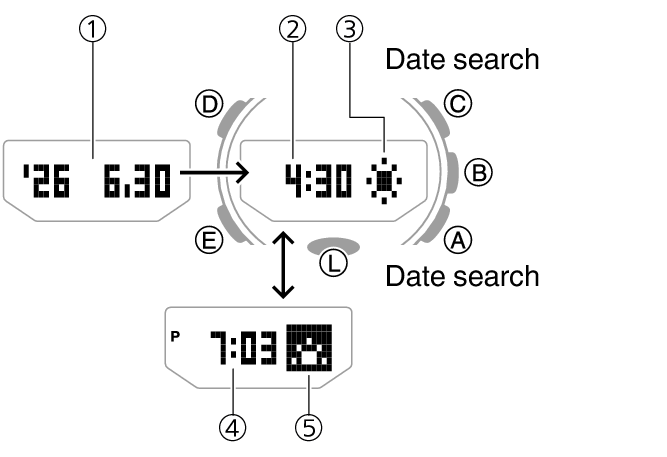
-
Year, month, day
-
Sunrise time
-
Sunrise indicator
-
Sunset time
-
Sunset indicator
Stopwatch Mode
Use this mode to measure elapsed time.
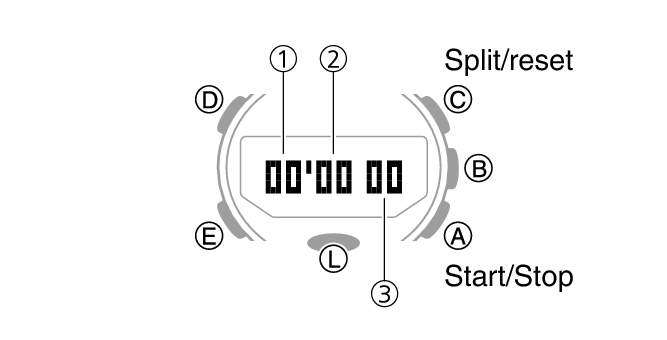
-
Stopwatch minutes
-
Stopwatch seconds
-
Stopwatch: 1/100 second
Timer Mode
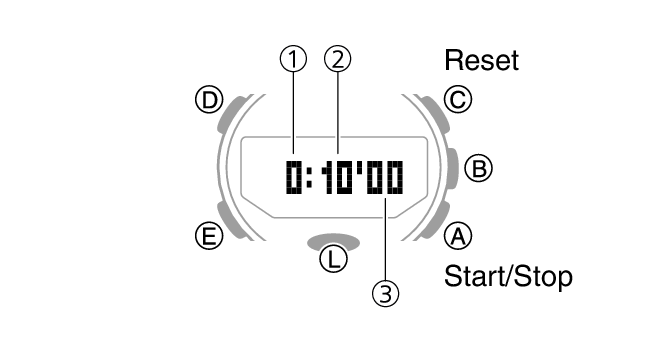
Alarm Mode
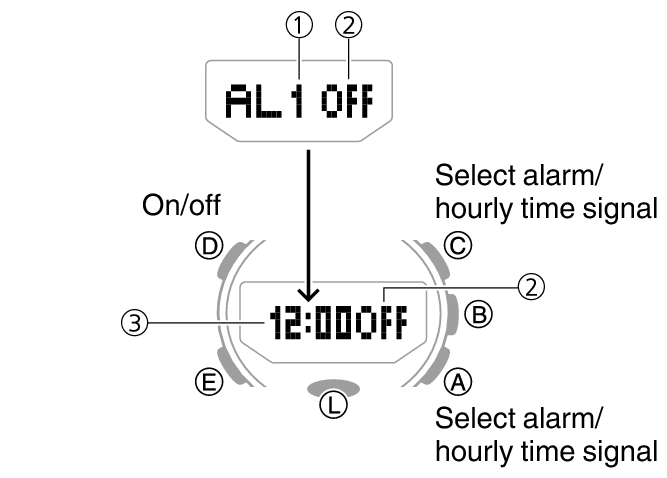
The watch will beep when an alarm time is reached.
When the last screen was an alarm screen
When the last screen was the hourly time signal screen
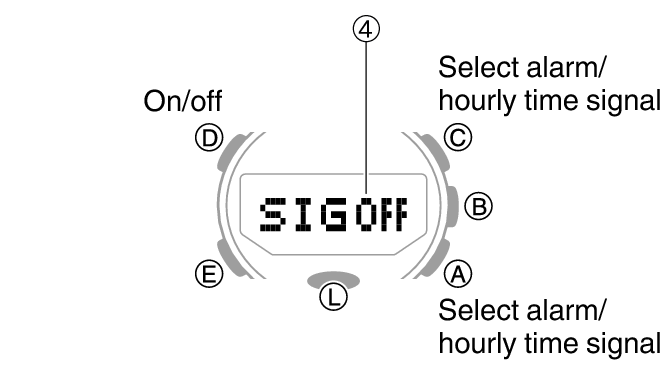
-
Alarm number
-
Alarm enabled/disabled
-
Alarm hour/minute
-
Hourly time signal enable/disable
World Time Mode
This mode shows the current time in 38 cities and UTC (Coordinated Universal Time) time.
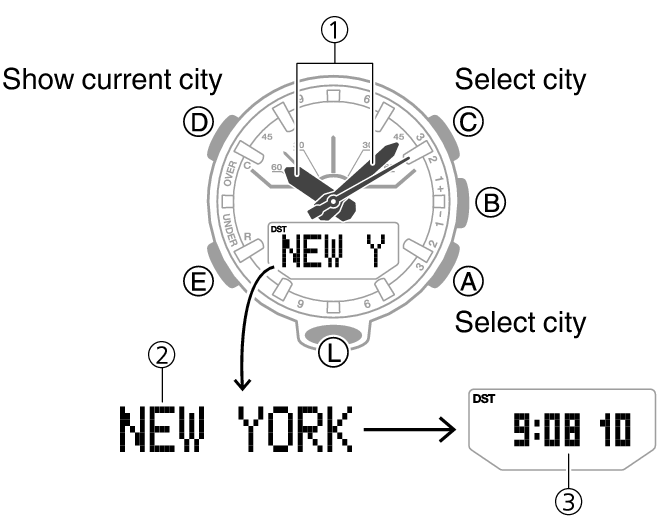
-
Home City time
-
World Time City
-
World Time City current time
Shifting the Hands
Hand shift moves the hands out of the way for easy viewing of display information.
-
While holding down (L), press (E).
-
To return the hands to their normal timekeeping positions, hold down (L) as you press (E) again, or press (E) to change to another mode.
This shifts the analog hands to allow easy viewing of display information.
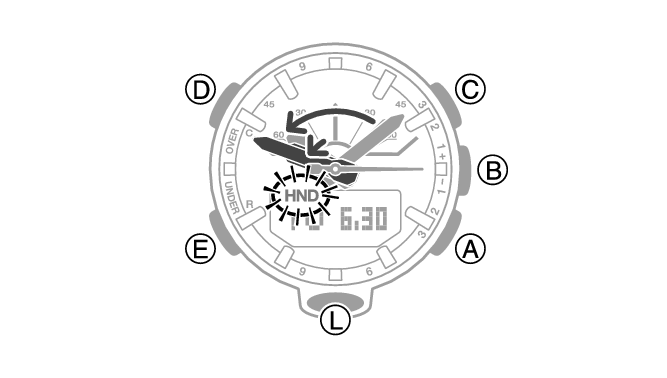
Note
The hands will resume normal timekeeping automatically if you change modes or if you leave the watch with its hands shifted and do not perform any operation for about one hour.
Viewing the Face in the Dark
The face of the watch can be illuminated for viewing in the dark.
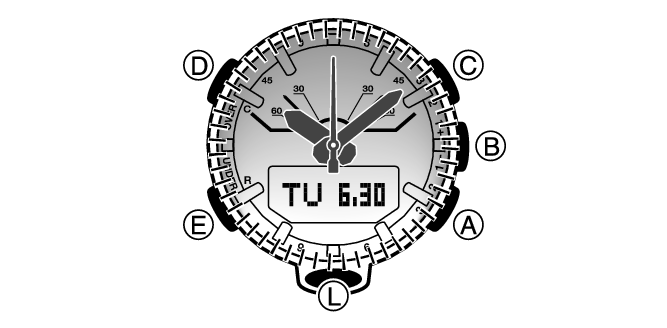
To illuminate the face manually
Pressing (L) turns on illumination.
Illumination turns off automatically if an alarm starts to sound.
To illuminate the face when Auto Light is enabled
If Auto Light is enabled, face illumination will turn on automatically whenever the watch is positioned at an angle of 40 degrees or more.
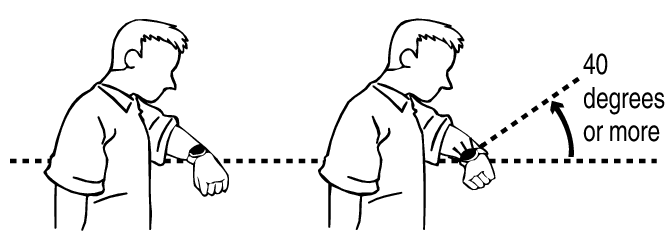
Important!
Auto Light may not operate properly when the watch is at a horizontal angle of 15 degrees or greater from horizontal as shown in the illustration below.

Electro-static charge or magnetism can interfere with proper auto light operation. If this happens, try lowering your arm and then angle it towards your face again.
When moving the watch you may note a slight rattling sound. This is due to operation of the auto light switch, which determines the current orientation of the watch. It does not indicate malfunction.
Note
Auto Light is disabled when any one of the conditions below exists.
While an alarm, timer alert, or other beeper is sounding
While a hand movement operation is in progress
While in the Compass Mode
Configuring the Auto Light Setting
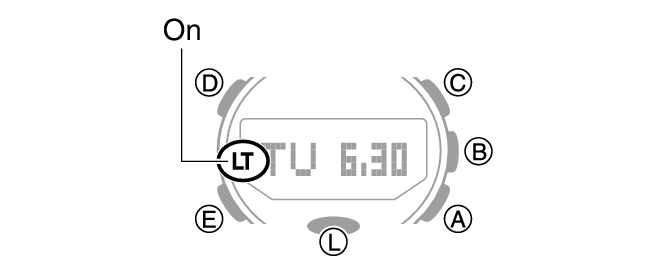
Holding down (L) for at least three seconds in the Timekeeping Mode toggles Auto Light between enabled and disabled.
[LT] is displayed while Auto Light is enabled.
If you do not disable it manually, Auto Light remains enabled for approximately six hours. After that, it becomes disabled automatically.
Specifying the Illumination Duration
You can select either 1.5 seconds or three seconds as the illumination duration.
-
Enter the Timekeeping Mode.
-
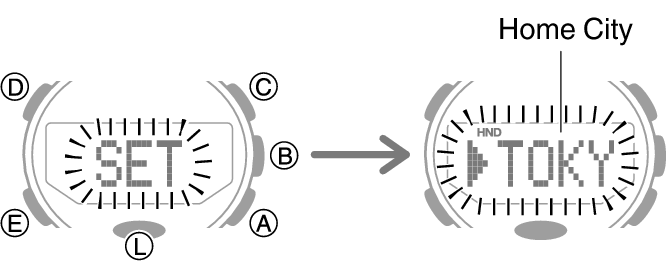
Hold down (D) for at least two seconds. Release the button when the name of the currently selected Home City appears on the display.
-
Press (E) three times so [LT] is displayed.
-
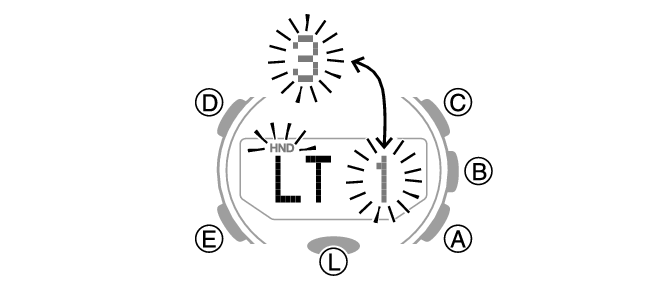
Press (A) to toggle between the two illumination duration settings.
-
Press (D) twice to exit the setting screen.
[1]: 1.5-second illumination
[3]: 3-second illumination
Useful Features
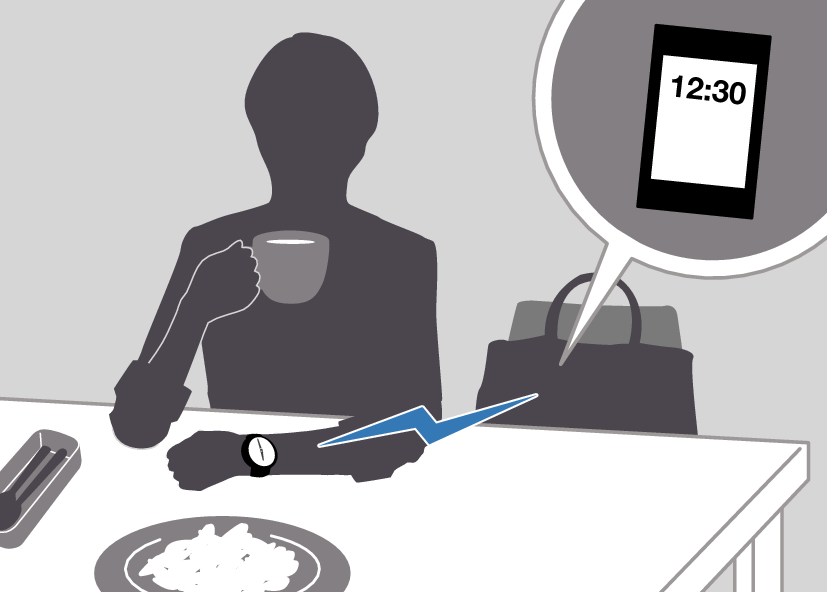
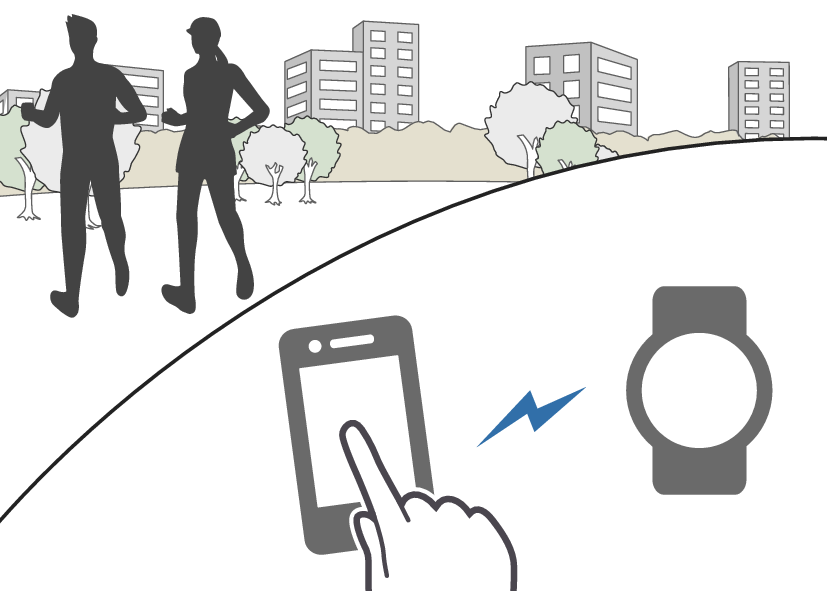
Pairing the watch with your phone makes a number of the watch’s features easier to use.
Auto time correction
Selection of More Than 300 World Time cities
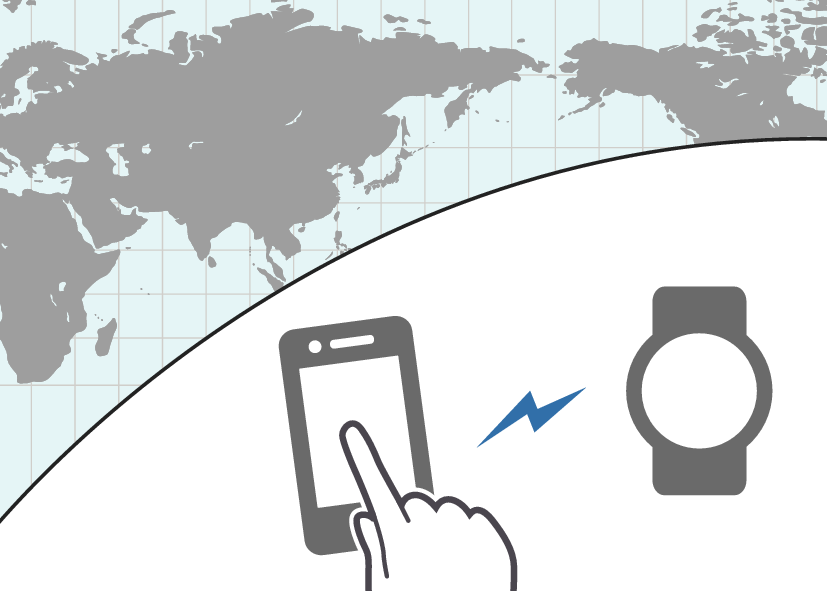
Data transfer to a phone
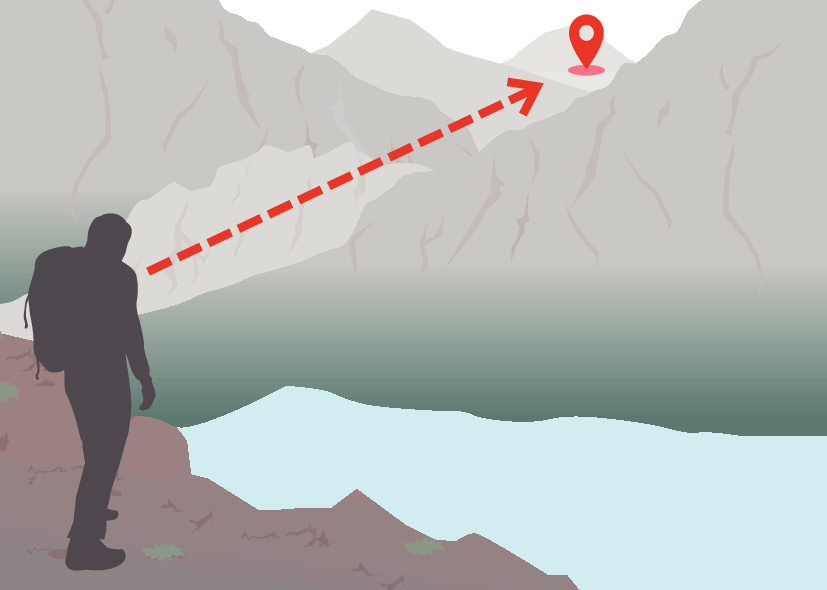
Use your phone to check the distance and bearing to a point in Location Memory
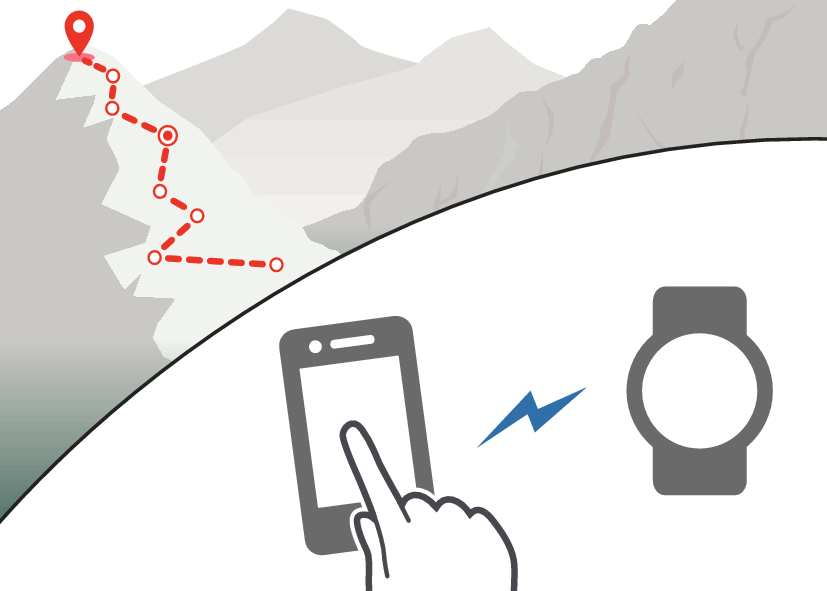
Use your phone to record route waypoints and their altitudes
In addition, a number of other watch settings can be configured using your phone.
To transfer data to a watch and to configure settings, you first need to pair the watch with your phone.
Your phone needs to have the “CASIO WATCHES” phone app installed to pair with the watch.