World Time
World Time lets you look up the current time in any one of 38 cities around the globe, and UTC (Coordinated Universal Time).

Using the CASIO WATCHES Phone App to Configure World Time City Settings
If the watch is paired with a phone, you can also use the CASIO WATCHES phone app to set the World Time city.
Note
World Time cities that can be selected only by using the CASIO WATCHES phone app cannot be selected using watch operations.
Checking World Time
-
Enter the Timekeeping Mode.
-
Use (A) to display the World Time.
This displays the current World Time City and the current time there.
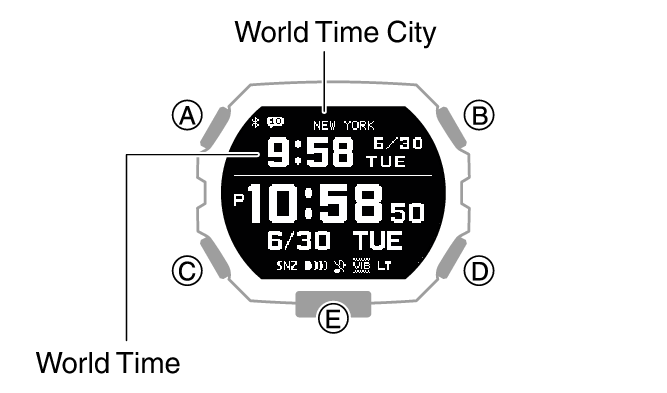
Specifying a World Time City
Use the procedure in this section to select a World Time city.
-
Enter the Timekeeping Mode.
-
Hold down (A) for at least two seconds.
-
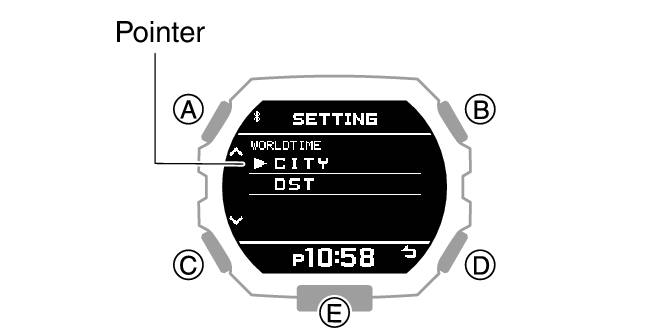
Use (A) and (C) to move the pointer to [WORLD TIME].
-
Press (B).
-
Use (A) and (C) to move the pointer to [CITY].
-
Press (B).
-
Use (A) and (C) to move the pointer to the city you want to use.
-
Press (B) to complete the setting operation.
-
Press (D) twice to exit the setting screen.
This displays the Timekeeping Mode setting screen.
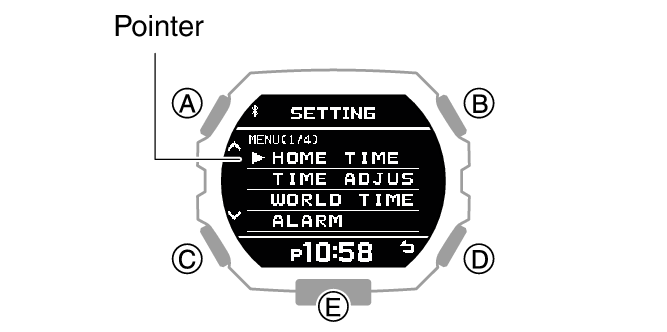
This displays the World Time setting screen.
This displays a menu of World Time Cities.
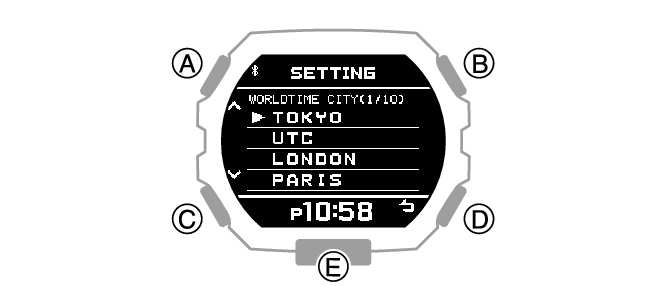
After the setting operation is complete, [SETTING COMPLETED] will appear for a few seconds, and then the World Time setting screen will re-appear.
This causes the World Time screen show the current time and date in your World Time City.
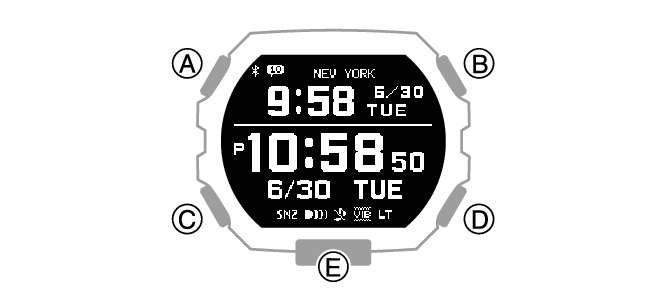
Note
If you select a World Time City with the CASIO WATCHES phone app and then change to a different city with a watch operation, the CASIO WATCHES city information is deleted from the watch.
Configuring the Summer Time Setting
-
Enter the Timekeeping Mode.
-
Hold down (A) for at least two seconds.
-
Use (A) and (C) to move the pointer to [WORLD TIME].
-
Press (B).
-
Use (A) and (C) to move the pointer to [DST].
-
Press (B).
-
Use (A) and (C) to select a summer time setting.
-
Press (B) to complete the setting operation.
-
Press (D) twice to exit the setting screen.
This displays the Timekeeping Mode setting screen.
This displays the World Time setting screen.
|
[AUTO] |
The watch switches between standard time and summer time automatically. |
|
[OFF] |
The watch always indicates standard time. |
|
[ON] |
The watch always indicates summer time. |
After the setting operation is complete, [SETTING COMPLETED] will appear for a few seconds, and then the World Time setting screen will re-appear.
Note
The initial factory default summer time setting for all cities is [AT (AUTO)]. In many cases, [AT (AUTO)] lets you use the watch without switching manually between summer time and standard time.
While [UTC] is selected as the city, you will not be able to change or check the summer time setting.