Initial Time Adjustment
When using the watch for the first time, we recommend connection of the watch to a smartphone for current time setting is recommended.
Connecting the Watch with a Smartphone to Set the Watch’s Current Time
Once the watch is paired with a smartphone, its current time setting automatically synchronizes with that of the watch. Perform the steps below to pair the watch with a phone.
 Install the app on your phone
 Turn on location services
 Configure Bluetooth settings
 Pair the watch with your phone
Install the app on your phone
To use the watch with a phone, first tap one of the links below and install the “CASIO WATCHES” app on the phone.
Important!
To pair the watch, you must first install the “CASIO WATCHES” app and log in with a CASIO ID. If you already have a CASIO ID, use it to log in. If you do not have a CASIO ID, follow the on-screen instructions to register a new one and then use it to log in.
Turn on location services
Turn on your phone’s location services.
Note
For details about setting procedures, see your phone documentation.
Configure Bluetooth settings
Enable the phone’s Bluetooth.
Note
For details about setting procedures, see your phone documentation.
Pair the watch with your phone
-
Move the phone to be paired with close to (within one meter of) the watch.
-
 Tap the “CASIO WATCHES” icon.
 -
Tap the
 of the “My Watch” tab.
 -
Perform the operation shown on the phone screen to register the watch to the CASIO WATCHES phone app.
-
 Enter the Timekeeping Mode.
 -
Hold down (A) for at least two seconds.
-
Use (A) and (C) to move the pointer to [PAIRING].
-
Press (B).
-
Use (A) and (C) to move the pointer to [CONNECT].
-
Press (B).
-
When the watch you want to pair with appears, follow the instructions on the display to pair with it.
This displays the Timekeeping Mode setting screen.
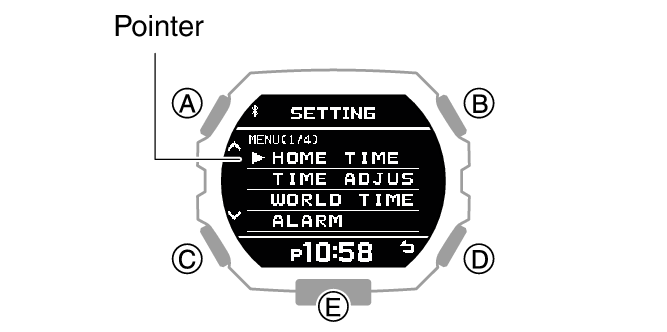
If a pairing prompt message appears, perform the operation shown on the phone screen.
At this time, the time settings of your phone and watch are synced with each other.
If pairing fails, the watch returns to the state in step 7 of this procedure. Perform the pairing procedure again from the beginning.
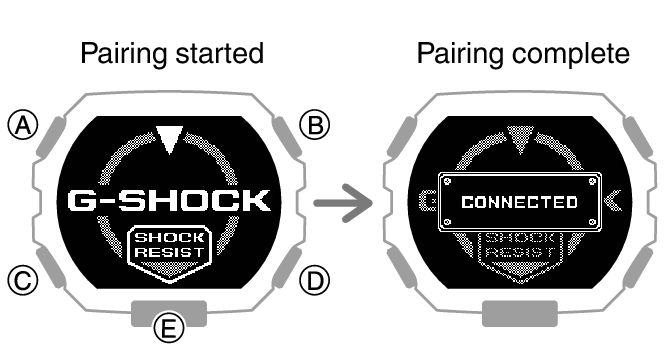
This completes the pairing operation.
Once paired, the smartphone and watch automatically connect to synchronize the watch’s time setting with that of the smartphone.
Note
The first time you start up the CASIO WATCHES phone app, a message will appear on your phone asking if you want to enable location information acquisition. Configure settings to allow background use of location information.
Other Ways to Adjust the Current Time Setting
In addition to connecting with a smartphone, you can also use the procedures described below to adjust the watch’s current time setting.