Timer
The timer counts down from a start time specified by you. The watch performs a sound and/or vibration operation when the end of the countdown is reached.
The sound and/or vibration alert operations will not be performed while battery power is low.
Using the CASIO WATCHES Phone App to Configure Timer Settings
If the watch is paired with a phone, you can also use the CASIO WATCHES phone app to set the timer start time.
Setting a Start Time
The start time can be set in 1-second units up to 60 minutes.
-
Enter the Timer Mode.
-
Hold down (A) for at least two seconds.
-
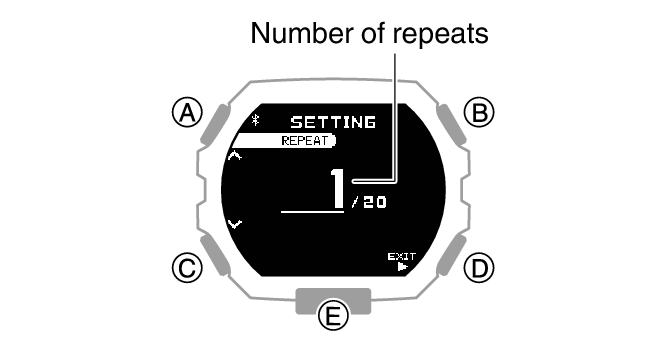
Use (A) and (C) to specify the number of timer repeats (Auto Repeat).
-
Press (B).
-
Use (A) and (C) to specify the position of the timer in the sequence.
-
Press (B).
-
Use (A) and (C) to change the minutes setting.
-
Press (B).
-
Use (A) and (C) to change the seconds setting.
-
Press (B).
-
Use (A) and (C) to select whether or not you want to save your current settings.
-
Press (B) to complete the setting operation.
This displays the number of timer repeats (1 to 20) setting screen.
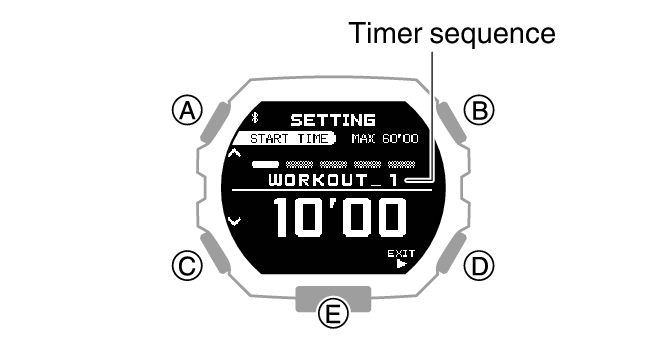
This causes a cursor to appear under the minutes setting.
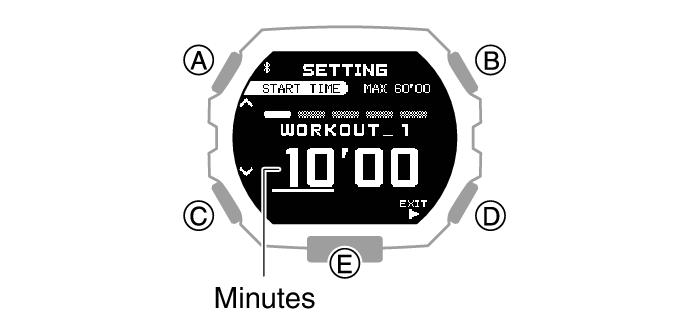
This moves the cursor to the seconds setting.
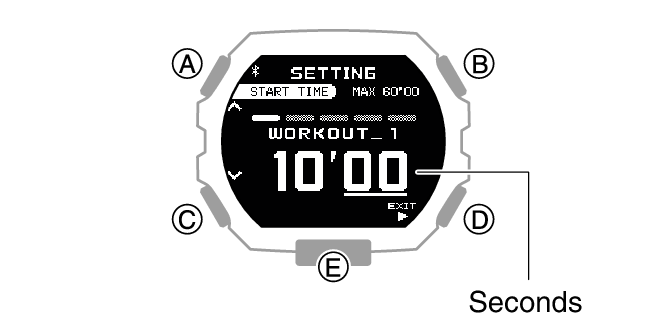
|
[YES] |
Saves current settings. |
|
[NO] |
Discards current settings. |
|
[RETURN] |
Returns to the number of repeats setting. |
After the setting operation is complete, [SETTING COMPLETED] will appear for a few seconds, and then the Timer Mode screen will re-appear.
Note
To exit the timer setting operation at any point, press (D) and advance to step 11.
The watch exits the setting operation automatically after about two or three minutes of non-operation.
Using the Timer
-
Enter the Timer Mode.
-
Use the operations below to perform a timer operation.
-
Press any button to stop the sound and/or vibration operation.
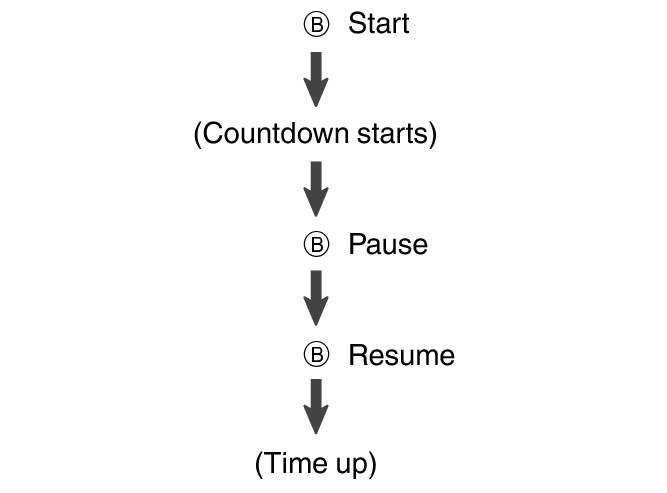
The watch performs a sound and/or vibration operation for 10 seconds when the end of the countdown is reached.
You can reset a paused countdown to its start time, by pressing (D).
Using Programmable Timers for Interval Training
Overview
You can configure settings for multiple timers so they perform different count downs one after the other to create an interval timer. You can use the programmable timer to create a sequence for interval training that alternates jogging with sprinting.
For example, you could configure an interval timer as shown below and have intervals  through
  repeat 10 times.
Timer Settings
[WORKOUT_1]: 10 minutes 00 seconds
[WORKOUT_2]: 4 minutes 00 seconds
[WORKOUT_3]: 10 minutes 00 seconds
[WORKOUT_4]: 4 minutes 00 seconds
Sets: 10
Interval Training Workout
-
Jog: 10 minutes 00 seconds
-
Run 1 km: 4 minutes 00 seconds
-
Jog: 10 minutes 00 seconds
-
Run 1 km: 4 minutes 00 seconds
Note
You can configure up to five different timers to repeat up to 20 times (Auto Repeat).
You can use CASIO WATCHES to change a timer name. A name can include a combination of up to 14 alphabetic letters (A to Z), numbers (0 to 9), and symbols. The timers in the examples in this section are giving names like [WORKOUT_1].
Setting Up Programmable Timers
If a timer countdown operation is in progress, reset the timer to its current start time before performing this operation.
-
Enter the Timer Mode.
-
Hold down (A) for at least two seconds.
-
Use (A) and (C) to specify the number of timer repeats (Auto Repeat).
-
Press (B).
-
Use (A) and (C) to specify the position of the timer in the sequence.
-
Press (B).
-
Use (A) and (C) to change the minutes setting.
-
Press (B).
-
Use (A) and (C) to change the seconds setting.
-
Press (B).
-
Use (A) and (C) to select whether or not you want to save your current settings.
-
Press (B) to complete the setting operation.
-
Repeat steps 2 through 12 as many times as necessary to configure the settings of the other timers.
This displays the number of timer repeats (1 to 20) setting screen.
To setup the first timer, setup [WORKOUT_1].
This causes the cursor to appear at the minutes setting of the first timer.
This causes the cursor to move to the seconds setting of the first timer.
|
[YES] |
Saves current settings. |
|
[NO] |
Discards current settings. |
|
[RETURN] |
Returns to the number of repeats setting. |
After the setting operation is complete, [SETTING COMPLETED] will appear for a few seconds, and then the Timer Mode screen will re-appear.
Note
To exit the program setting operation at any point, press (D) and advance to step 11.
Timing with Programmable Timers
-
Enter the Timer Mode.
-
Press (B) to start the timer countdown.
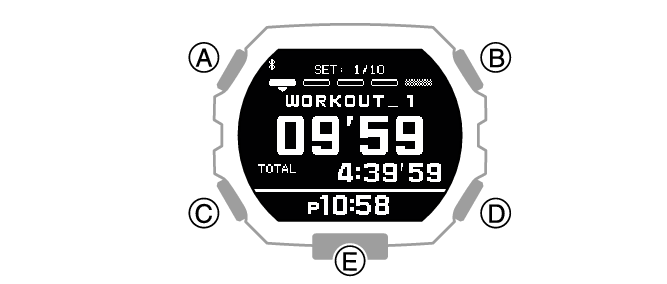
To pause an ongoing timer countdown, press (B). You can reset a paused countdown to its start time, by pressing (D).
When there is a multiple timer countdown operation in progress, you can immediately terminate the current countdown and start the next countdown by holding down (A) for at least two seconds.