Using the Training Function
The Training Mode uses an accelerometer to measure and record distance, elapsed time, pace, and other data while you are running or walking.
You can review recorded data on the watch or with CASIO WATCHES.
Run Timing
Using the Training Function, start running.
Starting Run Timing
-
Enter the Timekeeping Mode.
-
Press (B).
-
Press (B).
This displays the Training Mode screen.
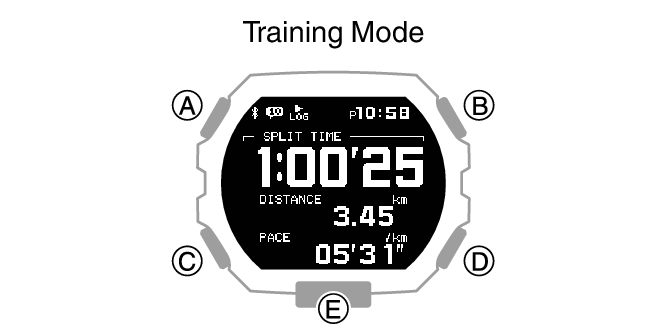
Start run timing.
Pausing Run Timing
-
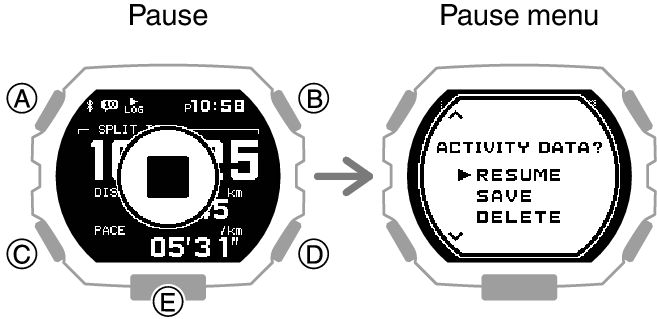
While the run timing screen is displayed, press (B).
-
Use (A) and (C) to select what you want to do with the run timing data you have just measured.
-
Press (B).
This pauses run timing and displays the pause menu screen.
|
[RESUME] |
Resumes timing. |
|
[SAVE] |
Saves data. |
|
[DELETE] |
Deletes data. |
If you selected the data save option, the run timing result screen will appear. To return to the Timekeeping Mode, press any button besides (E).
If you select the data delete option, the watch returns to the Timekeeping Mode.
Measuring Lap Times
-
Start run timing.
-
Press (D).
-
Press (A) or (C) to return to the run timing screen.
Each press of (D) displays the elapsed time of the current section (lap time) to appear.
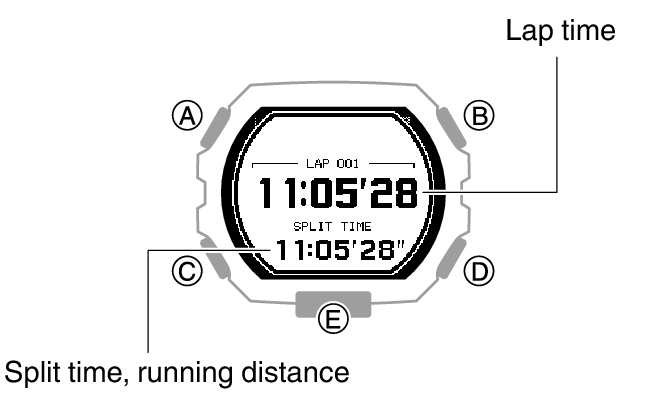
If you do not perform any button operation, the watch will return to the run timing screen automatically after about 10 seconds.
Note
You can use CASIO WATCHES to specify whether [SPLIT TIME] or [DISTANCE] is displayed.
Changing Display Information During Run Timing
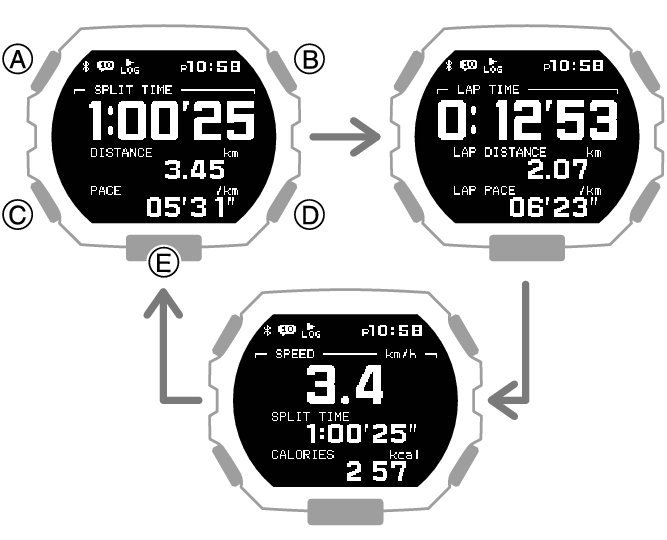
One of three screens can be displayed during run timing (Training Mode), and you can specify the items you want to appear on each screen.
This means you can configure a screen with the items you want to monitor and display that screen while you train.
You can navigate between display screens by pressing (A).
Example:
Setting Up Alerts
You can use CASIO WATCHES to specify alert intervals to keep you informed of your calories burned and elapsed time while training. Then, the watch will perform a sound and/or vibration alert operation whenever an alert interval value is reached while you are training. Use watch operations to enable or disable alerts.
-
Enter the Timekeeping Mode.
-
Press (B).
-
Hold down (A) for at least two seconds.
-
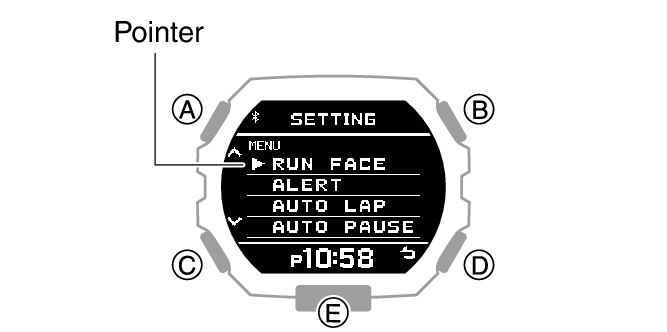
Use (A) and (C) to move the pointer to [ALERT].
-
Press (B).
-
Use (A) and (C) to select the item whose setting you want to change.
-
Press (B).
-
Use (A) and (C) to select an alert setting.
-
Press (B) to complete the setting operation.
-
Press (D) twice to exit the setting screen.
This displays the Training Mode screen.
This displays the Training Mode setting screen.
|
[CALORIES] |
Calories burned |
|
[TIME 1] |
Time 1 |
|
[TIME 2] |
Time 2 |
|
[OFF] |
Disabled |
|
[ON (REPEAT)] |
Enabled (repeat) |
|
[ON (1 TIME)] |
Enabled (one time) |
While [ON (REPEAT)] is selected, an alert operation is performed whenever an alert interval value is reached.
After the setting operation is complete, [SETTING COMPLETED] will appear for a few seconds, and then the alert setting screen will re-appear.
If you want to configure settings for another item, repeat steps 6 through 9.
Important!
To specify the alert interval for each item, use CASIO WATCHES. Note that you cannot configure settings using watch operations.
Note
The watch exits the setting operation automatically after about two or three minutes of non-operation.
You can also use the CASIO WATCHES phone app to enable or disable alerts.
Specifying the Distance Unit
Important!
When Tokyo (TOKYO) is the Home City, the distance unit is fixed as kilometers (km) and cannot be changed.
-
Enter the Timekeeping Mode.
-
Hold down (A) for at least two seconds.
-
Use (A) and (C) to move the pointer to [UNIT].
-
Press (B).
-
Use (A) and (C) to move the pointer to [DISTANCE].
-
Press (B).
-
Use (A) and (C) to select a distance unit.
-
Press (B) to complete the setting operation.
-
Press (D) twice to exit the setting screen.
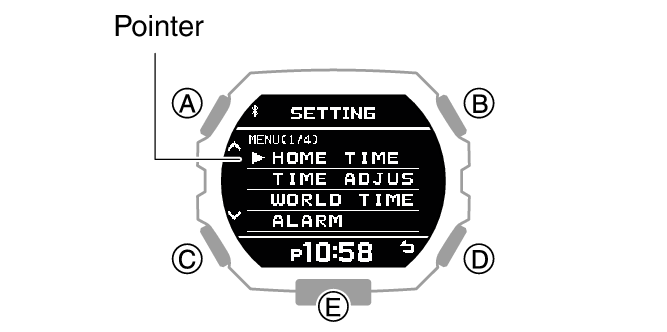
This displays the Timekeeping Mode setting screen.
|
[KILOMETER] |
Kilometers |
|
[MILE] |
Miles |
After the setting operation is complete, [SETTING COMPLETED] will appear for a few seconds, and then the unit setting screen will re-appear.
Note
The watch exits the setting operation automatically after about two or three minutes of non-operation.
You can also use CASIO WATCHES to change the distance unit.
Enabling Auto Lap Timing
While Auto Lap Timing is enabled, each time you run the distance you specified with CASIO WATCHES the lap time will be recorded automatically.
-
Enter the Timekeeping Mode.
-
Press (B).
-
Hold down (A) for at least two seconds.
-
Use (A) and (C) to move the pointer to [AUTO LAP].
-
Press (B).
-
Use (A) and (C) to move the pointer to [ON] (enabled) or [OFF] (disabled).
-
Press (B) to complete the setting operation.
-
Press (D) to exit the setting screen.
This displays the Training Mode screen.
This displays the Training Mode setting screen.
After the setting operation is complete, [SETTING COMPLETED] will appear for a few seconds, and then the Training Mode setting screen will re-appear.
Note
The watch exits the setting operation automatically after about two or three minutes of non-operation.
You can also use CASIO WATCHES to enable or disable Auto Lap Timing.
Enabling Auto Pause
While Auto Pause is enabled, timing will pause whenever you stop running.
-
Enter the Timekeeping Mode.
-
Press (B).
-
Hold down (A) for at least two seconds.
-
Use (A) and (C) to move the pointer to [AUTO PAUSE].
-
Press (B).
-
Use (A) and (C) to move the pointer to [ON] (enabled) or [OFF] (disabled).
-
Press (B) to complete the setting operation.
-
Press (D) to exit the setting screen.
This displays the Training Mode screen.
This displays the Training Mode setting screen.
After the setting operation is complete, [SETTING COMPLETED] will appear for a few seconds, and then the Training Mode setting screen will re-appear.
Note
The watch exits the setting operation automatically after about two or three minutes of non-operation.
You can also use the CASIO WATCHES phone app to enable or disable Auto Pause.
Specifying the Screen to be Displayed During Running (RUN FACE)
You can customize the items on the three screens can be displayed during run timing (Training Mode).
-
Enter the Timekeeping Mode.
-
Press (B).
-
Hold down (A) for at least two seconds.
-
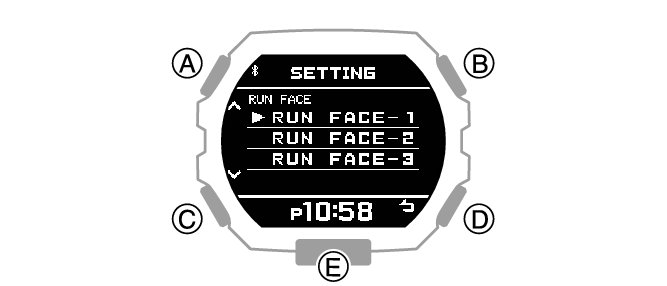
Use (A) and (C) to move the pointer to [RUN FACE].
-
Press (B).
-
Use (A) and (C) to select the customize screen (RUN FACE).
-
Press (B).
-
Use (A) and (C) to select the display area whose contents you want to change.
-
Press (B).
-
Use (A) and (C) to select the item you want to in the currently selected display area.
-
Press (B) to complete the setting operation.
-
Press (D) twice to exit the setting screen.
This displays the Training Mode screen.
This displays the Training Mode setting screen.
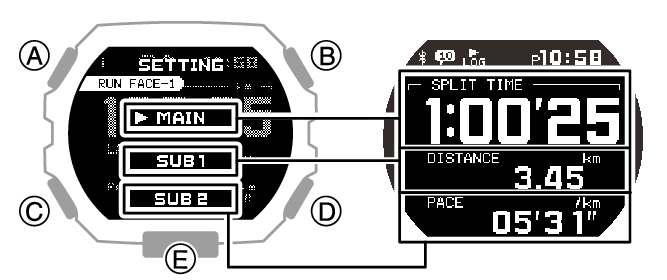
|
[SPLIT TIME] |
Split time |
|
[DISTANCE] |
Running distance |
|
[PACE] |
Pace |
|
[LAP TIME] |
Lap time |
|
[LAP DISTANCE] |
Lap distance |
|
[LAP PACE] |
Lap pace |
|
[AVG.PACE] |
Average pace |
|
[SPEED] |
Speed |
|
[AVG.SPEED] |
Average speed |
|
[CALORIES] |
Calories burned |
|
[TIME] |
Time |
|
[DATE] |
Day |
If you want to change the contents of another display area, press (D) and then select the display area you want. Repeat steps 8, 9, and 10 above as required.
After the setting operation is complete, [SETTING COMPLETED] will appear for a few seconds, and then the RUN FACE setting screen will re-appear.
Note
The watch exits the setting operation automatically after about two or three minutes of non-operation.
You can also use CASIO WATCHES to customize display screen items.
Settings Configured with the Application
Some Training Function settings can be configured using either watch operations or CASIO WATCHES, while some settings must be configured using CASIO WATCHES.
Settings that can be configured on the watch or using CASIO WATCHES
Customization of screens displayed during run timing
Alert enable/disable
Distance unit
Auto Lap Timing enable/disable
Auto Pause enable/disable
Settings that can be configured using CASIO WATCHES only
Auto Lap screen display item: [SPLIT TIME] or [DISTANCE]
Alert calories burned interval
Alert time interval
Auto Lap Timing distance