Time Adjustment
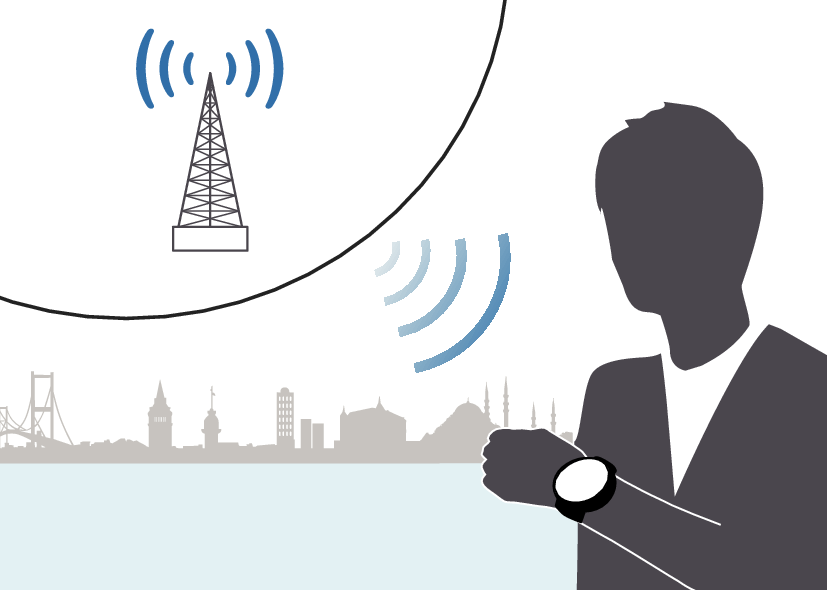
Your watch can receive time calibration signals and correct its date and time setting.
Time Adjustment Using a Time Signal
Overview
The watch’s time and day settings can be configured in accordance with a received time calibration signal.
Important!
In order to make it possible for the current time setting to be corrected based on time calibration signal reception, you need to specify the area where you are using the watch.
Note
Areas where time signal reception is supported are limited. When you are using the watch in an area where time calibration signal reception is not possible, adjust time and day settings manually.
Appropriate Signal Reception Location
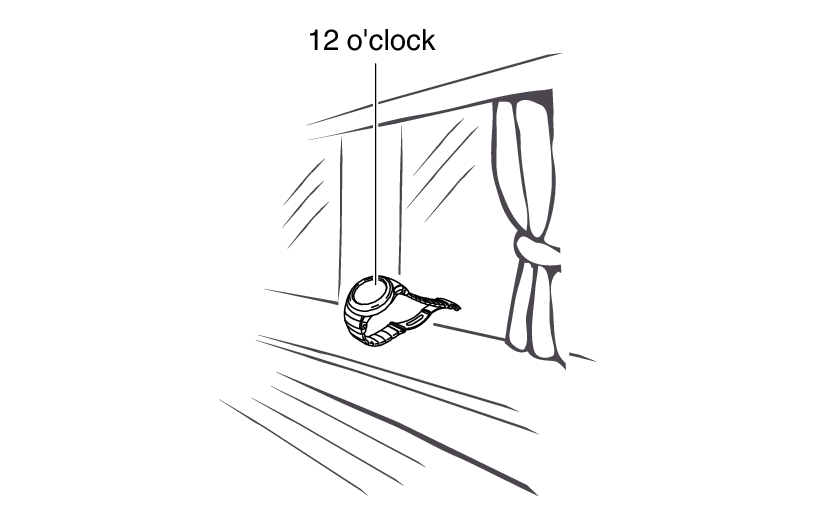
A time calibration signal can be received while the watch is near a window.
Position the watch so its 12 o’clock side is facing the window.
Keep metal objects away from the watch.
Do not move the watch.
Do not perform any operation on the watch.
Note
You may experience time calibration signal reception problems in the areas described below.
Among or near buildings
While riding in a vehicle
Near household appliances, office machines, mobile phones, etc.
On a construction site, in an airport, or any other location where radio wave interference occurs
Near high-voltage lines
In mountainous areas or behind a mountain
Time Signal Reception Ranges
Japan (JJY)
The Japan time signal radio stations are located on Mt. Otakadoya in Fukushima and Mt. Hagane in Fukuoka/Saga.
The reception range of the Japanese time signals is approximately 1,000 km from each transmission station.
China (BPC)
The China time signal radio station is located in Shangqiu, Henan Province, China.
The reception range of the Chinese time signal is approximately 1,500 km from the transmission station.
United States (WWVB)
The United States time signal radio station is located in Fort Collins, Colorado.
The reception range of the U.S. time signal is approximately 3,000 km from the transmission station.
U.K. (MSF)/Germany (DCF77)
The U.K. time signal radio station is located in Anthorn, Cumbria.
The German time signal radio station is located in Mainflingen, southeast of Frankfurt.
The reception range of the U.K. and German time signals is approximately 1,500 km from each transmission station.
Note
Even if you are within the normal reception range of a time calibration signal, reception may be made impossible by the following factors: geographic contours, weather, the season, the time of day, wireless noise.
A time calibration signal cannot be received while the city selected as your Home City is one that does not support signal reception.
Auto Time Calibration Signal Receive
An automatic time calibration signal receive operation is performed and the time and day settings are corrected between midnight and 5:00 a.m. Once a signal receive operation is successful, no more auto receive operations are performed that day.
-
Place the watch near a window or some other location appropriate for signal reception.
[ ] flashes while time signal reception is in progress.
When a receive operation is successful, the watch adjusts its current time and day settings automatically, and then returns to the Timekeeping Mode.
Note
Reception takes anywhere from about two minutes to about 10 minutes. It can take as long as 20 minutes.
Enabling and disabling Auto Receive
You can stop auto receive by disabling the Auto Receive setting.
Note
While the Home City setting is one where time signal reception is possible, you can enable or disable auto receive as required.
-
Enter the Receive Mode.
-
Hold down (E) for at least two seconds. Release the button when [AUTO] appears on the display.
-
Press (A) to toggle Auto Receive between enabled and disabled.
-
Press (E) to complete the setting operation.
This causes [On] or [OFF] to flash on the display.
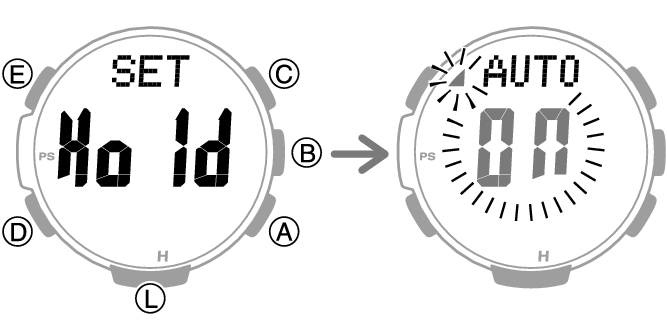
[On]: Auto Receive enabled.
[OFF]: Auto Receive disabled.
Note
While the setting is being configured, the watch will exit the setting operation automatically after about two or three minutes of non-operation.
Manual Time Calibration Signal Receive
-
Place the watch near a window or some other location appropriate for time signal reception.
-
Enter the Receive Mode.
-
Hold down (A) for at least two seconds. Release the button when [
] starts to flash.
This indicates that the receive operation has started. After the receive operation is complete, the watch’s time and day settings will be corrected accordingly.
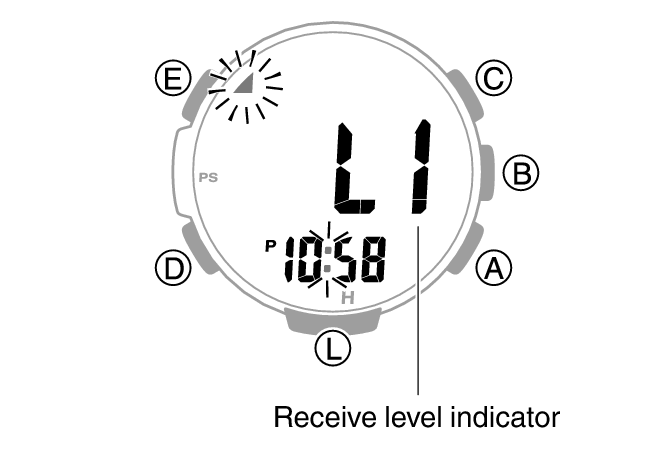
The level indicator shows the signal level ([L1], [L2], [L3]) while a receive operation is in progress.
Note
The receive operation takes anywhere from about two minutes to about 10 minutes. It can take as long as 20 minutes.
Time calibration signal reception is better at night than during the day.
A time calibration signal cannot be received while the city selected as your Home City is one that does not support signal reception.
Receive Level Indicator
While a receive operation is in progress, its current status is indicated on the display as shown below. Use the level indicator to find a location where signal reception is stable.
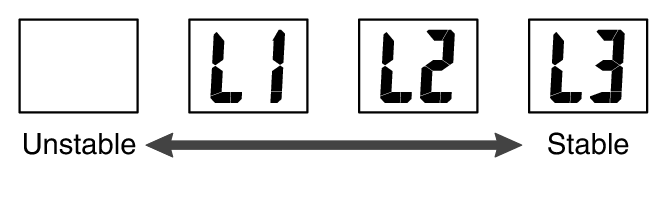
Note
It takes about 10 seconds for time signal reception conditions to stabilize.
Reception conditions are affected by weather, the time of day, the surrounding environment, etc.
Checking the Last Time Adjustment Result
-
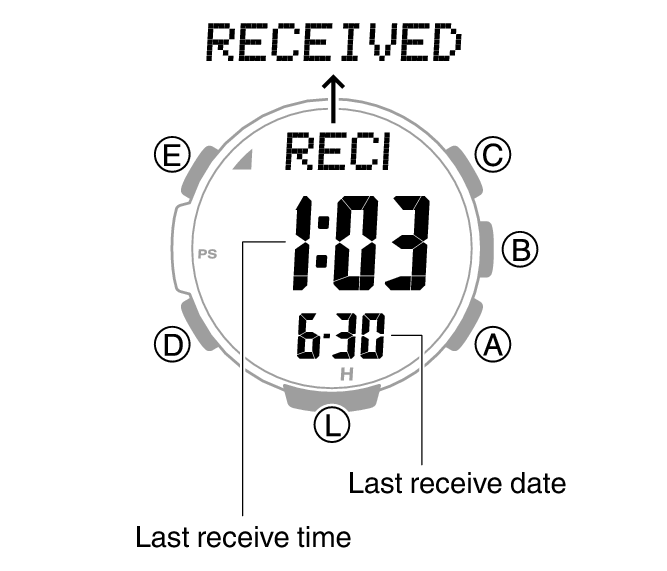
Enter the Receive Mode.
This displays the date and time of the last successful receive operation.
Signal Reception Precautions
When the watch is unable to correct its time in accordance with a calibration signal for some reason, average timekeeping accuracy is within ±15 seconds per month.
Note that an internal decoding process the watch performs after it receives a signal may cause the time setting to be slightly off (by less than one second).
Time calibration signal reception is not possible under the conditions described below.
While battery power is low
In any mode besides the Timekeeping Mode or World Time Mode
When the watch is at Level 2 power saving
While a compass reading, barometric pressure/ temperature measurement, or altitude measurement operation is in progress
While the barometric pressure change indication is enabled
While a climb record data measurement operation is in progress
While a timer countdown operation is in progress
While the Home City area setting is one where time signal reception is not possible
While the watch is outside the time signal reception range
When the receive operation is successful, the time and/or day settings will be corrected automatically. Summer time will not be applied correctly in the case described below.
When the summer time start date and time, end date and time, or other rules are changed by authorities
Using Watch Operations to Adjust the Time Setting
If, for some reason, you cannot use time signal reception to adjust the current time setting, you can adjust date, time, and Home City settings manually using watch button operations.
Setting a Home City
Use the procedure in this section to select a city to use as your Home City. If you are in an area that observes summer time, you can also enable or disable summer time.
-
Enter the Timekeeping Mode.
-
Hold down (E) for at least two seconds. Release the button when the name of the currently selected Home City appears on the display.
-
Use (A) and (C) to change the Home City setting.
-
Press (D).
-
Use (A) to change the summer time setting.
-
Press (E) twice to complete the setting operation.
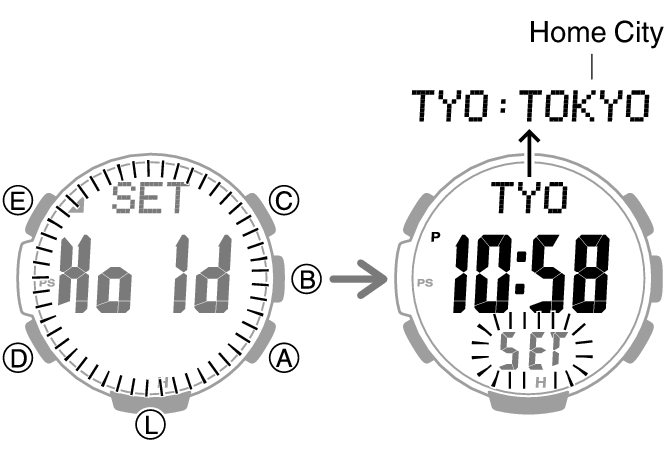
Holding down (A) or (C) scrolls through settings at high speed.
For details refer to the information below.
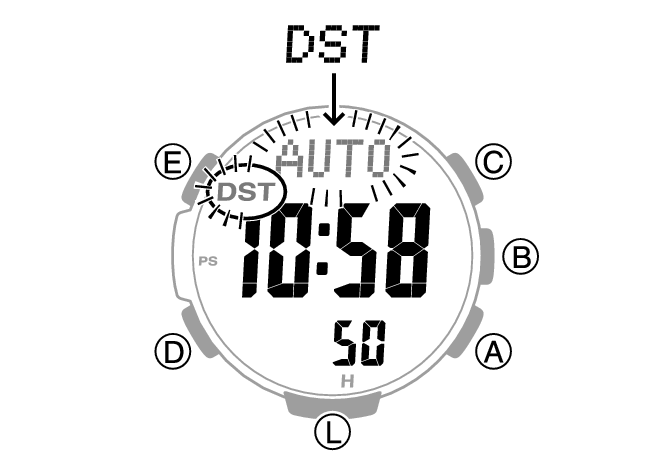
Each press of (A) cycles through settings in the sequence shown below.
[AUTO]
The watch switches between standard time and summer time automatically.
[OFF]
The watch always indicates standard time.
[ON]
The watch always indicates summer time.
Note
The [AUTO] summer time setting is valid when the watch’s Home City is in an area where a time signal can be received.
While the setting is being configured, the watch will exit the setting operation automatically after about two or three minutes of non-operation.
Setting the Time/Date
You can use the procedure below to adjust the time and date settings when using the watch where signal reception is not possible.
Important!
If you are using the watch in an area where signal receive operations are possible, time and date settings using the time signal is recommended.
Configure the Home City setting before changing the current time and date settings.
-
Enter the Timekeeping Mode.
-
Hold down (E) for at least two seconds. Release the button when the name of the currently selected Home City appears on the display.
-
Use (D) to display the setting you want to change.
-
Configure the date and time settings.
-
Repeat steps 3 and 4 to select time and date settings.
-
Press (E) twice to complete the setting operation.
Each press of (D) cycles through settings in the sequence shown below.
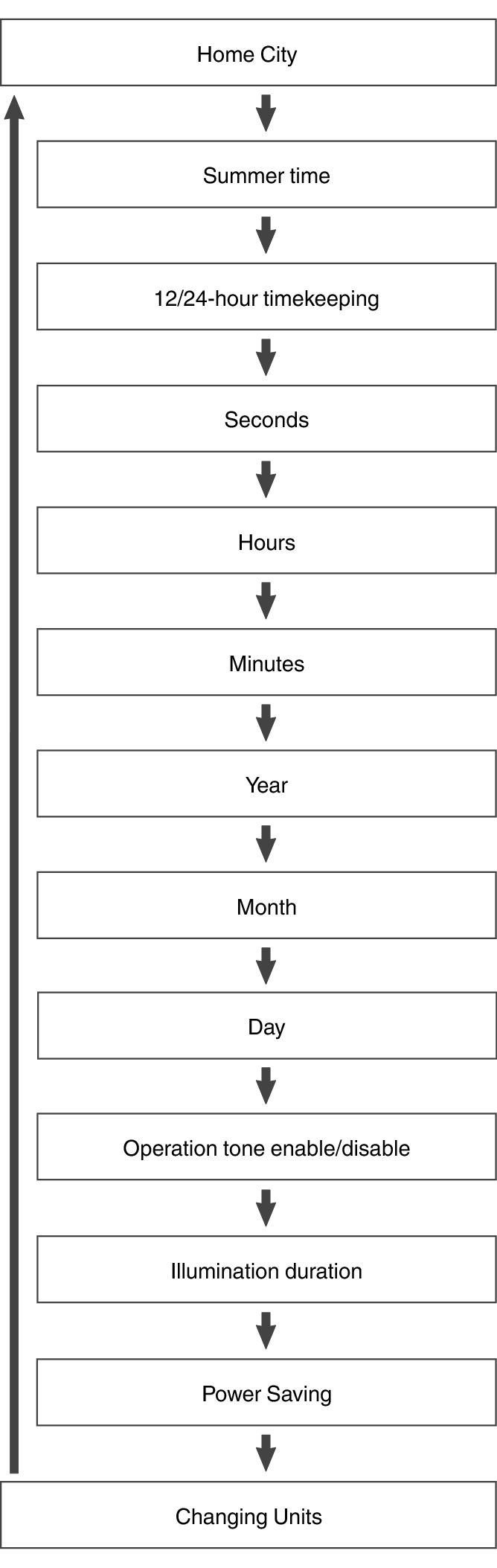
While the seconds are flashing, pressing (A) will reset them to 00. 1 is added to the minutes when the current seconds count is between 30 and 59 seconds.
For all the other settings, use (A) and (C) to change the flashing setting.
Holding down (A) or (C) scrolls through settings at high speed.
Note
While the setting is being configured, the watch will exit the setting operation automatically after about two or three minutes of non-operation.
Switching between 12-hour and 24-hour Timekeeping
You can specify either 12-hour format or 24-hour format for the time display.
-
Enter the Timekeeping Mode.
-
Hold down (E) for at least two seconds. Release the button when the name of the currently selected Home City appears on the display.
-
Press (D) twice.
-
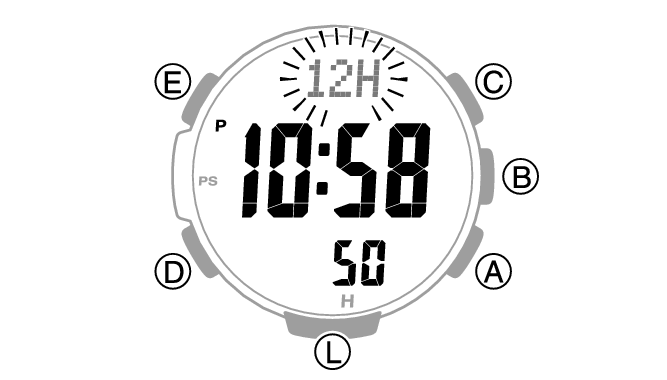
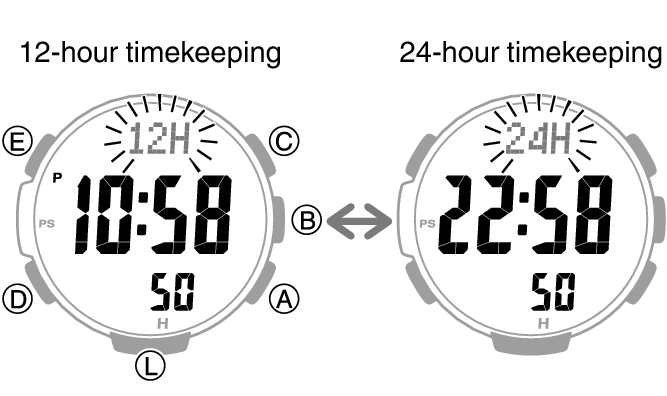
Press (A) to select [12H] (12-hour timekeeping) or [24H] (24-hour timekeeping).
-
Press (E) twice to complete the setting operation.
This causes [12H] or [24H] to flash on the display.
Note
While the setting is being configured, the watch will exit the setting operation automatically after about two or three minutes of non-operation.