Digital Compass
You can use the compass function to determine the direction of north, and to check your bearing to a destination.

Important!
Check the information at the link below to find out how to ensure correct readings.
Taking a Compass Reading
-
Enter the Compass Mode.
-
Keeping the watch horizontal, point 12 o’clock in the direction of your desired objective.
Entering the Compass Mode starts compass readings.
The digital display shows one of 16 literal direction indications and the bearing angle.
To retrigger the compass operation, press (C).
Interpreting Bearing Readings
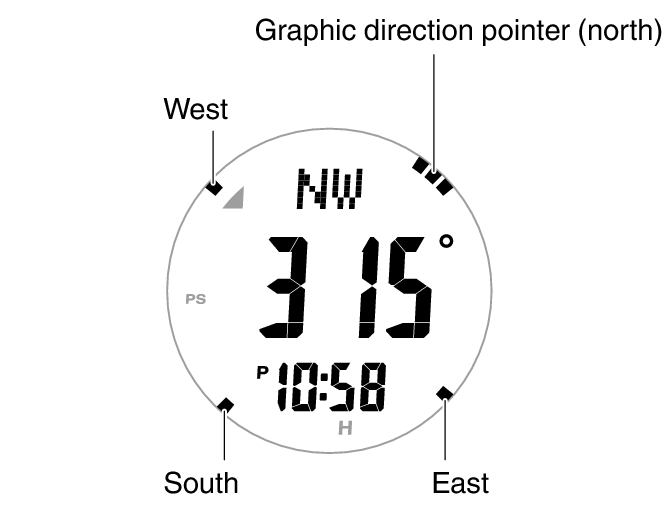
Directions: N (North), E (East), W (West), S (South)
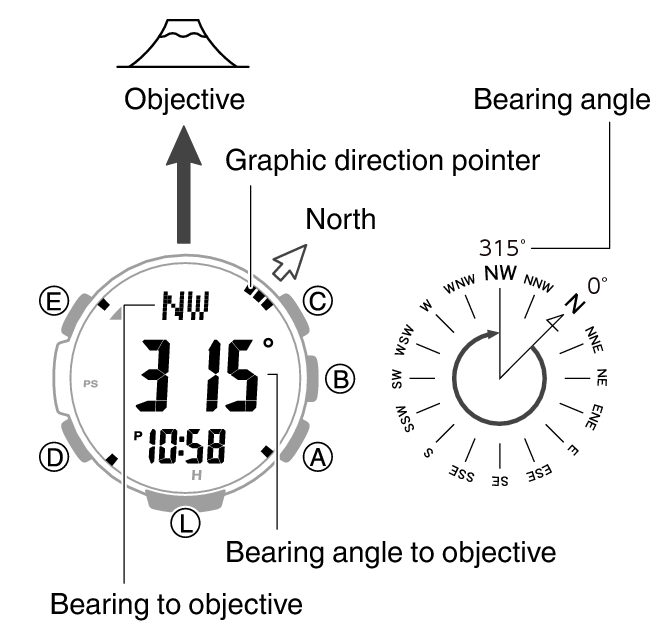
Graphic direction pointers indicate north, south, east, and west. North is indicated by a pointer that looks like this:  .
.
Note
Normally the compass indicates magnetic north. You can also configure settings to indicate true north.
After the initial reading is displayed, the watch will continue to take readings approximately every second for approximately the next 60 seconds. After measurement is complete, the graphic direction pointer disappears from the display, and [- - -] is shown for the bearing to your objective and its bearing angle.
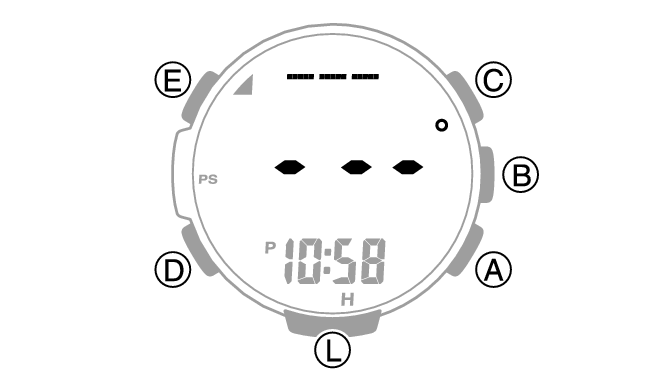
If four directions (north, south, east, west) and your target bearing are not displayed on the screen when you press (C), the bearing recorded in the bearing memory may be displayed instead of four directions.
Press (E) to clear the recording bearing.
Full Auto Light will not illuminate the face while a compass operation is in progress.
If an alarm or other beeper sounds, or if you turn on illumination by pressing (L) while a compass operation is in progress, the compass operation will be suspended momentarily. The compass operation will resume when the beeper stops or illumination turns off.
If you do not perform any operation for about two or three minutes while in the Compass Mode, the watch automatically returns to the Timekeeping Mode.
Aligning a Map with Actual Surroundings (Setting a Map)
Setting a map means to align the map so the directions indicated on it are aligned with the actual directions of your location. Once you set a map, you can more easily get a grasp of the relationship between map markings and actual geographic contours. To set a map with this watch, align north on the map with the north indication of the watch. Once you set the map, you can compare your bearing on the map with your surroundings, which will help you determine your current location and destination.
Note that map reading skills and experience are required to determine your current location and destination on a map.
Saving a Bearing to an Objective (Bearing Memory)
You can use record the bearing to a destination. Displaying the recorded bearing makes it possible to progress towards your target destination when the visibility is poor.
-
Enter the Compass Mode.
-
Keeping the watch horizontal, point 12 o’clock in the direction of the objective your want to record.
-
Press (E).
The direction of the 12 o’clock position of the watch is recorded as the target direction and indicated by the graphic direction pointer.
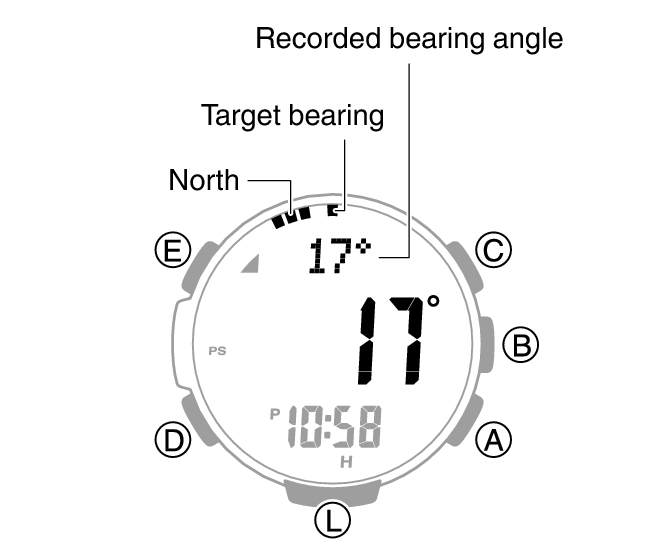
To clear a recorded bearing, press (E).
Calibrating Compass Readings
Calibrating Compass Readings
Perform 2-point calibration whenever you notice the watch’s compass readings are different from those of another compass, or before setting out on a climb or trek.
Note that accurate compass readings and/or calibration will not be possible in an area where strong magnetism is present.
2-Point Calibration
-
Enter the Compass Mode.
-
Hold down (E) for at least two seconds. Release the button when
flashes at 12 o’clock, and [CALIBRATION] and [-1-] appear on the display. -
While keeping the watch horizontal, press (C).
-
Rotate the watch 180 degrees, taking care to be as exact as possible.
-
Press (C).
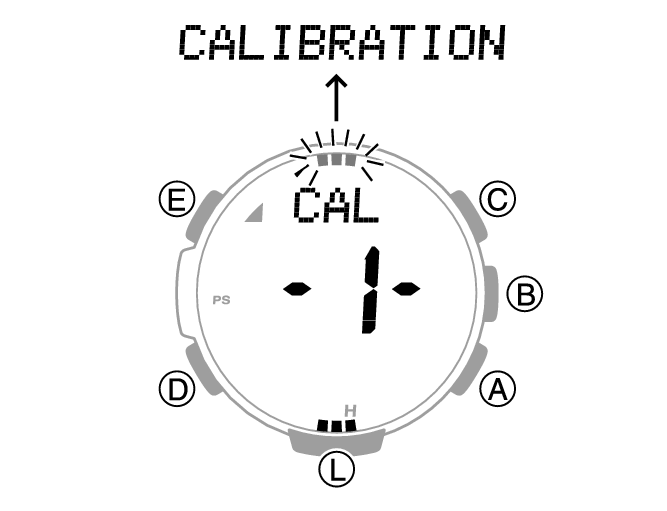
This starts calibration of the first point, which causes [- - -] to appear on the display. When calibration is successful, [Turn 180°] appears and the direction pointer flashes at 6 o’clock. Next, after about one second, [CALIBRATION] and [-2-] appear.
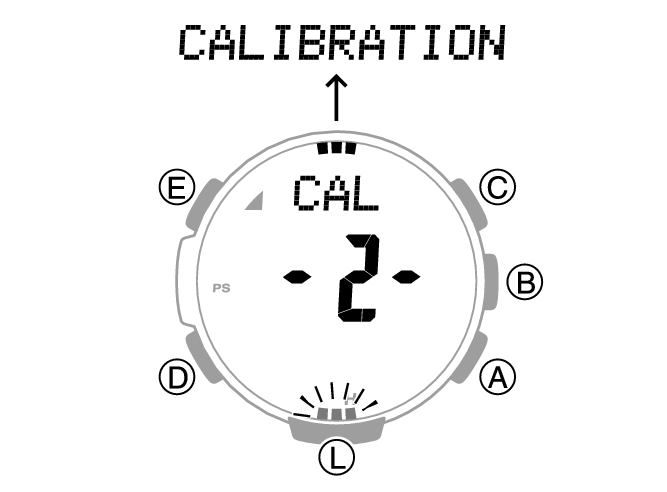
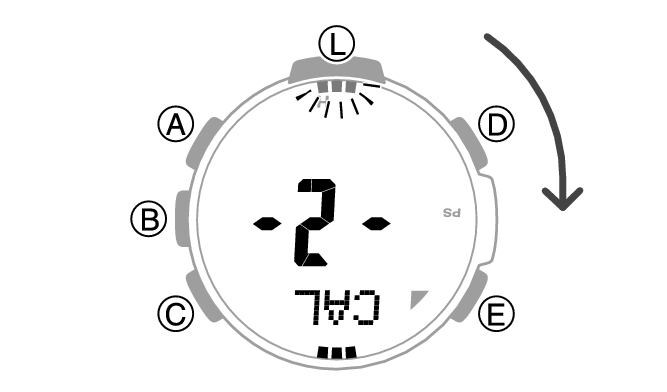
This starts calibration of the second point, which causes [- - -] to appear on the display.
When calibration is successful, [OK] appears on the display and the watch returns to the Digital Compass screen.
Note
[ERR] [-1-] appears if calibration fails for some reason. If this happens, restart the above procedure from step 3.
Setting Up for True North Readings (Magnetic Declination Calibration)
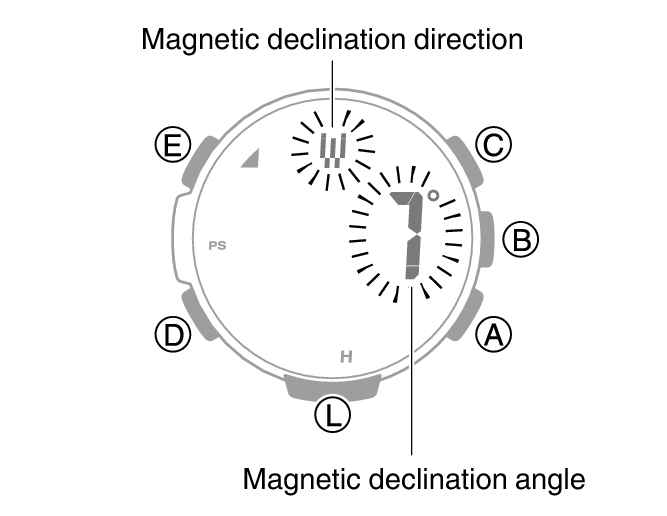
If you want the watch to indicate true north instead of magnetic north, you need to specify your current location’s magnetic declination direction (east or west) and declination angle.
The magnetic declination angle value can be set in 1° (degree) units only. Use a value that is closest to the angle you want to set.
Example: For an angle of 7.4°, set 7°.
Example: For an angle of 7°40’ (7 degrees, 40 minutes), set 8°.
Note
Magnetic declination angles (east or west) and angle degree values for specific locations can be found on geographic maps, mountain climbing maps, and other maps that include contour lines.
-
Enter the Compass Mode.
-
Hold down (E) for at least two seconds. Release the button when
flashes at 12 o’clock, and [CALIBRATION] and [-1-] appear on the display. -
Press (D).
-
Use (A) (East) and (C) (West) to change the magnetic declination direction and angle.
-
Press (E) to complete the setting operation.
This displays [DEC] [0°].
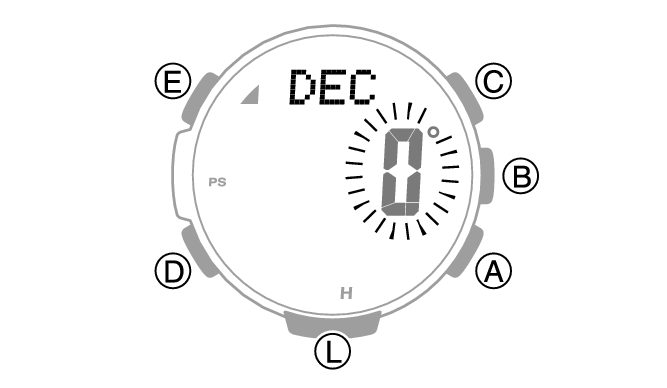
Holding down (A) or (C) scrolls through settings at high speed.
Setting range: 90° west to 90° east
[OFF]: Magnetic north
[E]: East declination (Magnetic north is east of true north.)
[W]: West declination (Magnetic north is west of true north.)
To return the setting to [OFF], press (A) and (C) at the same time.
Magnetic North and True North
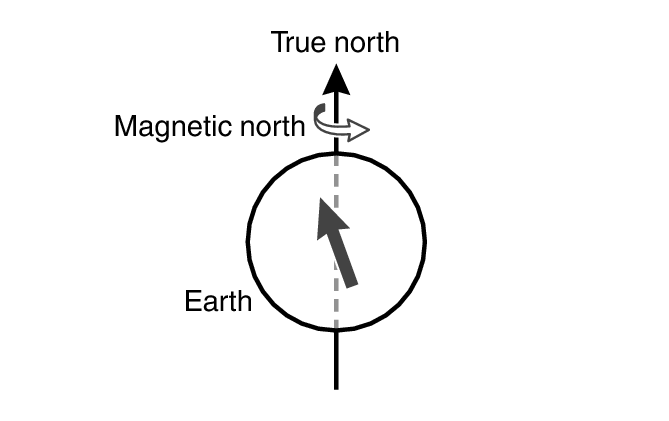
There are actually two types of north: magnetic north and true north.
Magnetic north: North indicated by the needle of a compass
True north: Direction to the North Pole
As shown in the illustration below, magnetic north and true north are not the same.
Note
The north indicated on commercially available maps is normally true north.
Digital Compass Reading Precautions
Location During Use
Taking readings near sources of strong magnetism can cause reading error. Keep the watch away from the following types of items.
Permanent magnets (magnetic accessories, etc.), metal objects, high-voltage wires, aerial wires, electrical household appliances (TVs, computers, cellphones, etc.)
Note that correct direction readings are not possible indoors, especially inside of reinforced concrete structures.
Accurate direction readings are not possible on electric trains, on boats, on aircraft, etc.
Storage Location
Exposure of the watch to magnetism can affect the accuracy of digital compass readings. Keep the watch away from the types of items below.
Permanent magnets (magnetic accessories, etc.), metal objects, electrical household appliances (TVs, computers, cellphones, etc.)