Altitude Measurement
The watch takes altitude readings and displays results based on air pressure measurements taken by a built-in pressure sensor.
Important!
The altitude readings displayed by the watch are relative values that are calculated based on barometric pressure measured by the watch’s pressure sensor. This means that barometric pressure changes due to weather can cause altitude readings taken at the same location to be different. Also note that the value displayed by the watch may be different from the actual elevation and/or sea level elevation indicated for the area where you are located. When using the watch’s altimeter while mountain climbing, it is recommended that you regularly calibrate its readings in accordance with local altitude (elevation) indications.
Check the information at the link below to find out about how to minimize differences between readings produced by the watch, and values provided by local altitude (elevation) indications.
Checking the Current Altitude
-
Enter the Altimeter Mode.
You can select either of two Altimeter Mode screens.
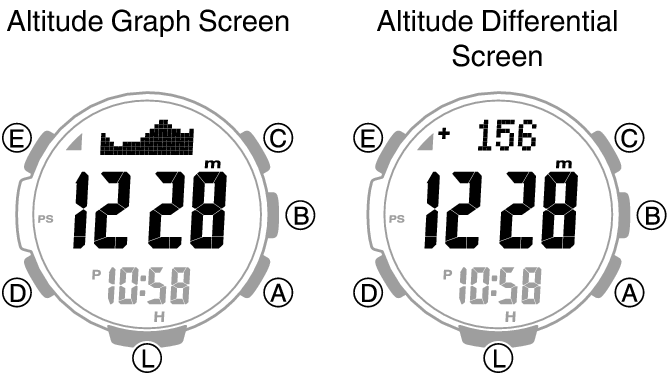
Entering the Altimeter Mode will start altitude measurement and display the altitude at your current location.
The watch takes altitude readings every second for about the first three minutes. After that, it takes readings according to the watch’s auto measurement interval setting.
Check the information at the link below to find out how to configure the auto measurement interval.
To retrigger measurement, press (A).
To return to the Timekeeping Mode, press (D).
Note
Measurement range: -700 to 10,000 meters (-2,300 to 32,800 feet) (Measurement unit: 1 meter (5 feet))
Note that calibrating altitude readings will cause a change in the measurement range.
[- - -] will appear for the measured value if it is outside the allowable range.
Altitude Graph Screen
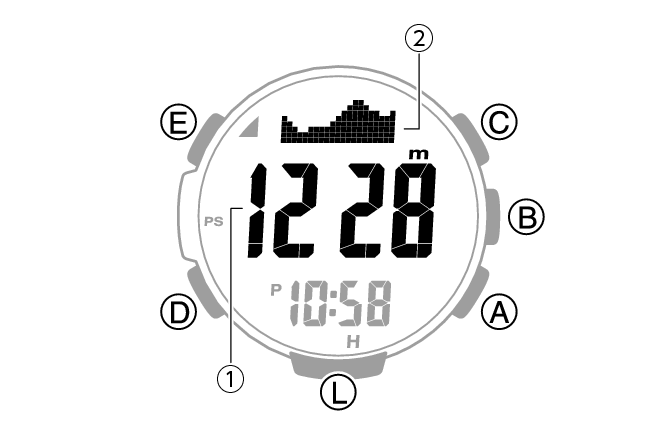
Altitude Differential Screen
-
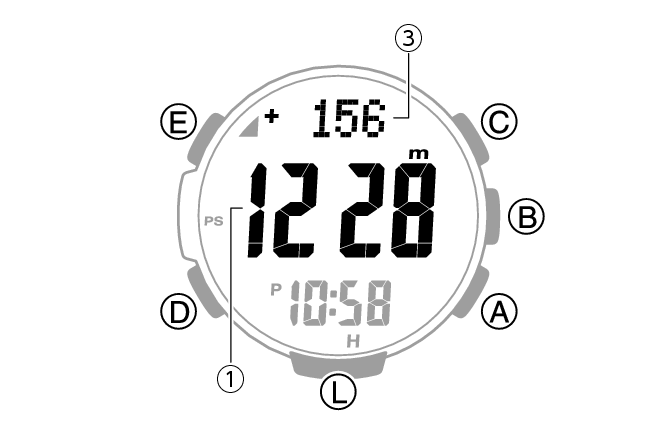
Current location altitude
-
Altitude graph
-
Differential between reference altitude and current altitude
Interpreting Altitude Graph Contents
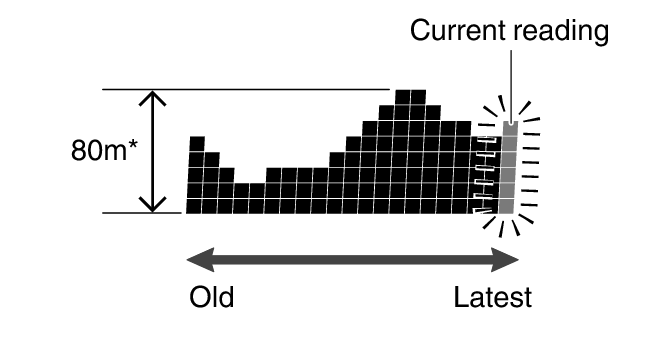
1 square ( ) is 10 m.
Calibrating Altitude Readings (Offset)
To minimize the difference between locally indicated and measured values, you should update the reference altitude value (offset) before setting off and during treks or any other activities where you take altitude readings.
Also, you can ensure accurate measurements by checking a map local altitude indications or some other source for your current location’s altitude, and regularly calibrating watch readings with the latest information while mountain climbing.
Note
You can find out the altitude at your current location from signs, maps, on the Internet, etc.
Differences between actual altitude and watch readings can be caused by the factors below.
Changes in barometric pressure
Changes in temperature caused by variations in barometric pressure and by elevation
Though altitude readings can be taken without calibration, doing so may produce readings that are very different from indications by altitude markers, etc.
-
Enter the Altimeter Mode.
-
Hold down (E) for at least two seconds. Release the button when [ALTI] appears on the display.
-
Use (A) and (C) to change the altitude value to an elevation value obtained from another source.
-
Press (E) to complete the setting operation.
This displays the current altitude and enters the Altitude Offset Mode.
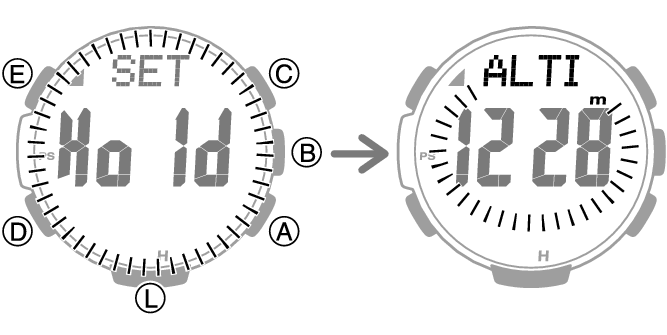
Setting range: -10,000 to 10,000 meters (or -32,800 to 32,800 feet)
Setting unit: 1 meter (or 5 feet)
Holding down (A) or (C) scrolls through settings at high speed.
To return the altitude setting to its initial factory default, press (A) and (C) at the same time.
This displays [OFF].
Note
While the setting is being configured, the watch will exit the setting operation automatically after about two or three minutes of non-operation.
Setting a Reference Altitude and Taking Altitude Differential Readings
You can use the procedure below to display the differential between a reference altitude and another altitude. This makes it easy to display the altitude differential between two points while climbing or trekking.
Select the Altitude Differential Screen.
-
Use the contour lines on your map to determine the altitude differential between your current location and your destination.
-
Take an altitude reading of your current location.
-
Use (E) to set your current location as the reference altitude.
-
While comparing the difference between the altitude you found on the map and the altitude differential displayed by the watch, advance towards your destination.
This makes the altitude differential ±0 m (±0 feet).
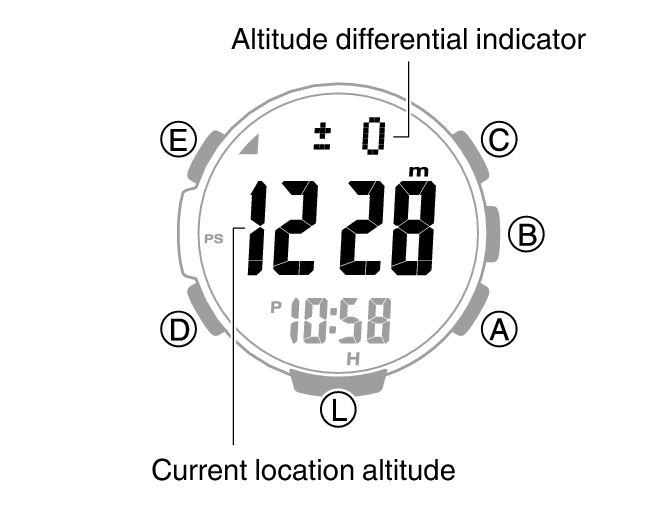
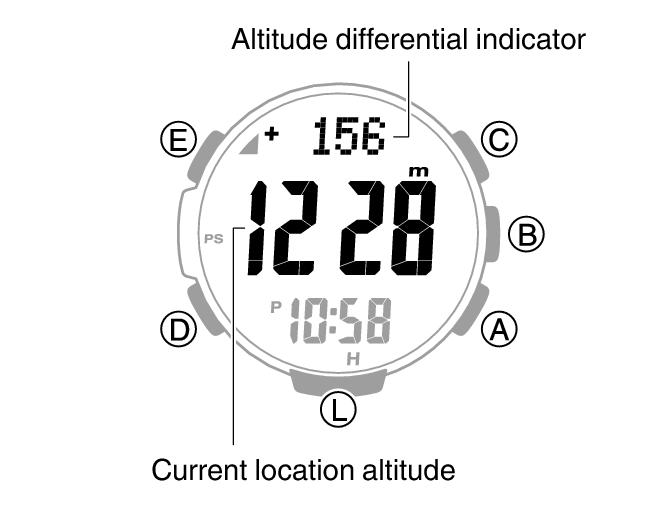
When the altitude differential you found on the map is the same as that displayed by the watch, it means you are close to your destination.
Note
[- - - -] appears when the altitude differential is outside the measurement range (±3,000 m (±9,840 feet)).
Setting the Measurement Interval for Auto Record Data and Climb Record Data
You can select an auto measurement interval of either five seconds or two minutes.
-
Enter the Altimeter Mode.
-
Hold down (E) for at least two seconds. Release the button when [ALTI] appears on the display.
-
Press (D).
-
Press (A) to toggle the auto measurement interval between [0’05] and [2’00].
-
Press (E) to complete the setting operation.
This displays the altitude for your current location.
This causes the auto measurement interval to appear on the display.
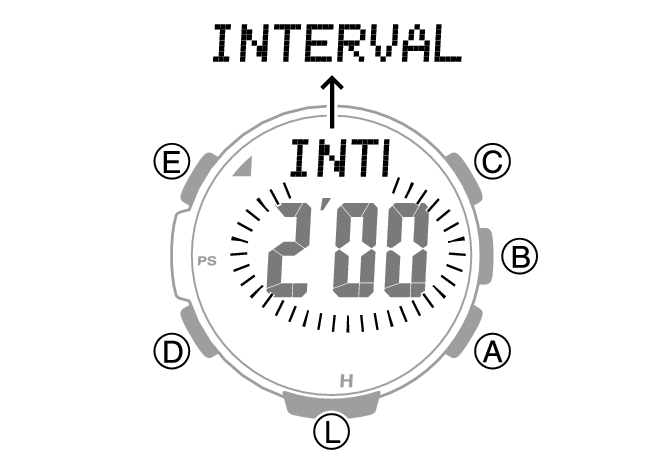
[0’05]: Readings taken every second for the first three minutes, and then every five seconds for about the next one hour.
[2’00]: Readings taken every second for the first three minutes, and then every two minutes for about the next 12 hours.
Note
While the setting is being configured, the watch will exit the setting operation automatically after about two or three minutes of non-operation.
The watch will automatically return to the Timekeeping Mode if you do not perform any operation in the Altimeter Mode for about one hour while [0’05] is selected as the measurement interval or about 12 hours while [2’00] is selected.
Changing Displayed Information
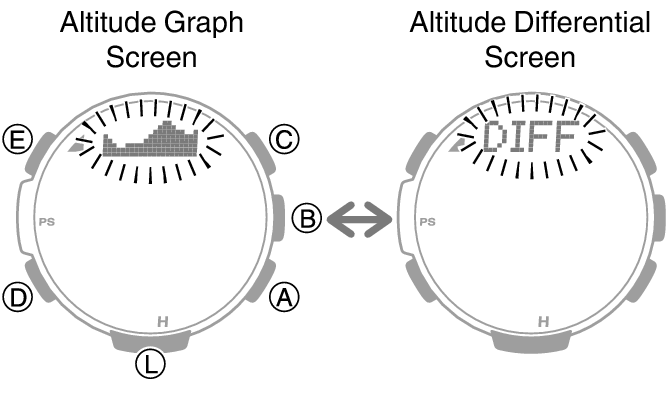
In the Altimeter Mode, you can use the procedure below to select either the Altitude Graph Screen or Altitude Differential Screen.
-
Enter the Altimeter Mode.
-
Hold down (E) for at least two seconds. Release the button when [ALTI] appears on the display.
-
Press (D) twice.
-
Use (A) to toggle between the screens.
-
Press (E) to complete the setting operation.
This displays the altitude for your current location.
After [DISP] appears on the display, the altitude graph or [DIFF] (altitude differential) flashes on the display.
Each press of (A) toggles between the Altitude Graph Screen and the Altitude Differential Screen.
Note
While the setting is being configured, the watch will exit the setting operation automatically after about two or three minutes of non-operation.
Recording Altitude Readings
Use the procedure below to record measured altitude data.
There are three types of altitude data: manually recorded data, auto record data, and climb record data.
Use the Data Recall Mode to view or delete records.
Manually Recorded Data
The date and time are also recorded along with the altitude measurement. The watch has memory for up to 30 measurement records, and records are sequentially assigned numbers from [-01-] to [-30-].
-
Enter the Altimeter Mode.
-
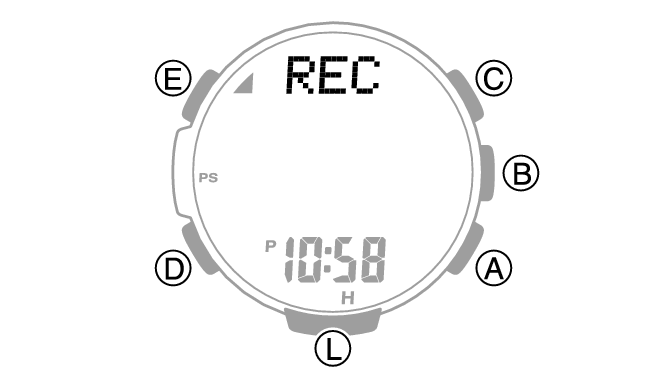
Hold down (A) for at least two seconds until [REC] stops flashing.
This records the current altitude, date, and time.
If you do not remove your finger and continue to press (A), climb recording will be toggled between enabled and disabled.
Note
Recording altitude data when there are already 30 records in memory automatically deletes the oldest record to make room for the new one.
Auto Record Data
Entering the Altimeter Mode automatically starts altitude data measurement at regular intervals. Each auto record data measurement uses one memory record. Each record includes the date (month, day) and time of the measurement, along with the altitude data (high/low altitude, cumulative ascent/descent).
You can select the measurement interval.
Note
Auto recording ends when you exit the Altimeter Mode. Re-entering the Altimeter Mode restarts recording of cumulative values from where it was stopped when you last exited the Altimeter Mode.
Climb Record Data
Starting a climb record operation automatically records altitude data at regular intervals, even if you exit the Altimeter Mode. Each record includes the date (month, day) and time of the measurement, along with the altitude data (high/low altitude, cumulative ascent/descent).
The watch has memory for up to 14 measurement data records, and records are sequentially assigned numbers from [Mt.1] to [Mt.14].
Altitude is measured and recorded at regular intervals for up to 12 hours even if you exit the Altimeter Mode.
You can select the measurement interval.
Recording automatically stops when battery power goes low.
Note
Climb record data can be recorded for up to 14 climbs. It includes high and low altitudes, and cumulative ascent and descent.
To start measurement
-
Enter the Altimeter Mode.
-
Hold down (A) for at least five seconds. Release the button when [Trek] and mountain climbing graphic segments appear on the display.
This starts recording of altitude data (high/low altitude, cumulative ascent/descent).
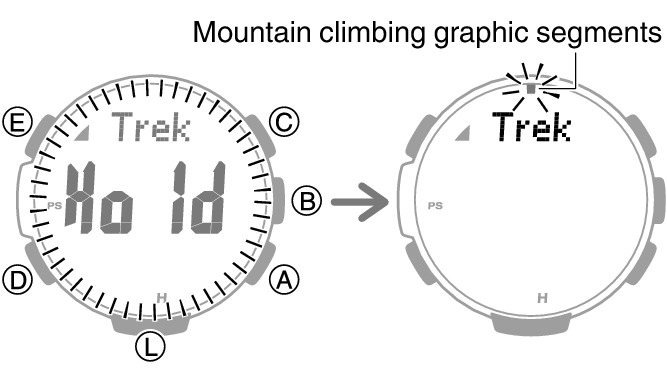
Mountain climbing graphic segments flash or are displayed around the periphery of the display while recording is in progress. Each segment represents 12 minutes, and one lap around the periphery represents 12 hours.
To stop measurement
-
Enter the Altimeter Mode.
-
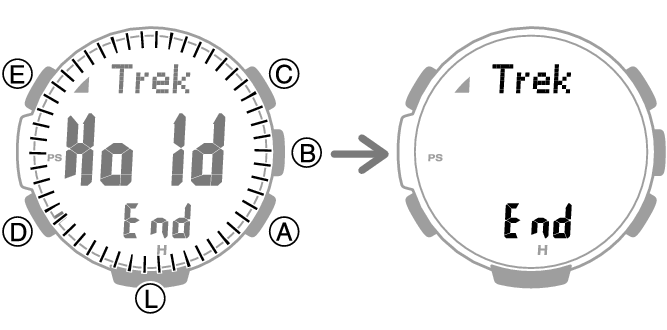
Hold down (A) for at least five seconds. Release the button when [Trek] [END] appears on the display.
This stops altitude data (high/low altitude, cumulative ascent/descent) recording.
Note
If you want to record more than 15 data records, delete old records to make room for the new data.
Auto Record and Climb Record Data Contents
The altitude data below is recorded by auto record and climb record operations.
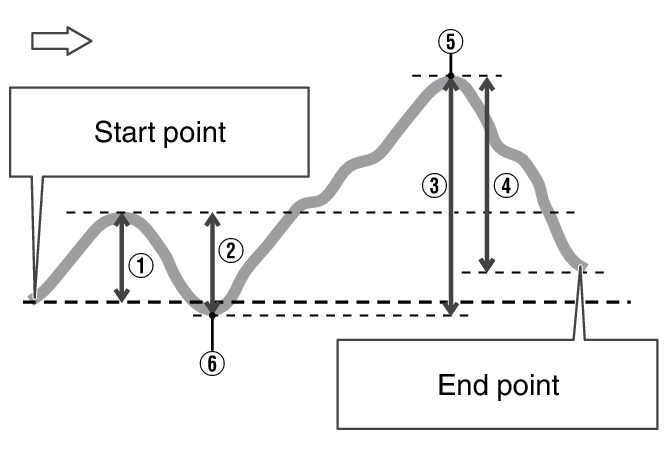
High Altitude (MAX): 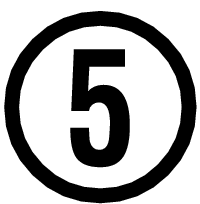
Low Altitude (MIN): 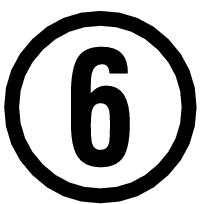
Cumulative Ascent (ASC):  +
+ *
*
Cumulative Descent (DSC):  +
+ *
*
Cumulative ascent and cumulative descent values are updated whenever there is a difference of at least ±15 m (±49 feet) from one reading to the next.
Note
In the case of auto record data, the auto record operation ends if you exit the Altimeter Mode. Re-entering the Altimeter Mode restarts recording of cumulative values from where it was stopped when you last exited the Altimeter Mode.
For climb record data, auto measurement continues even if you exit the Altimeter Mode.
Specifying the Altitude Measurement Unit
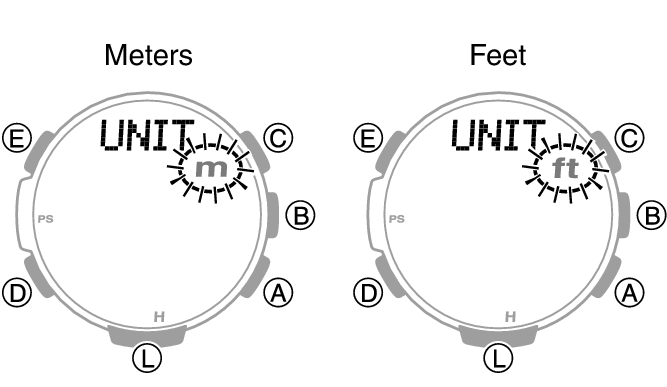
You can select either meters (m) or feet (ft) as the Altimeter Mode display unit.
Important!
When Tokyo (TYO) is set as the Home City, the altitude unit is fixed as meters (m) and cannot be changed.
-
Enter the Timekeeping Mode.
-
Hold down (E) for at least two seconds. Release the button when the name of the currently selected Home City appears on the display.
-
Press (D) 12 times.
-
Use (A) to select an altitude unit.
-
Press (E) twice to complete the setting operation.
Example: When your Home City is London
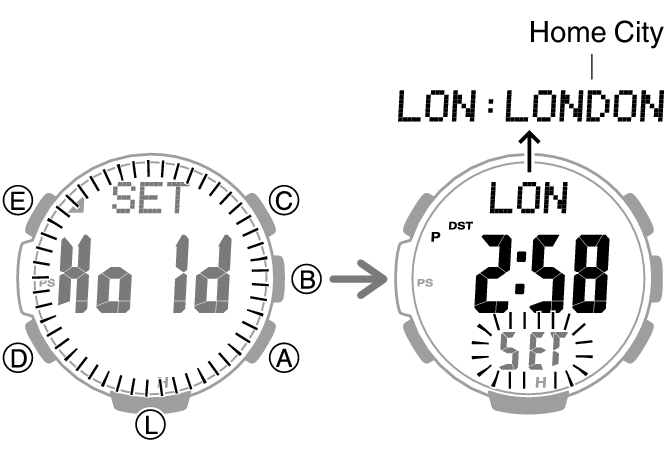
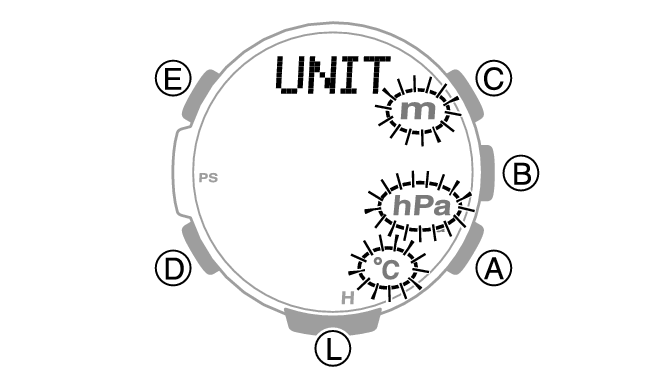
This displays [UNIT].
[m]: Meters
[ft]: Feet
Note
While the setting is being configured, the watch will exit the setting operation automatically after about two or three minutes of non-operation.
Altitude Reading Precautions
Effects of Temperature
When taking altitude readings, take the steps below to keep the watch at as stable a temperature as possible. Changes in temperature can affect altitude readings.
Take readings with the watch on your wrist.
Take readings in an area where temperature is stable.
Altitude Readings
Do not use this watch while skydiving, hang gliding, paragliding, gyrocopter flying, glider flying, or engaged in other activities where altitude changes suddenly.
Altitude readings produced by this watch are not intended for special-purpose or industrial level use.
In an aircraft, the watch measures the in-cabin pressurized air pressure, so readings will not match altitudes announced by the crew.
Altitude Readings (Relative Altitude)
This watch uses International Standard Atmosphere (ISA) relative altitude data defined by the International Civil Aviation Organization (ICAO). Barometric pressure generally becomes lower as altitude increases.
Correct measurement may not be possible under the conditions below.
During unstable atmospheric conditions
During sudden temperature changes
After the watch has been subjected to strong impact