Life Log Measurement
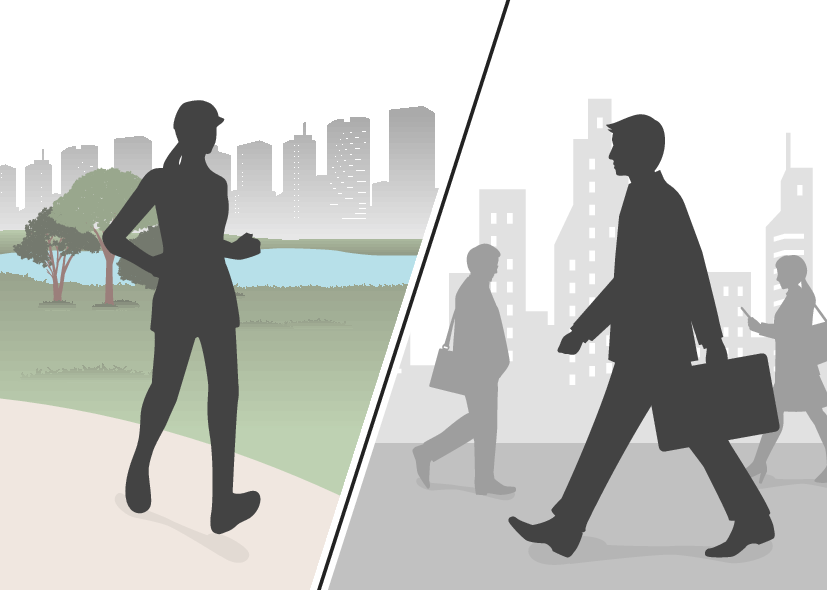
The watch keeps track of your step count while you walk or go about your daily life, and then uses that count to calculate the distance you covered and the calories you burned.
Measuring Life Log Data
If you are wearing the watch correctly, Life Log measurement will be performed as you walk or engage in your normal daily activities.
Important!
Since this watch’s is a wrist-worn Life Log device, it may detect non-step movements and include them in step and distance values. Also, abnormal arm movements while walking may cause a miss count of steps.
Getting Ready
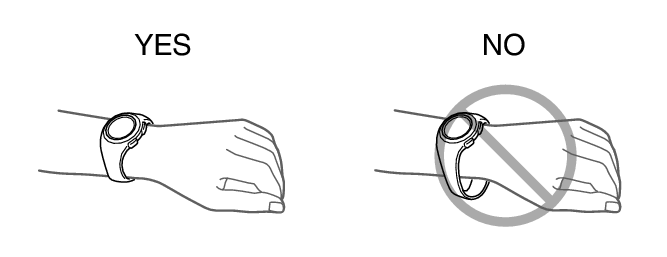
To enable the most accurate Life Log measurements, wear the watch with the face on the outside of your wrist and tighten the band securely. A loose band may make it impossible to obtain correct measurement.
Counting Steps
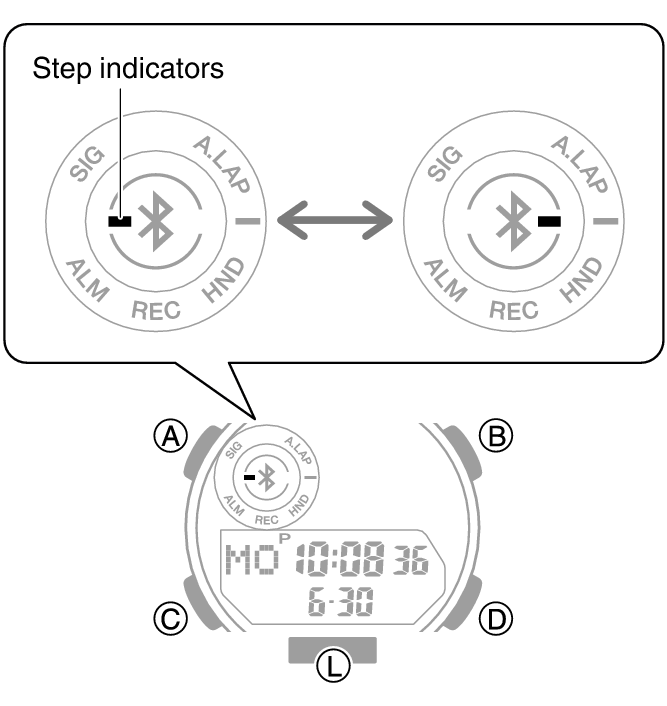
The step count and distance measurement operations will start automatically when you start walking. The step indicators show whether or not the step count is being incremented.
Alternating at one-second intervals: Walking (step count being incremented)
Both displayed: Not walking (step count not being incremented)
Note
Even while a Stopwatch Mode elapsed time measurement operation is being performed, the step indicator will be displayed indicating that measurement is in progress. Measurement results are reflected in distance and pace results.
Viewing Life Log Data
Scrolling Between Life Log Screens
-
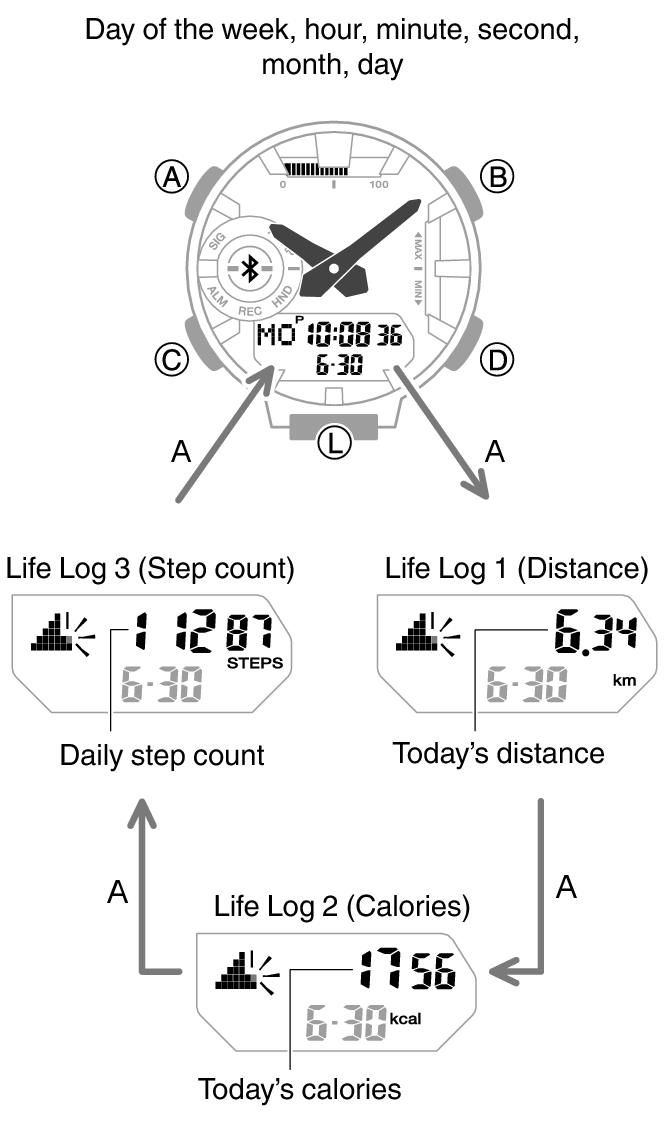
Enter the Timekeeping Mode.
-
Press (A) to display the Life Log screen.
Interpreting the Progress Graph
The progress graph shows the progress you have made towards reaching the daily distance, calorie, and step count target values you specified. You can view your daily progress for up to seven days.
Graph contents are normally refreshed every minute.
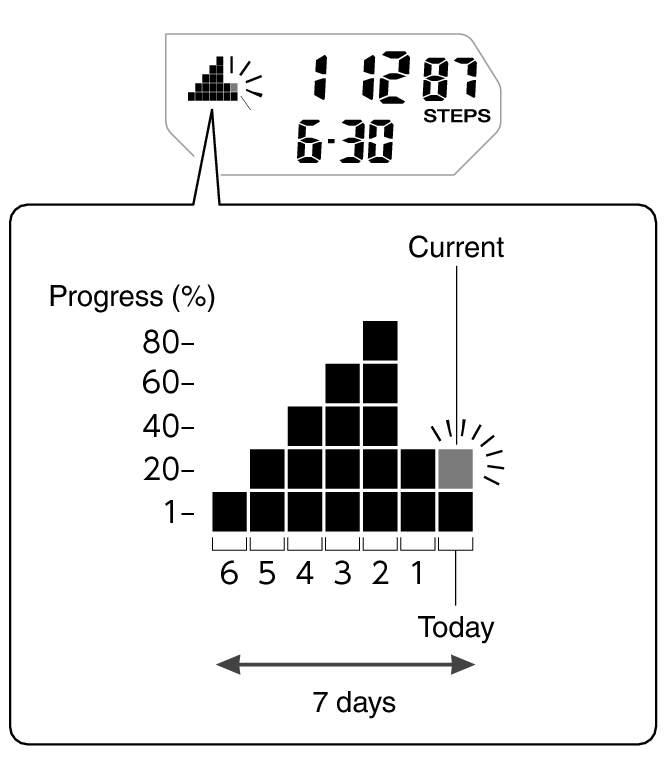
Checking Your Progress to Your Daily Step Target
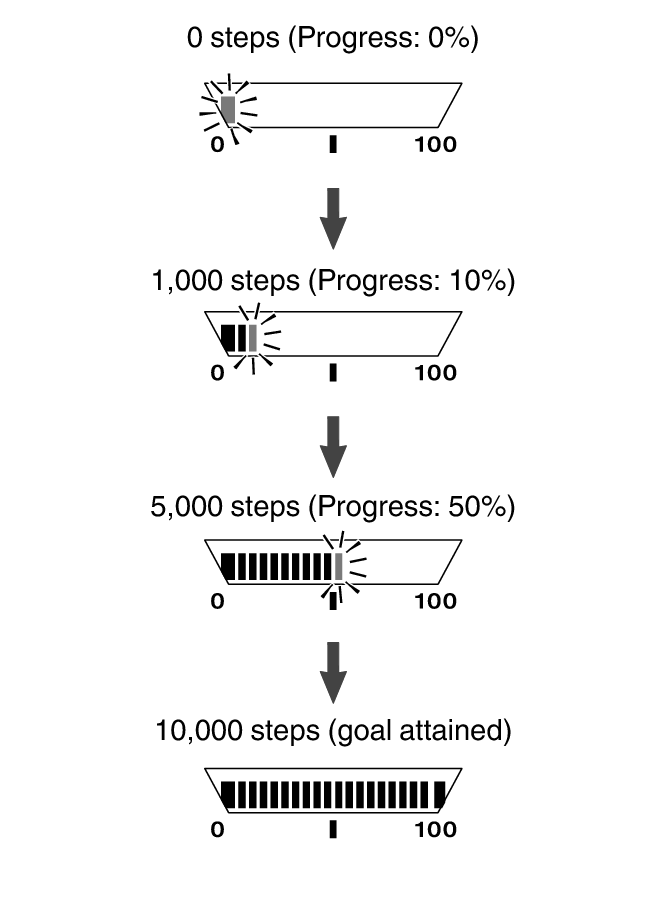
Graphic Indicator A shows the current percent (%) of the preset target value that has been reached.
Example: Daily target of 10,000 steps
Note
Distance can be measured up to 9,999.99 km. The watch display will continue to show 9,999.99 km even if the actual distance becomes 10,000 km or greater.
Calories can be measured up to 999,999kcal. The watch display will continue to show 999,999kcal even if the actual calories burned becomes 1,000,000kcal or greater.
The step count can show a value up to 99,999 steps. If the step count exceeds 99,999, the maximum value (99,999) remains on the display.
To avoid miscounting of non-walking movements, the step count will not start until after you have been walking for about 20 seconds. The number of steps you took during the first 20 seconds will be included in the total.
The step count is reset to zero at midnight each day.
To save power, step counting stops automatically if you take off the watch (no detectable watch movement) and you do not perform any operation for two or three minutes.
Graph contents are updated even when any one of the events below occurs.
When the step counting is disabled to save power
When counting is not possible due to accelerometer error or insufficient power
Resetting Life Log Measurements
-
Enter the Timekeeping Mode.
-
Use (A) to display the Life Log setting item you want to reset.
-
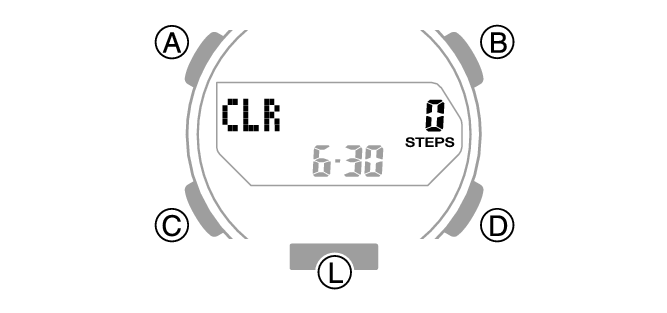
Hold down (B) and (D) for at least two seconds.
This resets the measurement value.
Example: To reset the step count
Specifying Daily Targets
You can use the procedure in this section to specify daily target values for your distance, calories, and step count.
The setting ranges of each item are shown below.
Distance: Up to 199.0 km in 1.0 km units
Calories: 60,000 kcal in 10 kcal units
Steps: 99,900 steps in 100-step units
You can select the distance and calorie units you want to use.
Important!
If you used CASIO WATCHES to set Tokyo (TOKYO) as your Home City, the distance unit will be fixed as kilometers (km) and cannot be changed. The measurement unit selection screen will not appear in this case.
-
Enter the Timekeeping Mode.
-
Hold down (A) for at least two seconds.
-
Press (A).
-
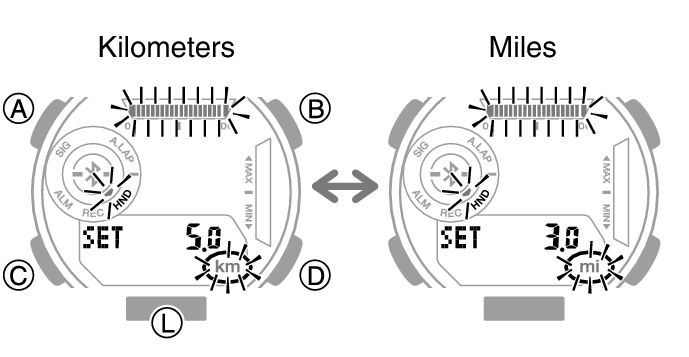
Press (D) to select [km] (kilometers) or [mi] (miles).
-
Press (C).
-
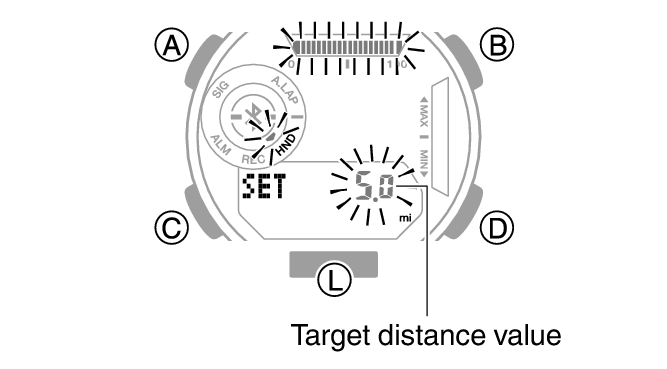
Use (B) and (D) to specify a target distance value.
-
Press (C).
-
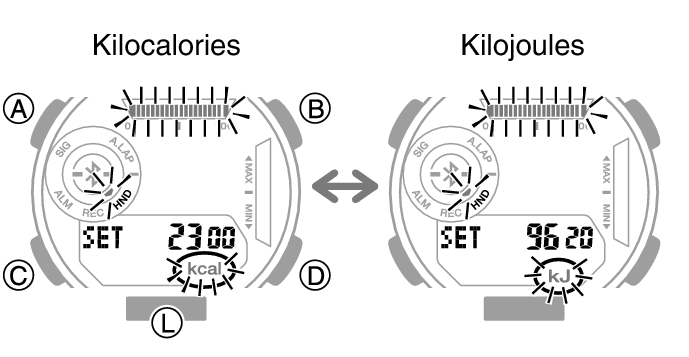
Use (D) to select [kcal] (kilocalories) or [kJ] (kilojoules).
-
Press (C).
-
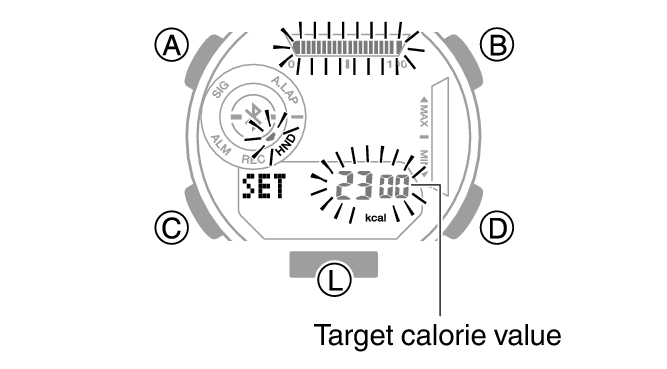
Use (B) and (D) to specify a target calorie value .
-
Press (C).
-
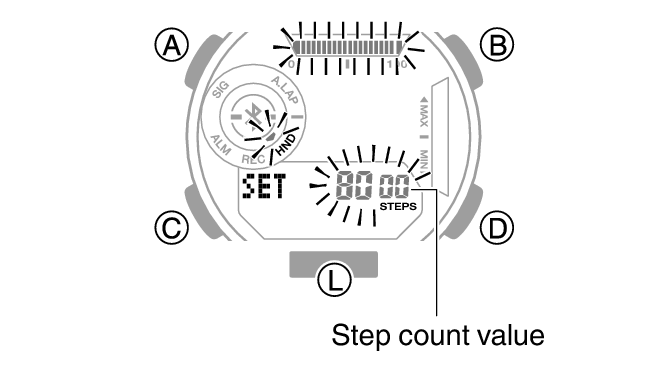
Use (B) and (D) to specify a daily step count value.
-
Press (A) to complete the setting operation.
Release the button when [SET] stops flashing.
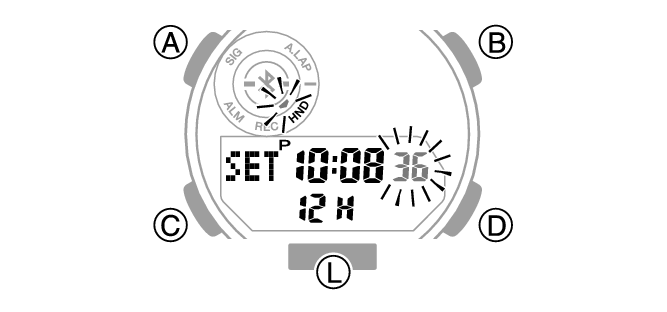
You can use the screen that appears to specify the distance unit.
You can use the screen that appears to specify a target distance value.
You can use the screen that appears to specify the calorie unit.
You can use the screen that appears to specify a daily target calorie value.
You can use the screen that appears to specify a daily step count value.
Note
You can exit the setting procedure at any time by pressing (A).
You cannot change target value settings using watch or CASIO WATCHES operations while a stopwatch time measurement operation is in progress.
While the setting is being configured, the watch will exit the setting operation automatically after about two or three minutes of non-operation.
Causes of Incorrect Step Count
Any of the conditions below may make proper counting impossible.
Walking while wearing slippers, sandals, or other footwear that encourages a shuffling gait
Walking on tile, carpeting, snow, or other surface that causes a shuffling gait
Irregular walking (in a crowded location, in a line where walking stops and starts at short intervals, etc.)
Extremely slow walking or extremely fast running
Pushing a shopping cart or baby stroller
In a location where there is a lot of vibration, or riding on a bicycle or in a vehicle
Frequent movement of the hand or arm (clapping, fanning movement, etc.)
Walking while holding hands, walking with a cane or stick, or engaging in any other movement in which your hand and leg movements are not coordinated with each other
Normal daily non-walking activities (cleaning, etc.)
Wearing the watch on your dominant hand
Walking for 20 seconds or less
Watch hand movement (by the hand shift function, etc.)
Performing a watch operation