Stopwatch
The stopwatch measures elapsed time in 1/100-second units for the first hour, and in 1-second units after that for up to 24 hours.
In addition to normal elapsed time measurements, the stopwatch also lets you take split time and lap time readings.
You can also measure distance and pace.
Note
If a measurement operation continues for 36 hours, it will stop automatically and [F] will flash on the display.
Whenever you record a lap or split time, the watch creates a record. The record include the following information: Measurement start date and time, the time and pace of each lap or split, and the total distance and total calories burned.
Up to 45 split time and lap time records can be stored in watch memory. When the stored data of one measurement operation exceeds 44 records, no additional split time or lap time data can be saved. The 45th record is saved when the stopwatch is reset to all zeros after stopping the measurement operation.
You can use the Recall Mode to view the latest measurement data.
You can use CASIO WATCHES to view past measurement data.
If the watch is connected with your phone, ending a measurement operation and performing a reset will cause the measured log data to be sent automatically to CASIO WATCHES.
You will not be able to start the next measurement operation until the transfer is complete.
You cannot use CASIO WATCHES operations to refresh or send all settings while a Stopwatch Mode measurement operation is in progress.
Split Times and Lap Times
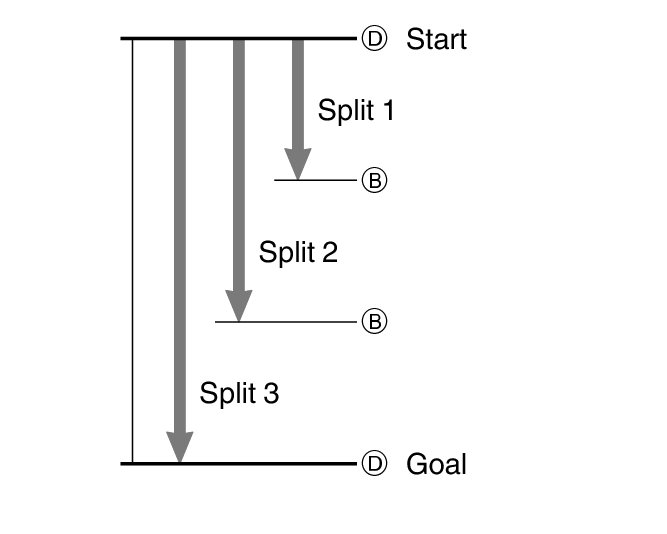
Split time
A split time is the time elapsed from the start, up to any point along the course of an event.
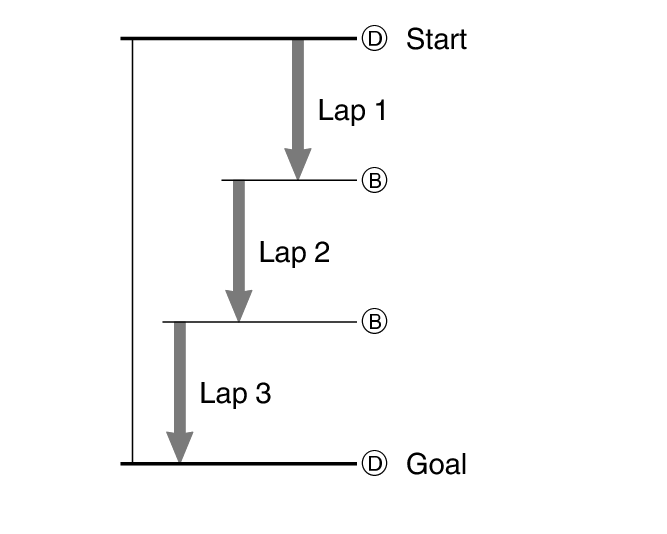
Lap time
A lap time shows the time elapsed during a specific lap around a track, etc.
Measuring Elapsed Time
-
Enter the Stopwatch Mode.
-
Use the operations below to measure elapsed time.
-
Press (B) to reset the stopwatch to all zeros.
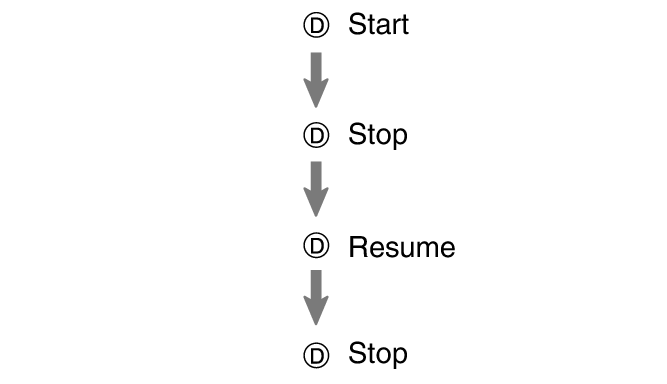
Elapsed time is shown in 1/100-second units for the first hour of the measurement. After the first hour, elapsed time is shown in one-second units.

Measuring a Split Time
-
Enter the Stopwatch Mode.
-
Press (B) to display [SPL].
-
Use the operations below to measure elapsed time.
-
Press (B) to reset the stopwatch to all zeros.

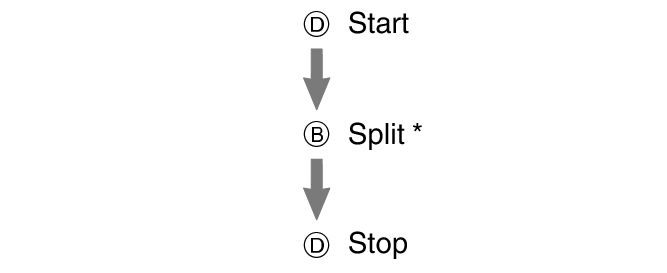
Each press of (B) displays the elapsed time up to that point (split time). The split time is displayed for about eight seconds, followed by the current elapsed time operation.
Elapsed time is shown in 1/100-second units for the first hour of the measurement. After the first hour, elapsed time is shown in one-second units.
Measuring Lap Times
-
Enter the Stopwatch Mode.
-
Press (B) to display [LAP].
-
Use the operations below to measure elapsed time.
-
Press (B) to reset the stopwatch to all zeros.
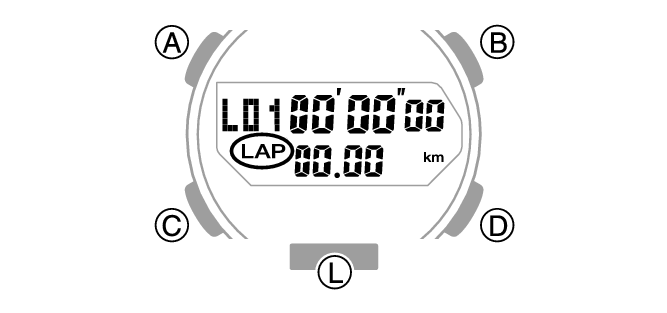
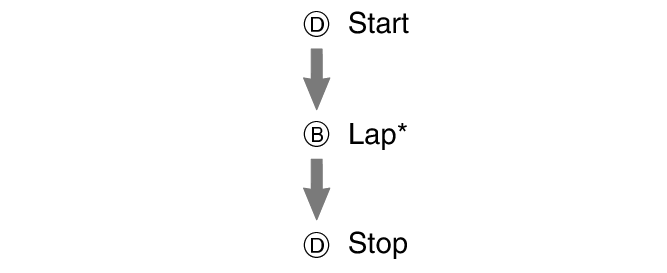
Each press of (B) displays the elapsed time (lap time) since the last lap time operation. The lap time is displayed for about eight seconds, followed by the new lap elapsed time operation.
Elapsed time is shown in 1/100-second units for the first hour of the measurement. After the first hour, elapsed time is shown in one-second units.

Swapping the Measured Distance and Pace
Pressing (A) toggles the display between the measured distance and the pace.

Using Auto Lap Notification
With Auto Lap, you can specify a target lap distance and then measure lap times and split times. An audible tone and display indicator let you know when the preset distance is reached.
Specifying the Auto Lap Distance
-
Enter the Stopwatch Mode.
-
Hold down (A) for at least two seconds.
-
Use (D) to specify the distance value.
-
Press (A) to complete the setting operation.
Each press of (D) changes the distance setting in 0.5 km units. You can select a setting from OFF to 10 km. Pressing (D) while the setting is 10 km will cause the setting to return to OFF.
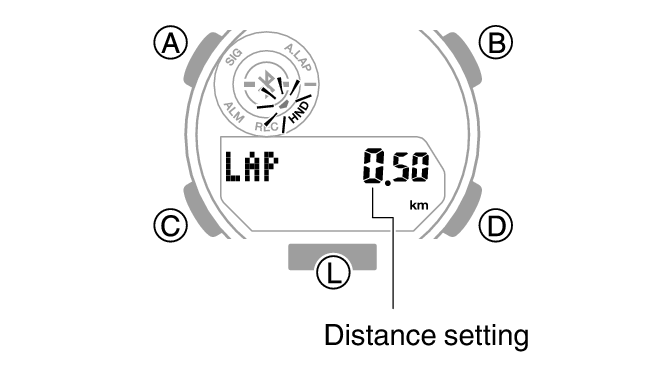
Specifying a distance value will cause [A.LAP] to be displayed in the Stopwatch Mode.
Note
While the setting is being configured, the watch will exit the setting operation automatically after about two or three minutes of non-operation.
Timing with Auto Lap
You can perform the same elapsed time operations as those described in the sections below.
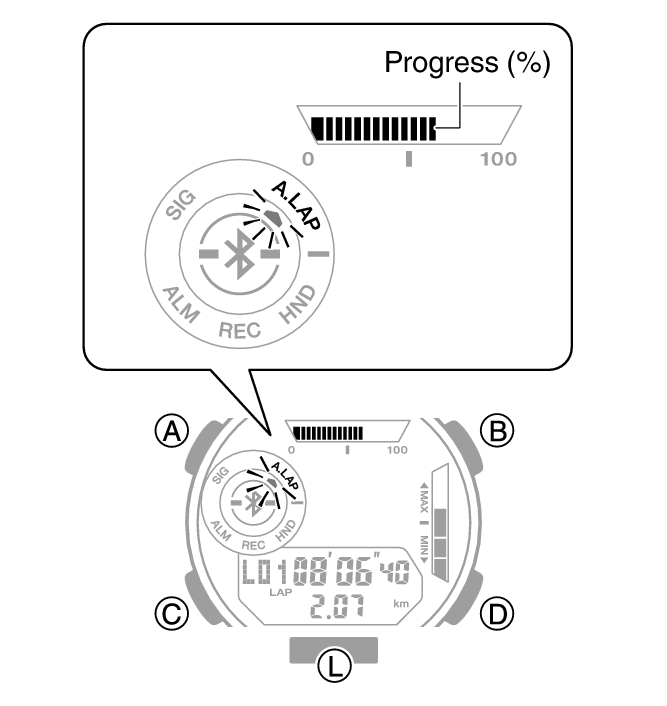
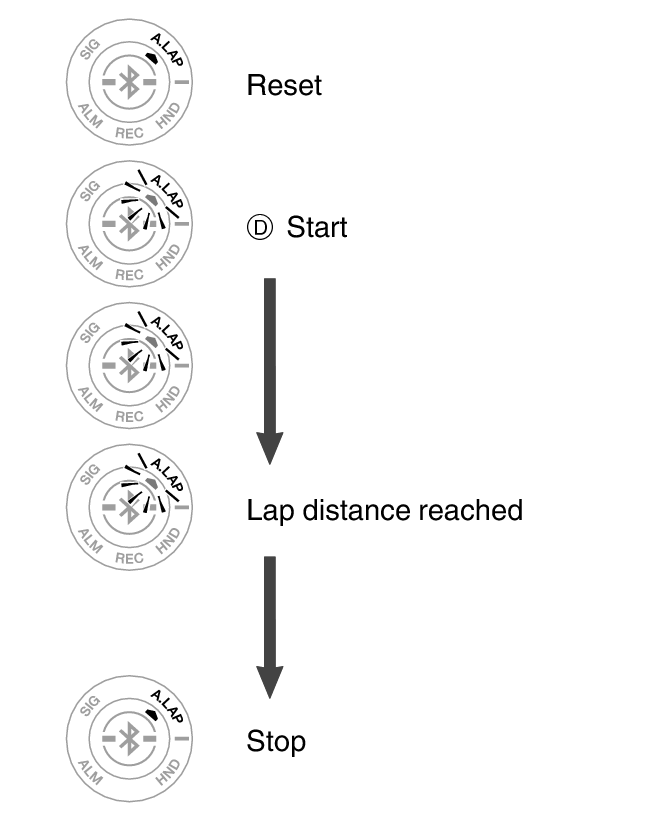
Starting an elapsed time operation will cause [A.LAP] to flash on the display.
Every time you reach the specified distance, the following events will occur.
Recording Lap and Split Times Automatically
An alarm will sound.
A confirmation screen will be displayed for about eight seconds.
In addition, Graphic Indicator A shows your progress (%) to the distance you set for the lap.
Checking Training Log Data
Viewing Saved Data
You can use the operation below to view split times and lap times.
-
Enter the Recall Mode.
-
Press (D).
-
Press (D) to navigate through measurement numbers.
Along with the total time, the watch also can display total distance, average pace, or total calories.
You can navigate between display screens by pressing (A).

This displays details about the latest training data.
You can navigate between display screens by pressing (A).
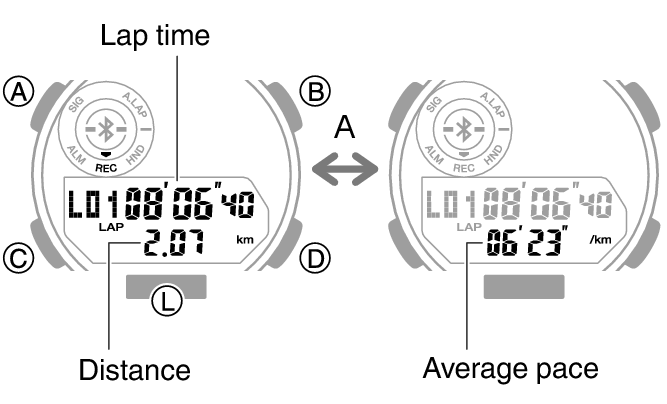
Press (B) to toggle the displayed measurement value between lap time and split time.

Each press of (D) goes from [L01] to the next measurement number.
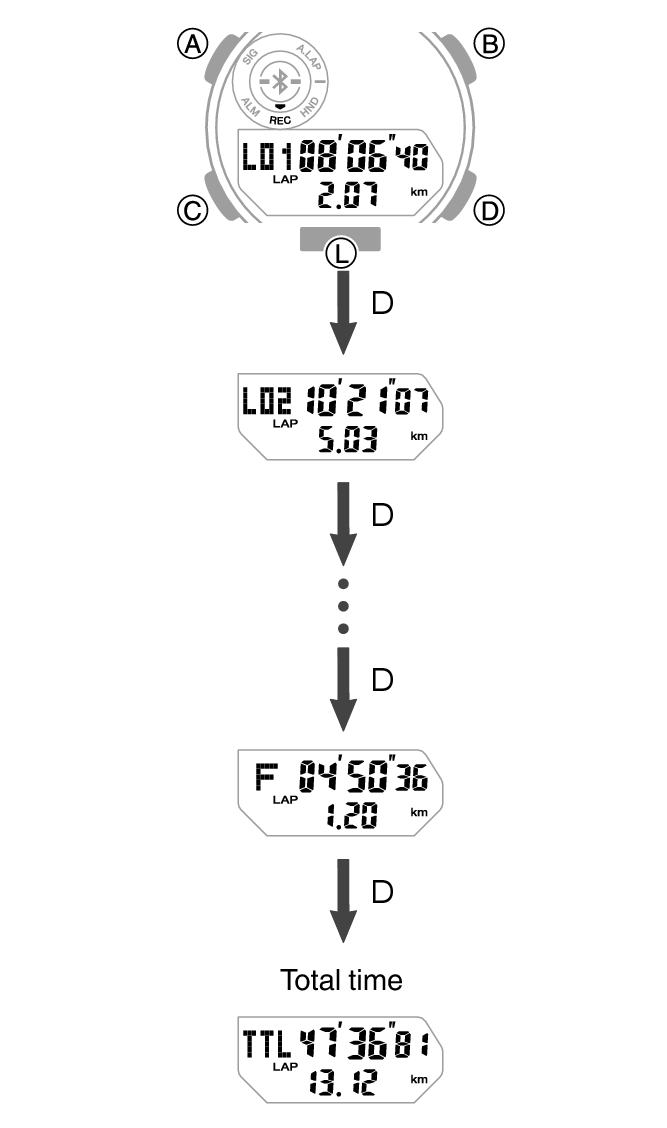
Pressing (D) while the final record is displayed will display the total time screen.
Note
A record of the measured data is created and assigned a number for each measurement operation (from start to stop).
If the currently displayed training log has not yet been transferred to CASIO WATCHES, Graphic Indicator A will flash.
Switching between the lap time and split time display in the Recall Mode will also switch the lap/split time display in the Stopwatch Mode.