Hand Alignment Adjustment
Strong magnetism or impact can cause the time indicated by the analog hands to become different from the time on the digital display. If this happens, adjust hand alignment.
Using CASIO WATCHES to Adjust Hand Alignment
If the watch is paired with a phone, you can also use CASIO WATCHES to adjust hand alignment.
Adjusting Hand Alignment
-
Enter the Timekeeping Mode.
-
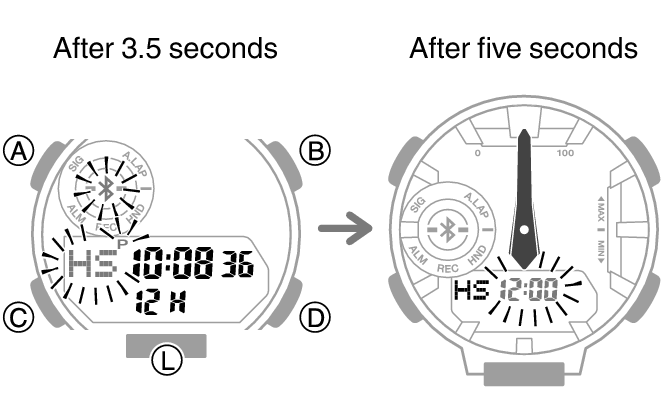
Hold down (A) for at least five seconds. Release the button when [12:00] starts to flash.
-
If the hour and minute hands are not at 12 o’clock, use (B) and (D) to align them.
-
Press (A) to complete the setting operation.
This enables adjustment of the hour and minute hands.
Note
During hand alignment adjustment, the watch automatically returns to the Timekeeping Mode after two or three minutes of non-operation.