Other Settings
This section explains other watch settings you can configure.
Enabling the Button Operation Tone
Use the procedure below to enable or disable the tone that sounds when you press a button.
-
Enter the Timekeeping Mode.
-
Hold down (A) for at least two seconds.
-
Press (C) seven times to display [♪].
-
Press (D) to toggle the button operation tone between enabled and disabled.
-
Press (A) twice to complete the setting operation.
Release the button when [SET] stops flashing.
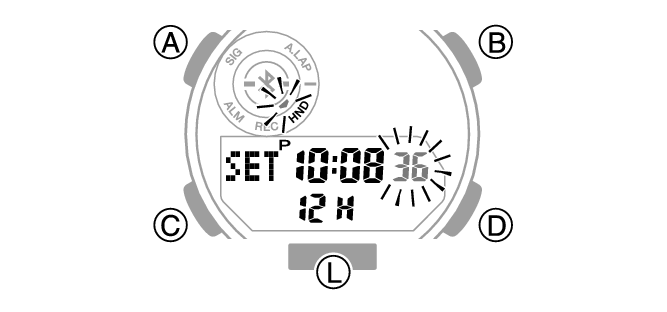
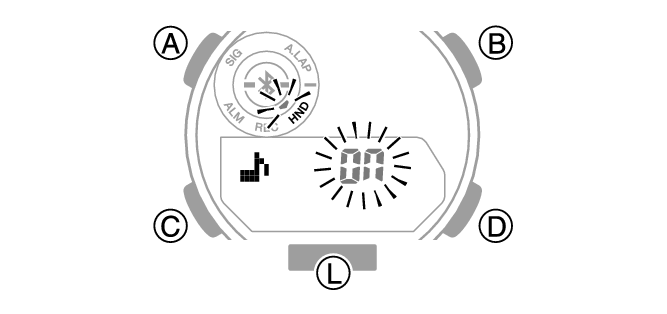
[On]: Operation tone enabled.
[OFF]: Operation tone disabled.

Note
While the setting is being configured, the watch will exit the setting operation automatically after about two or three minutes of non-operation.
Checking Your Exercise Intensity
Your watch calculates exercise intensity based on your step count and your height, as registered in your user profile.
Graphic Indicator B shows the calculated exercise intensity as one of five levels.
You can check the exercise intensity in the modes listed below.
Timekeeping Mode
Stopwatch Mode
Dual Time Mode
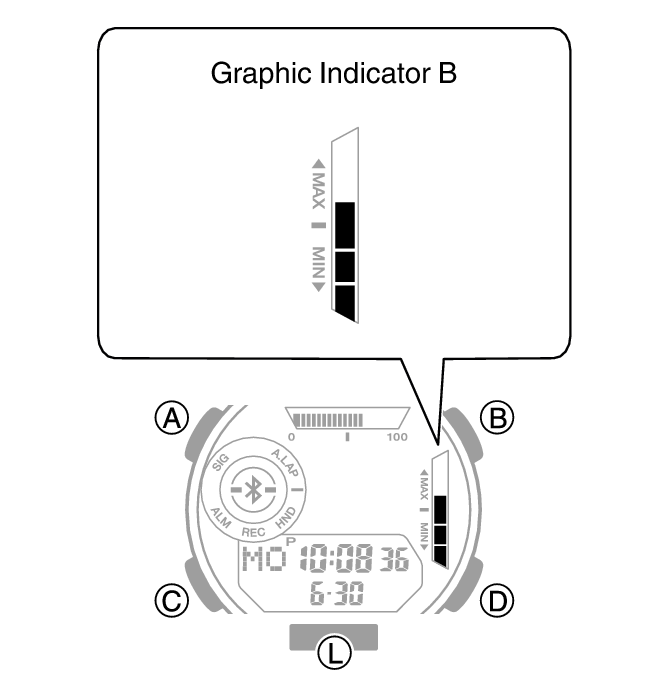
Five Exercise Intensity Level Indications
|
Exercise Intensity |
Graphic Indicator B |
|
1 |
 |
|
2 |
 |
|
3 |
 |
|
4 |
 |
|
5 |
 |
Five Exercise Intensity Level Meanings
|
Exercise Intensity |
Description |
Approximate Speed |
|
1 |
Slow walking |
Walking at slower than 4.5 kph |
|
2 |
Normal to faster walking |
Walking at 4.5 to 6 kph |
|
3 |
Fast walking or slow running |
At least 6 kph walking or 5.1 to 7.7 kph running |
|
4 |
Normal to faster running |
Running at 7.7 to 11.0 kph |
|
5 |
Fast running |
Running at faster than 11 kph |
Resetting Watch Settings
This section explains how to return the watch settings and log to their initial factory defaults.
Note that your current location time and Dual Time settings are not reset.
-
Enter the Timekeeping Mode.
-
Hold down (A) for at least two seconds.
-
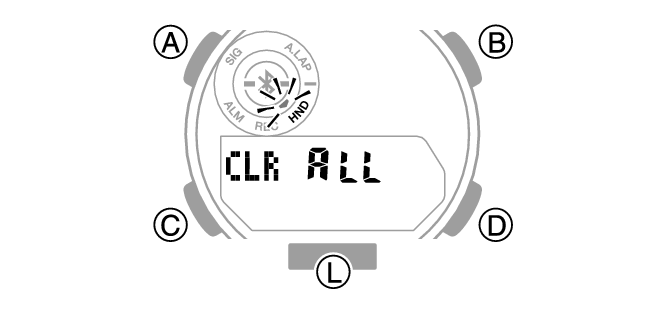
Hold down (B) for at least five seconds. Release the button when [CLR ALL] stops flashing.
Release the button when [SET] stops flashing.
Note
Resetting the watch also deletes information for pairing the watch with a phone, and unpair them.
While the setting is being configured, the watch will exit the setting operation automatically after about two or three minutes of non-operation.
Resetting the watch also deletes information for pairing the watch with a phone, and unpair them.