Timer
The timer counts down from a start time specified by you. The watch beeps every second for the last five seconds of the countdown.
The beeper will not sound if battery power is low.

Using CASIO WATCHES to Configure Timer Settings
If the watch is paired with a phone, you can also use the CASIO WATCHES phone app to set the timer start time.
Setting a Start Time
The start time can be set in 1-second units up to 60 minutes.
-
Enter the Timer Mode.
-
Hold down (A) for at least two seconds.
-
Use (B) and (D) to specify the number of timer repeats.
-
Press (C).
-
Use (B) and (D) to display [1].
-
Press (C).
-
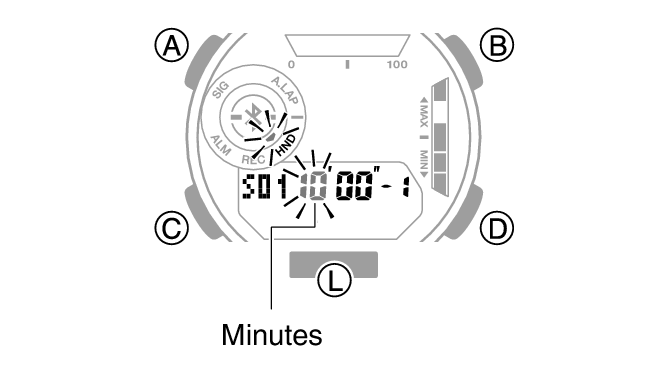
Use (B) and (D) to set the timer minutes setting.
-
Press (C).
-
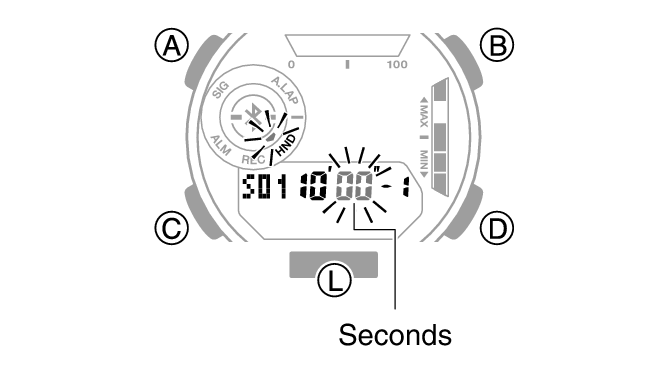
Use (B) and (D) to change the timer seconds setting.
-
Press (A) to complete the setting operation.
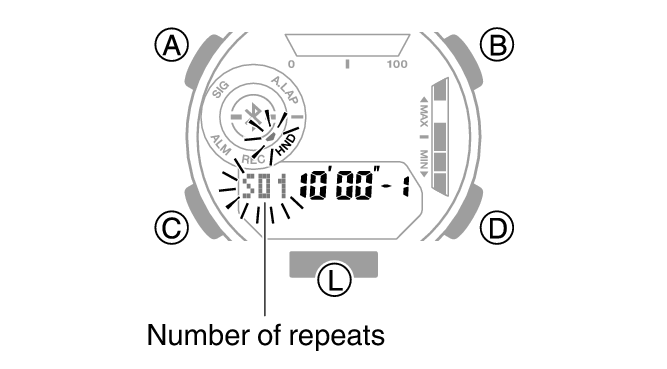
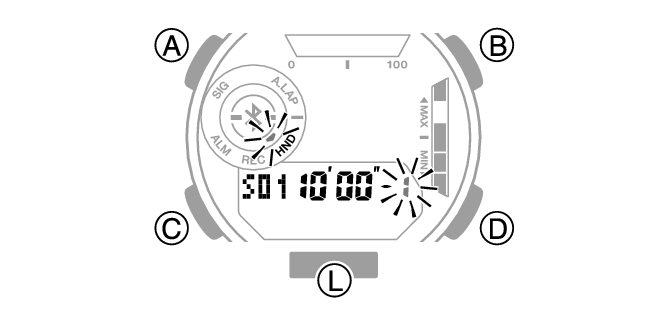
This causes the minutes digits to flash.
This causes the seconds digits to flash.
Note
While the setting is being configured, the watch will exit the setting operation automatically after about two or three minutes of non-operation.
Using the Timer
-
Enter the Timer Mode.
-
A typical operation is shown below.
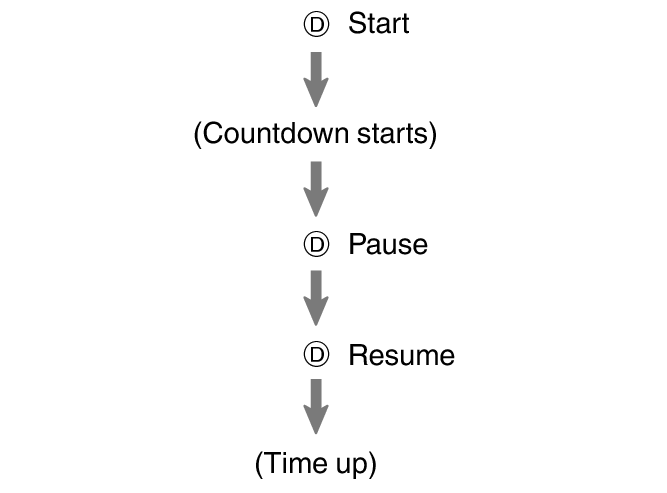
The watch beeps every second for the last five seconds of the countdown.
To stop an ongoing countdown operation, while the countdown is paused, press (B). This will reset the timer to its start time.
Measuring Elapsed Time with Auto Start
You can use the procedure below so a timer countdown starts automatically following a five-second pre-count.
-
Enter the Timer Mode.
-
Press (B) to select Auto Start.
-
A typical operation is shown below.
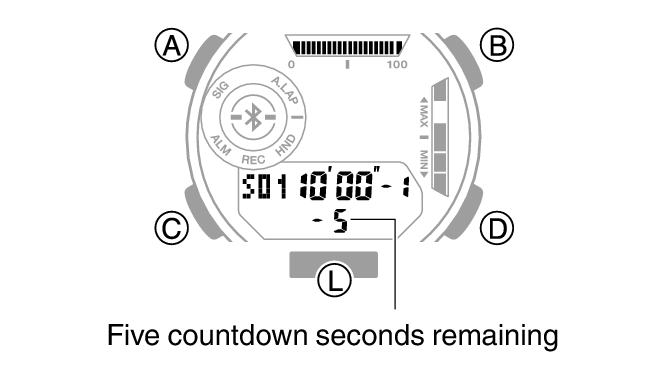
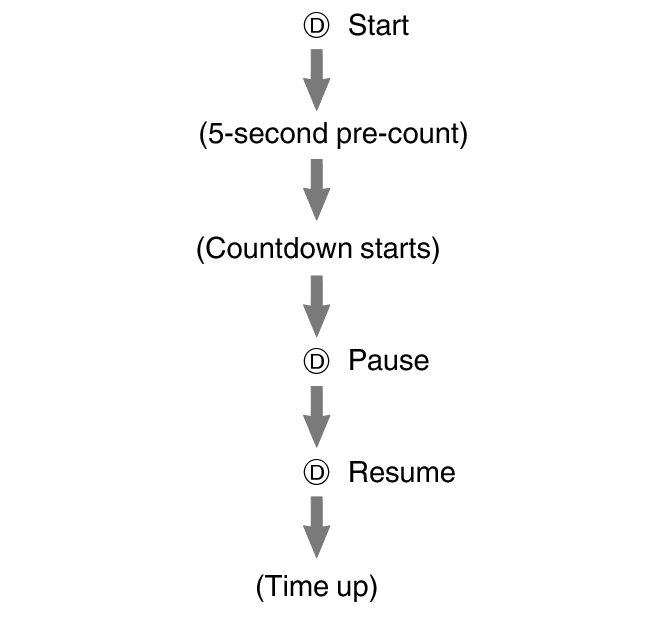
To stop an ongoing countdown operation, while the countdown is paused, press (B). This will reset the timer to its start time.
Using Programmable Timers for Interval Training
Overview
You can configure settings for multiple timers so they perform different count downs one after the other to create an interval timer. You can use an interval timer to control how much time you spend doing push-ups, squats, or other exercises that make up a fitness workout.
For example, you could configure an interval timer as shown below and have intervals  through
  repeat 10 times.
Timer Settings
Interval 1: 30 seconds
Interval 2: 20 seconds
Interval 3: 30 seconds
Interval 4: 25 seconds
Sets: 10
Interval Training Workout
-
Push-ups: 30 seconds
-
Rest: 20 seconds
-
Squats: 30 seconds
-
Rest: 25 seconds
Note
You can configure up to five different timers to repeat up to 20 times.
Setting Up Programmable Timers
If a timer countdown operation is in progress, reset the timer to its current start time before performing this operation.
-
Enter the Timer Mode.
-
Hold down (A) for at least two seconds.
-
Use (B) and (D) to specify the number of timer repeats.
-
Press (C).
-
Use (B) and (D) to specify the position of the timer in the sequence.
-
Press (C).
-
Use (B) and (D) to set the timer minutes setting.
-
Press (C).
-
Use (B) and (D) to change the timer seconds setting.
-
Press (C) twice.
-
Repeat steps 5 through 10 as many times as necessary to configure the settings of other timers.
-
Press (A) to complete the setting operation.
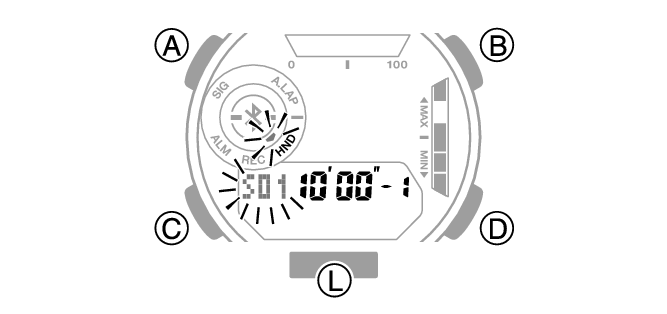
To specify the first position, set [1].
This causes the minutes digits of Timer 1 to flash.
This causes the seconds digits of Timer 1 to flash.
This returns to the screen in step 5.
Note
You can also use CASIO WATCHES to configure programmable timer settings.
While the setting is being configured, the watch will exit the setting operation automatically after about two or three minutes of non-operation.
Timing with Programmable Timers
-
Enter the Timer Mode.
-
Press (D) to start the timer countdown.
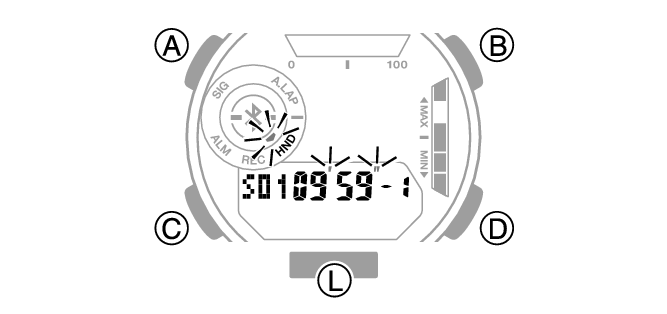
The watch beeps every second for the last five seconds of the current countdown, and starts the countdown of the next timer when the end is reached.
To pause an ongoing timer countdown, press (D). You can reset a paused timer countdown to its start time by pressing (B).
When there is a multiple timer countdown operation in progress, you can terminate the current countdown and start the next countdown by holding down (B) for at least 0.5 seconds.
Checking the On/Off Status of Programmable Timers
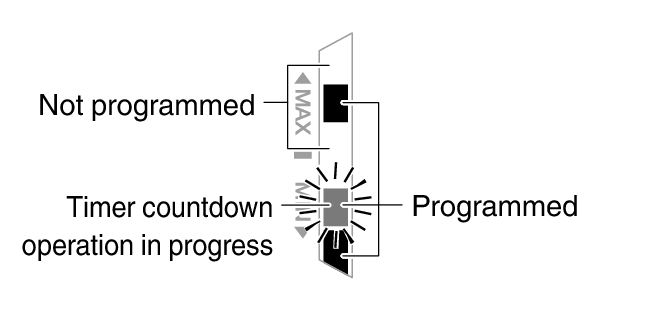
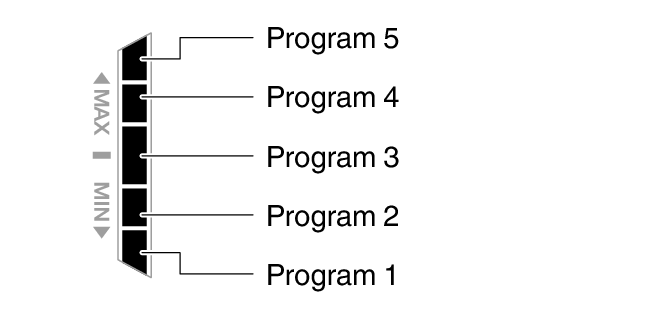
In the Timer Mode, you can find out if each of the programmable timers is turned on or off by checking Graphic Indicator B.
The current status of a programmable timer is indicated by whether the indicator segment of the program number is displayed, flashing, or not displayed.
Graphic Indicator B
|
Programmable timer status |
Graphic |
|
Not programmed |
Not displayed |
|
Programmed |
Displayed |
|
Operation in progress/Auto Start |
Flashing * |
|
Paused |
Flashing |
|
Timer settings being configured |
* Segment disappears when the program is complete.
Example Display
Program 1, 2, 4: Programmed
Program 3, 5: Not programmed
Program 2: Timer countdown operation in progress