About This Watch
This section provides an overview of the watch and introduces convenient ways it can be used.
Watch Features
The watch supports connection and communication with a Bluetooth capable phone.
You can use Life Log to measure your distance, calories burned, and step count. After you specify a daily target, a graphic display shows approximately how much of the target you have achieved and how much more you need to do.
Dual Time lets you keep track of a second time, such as the current time in another time zone, etc.
An alarm sounds whenever a time specified by you is reached.
Use the Stopwatch Mode to measure elapsed time.
Up to 45 lap/split time records can be recorded in watch memory.
The timer counts down from a specified start time. A beep sounds for each of the final five seconds. You can configure multiple time intervals for consecutive countdowns, which comes in handy for set training.
Note
The illustrations included in this operation guide have been created to facilitate explanation. An illustration may differ somewhat from the item it represents.
Configuring profile settings before measuring Life Log data will help you obtain more accurate values.
Creating Your Profile
You can configure settings for the profile items listed below on the watch.
Height
Weight
Gender
Date of birth
Height unit
Weight unit
Important!
If you used CASIO WATCHES to set Tokyo (TOKYO) as your Home City, the height unit will be fixed as centimeters (cm) and the weight unit will be fixed as kilograms (kg). These settings cannot be changed. The measurement unit selection screen will not appear in this case.
-
Enter the Timekeeping Mode.
-
Hold down (A) for at least two seconds.
-
Press (A).
-
Press (C) five times.
-
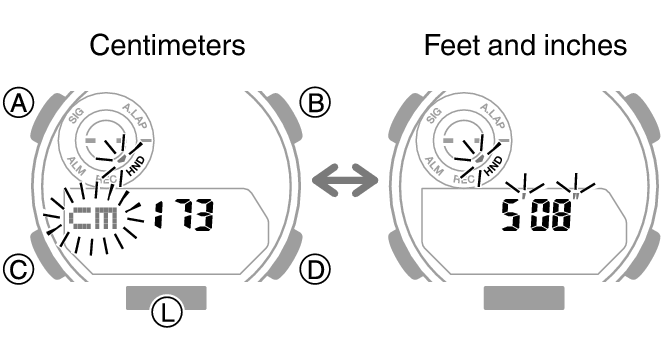
Press (D) to select [cm] (centimeters) or feet and inches.
-
Press (C).
-
Use (B) and (D) to input your height.
-
Press (C).
-
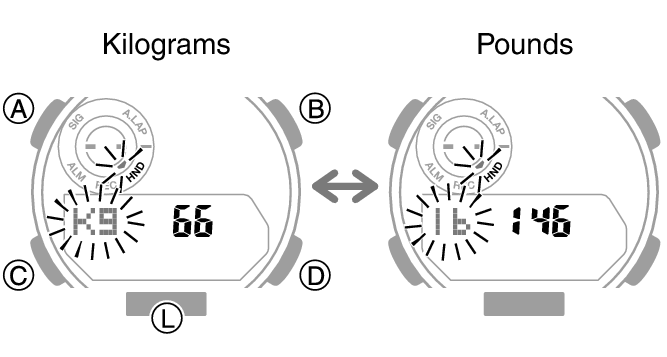
Press (D) to select [kg] (kilograms) or [lb] (pounds).
-
Press (C).
-
Use (B) and (D) to input your weight.
-
Press (C).
-
Press (D) to select [M] (male) or [F] (female).
-
Press (C).
-
Use (B) and (D) to specify your birth year.
-
Press (C).
-
Use (B) and (D) to specify your birth month.
-
Press (C).
-
Use (B) and (D) to specify your birth day.
-
Press (A) to complete the setting operation.
Release the button when [SET] stops flashing.
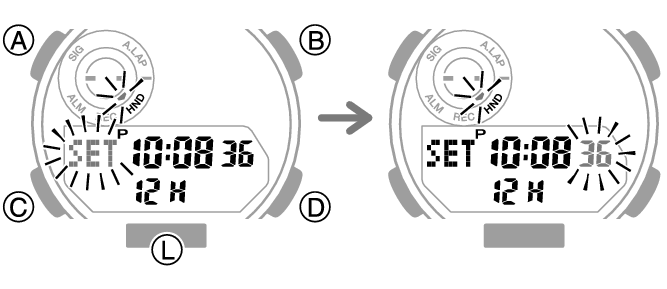
This displays the distance target unit setting screen.
You can use the screen that appears to specify the height unit.
On the screen that appears, you can record your height.
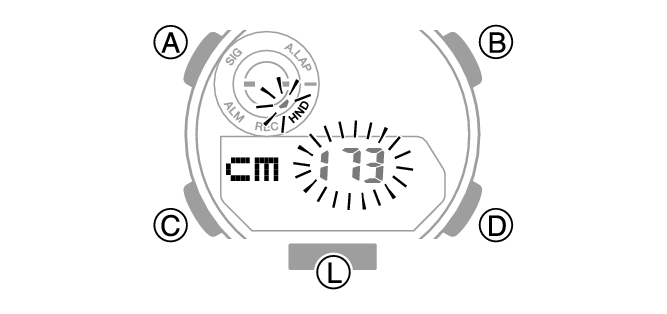
If you selected feet and inches as the height unit, you should also specify an inch value. To switch back to the feet setting, press (C).
On the screen that appears, you can specify the weight unit.
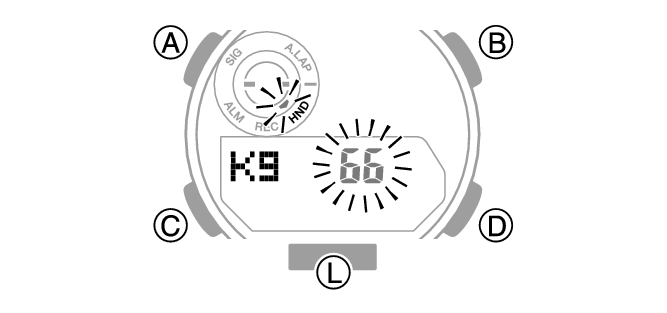
On the screen that appears, you can record your weight.
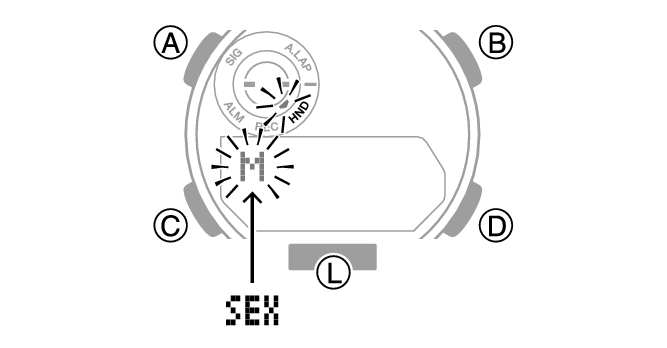
On the screen that appears, you can record your gender.
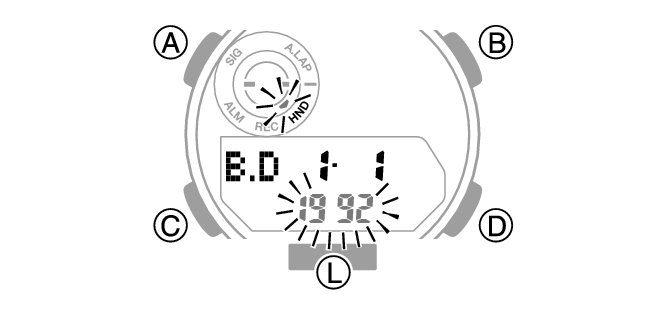
On the screen that appears, you can record your birth year.
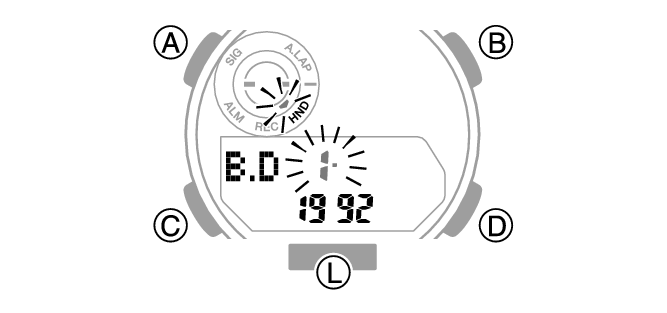
On the screen that appears, you can record your birth month.
On the screen that appears, you can record your birth day.
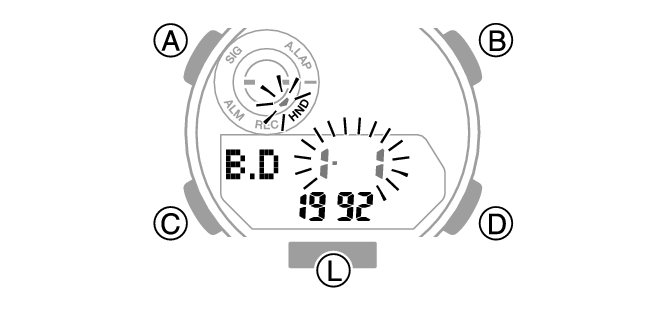
Note
You cannot change profile settings while a stopwatch time measurement operation is in progress.
While the setting is being configured, the watch will exit the setting operation automatically after about two or three minutes of non-operation.
General Guide
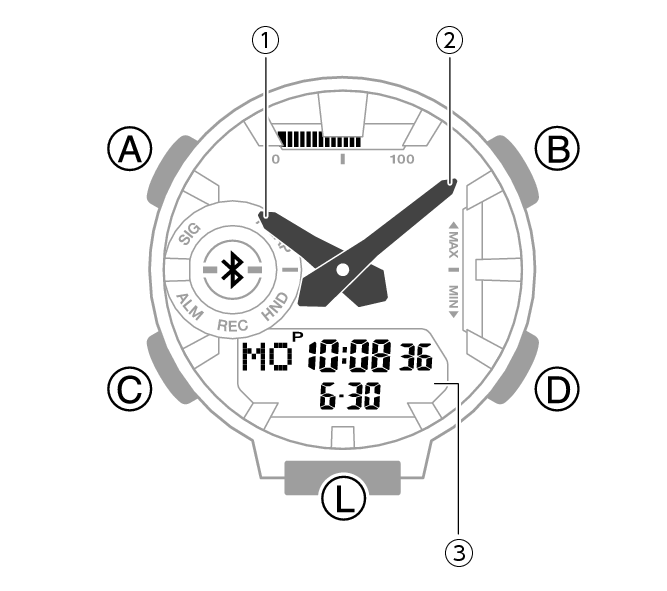
-
Hour hand
-
Minute hand
-
LCD
A button
Pressing this button in the Timekeeping Mode cycles between displays.
B button
Pressing this button while any setting screen is displayed changes the setting.
C button
Each press cycles between watch modes.
In any mode, hold down this button for at least two seconds to return to the Timekeeping Mode.
D button
Pressing this button while any setting screen is displayed changes the setting.
L button
Press to turn on illumination.
Watch Face and Display Indicators
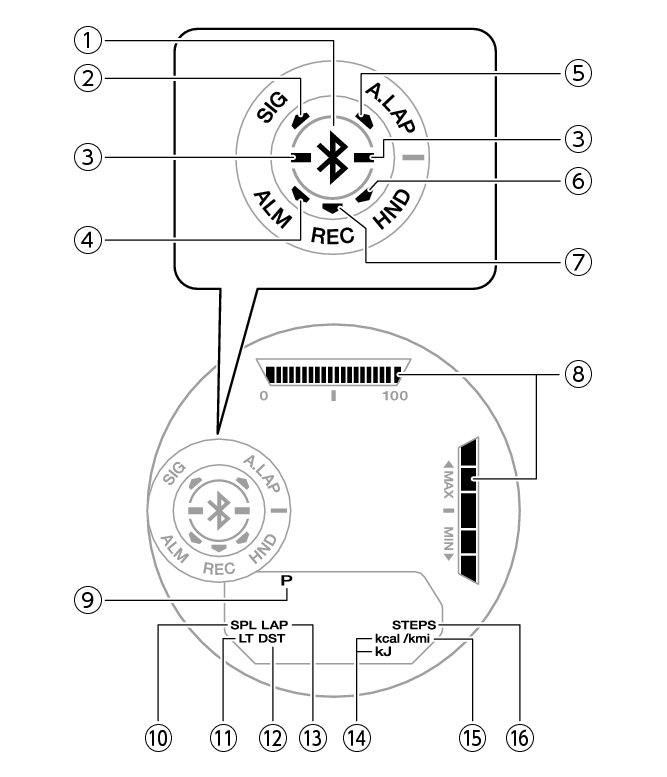
-
Displayed while there is connection between the watch and a phone.
-
Displayed while the hourly time signal is enabled.
-
Indicate whether or not the step count is being incremented.
-
Displayed while an alarm is turned on.
-
Displayed while Auto Lap is enabled.
-
Flashes while the watch’s hands are shifted for easier reading.
-
Displayed while the watch is in the Recall Mode.
-
Graphic display area operation is linked with operations in each watch mode.
-
Displayed during p.m. times while 12-hour timekeeping is being used.
-
Displayed while a split time is displayed.
-
Displayed while Auto Light is enabled.
-
Displayed while the watch is indicating summer time.
-
Displayed while a lap time is displayed.
-
Appears when a calorie value is displayed.
-
Appears when a distance value is displayed.
-
Displayed while the step count is displayed.
Battery Replacement
When battery power goes low,  will start to flash and some functions will become disabled. If continues to flash, replace the battery.
Request battery replacement from a CASIO service center or your original retailer.
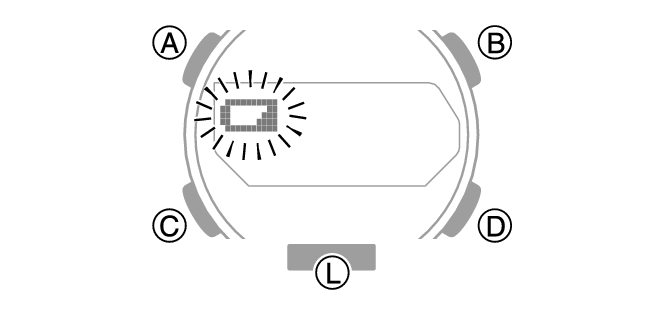
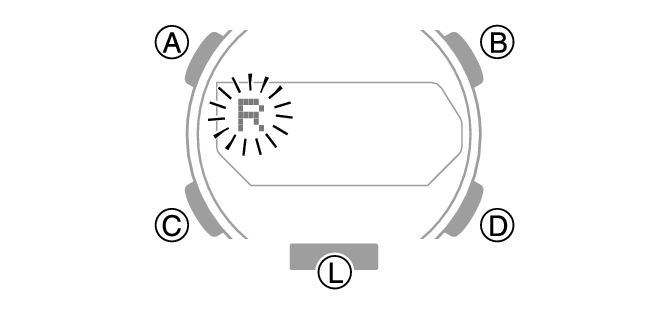
If [R] is flashing on the display
If [R] is flashing, it means that all functions, except for timekeeping, are disabled due to high momentary battery power consumption.
Graphic Display Area
Graphic display area operation is linked with operations in each watch mode.
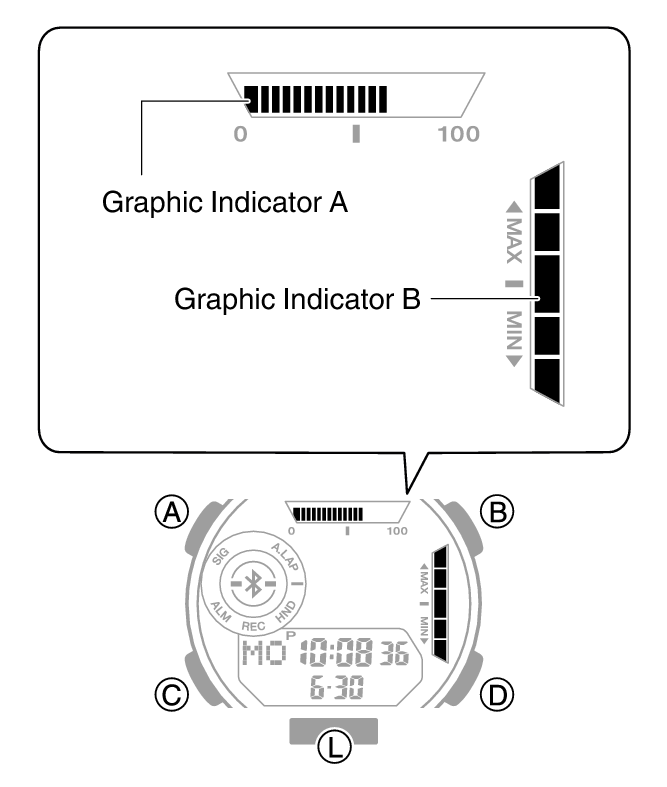
Graphic Indicator A
Timekeeping Mode
Displaying Life Log data will also cause a progress value to appear. For other types of display, it changes with the count of the current time’s seconds.
Stopwatch Mode
While Auto Lap is enabled, Graphic Indicator A shows the progress of each lap in terms of distance.
While Auto Lap is disabled, Graphic Indicator A shows the seconds of the elapsed time measured by the stopwatch.
Timer Mode
The Graphic Indicator A shows the percentage of the countdown that remains.
Dual Time
Movement is synchronized with the Dual Time seconds.
Graphic Indicator B
Timekeeping Mode, Stopwatch Mode, Dual Time
Indicates one of five exercise intensity levels.
Alarm Mode
Turning on an alarm (1 to 5) will display the segment of the Graphic Indicator B that corresponds to the alarm’s number.
Timer Mode
While the programmable timer is enabled, the segment of the Graphic Indicator B that corresponds to the number of that is currently in operation will flash. The segments of the other timers will be displayed without flashing.
Navigating Between Modes
Each press of (C) cycles between watch modes.
To enter the Timekeeping Mode from any other mode, hold down (C) for at least two seconds.
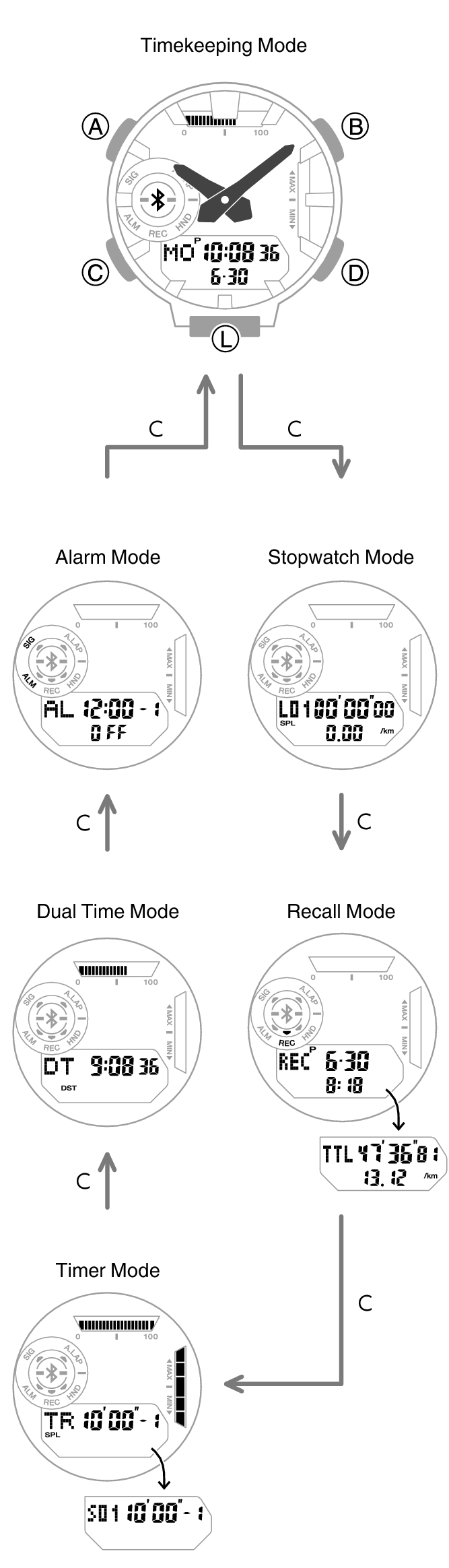
Mode Overview
Timekeeping Mode
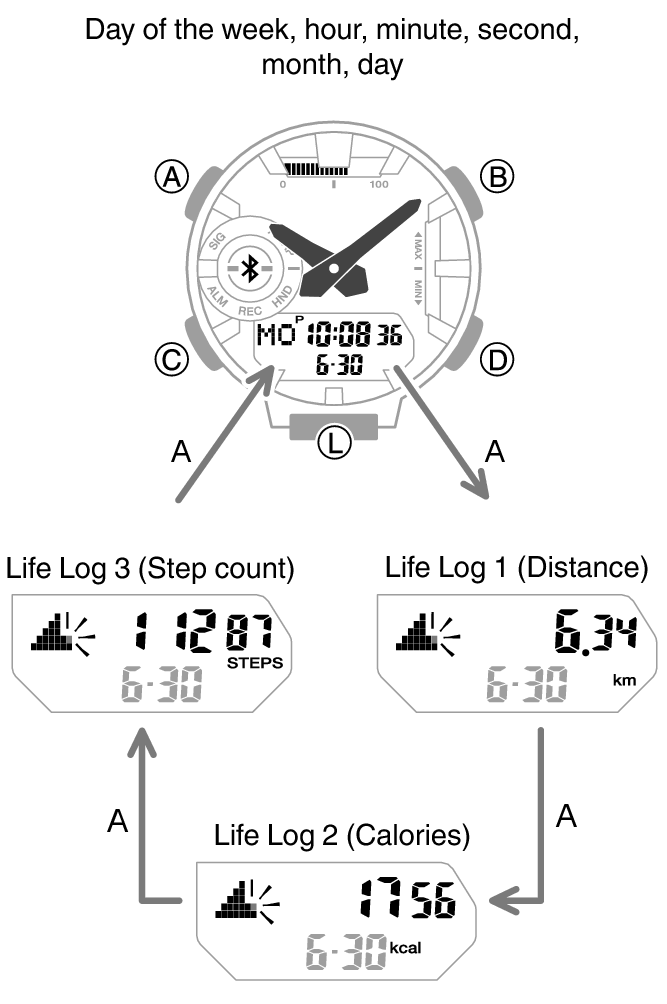
In this mode, your watch shows the current day of the week, hour, minute, second, month, and day.
You can also use (A) to display the Life Log items below.
Distance
Calories
Step count
Connecting with a Paired Phone to Correct the Watch’s Time
Hold down (D) for at least two seconds.
Searching for a Paired Phone
Hold down (D) for at least five seconds.
Stopwatch Mode
Use this mode to measure elapsed time.
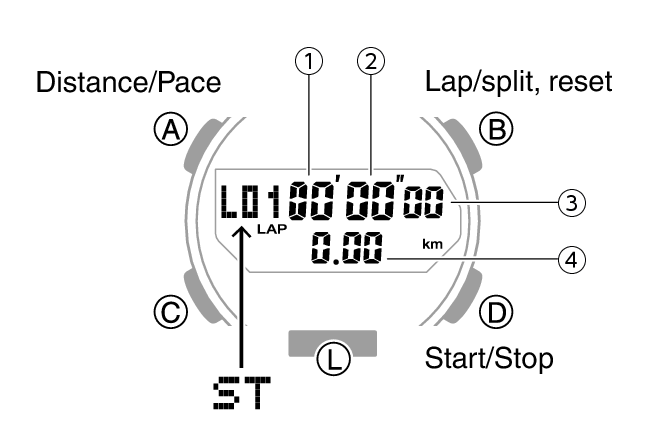
-
Stopwatch minutes
-
Stopwatch seconds
-
Stopwatch: 1/100 second
-
Measured distance
Recall Mode
You can use this mode to view split and lap time records.
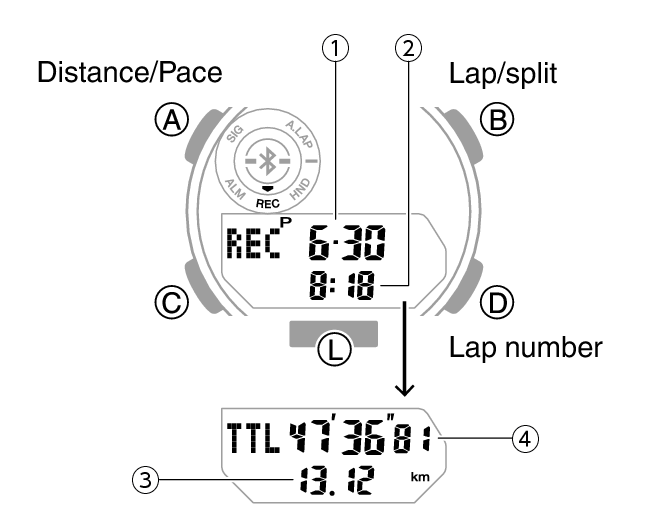
-
Measurement month, day
-
Measurement start time
-
Total distance
-
Total time
Timer Mode
Use this mode to countdown from a desired start time.
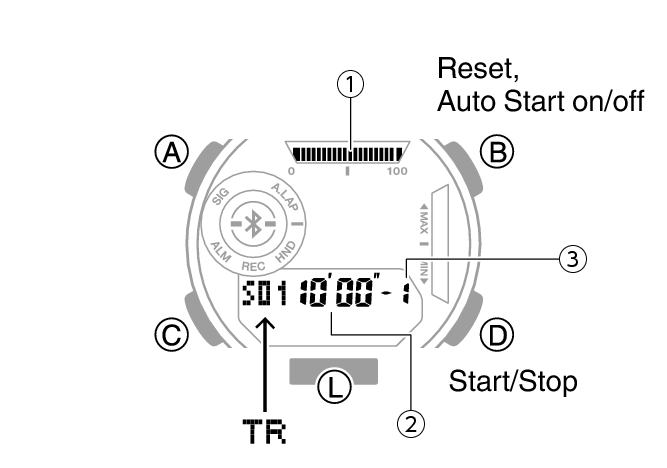
-
Remaining timer time
-
Timer minutes, seconds
-
Timer number
Dual Time Mode
Dual Time lets you keep track of another time besides your current location.
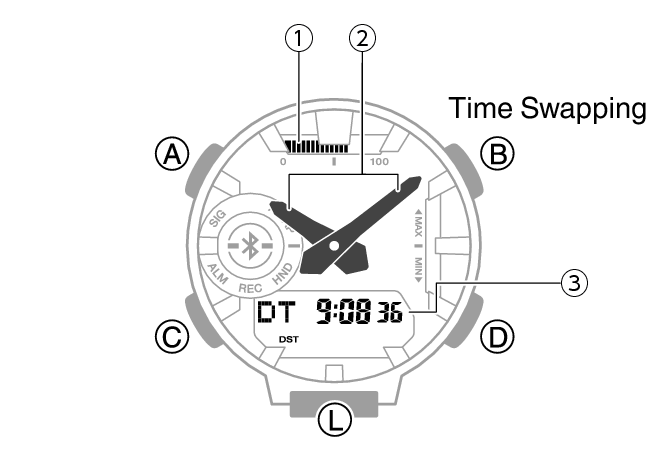
-
Current time seconds
-
Current location time
-
Dual Time
Alarm Mode
The watch will beep when an alarm time is reached.
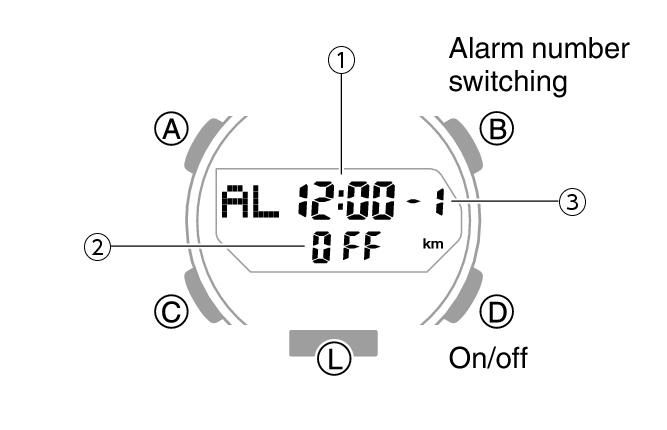
-
Alarm hour/minute
-
Alarm or hourly time signal status (on/off)
-
Alarm number
Shifting Hands to Read the Digital Display
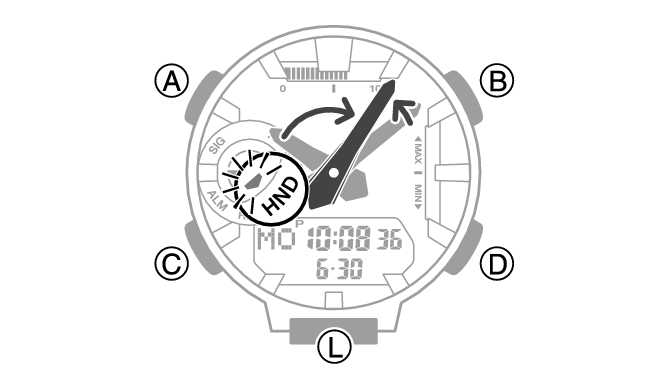
Hand shift moves the hands out of the way for easy viewing of display information.
-
While holding down (L), press (C).
-
To return the hands to their normal timekeeping positions, hold down (L) as you press (C) again or press (C) to change to another mode.
This shifts the analog hands to allow easy viewing of display information.
Note
If you leave the watch with its hands shifted and do not perform any operation for about one hour, the hands resume normal timekeeping automatically.
Viewing the Face in the Dark
The watch has an LED light that you can turn on for reading in the dark.
To illuminate the face manually
Press (L) to turn on illumination.
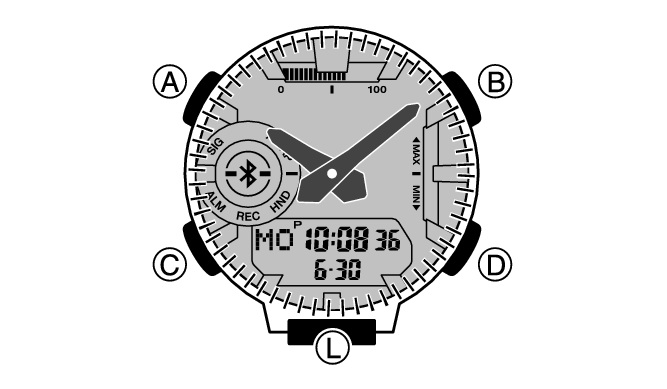
If illumination is on, it will turn off automatically if one of the notifications below starts to sound.
Alarms
Timer alarm
Auto Lap notification
To illuminate the face when Auto Light is enabled
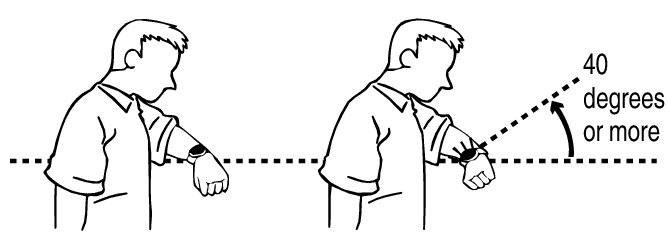
If Auto Light is enabled, face illumination will turn on automatically whenever the watch is positioned at an angle of 40 degrees or more.
Important!
Auto Light may not operate properly when the watch is at a horizontal angle of 15 degrees or greater from horizontal as shown in the illustration below.

Electro-static charge or magnetism can interfere with proper auto light operation. If this happens, try lowering your arm and then angle it towards your face again.
When moving the watch you may note a slight rattling sound. This is due to operation of the auto light switch, which determines the current orientation of the watch. It does not indicate malfunction.
Note
Auto Light is disabled when any one of the conditions below exists.
While an alarm, timer alert, or other beeper is sounding
While a hand movement operation is in progress
Configuring the Auto Light Setting
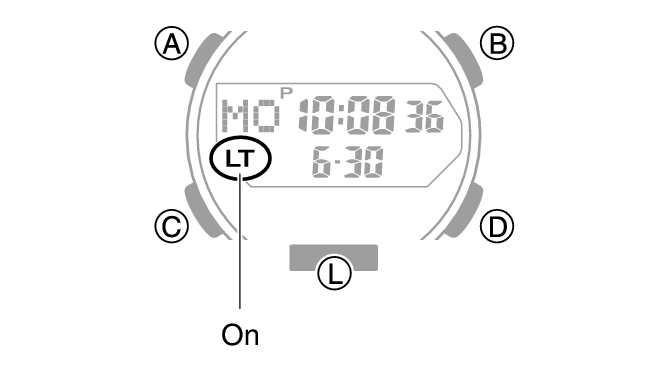
Holding down (L) for at least three seconds in the Timekeeping Mode toggles Auto Light between enabled and disabled.
[LT] is displayed while Auto Light is enabled.
If you do not disable it manually, Auto Light remains enabled for approximately six hours. After that, it becomes disabled automatically.
Specifying the Illumination Duration
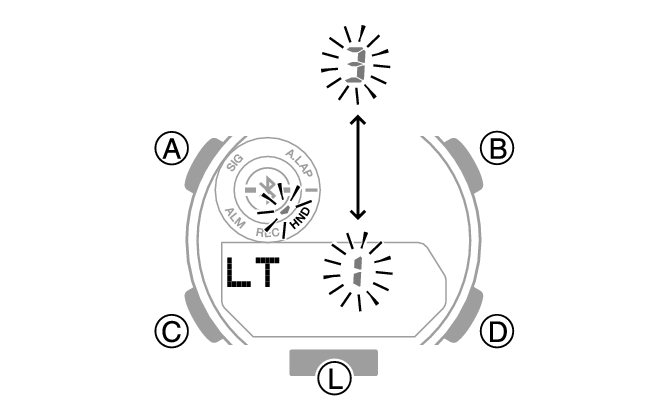
You can select either 1.5 seconds or three seconds as the illumination duration.
-
Enter the Timekeeping Mode.
-
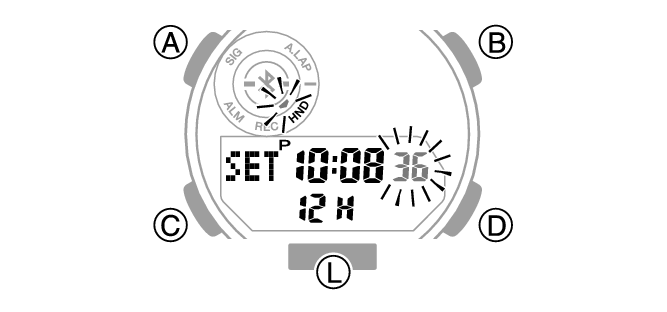
Hold down (A) for at least two seconds.
-
Press (C) nine times to display [LT].
-
Press (D) to select an illumination duration.
-
Press (A) twice to complete the setting operation.
Release the button when [SET] stops flashing.
[1]: 1.5-second illumination
[3]: 3-second illumination
Note
While the setting is being configured, the watch will exit the setting operation automatically after about two or three minutes of non-operation.
Useful Features
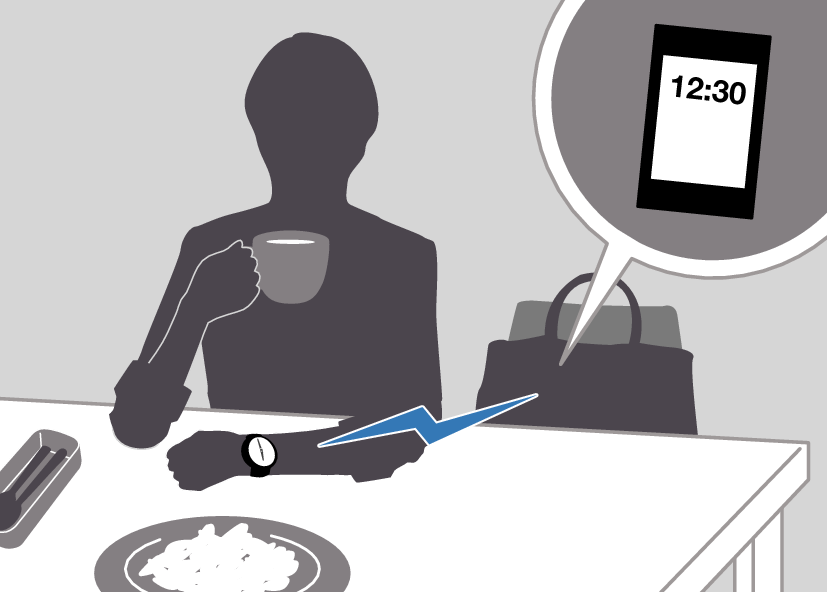
Pairing the watch with your phone makes a number of the watch’s features easier to use.
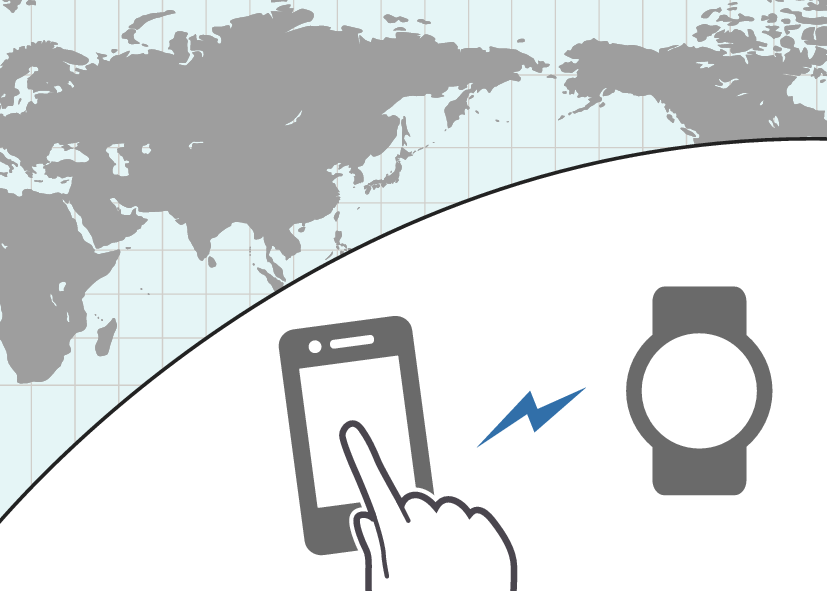
Auto time correction
Selection of More Than 300 World Time cities
Data transfer to a phone
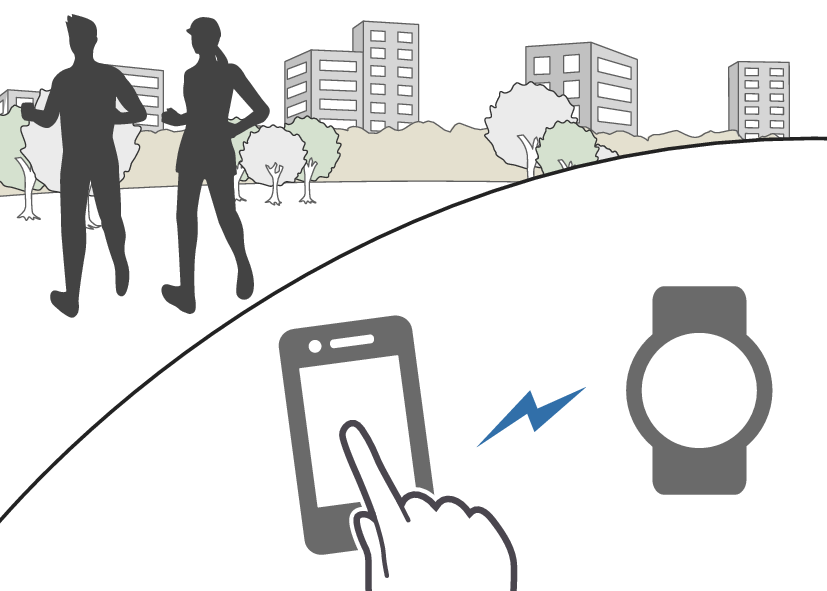
In addition, a number of other watch settings can be configured using your phone.
To transfer data to a watch and to configure settings, you first need to pair the watch with your phone.
Your phone needs to have the “CASIO WATCHES” phone app installed to pair with the watch.