
Connecting with a Phone
To connect the watch with a phone, first install the CASIO “G-SHOCK Connected” app on the phone and then use Bluetooth to pair the watch with the phone.
 Install the app on your phone.
To use the watch with a phone, first tap one of the links below and install the “G-SHOCK Connected” app on the phone.
 Configure Bluetooth settings.
Enable the phone’s Bluetooth.
 Pair the watch with a phone.
Before you can use the watch in combination with a phone, you first need to pair them.
-
1.Enter the Timekeeping Mode.
-
2.Move the phone to be paired with close to (within one meter of) the watch.
-
3.On the phone’s Home Screen, tap the “G-SHOCK Connected” icon.
-
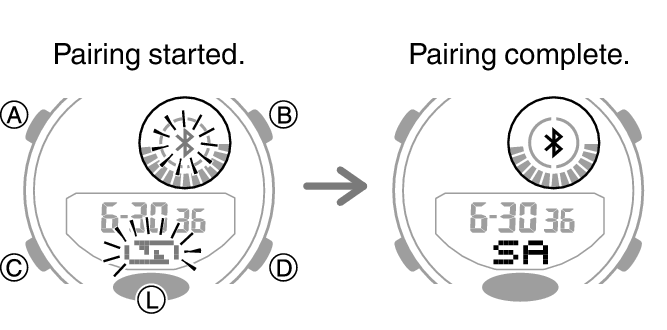
4.Follow the instructions on the phone’s screen to pair with the watch.
-
- If a pairing prompt message appears, perform the operation shown on the phone screen.
- If pairing fails for some reason, perform the procedure again from step 1.
 Top of page