• CASIO
  • User’s Guide

GSW-H1000

logo

Before use, be sure to read Safety Precautions. Use the watch correctly.

You cannot use this product inside of China if it was sold outside of China.

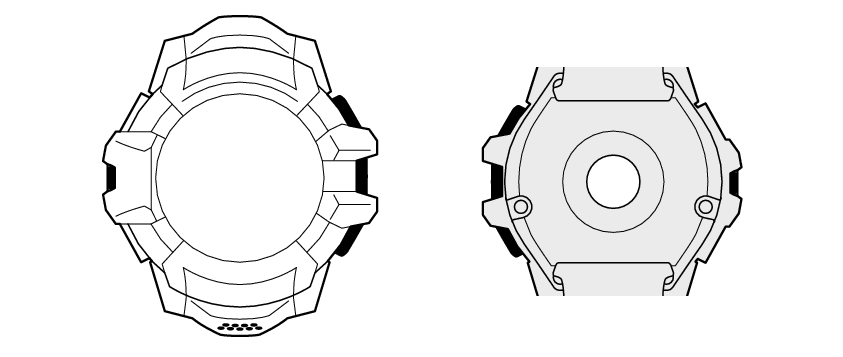
Component Names

You can access help information by clicking (or touching) icon_plus.

GSW1000_visual_search

Charger terminal

Pressure sensor

Microphone

START button (upper button)

Power button

APP button (lower button)

Touch screen (display)

Optical sensor (PPG Heart Rate)

Precautions

  • Safety Precautions
  • Precautions During Use
  • User Maintenance
  • Other Precautions

Search by Topic

  • Using the “DIGITAL” Watch Face
  • Quick Recall of Main Functions (CASIO's APPS)
  • Selecting an Activity for Measurement
  • Download Map and Import Route
  • Using a Different Watch Face
  • Reducing Power Consumption (Timepiece)
  • Troubleshooting
  • Main Specifications

Contents

  • Watch Features
  • Safety Precautions
  • Introduction
  • Package Contents
  • Component Names
  • Getting Ready for First Use
  • Turning Power On or Off, and Restarting
  • Initial Settings and Fastening the Watch to Your Wrist
  • Basic Button and Display (Touch Screen) Operations
  • Basic Functions
  • Using the “DIGITAL” Watch Face
  • Quick Recall of Main Functions (CASIO's APPS)
  • Selecting an Activity for Measurement
  • Download Map and Import Route
  • Using a Different Watch Face
  • Reducing Power Consumption (Timepiece)
  • What you can do when not connected with a phone
  • Troubleshooting
  • Precautions During Use
  • User Maintenance
  • Other Precautions
  • Main Specifications
  • Supplementary Information

MA2511-E

  • Terms of Use

© 2021 CASIO COMPUTER CO., LTD.