Timer
The timer counts down from a start time specified by you. A beeper sounds when the end of the countdown is reached.
The beeper will not sound if the battery is low.

Using CASIO WATCHES to Configure Timer Settings
If the watch is paired with a phone, you can also use the CASIO WATCHES phone app to set the timer start time.
Setting the Countdown Start Time
The start time can be set in 1-second units up to 60 minutes.
If a timer countdown operation is in progress, reset the timer to its current start time before performing this operation.
-
Enter the Timer Mode.
-
Hold down (A) for at least two seconds.
-
Use (B) and (D) to change the timer minutes setting.
-
Press (C).
-
Use (B) and (D) to change the seconds setting.
-
Press (A) to complete the setting operation.
This causes the minutes digits to flash.
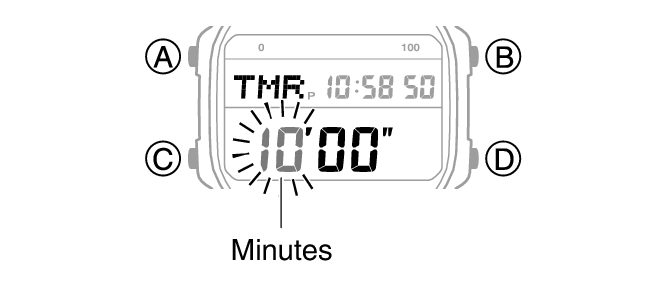
Holding down (B) or (D) scrolls through settings at high speed.
This causes the seconds digits to flash.
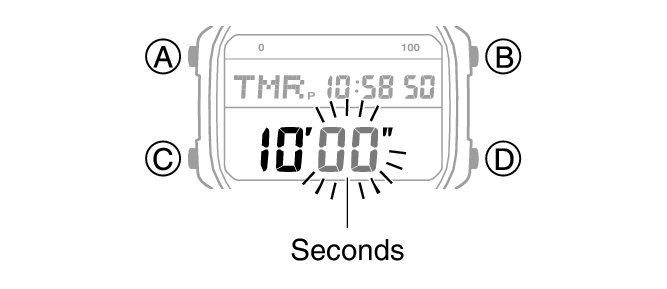
Note
While the setting is being configured, the watch will exit the setting operation automatically after about two or three minutes of non-operation.
Setting a start time of 00’00” performs a countdown of 60 minutes.
Using the Timer
-
Enter the Timer Mode.
-
Use the operations below to perform a timer operation.
-
Press any button to stop the tone.
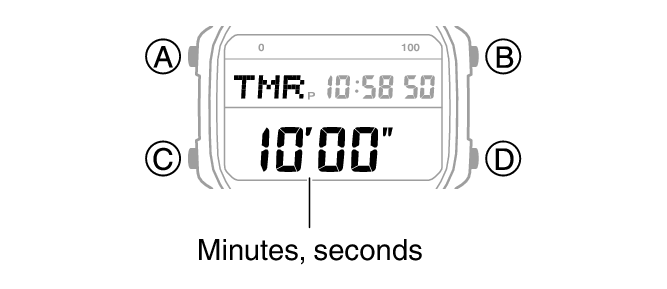
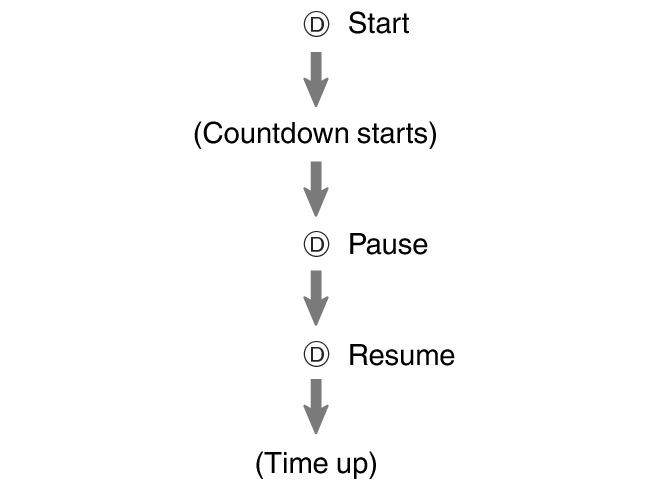
A beeper sounds for 10 seconds to let you know when the end of a countdown is reached.
You can reset a paused countdown to its start time, by pressing (A).