Stopwatch
The stopwatch measures elapsed time in 1/100-second units for the first hour, and in 1-second units after that for up to 24 hours.
In addition to normal elapsed time measurements, the stopwatch also lets you take split time and lap time readings.
Note
Up to 200 split time and lap time records can be stored in watch memory. Perform a lap or split time operation while there are already 200 records in memory will cause the oldest record to be deleted automatically to make room for the new one.
You can use the Recall Mode to view the latest measurement data.
Split Times and Lap Times
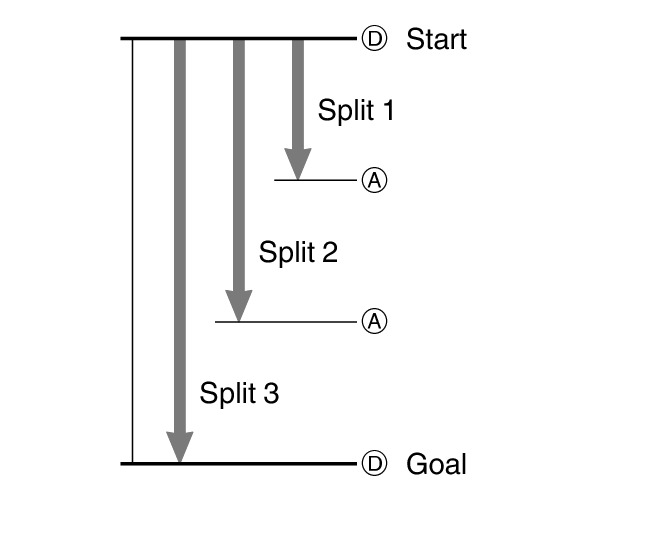
Split time
A split time is the time elapsed from the start, up to any point along the course of an event.
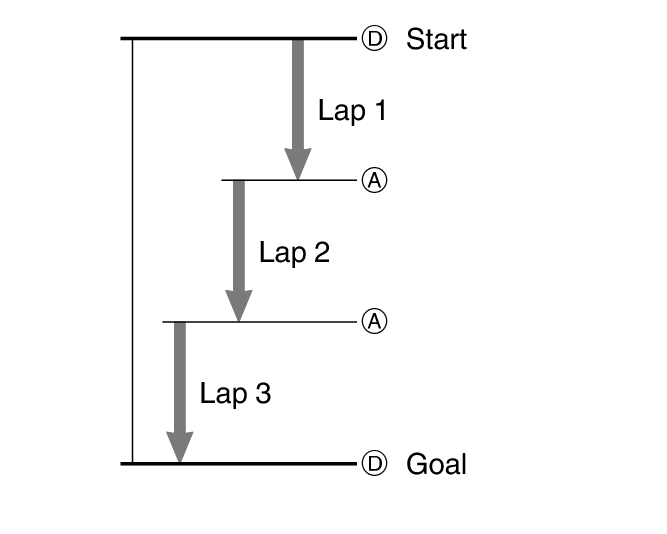
Lap time
A lap time shows the time elapsed during a specific lap around a track, etc.
Measuring Elapsed Time
-
Enter the Stopwatch Mode.
-
Use the operations below to measure elapsed time.
-
Press (A) to reset the measurement time to all zeros.
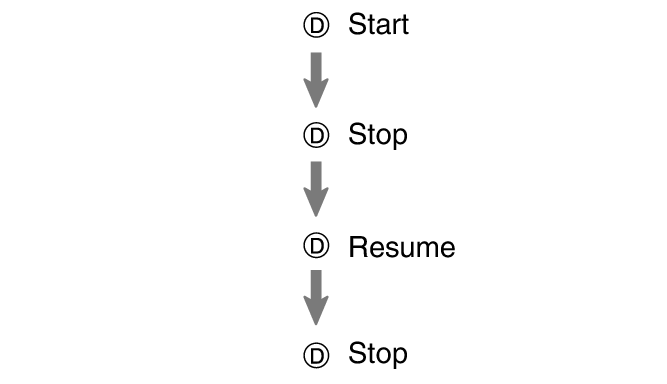
Elapsed time is shown in 1/100-second units for the first hour of the measurement. After the first hour, elapsed time is shown in one-second units.
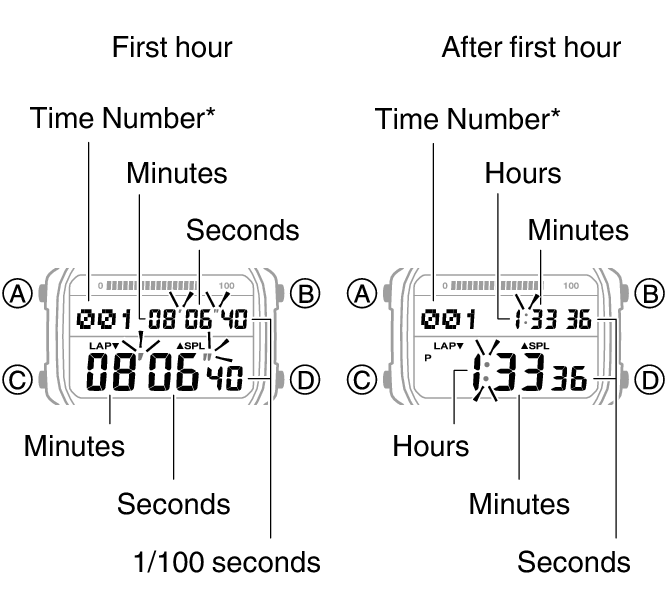
[F] is displayed for the final time number when an elapsed time measurement operation is stopped.
Measuring a Split Time or Lap Time
-
Enter the Stopwatch Mode.
-
Use the operations below to measure elapsed time.
-
Press (A) to reset the measurement time to all zeros.
Each press of (A) displays the time elapsed from the start of the stopwatch operation up to that point (split time) and the elapsed time for a specific segment (lap time).
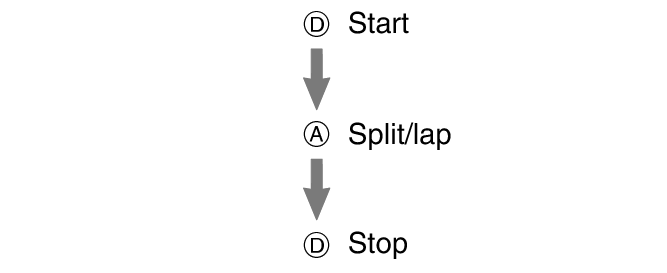
Split times and lap times are both displayed at the same time. Lap and split times up to the one hour are shown in 1/100-second units. Subsequent measurements after one hour are shown in 1-second units.
[SPL]: Split time
[LAP]: Lap time
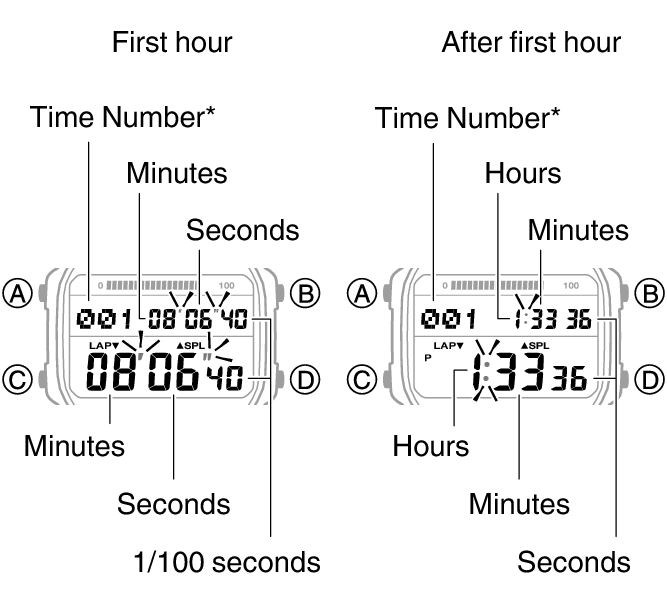
[F] is displayed for the final time number when an elapsed time measurement operation is stopped.
Viewing the Current Time While in the Stopwatch Mode
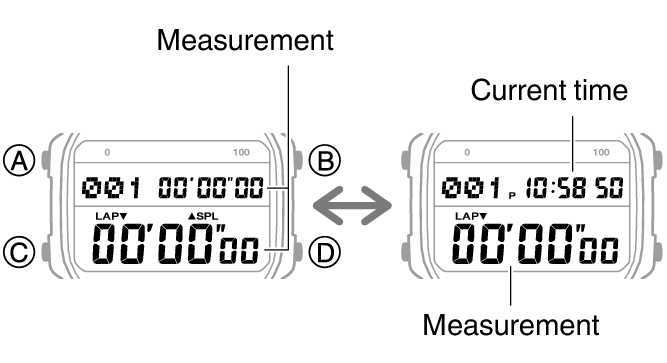
Pressing (A) while the stopwatch is reset to all zeros causes the current time to appear in the upper section of the screen. Press (A) again to return to the normal stopwatch display.
Viewing Measured Time Data
Viewing Saved Data
You can use the operation below to view split times and lap times.
-
Enter the Recall Mode.
-
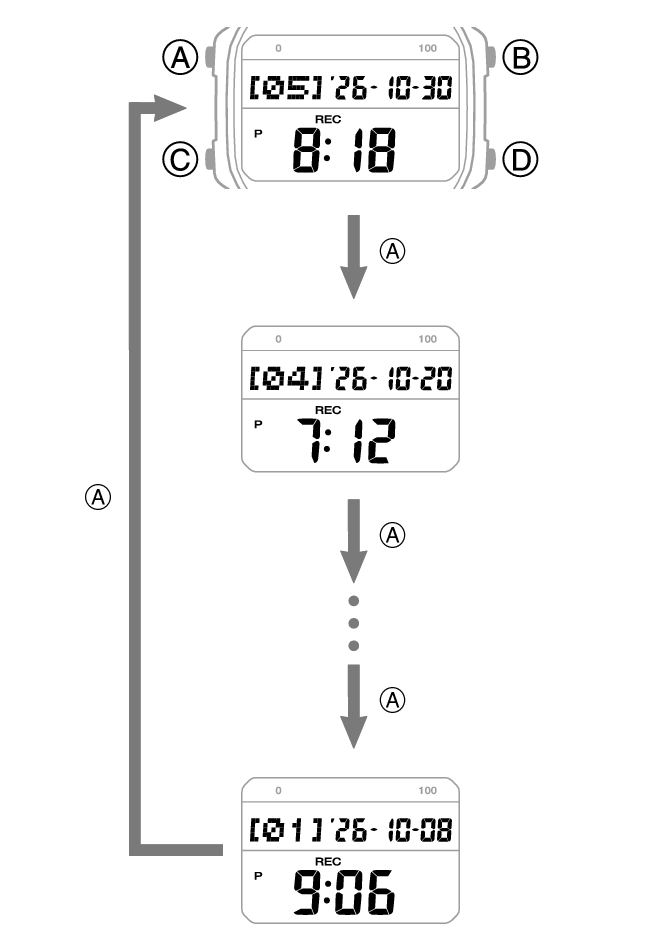
Press (A) to cycle through measurement numbers.
-
Use (D) to display the measurement values you want to view.
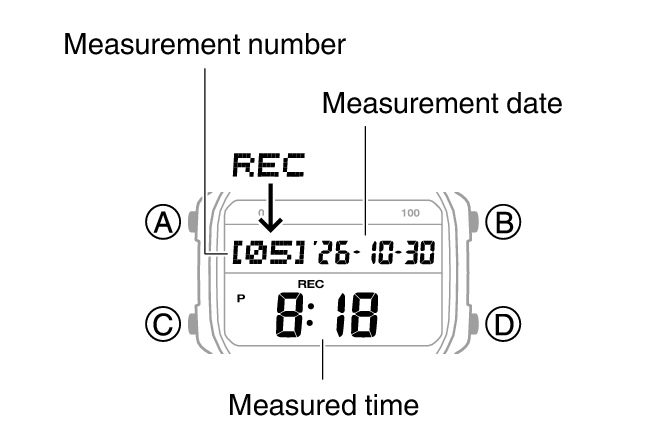
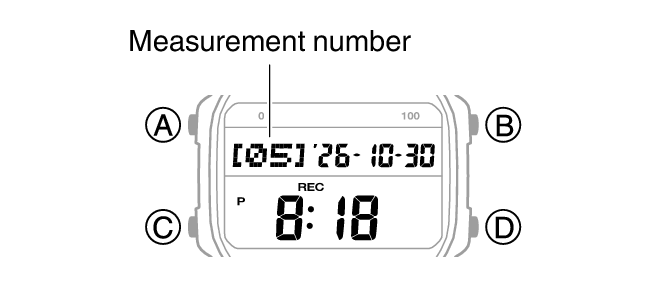
This causes the latest measurement number and date to appear.
Each time you press (A), the previous measurement number appears.
[LAP]: Lap time
[SPL]: Split time
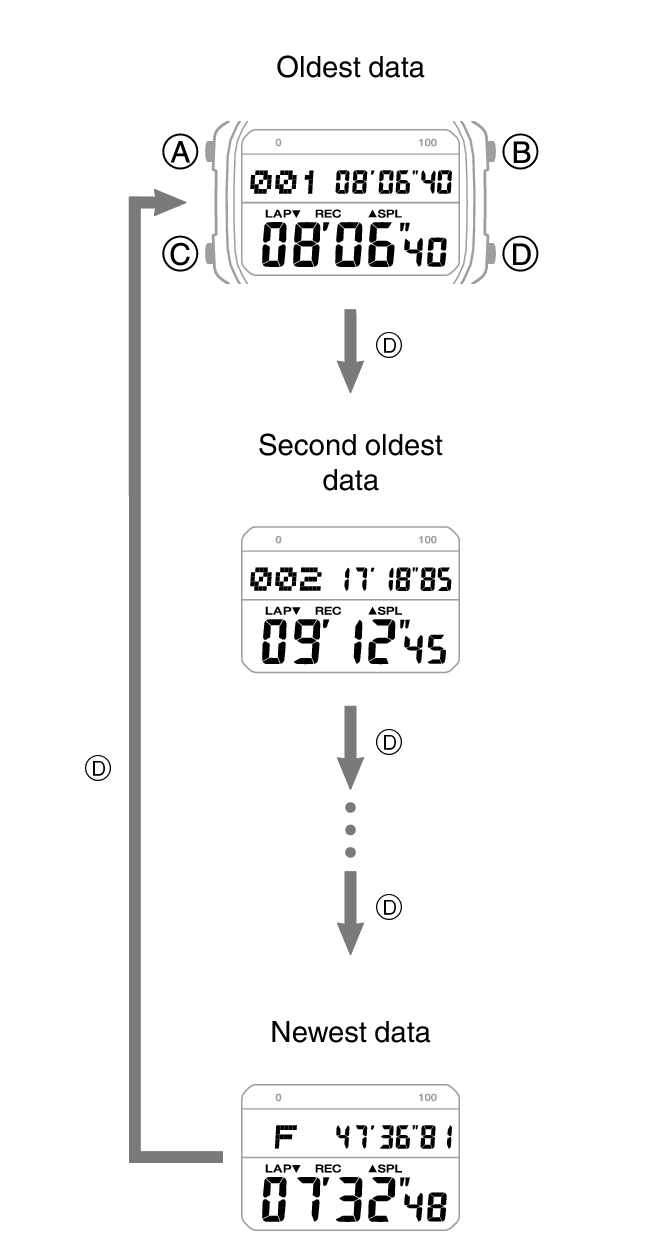
Split and lap times up to the one hour are shown in 1/100-second units. Subsequent measurements after one hour are shown in 1-second units.
Note
A record of the measured data is created and assigned a number for each measurement operation (from start to stop).
Deleting a Particular Record
Use the procedure below to delete a selected data record.
-
Enter the Recall Mode.
-
Press (A) to display the number of the measurement you want to delete.
-
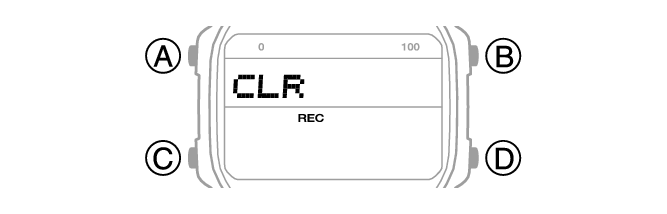
Hold down (B) and (D) for at least two seconds. Release when [CLR] stops flashing.
Each press of (A) advances to the next measurement number.
This deletes the displayed data.
Note
You cannot delete data while an elapsed time measurement operation is in progress.
Deleting All Records
You can use the procedure below to clear all data records in watch memory.
Important!
The all record delete operation cannot be performed while a stopwatch measurement operation is in progress.
-
Enter the Recall Mode.
-
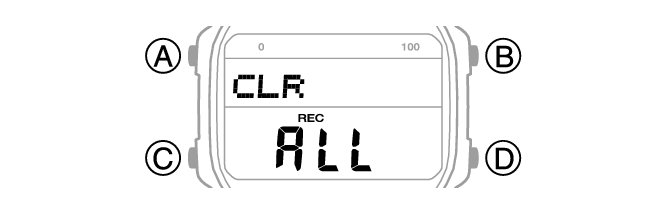
Hold down (B) and (D) for at least five seconds. Release when [CLR ALL] stops flashing.
[CLR] flashes and then stops flashing to indicate that the displayed data record was deleted. Keeping the buttons depressed will cause [ALL] to flash and then stop flashing to indicate that all data has been deleted.