About This Watch
This section provides an overview of the watch and introduces convenient ways it can be used.
Watch Features
The watch supports connection and communication with a Bluetooth capable phone.
Dual Time lets you keep track of the current time in another time zone in addition to your current location’s time.
An alarm sounds whenever a time specified by you is reached.
The stopwatch measures elapsed time in units of one second (1/100 second for the first hour) up to 24 hours.
Countdown from a start time specified by you. An alarm sounds when the countdown reaches zero.
The step counter counts your steps as you walk or run.
If you do not use your watch for a certain amount of time, it will turn off its display to save power.
Note
The illustrations included in this operation guide have been created to facilitate explanation. An illustration may differ somewhat from the item it represents.
General Guide
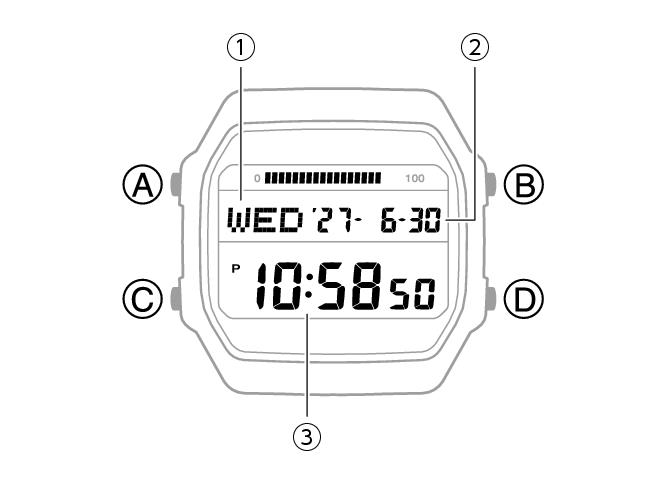
-
Day of the week
-
Year, month, day
-
Hour, minute, second
A button
Holding down this button for at least two seconds in any mode displays the setting screen.
B button
Press to turn on illumination.
C button
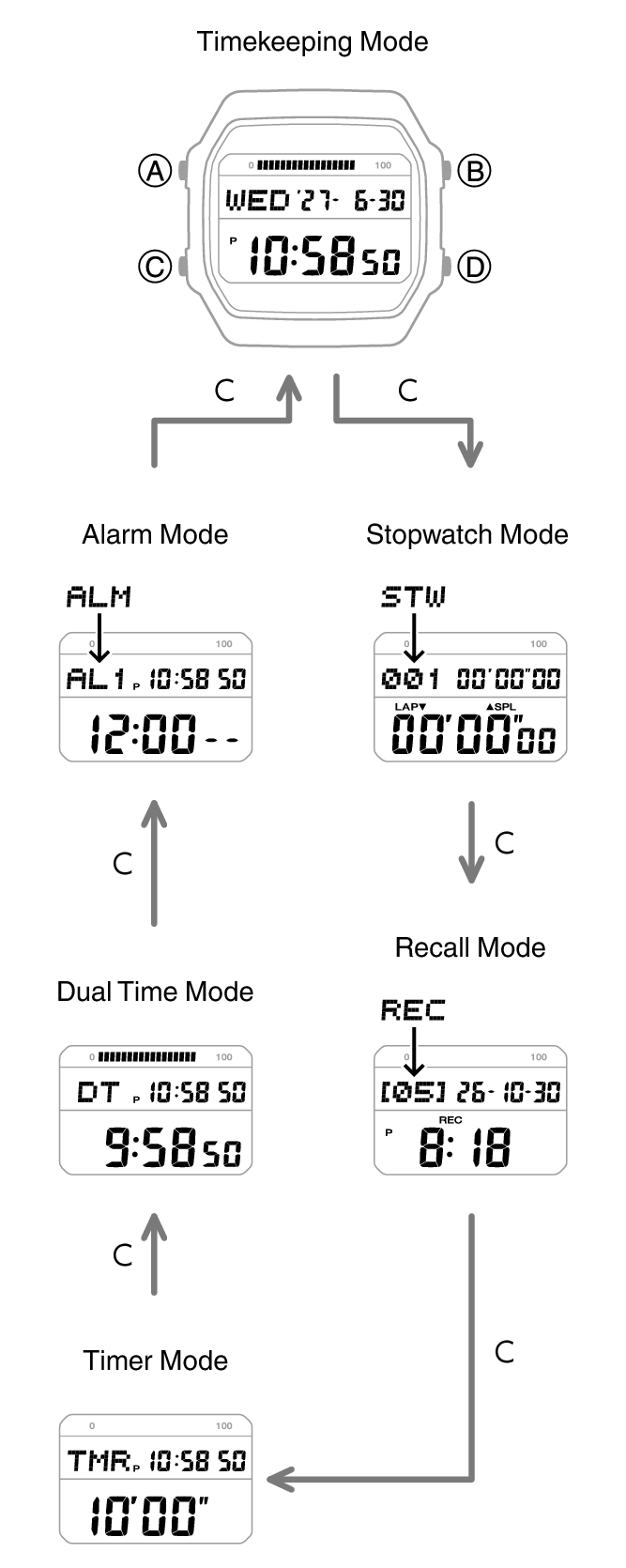
Each press cycles between watch modes.
In any mode, hold down this button for at least one second to return to the Timekeeping Mode.
D button
Pressing this button while any setting screen is displayed will change the setting.
Indicators
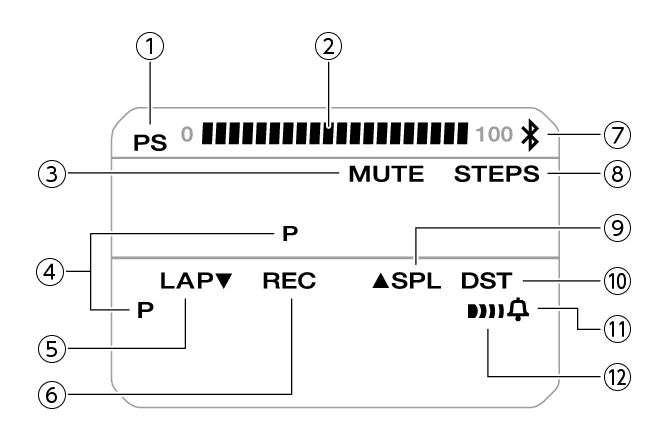
-
Indicates power saving is enabled.
-
Graphic display area operation is linked with operations in each mode.
-
Displayed while the button operation tone is disabled.
-
Displayed during p.m. times while 12-hour timekeeping is being used.
-
Displayed while a lap time is displayed.
-
Displayed while the watch is in the Recall Mode.
-
Displayed while there is a Bluetooth connection between the watch and a phone.
-
Displayed while the step count is displayed.
-
Displayed while a split time is displayed.
-
Displayed while the current time is a summer time (DST).
-
Displayed while the hourly time signal is enabled.
-
Displayed while an alarm is turned on.
Battery Replacement
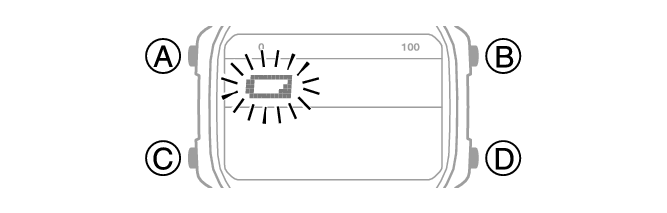
When battery power goes low,  will start to flash and some functions will become disabled. If continues to flash, replace the battery.
Request battery replacement from a CASIO service center or your original retailer.
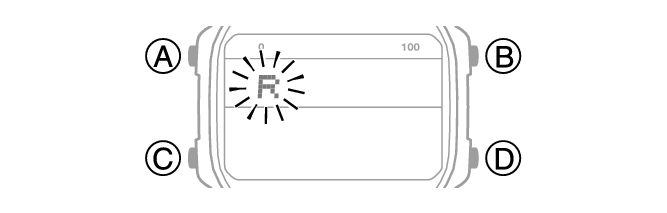
If [R] is flashing on the display
If [R] is flashing, it means that all functions, except for timekeeping, are disabled due to high momentary battery power consumption.
Graphic Display Area
Graphic display area operation is linked with operations in each watch mode.
The graphic display area is blank in the Recall Mode and the Alarm Mode.
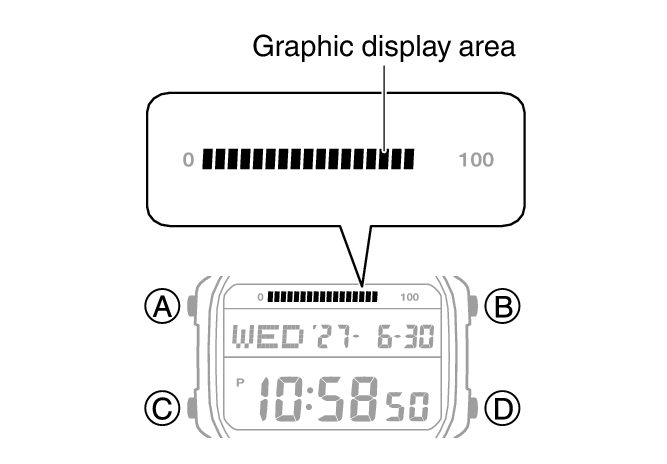
Timekeeping Mode
While a step count is displayed, the graphic display area shows your progress. For other types of display, it changes with the count of the current time’s seconds.
Stopwatch Mode
Movement is synchronized with the stopwatch seconds.
Timer Mode
Movement is synchronized with the timer seconds.
Dual Time
Movement is synchronized with the Dual Time seconds.
Navigating Between Modes
Each press of (C) cycles between watch modes.
In any mode, hold down (C) for at least one second to return to the Timekeeping Mode.
Connecting with a Phone
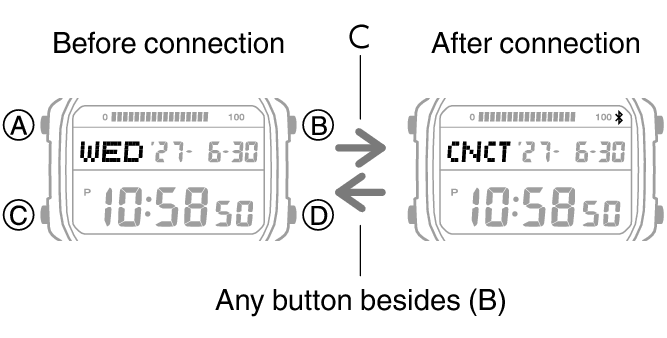
In the Timekeeping Mode, hold down (C) for at least three seconds to connect with a phone.
To terminate a connection between a phone and the watch, press any watch button besides (B).
Selecting a Timekeeping Mode Digital Display Format
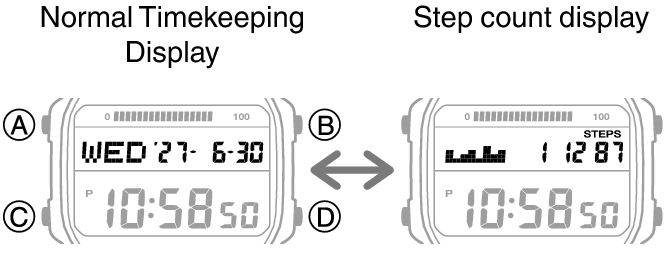
Each press of (A) in the Timekeeping Mode cycles display contents as shown below.
Power Saving
If power saving is enabled, the watch will turn off its display and enter Level 1 power saving if it is left unused for approximately 150 minutes between 10 p.m. and 6 a.m. If the watch is left in this condition for six or seven days, it will then enter Level 2 power saving.
Power Saving Level 1:
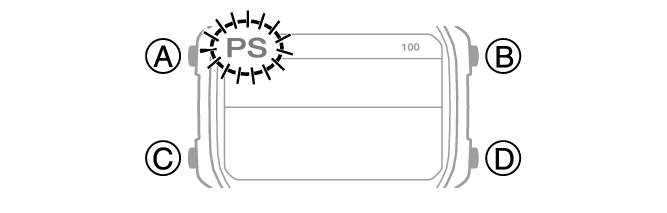
Digital display goes blank to save power. The watch can connect with a phone at this level.
Power Saving Level 2:
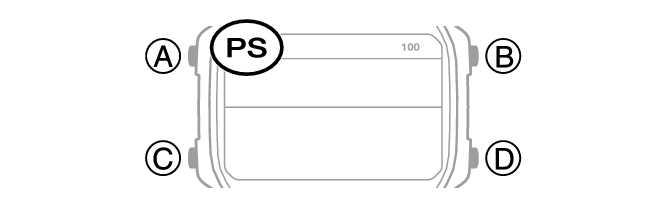
Digital display goes blank to save power. All functions are disabled.
Battery life (new battery)
Power Saving On (Worn 5 days a week, 6 hours per day, Power Saving Level 1, not worn two days a week):
Approximately 39 months
Power Saving Off:
Approximately 31 months
Recovering from Power Saving Operation
Use one of the operations below to exit power saving.
Press any button.
Wearing the watch
Note
Under the conditions below, the display does not change even if the power saving Level 1 conditions are met.
While in the Stopwatch Mode
While in the Timer Mode
When six to seven days elapse with the Stopwatch or Timer Mode currently displayed on the screen in the reset state, the watch enters the Level 2 power-saving state.
You can enable or disable Power Saving.
The watch may enter a power-saving state while you are wearing it if you do not move your arm.
Viewing the Face in the Dark
The watch has a light that illuminates the face for viewing in the dark.
Turning On Display Illumination
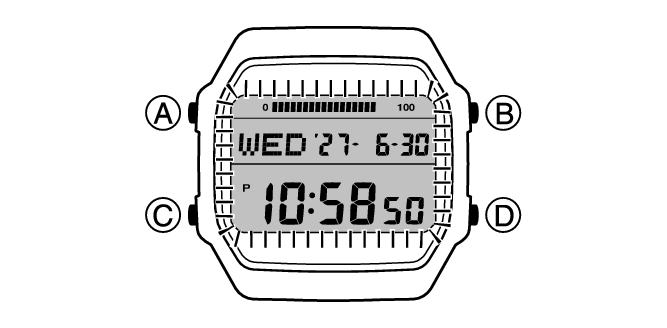
Press (B) to turn on illumination.
Illumination turns off automatically if an alarm starts to sound.
Important!
Frequent use of illumination runs down the battery.
Note
Display illumination is disabled when any one of the conditions below exists.
While an alarm, timer alert, or other beeper is sounding
Specifying the Illumination Duration
You can select either 1.5 seconds or three seconds as the illumination duration.
-
Enter the Timekeeping Mode.
-
Hold down (A) for at least two seconds.
-
Press (C) 10 times to display [LT].
-
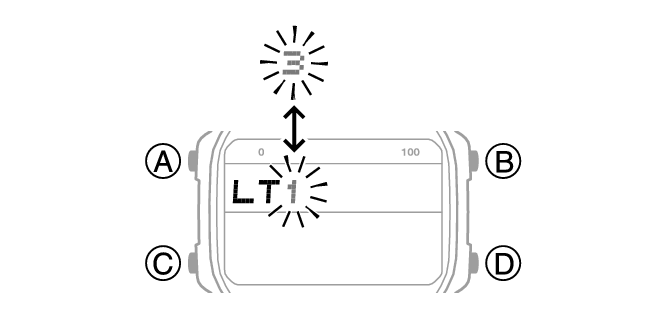
Press (D) to select an illumination duration.
-
Press (A) to exit the setting screen.
This causes the current step reminder setting ([ON] or [OFF]) to flash on the display.
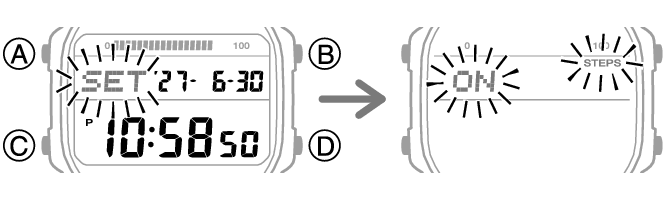
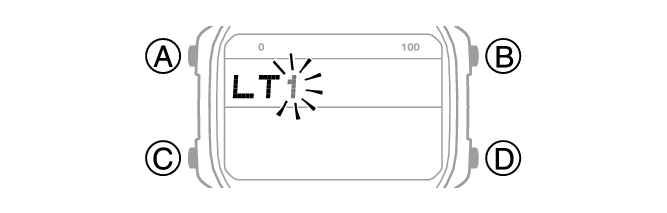
[1]: 1.5-second illumination
[3]: 3-second illumination
Useful Features
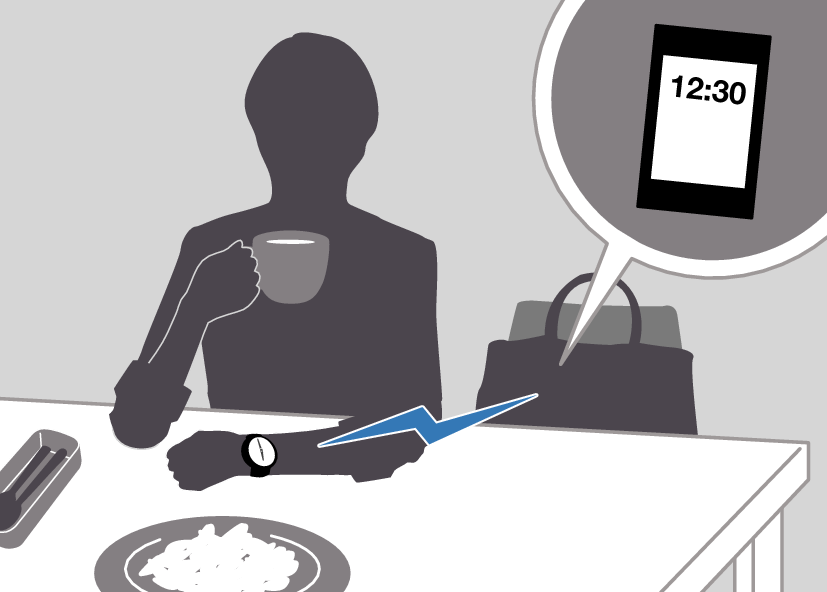
Pairing the watch with your phone makes a number of the watch’s features easier to use.
Auto time correction
Selection of More Than 300 World Time cities
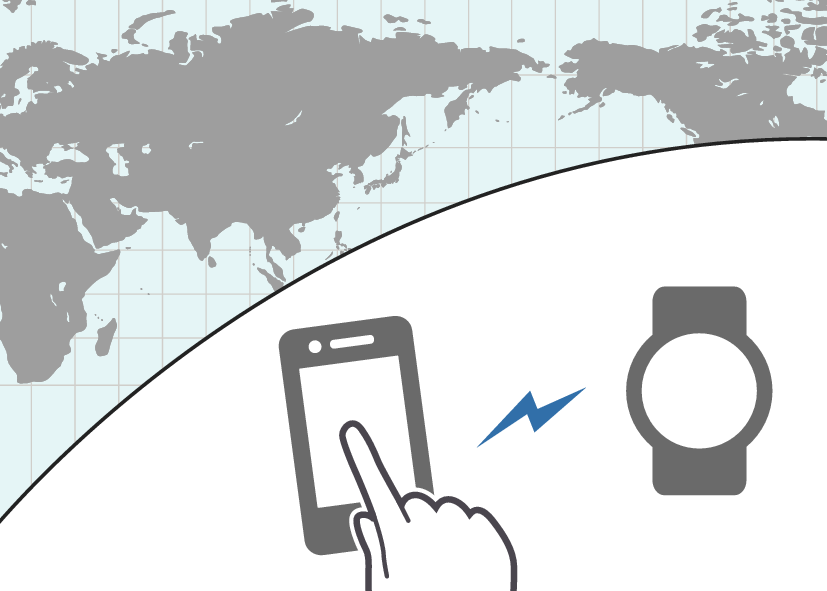
In addition, a number of other watch settings can be configured using your phone.
To transfer data to a watch and to configure settings, you first need to pair the watch with your phone.
Your phone needs to have the “CASIO WATCHES” phone app installed to pair with the watch.