World Time
You can view the current time in 55 cities (38 time zones), and UTC (Coordinated Universal Time) time.

Using the CASIO WATCHES Phone App to Configure World Time City Settings
If the watch is paired with a phone, you can also use the CASIO WATCHES phone app to set the World Time city.
Note
World Time cities that can be selected only by using the CASIO WATCHES phone app cannot be selected using watch operations.
Checking World Time
-
Enter the World Time Mode.
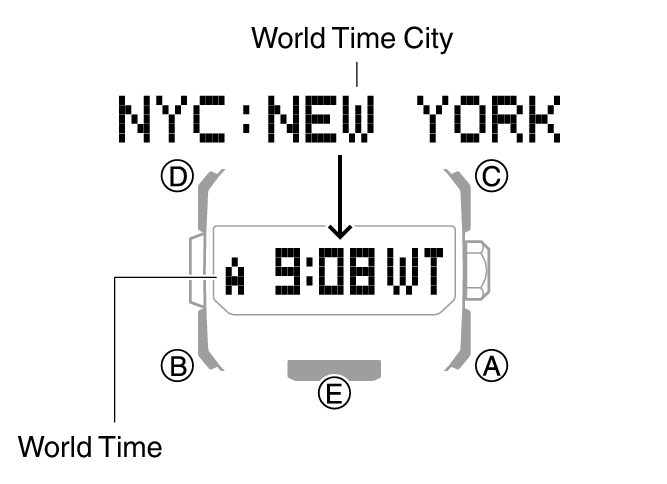
After the currently selected World Time City name appears, the watch will display the current time in that city.
The hour and minute hands will indicate the current Home City time.
Setting the World Time City
Use the procedure in this section to select a World Time city. If you are in an area that observes summer time, you can also enable or disable summer time.
-
Enter the World Time Mode.
-
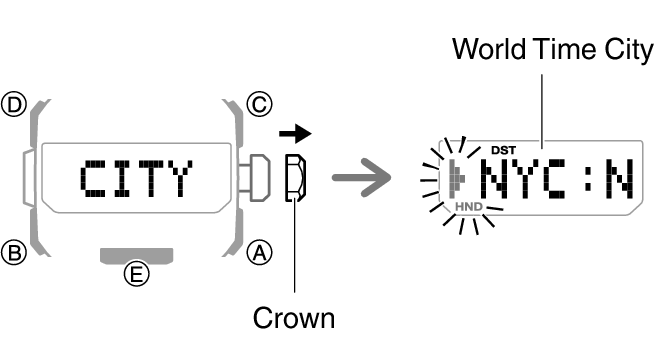
Loosen the crown and then pull it out.
-
Rotate the crown to display the city you want to use.
-
Press (B).
-
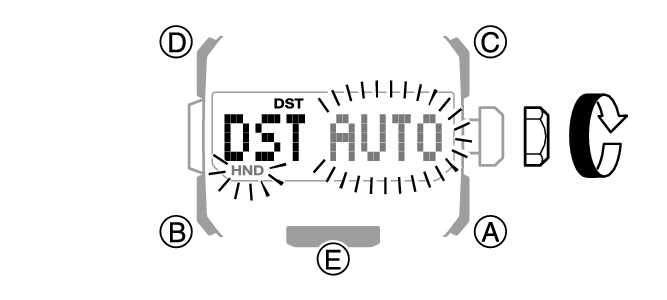
Rotate the crown to select a summer time setting.
-
Push the crown back in and then lock it.
This displays the currently selected World Time City.
For information about city codes, refer to the information below.
Rotating the crown cycles through the setting items shown below.
[AUTO]
The watch switches between standard time and summer time automatically.
[OFF]
The watch always indicates standard time.
[ON]
The watch always indicates summer time.
Note
If you do not perform any operation for about two minutes after pulling out the crown, crown operations will automatically become disabled. If that happens, push the crown back in and then pull it out again.
While [UTC] is selected as the city, you will not be able to change or check the summer time setting.
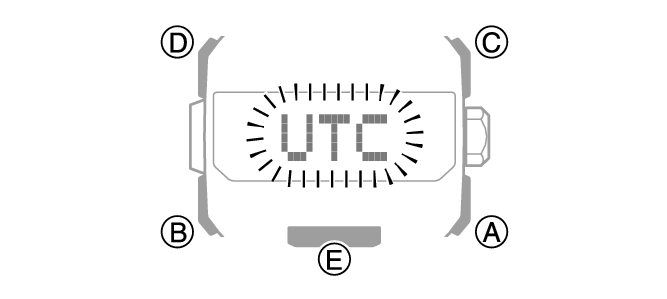
Specifying UTC (Coordinated Universal Time) as Your World Time City
To set UTC (Coordinated Universal Time) as your World Time City, enter the World Time Mode and then hold down (A) for at least three seconds.
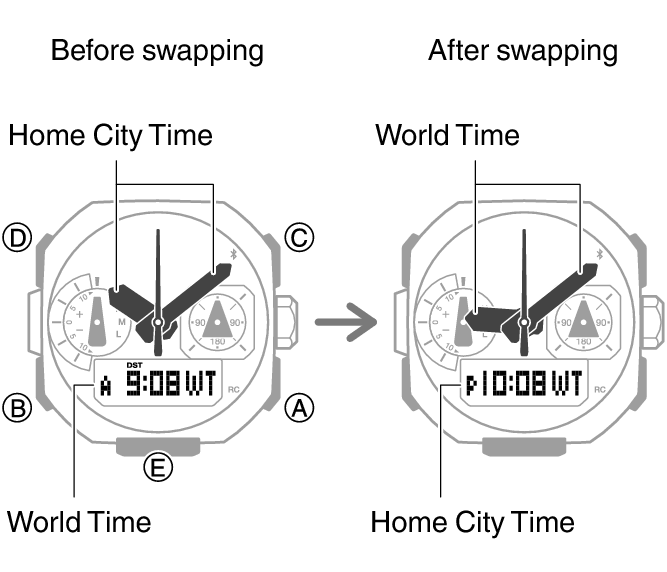
Swapping Your Home Time and World Time
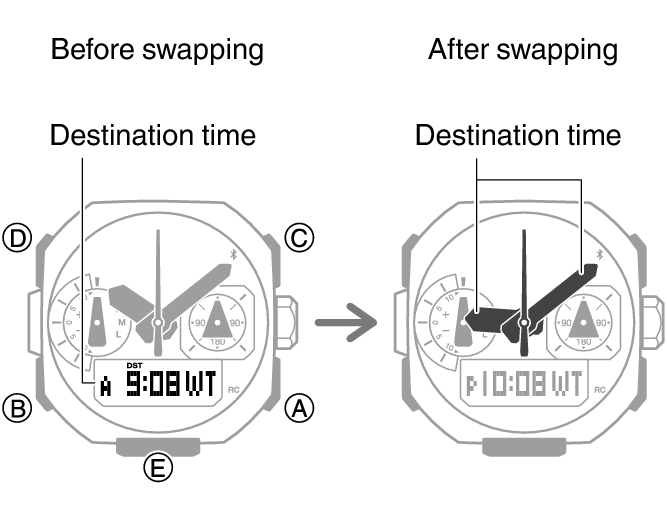
In the World Time mode, hold down (D) for at least three seconds. [ ] will appear on the display, and your Home City time will be swapped with your World Time.
Moving Between Time Zones
Use the procedure below to easily change day and time settings of the watch to a destination location.
Before Boarding
-
Configure the World Time to the current time at your destination.
-
Disable auto time correction.
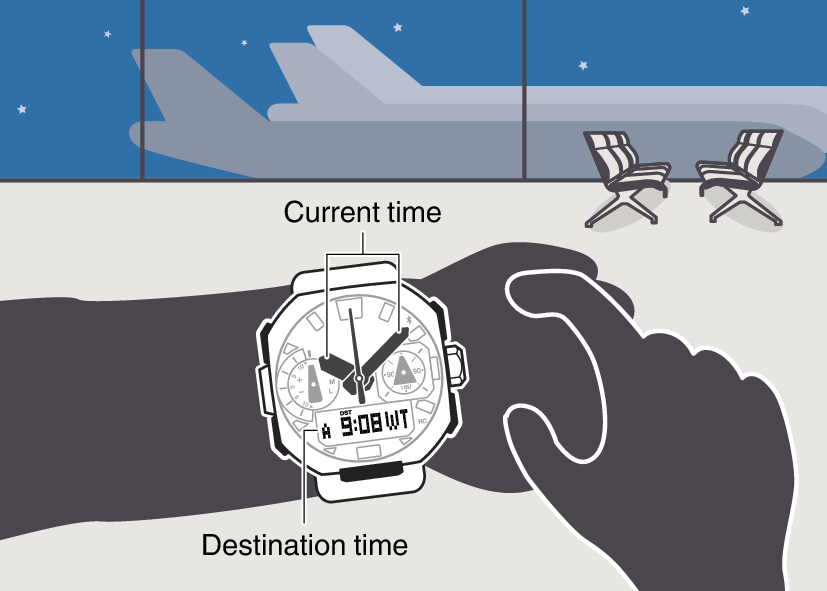

After Arriving
-
Swap the origin time zone time with the destination time zone time.
-
Disable auto time correction.
-
Correct the time setting.