Hand Alignment Adjustment
Strong magnetism or impact can cause the time indicated by the analog hands to become different from the time on the display. If this happens, adjust hand alignment.
Using the CASIO WATCHES Phone App to Adjust Hand Alignment
If the watch is paired with a phone, you can also use CASIO WATCHES to adjust hand alignment.
Adjusting Hand Alignment
-
Enter the Timekeeping Mode.
-
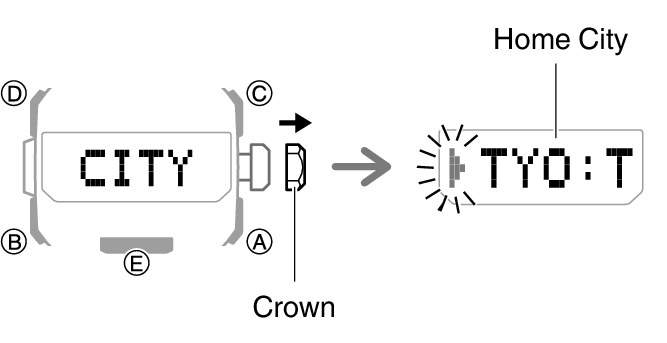
Loosen the crown and then pull it out.
-
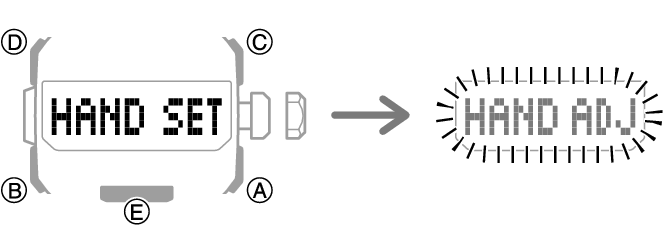
Hold down (A) for at least five seconds. Release the button when [HAND SET] appears on the display and the second hand completes one full rotation.
-
Press (B).
-
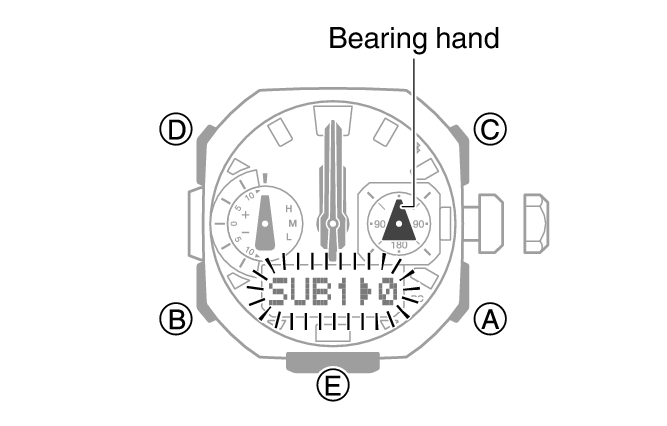
If the bearing hand is not aligned with 12 o’clock, rotate the crown to align it correctly.
-
Press (B).
-
If the function hand is not aligned with 12 o’clock, rotate the crown to align it correctly.
-
Push the crown back in and then lock it.
The currently selected Home City will appear on the display.
This causes the second hand to move to 12 o’clock.
[HAND ADJ] flashes, and hour, minute, and second hand auto calibration starts.
After auto alignment is complete, the hands should be in the positions shown below.
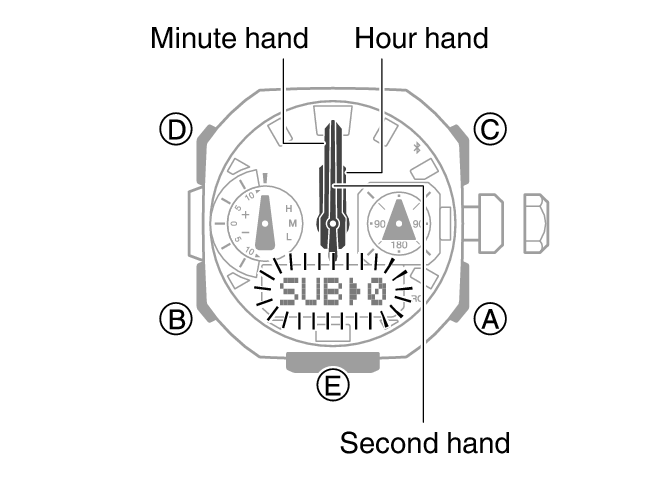
This enables adjustment of the bearing hand alignment.
This enables adjustment of the function hand alignment.
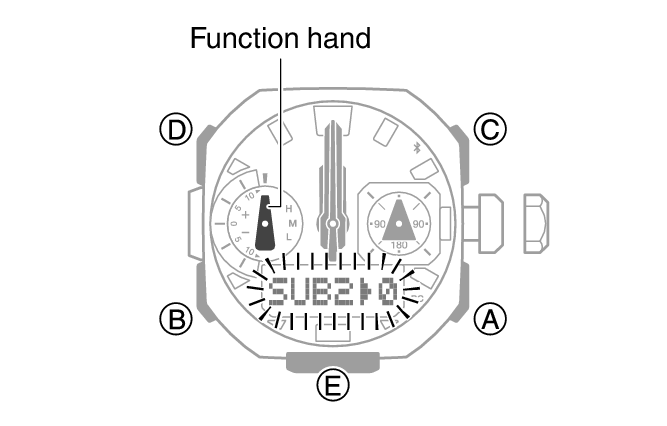
This returns the hands to normal timekeeping.
Note
If you do not perform any operation for about two minutes after pulling out the crown, crown operations will automatically become disabled. If that happens, push the crown back in and then pull it out again.
Important!
After hand position adjustment is complete, check to make sure that the proper time is being indicated by the hands in the Timekeeping Mode and on the display. If the hands are misaligned, perform steps 2 through 8 again.