
Configuring World Time Settings
Specifying a World Time City with CASIO WATCHES causes the city’s time to be indicated by the small hour and minute hands. Watch settings can be configured for auto summer time switching for the World Time City.
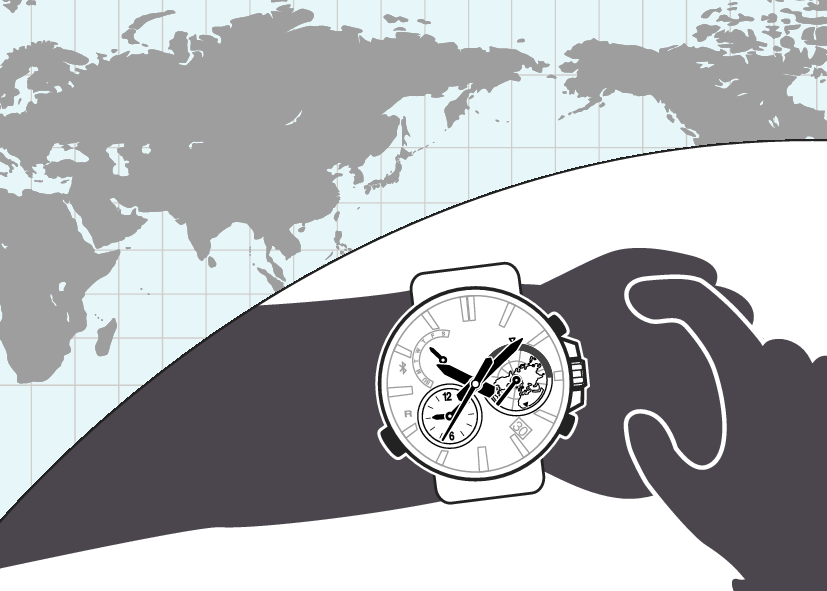
To select a World Time City
-
1.
 Tap the “CASIO WATCHES” icon.
 -
2.
 Hold down the (B) button for about 1.5 seconds.
 -
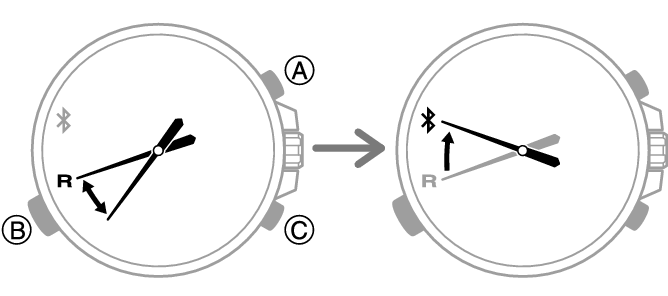
- The second hand will move to “R”. Keep (B) depressed until the second hand starts moving again and then stop at “R”.
- The second hand will move to
 when a connection is established between the watch and phone.
-
3.
Perform the operation shown on the phone screen. The World Time setting will be reflected on the watch. -
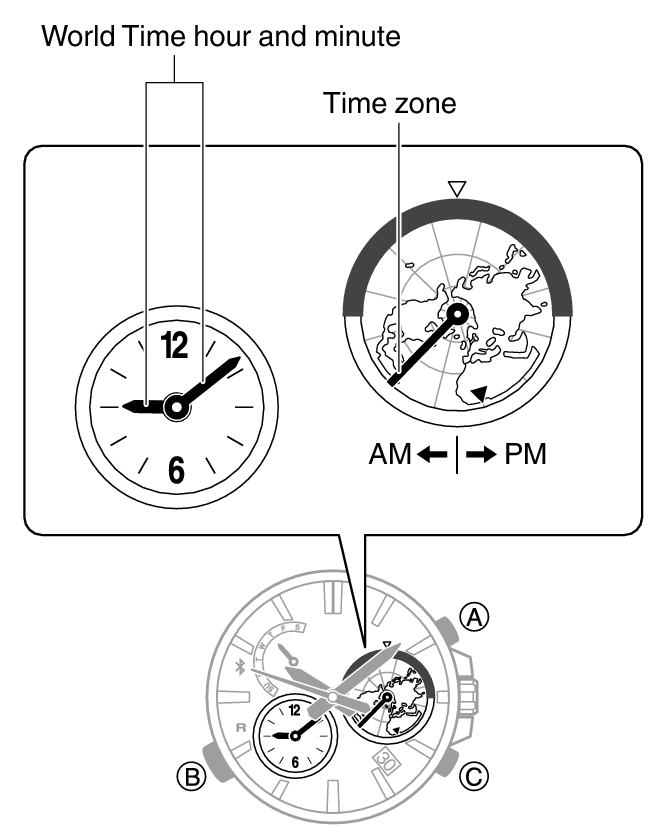
The time zone hand indicates the currently selected World Time zone, while the small hour and minute hands indicate the current time there.
- You can determine whether a World Time is a.m. or p.m. by checking the position of the time zone hand.
Configuring the Summer Time Setting
-
1.
Tap the “CASIO WATCHES” icon. -
2.
Hold down the (B) button for about 1.5 seconds. -
- The second hand will move to “R”. Keep (B) depressed until the second hand starts moving again and then stop at “R”.
- The second hand will move to when a connection is established between the watch and phone.
-
3.
Perform the operation shown on the phone screen to configure the summer time setting. -
- “Auto”
The watch switches between standard time and summer time automatically.
- “OFF”
The watch always indicates standard time.
- “ON”
The watch always indicates summer time.
- “Auto”
Swapping Your World Time and Home Time
-
1.
Tap the “CASIO WATCHES” icon. -
2.
Hold down the (B) button for about 1.5 seconds. -
- The second hand will move to “R”. Keep (B) depressed until the second hand starts moving again and then stop at “R”.
- The second hand will move to when a connection is established between the watch and phone.
-
3.
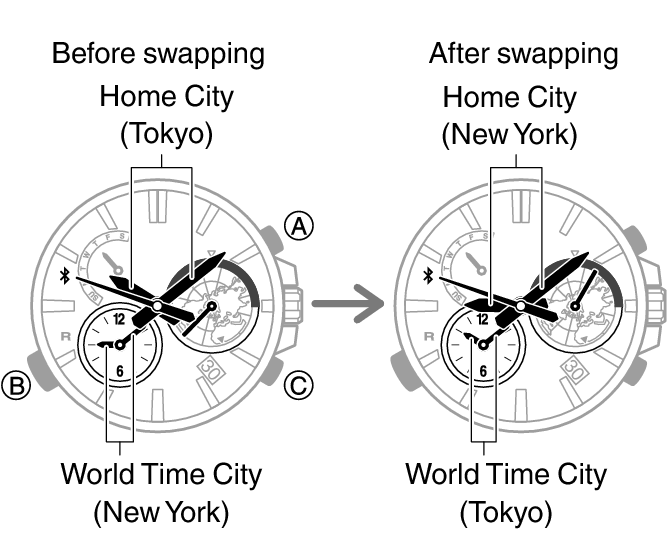
Perform the operation shown on the phone screen to swap your Home Time with your World Time. -
For example, if your Home City is Tokyo and the World Time City is New York, they will be swapped as shown below.
 Top of page