

Troubleshooting
Check out this section when difficulties arise with your Moflin or you have any concerns.
I want to vary the volume of my Moflin’s sounds
Using the “MofLife” app allows you to change the volume of your Moflin’s sounds.
-
Launch the “MofLife” app.
-
Tap [Moflin settings].
-
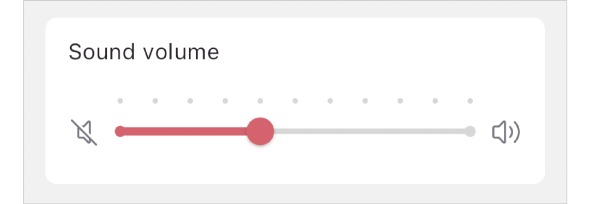
Move the “Sound volume” slider to vary the sounds volume.
Moving the slider all the way to the left will mute your Moflin. It also mutes the sound your Moflin makes when they are switched on and off.
I want my Moflin to be quiet
By activating “Deep Sleep Mode” in the “MofLife” app, you can prevent your Moflin from moving and making sounds.
-
Launch the “MofLife” app.
-
Tap [Moflin settings].
-
Activate or deactivate “Deep Sleep Mode”.
Switching your Moflin off deactivates “Deep Sleep Mode”.
While “Deep Sleep Mode” is activated, you cannot create “Journal”.

I want to switch my Moflin on/off
To directly switch your Moflin on or off, use their power button.
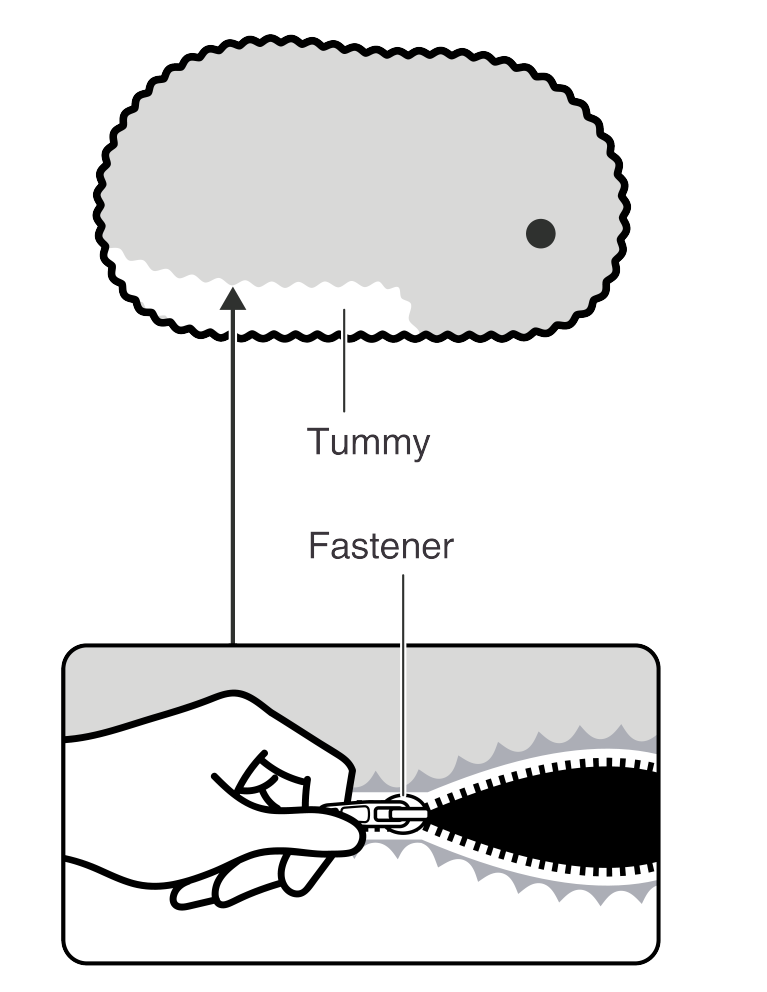
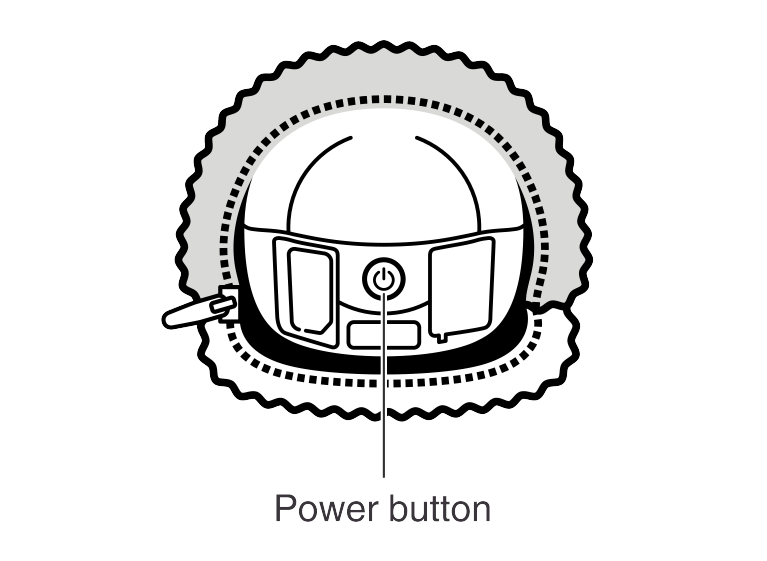
Pull the tab on the fastener concealed in your Moflin’s fur to open the fastener.
Switching your Moflin off:
Hold down the Power button for at least five seconds. Hold the button down until your Moflin stops making sounds*.
When they stop making sounds*, your Moflin shuts down and the wireless function (Bluetooth) is also disabled.
However, note that once you place your Moflin in the Moflin Bed, they will automatically switch on as charging progresses.
Switching your Moflin on:
Press the power button. After roughly three seconds, your Moflin switches on and makes a sound*.
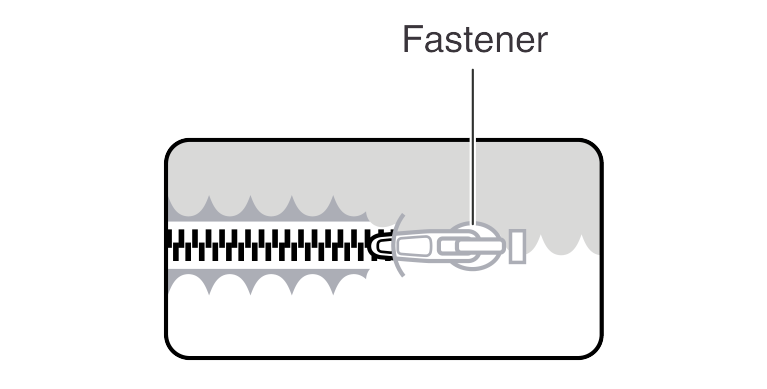
After using the power button, do not forget to close the fastener.
Lay the fastener tab down so that it lies flat against the fastener and concealed in the fur.
If the slider in the “Sound volume” setting in the “MofLife” app is slid all the way to the left, your Moflin does not make a sound.
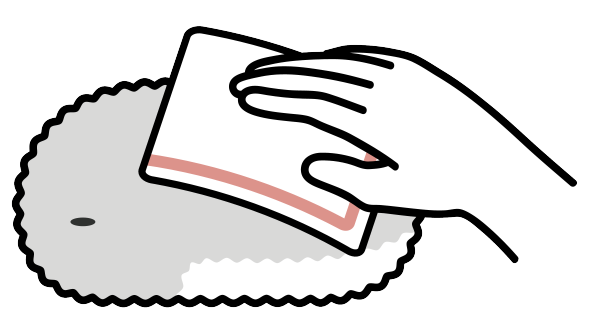
My Moflin is dirty
Wipe off your Moflin using a cloth that has been moistened with water or a mild detergent and then wrung out.
If you are concerned that your Moflin is too dirty, visit the Support Page (US site / UK site).
My Moflin doesn’t move
Sometimes your Moflin will not move when they are deeply asleep.
If they’re asleep, stroking them several times or talking to them will wake them up.
When the battery level is too low, your Moflin will stop moving.
Put your Moflin in the Moflin Bed to recharge.
Your Moflin will start moving after they have been charging for a while.
When the Moflin Bed LED turns green, take your Moflin out of the Moflin Bed.
If the battery level is low, it may take some time before your Moflin starts moving again after recharging.
If the inside of your Moflin gets too hot, they may shut down and stop moving.
Move your Moflin to a cool place and leave them to cool down for a while.
Once your Moflin has cooled down, switch them back on or put them in the Moflin Bed to recharge.
Activating “Deep Sleep Mode” in the “MofLife” app will prevent your Moflin from moving.
Deactivate “Deep Sleep Mode”.
Your Moflin will not move during “Journal” collection or updating in the “MofLife” app.
Wait until “Journal” collection or updating has finished.
If the above measures do not resolve the problem, switch off your Moflin and then switch them on again. (See “I want to switch my Moflin on/off”.)
If the problem still persists, refer to the Support Page (US site / UK site) or submit an inquiry to CASIO using the contact details provided in the separate warranty.
My Moflin doesn’t make any sounds
If your Moflin doesn’t move, see “My Moflin doesn’t move” above.
If your Moflin is moving but not making any sounds, check the following:
Sometimes your Moflin will not make any sounds when they’re asleep.
If they’re asleep, stroking them several times or talking to them will wake them up and they will start making sounds.
In the “MofLife” app “Sound volume” setting, moving the slider all the way to the left will mute your Moflin.
Move the slider to the right to vary the sounds volume.
If the problem still persists, refer to the Support Page (US site / UK site) or submit an inquiry to CASIO using the contact details provided in the separate warranty.
My Moflin won’t switch on
Your Moflin will not switch on if the battery level is too low.
Put your Moflin in the Moflin Bed to recharge. Your Moflin will automatically switch back on once they have been charging for a while.
If the inside of your Moflin gets too hot, they will not switch on.
Move your Moflin to a cool place and leave them to cool down for a while.
Once your Moflin has cooled down, switch them back on or put them in the Moflin Bed to recharge.
You might not have pressed the power button correctly.
Refer to the “I want to switch my Moflin on/off” for the correct method.
If the problem still persists, refer to the Support Page (US site / UK site) or submit an inquiry to CASIO using the contact details provided in the separate warranty.
My Moflin won’t charge
See “When You Can’t Charge Your Moflin”.
My Moflin won’t stop moving and making sounds
Switch your Moflin off. Wait a while and then switch them back on.
If this does not remedy the problem, refer to the Support Page (US site / UK site) or submit an inquiry to CASIO using the contact details provided in the separate warranty.
I can’t pair my Moflin with the “MofLife” app
Your Moflin may not be switched on.
Try stroking or hugging your Moflin and check that they move.
If your Moflin doesn’t move, charge them and then switch them on.
The Bluetooth setting on the smartphone may not be enabled.
Enable the Bluetooth setting.
Depending on your smartphone, you may need to enable Bluetooth for each app.
The permissions for “Location information” or “Nearby devices” on the smartphone may be disabled.
Enable the “Location information” and “Nearby devices” permissions.
Depending on your smartphone, you may need to enable the permissions for each app.
Your Moflin may already be paired with another smartphone.
Your Moflin can only be paired with one smartphone.
To cancel the existing smartphone pairing, disable Bluetooth or quit the “MofLife” app on the smartphone with which your Moflin is currently paired. Then pair your Moflin with your smartphone.
Establishing a new pairing connection deletes the pairing connection to the previous smartphone.
Signal reception may be poor.
Move to another location.
If there is another Moflin nearby, move away from the other Moflin before pairing.
If the above measures do not resolve the problem, switch off your Moflin and then switch them on again and try pairing again.