
Auto Time Adjustment
You can configure watch settings to connect with a phone at preset times each day and adjust its time settings in accordance with information obtained from an online time server.
Using This Function
Your watch adjusts its time setting four times a day. It performs the adjustment operation automatically as you go about your daily life, without any operation required by you.

Summer Time
Once the watch is connected with a phone and its time is corrected with the phone time, its Home City time and World Time will automatically switch between standard time and summer time as required, even if the watch is no longer connected with the phone.
- Changing the time setting manually with a watch operation will cancel auto standard time/summer time switching.
- A CASIO WATCHES screen shows information about summer time periods.
Triggering Immediate Time Correction
The watch will adjust its time setting to that of the phone immediately after they are connected with each other. Whenever you want to adjust the watch’s time setting perform the procedure below to connect with a phone.
-
1.
 On the Home Screen, tap the “CASIO WATCHES” icon.
 -
2.
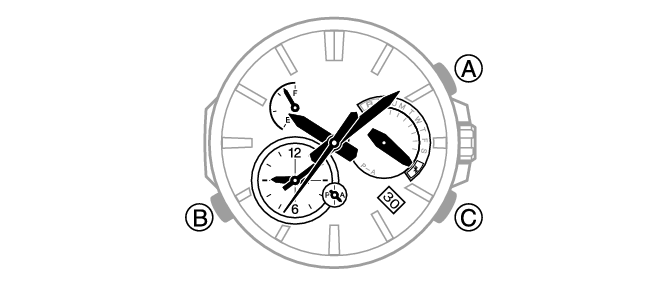
 Press (B).
 -
This causes the day of the week hand to move to “R”. The day of the week hand will move to
 when a connection is established between the watch and phone, and the time setting of the watch will adjust to the phone’s time setting.
- The connection is terminated automatically after time adjustment is complete.
 Top of page