Stopwatch
The stopwatch measures elapsed time in 1/100-second units for the first hour, and in 1-second units after that for up to 23 hours 59 minutes 59 seconds (24 hours).

Measuring Elapsed Time
-
Enter the Stopwatch Mode.
-
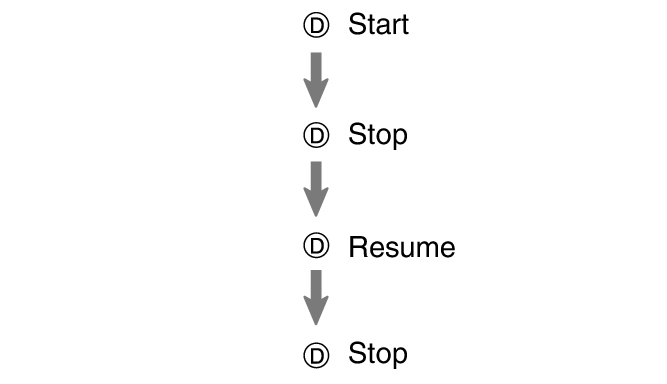
Use the operations below to measure elapsed time.
-
Press (A) to reset the measurement time to all zeros.
Measurement is in 1/100-second units for the first hour. After that, measured time is displayed in one-second units.
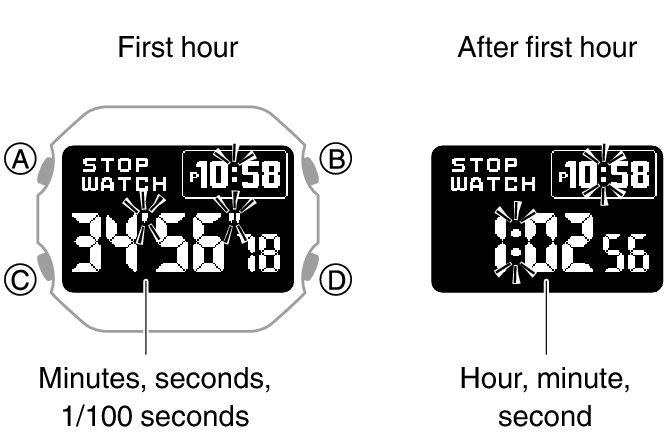
While measurement is in progress, [- -] is displayed for the 1/100-second digits.
Measuring a Split Time
-
Enter the Stopwatch Mode.
-
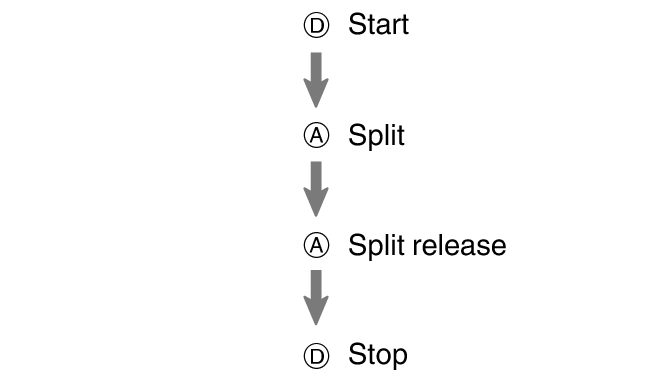
Use the operations below to measure elapsed time.
-
Press (A) to reset the measurement time to all zeros.
Pressing (A) displays the elapsed time from the start of a race up to the point when you pressed the button (split time).
Measurement is in 1/100-second units for the first hour. After that, measured time is displayed in one-second units.
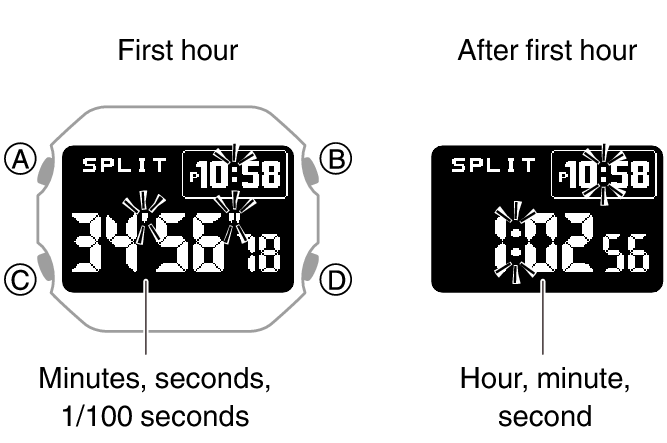
While measurement is in progress, [- -] is displayed for the 1/100-second digits.
Timing the First and Second Place Finishers
-
Enter the Stopwatch Mode.
-
Use the operations below to measure elapsed time.
-
Press (A) to display the time of the second finisher.
-
Press (A) to reset the measurement time to all zeros.
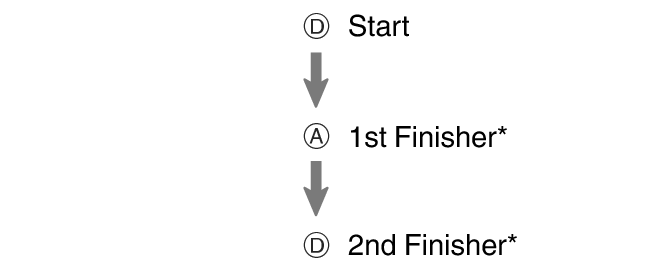
This displays the time of the first finisher.
Measurement is in 1/100-second units for the first hour. After that, measured time is displayed in one-second units.
While measurement is in progress, [- -] is displayed for the 1/100-second digits.