
 Back
BackPairing the Watch with a Phone
Before the watch can communicate with a phone, they must be "paired", which means they are registered with each other. When the watch is paired with a phone, they become connectable.
To pair the watch with a phone
- 1.
- Move the phone you plan to pair with close to (within one meter of) the watch.
- 2.
- On the phone, scan for Bluetooth devices.
- A sample scan operation is presented below. See the user documentation that came with your phone for details about how to scan with it.
- (1)
- On your phone's screen, tap [Settings] and then [Wireless & networks]. Next, enable [Bluetooth] (so its check box is selected).
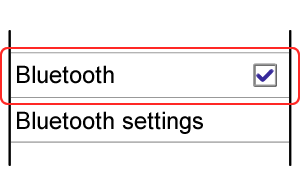
- (2)
- Tap [Bluetooth settings].
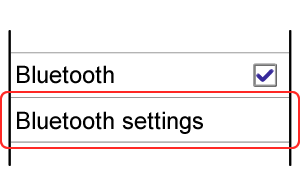
- (3)
- Tap [Scan for devices] and confirm that the message "Scanning" appears on the display.
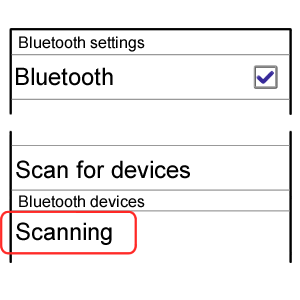
- A sample scan operation is presented below. See the user documentation that came with your phone for details about how to scan with it.
- 3.
- In the Timekeeping Mode, hold down B for about two seconds until the screen shown below appears.

- The Bluetooth icon will flash, indicating that the phone is searching for the watch.
- 4.
- When the phone discovers the watch, the message "CASIO GB-6900A*" will appear on the phone display. Tap the message.
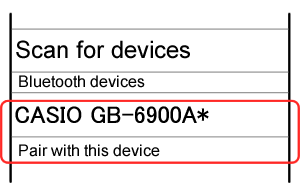
- A six-digit passkey number will appear on the display of the watch. Within 30 seconds after the passkey number appears, perform step 5 to input it on the phone.
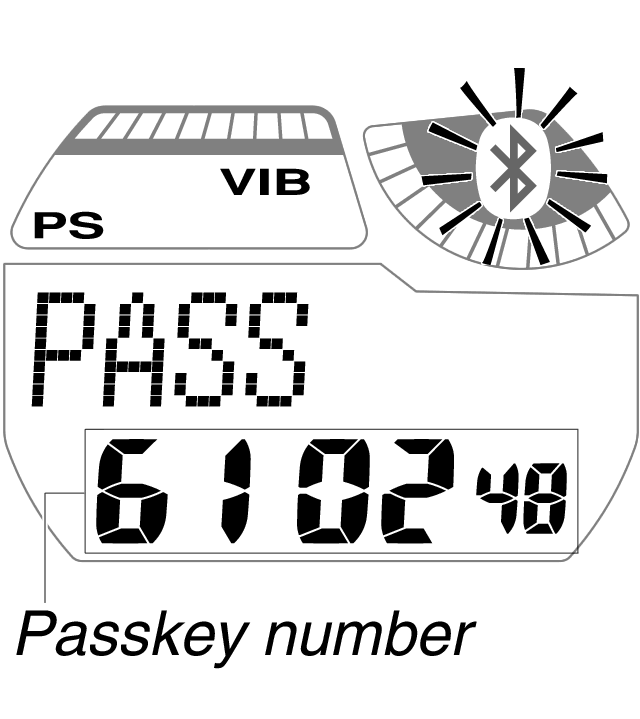
- A six-digit passkey number will appear on the display of the watch. Within 30 seconds after the passkey number appears, perform step 5 to input it on the phone.
- 5.
- Use the keypad that appears on the display of the phone to input the passkey number displayed on the watch's display, and then tap "OK".
- 6.
- Confirm that pairing is complete.
- It takes about 20 seconds for a pairing operation to be performed.
When pairing is successful:
The watch beeps or vibrates to let you know.
The watch returns to the Timekeeping Mode with the Bluetooth icon displayed (not flashing).When pairing is not successful:
The watch returns to the Timekeeping Mode with the Bluetooth icon not displayed.
If this happens, perform the above steps again starting from step 1.
To re-pair the watch with the phone
- 1.
- Clear the phone's pairing information.
- A sample pairing information clear operation is presented below. See the user documentation that came with your phone for details about how to clear its pairing information.
- (1)
- On your phone's screen, tap [Settings], [Wireless & networks], and then [Bluetooth settings].
- (2)
- On the list of Bluetooth devices that appears, touch and hold "CASIO GB-6900A*" and then tap [Unpair].
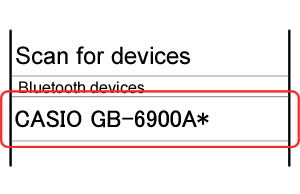
- A sample pairing information clear operation is presented below. See the user documentation that came with your phone for details about how to clear its pairing information.
- 2.
- Clear the watch's pairing information.
- (1)
- In the Timekeeping Mode, press C five times.
This enters the Setup Mode. [SETUP] will be displayed for about one second, and then the Bluetooth Device Name Screen shown below will appear.

Bluetooth Device Name Screen
(The message “GB-6900A*” will scroll from right to left.)
- (2)
- Hold down B for about two seconds.
The message "NOT YET PAIRED!" will scroll from right to left on the display after pairing information is cleared.
- 3.
- Perform the procedure under "To pair the watch with a phone".