
 Back
BackAdjusting the Watch's Current Time to the Phone's Time
There are various ways to adjust the times of the watch and phone.
- Auto Time Adjustment Using Mobile Link
- Manual Time Adjustment Using Mobile Link
- Manual Time Adjustment without Using Mobile Link
Refer to the "User's Guide for Watch Functions".
If you use Mobile Link, the time on the watch is adjusted to the time on the connected phone.
Auto Time Adjustment Using Mobile Link
With this method, the watch obtains time information (time zone, date, current time, summer time setting) from the phone and adjusts its current time setting automatically.
The following explains the timing for obtaining time information from the phone.
- Immediately after pairing between the watch and phone is complete.
- When the watch and phone are reconnected after recovering from Power Saving.
- Whenever the phone time settings are automatically changed due to movement to a different time zone or summer time on/off. (This feature can be disabled by an application setting.)
Manual Time Adjustment Using Mobile Link
Time information (time zone, current date, current time, summer time) can be obtained from the phone at any time by performing a button operation on the watch.
To obtain time information from the phone manually
- 1.
- Check to confirm that the Bluetooth icon (
 ) is on the watch display.
 - 2.
- In the Timekeeping Mode, hold down A for at least five seconds. Keep A depressed until both of the operations described below are complete.
- [SET Hold] appears on the display after about two seconds, and then the Time Adjustment Screen shown below appears.
Normal button operation is not possible while this screen is displayed.
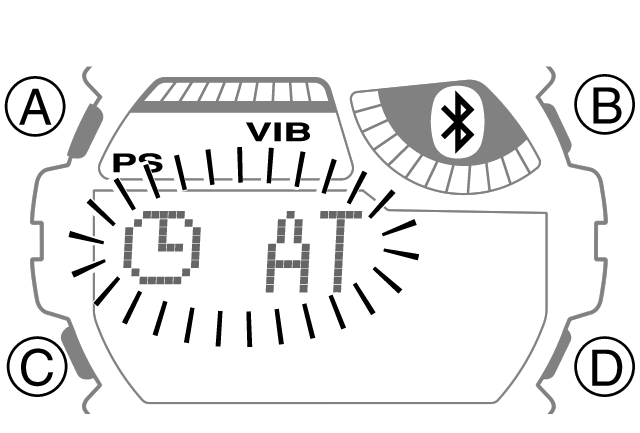
Time Adjustment Screen
- Time adjustment takes about one minute. After that, the normal timekeeping screen will appear.
- [SET Hold] appears on the display after about two seconds, and then the Time Adjustment Screen shown below appears.