About This Watch
This section provides an overview of the watch and introduces convenient ways it can be used.
Watch Features
Measures up to 30 minutes of elapsed time in one-second increments.
Note
The illustrations included in this operation guide have been created to facilitate explanation. An illustration may differ somewhat from the item it represents.
General Guide
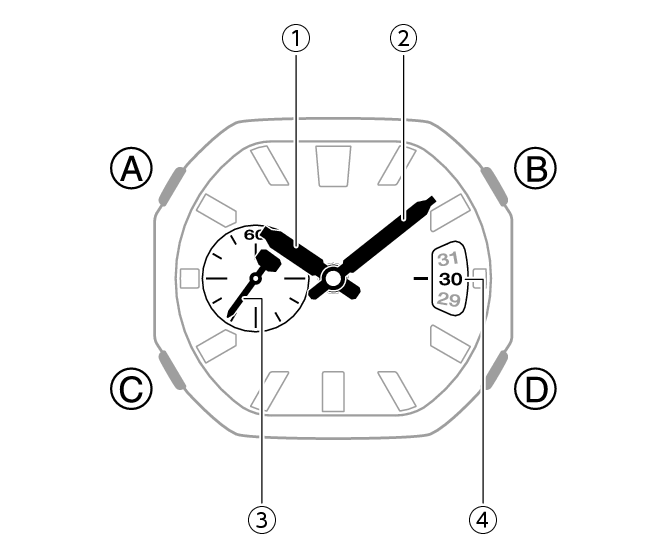
-
Hour hand
-
Minute hand
-
Second hand
-
Day indicator
A button
Holding down this button for at least two seconds in the Timekeeping Mode displays the setting screen.
Pressing this button while any setting screen is displayed exits the setting screen.
B button
Press to turn on illumination.
Pressing this button while any setting screen is displayed changes the setting.
C button
Each press cycles between watch modes.
In any mode, hold down this button for at least one second to return to the Timekeeping Mode.
D button
Pressing this button while any setting screen is displayed changes the setting.
Important!
The minute hand of this watch is designed to be normally fixed in place by magnetic force.
Because of this, shock or vibration can cause the minute hand to oscillate.
The minute hand may also become momentarily displaced by shock, vibration, or strong magnetism. However, it will return to its normal position within a few minutes.
Navigating Between Modes
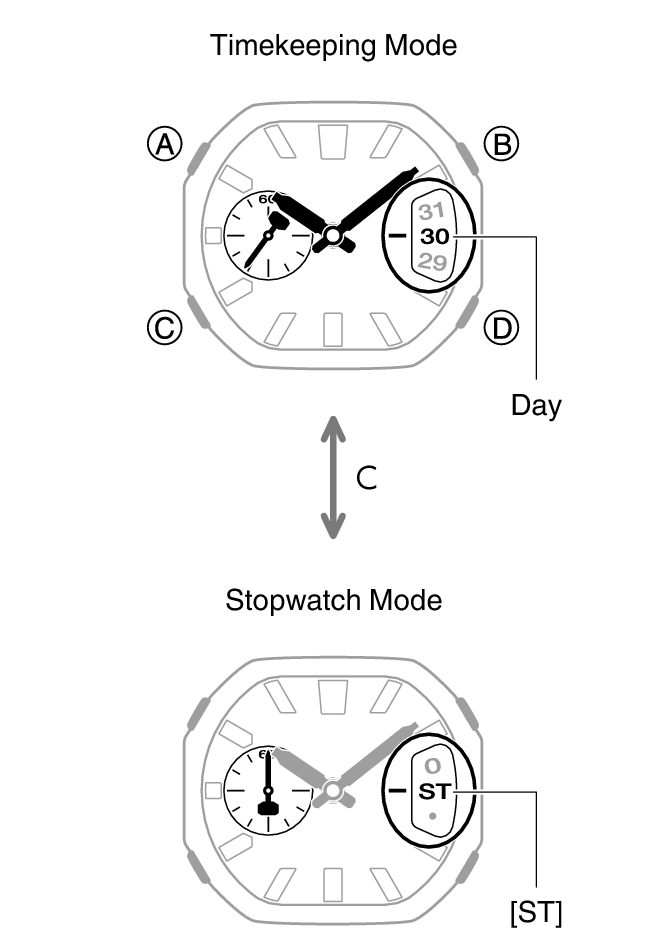
Each press of (C) cycles between watch modes.
Hold down (C) for at least one second to enter the Timekeeping Mode.
When you enter the Stopwatch Mode, the date window first shows the mode name.
Second Hand Sleep
Hold down (D) for at least three seconds in the Timekeeping Mode. The second hand stops at the 30-second position to reduce battery consumption.
Battery life (new battery)
Second Hand Sleep enabled: Approximately 5 years
Second Hand Sleep disabled: Approximately 2 years
To cancel second hand sleep, hold down (D) again for at least three seconds.
Shifting the Hands
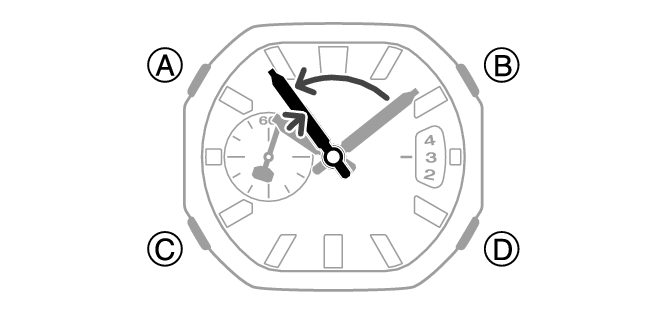
In the Stopwatch Mode, you can temporarily shift the hands to make it easier to view measured values.
-
While holding down (B), press (C).
-
Press (C) while holding down (B) again, or press (C) to change the mode. This returns the hands to their normal timekeeping positions.
This shifts the analog hands to allow easy viewing of display information.
Note
If you leave the watch with its hands shifted and do not perform any operation for about one hour, the hands resume normal timekeeping automatically.
Viewing the Face in the Dark
The watch has an LED light that you can turn on for reading in the dark.
Turning On Illumination
Press (B) to turn on illumination.
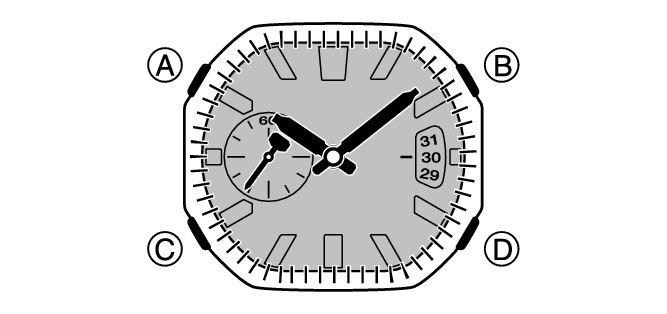
Illumination is disabled while the hands are moving at high speed.
The light may flicker when it turns on or off.