Timer
The timer counts down from a start time specified by you. A beeper sounds when the end of the countdown is reached.
The beeper is muted when battery power is low.

Using the CASIO WATCHES Phone App to Configure Timer Settings
If the watch is paired with a phone, you can also use the CASIO WATCHES phone app to set the timer start time.
Setting the Timer Start Time
-
Enter the Timer Mode.
-
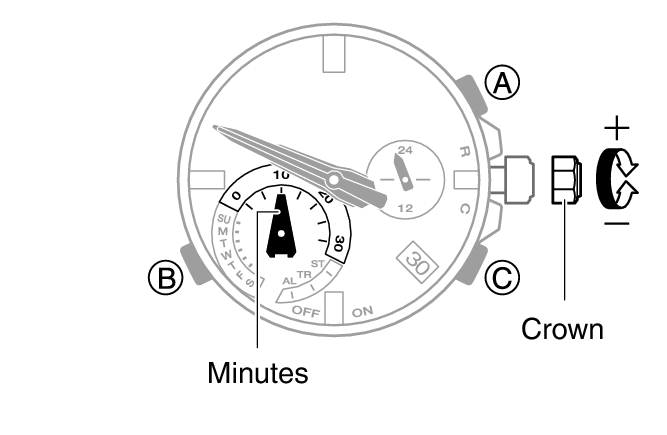
Loosen the crown and then pull it out.
-
Rotate the crown to change the countdown start time setting.
-
Push the crown back in and then lock it.
The hour, minute, second, and 24-hour hands temporarily move out of the way so you can view the display.
The start time can be set in 1-minute units up to 30 minutes.
Using the Timer
-
Enter the Timer Mode.
-
Press (A) to start the timer countdown.
-
Press any button to stop the tone.
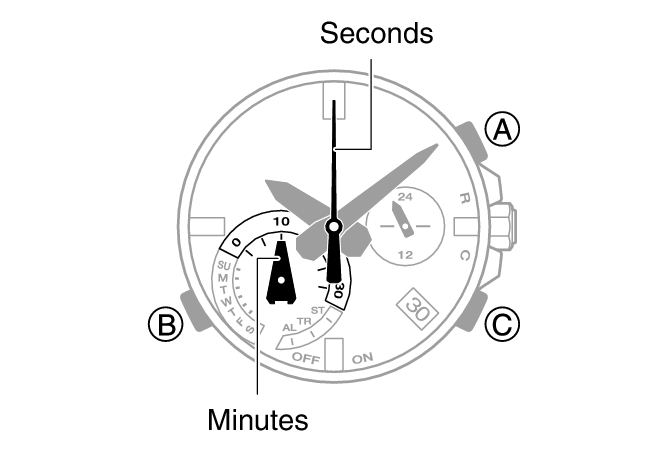
A beeper sounds for 10 seconds when the end of the countdown is reached.
To pause an ongoing timer countdown, press (A). You can reset a paused timer countdown to its start time by pressing (C).