Hand and Day Indicator Alignment
Strong magnetism or impact can cause the hands and/or the day indicator to go out of alignment. If this happens, correct hand and day indicator alignment.
Using the CASIO WATCHES Phone App to Adjust Hand and Day Indicator Alignment
If the watch is paired with a phone, you can also use the CASIO WATCHES phone app to correct hand and day indicator positions.
Correcting Hand and Day Indicator Alignment
-
Enter the Timekeeping Mode.
-
Loosen the crown and then pull it out.
-
Hold down (C) for at least five seconds. Release the button after the second hand completes one full rotation.
-
Rotate the crown to align the second hand with 12 o’clock.
-
Press (B).
-
Rotate the crown to align the hour and minute hands with 12 o’clock.
-
Press (B).
-
Rotate the crown to align the second hand with [10].
-
Press (B).
-
Rotate the crown to align [1] in the center of the day indicator.
-
Push the crown back in and then lock it.
The second hand points to 12 o’clock.
This enables adjustment of second hand alignment.
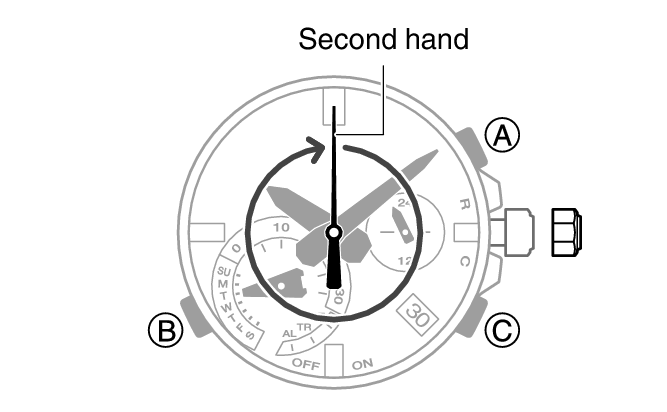
This enables adjustment of hour and minute hand alignment.
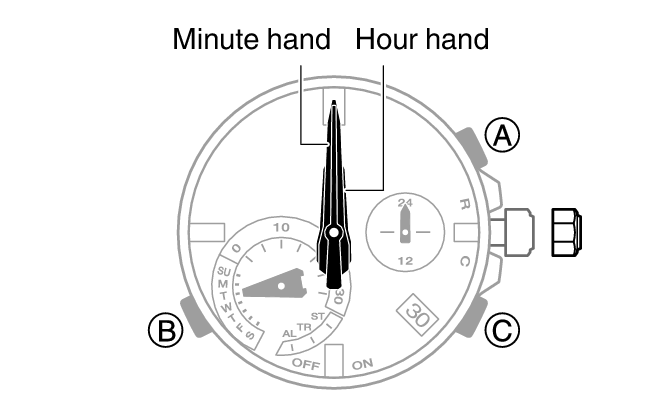
This starts the function hand indicator alignment operation.
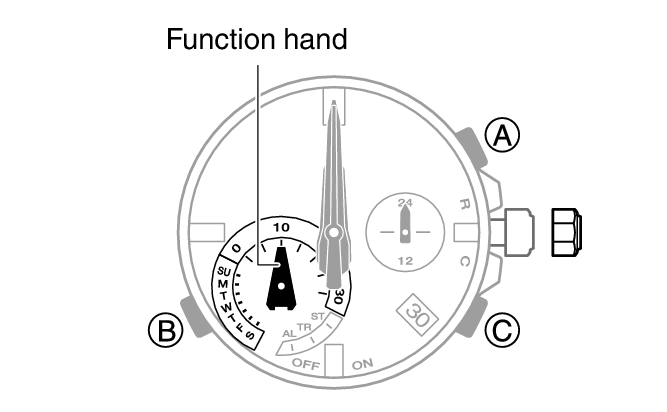

This enables adjustment of day indicator alignment.
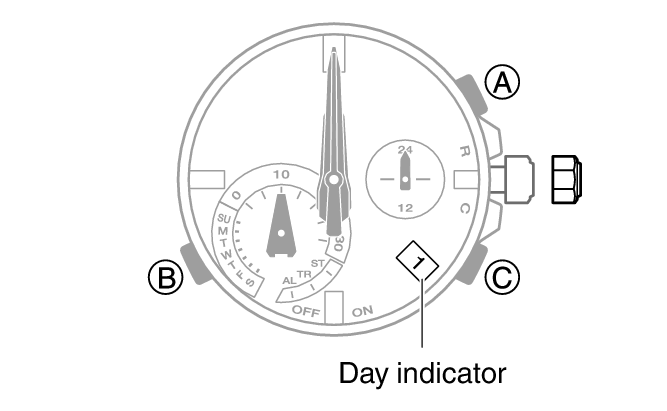
Rotating the crown also causes the function hand to move. Align the function hand with [10].
Note
Leaving the crown pulled out for more than approximately 30 minutes without performing any operation will automatically cause the adjustment operation to become disabled. If this happens, push the crown back in to its normal position and then pull it out again to restart the procedure from the beginning. Pushing the crown in to its normal position part way through the alignment procedure will cause the hands to return to their normal position. Any alignment you performed up to that point will be applied.