
Using the Watch in a Medical Facility or Aircraft
Whenever you are in a hospital, on an aircraft, or in any other location where auto time adjustment may cause problems, you can perform the procedure below to disable it. Perform the same procedure again to re-enable auto time adjustment.
-
1.
 On the Home Screen, tap the “CASIO WATCHES” icon.
 -
2.
 Hold down the (B) button for about 1.5 seconds.
 -
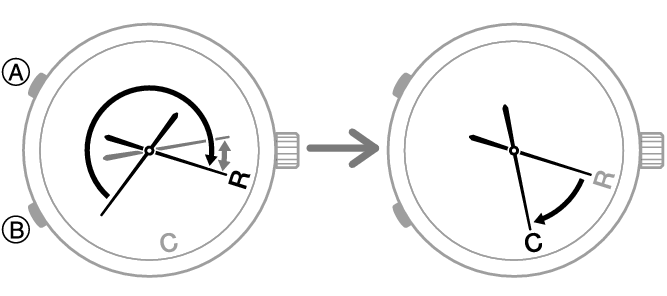
The second hand will move to “C” when a connection is established between the watch and phone.
- The second hand will move to “R”. Keep (B) depressed until the second hand starts moving again and then stop at “R”.
-
3.
Perform the operation shown on the phone screen to enable or disable auto time adjustment.
 Top of page