
Module No. 3564
Unpairing
To unpair the watch from a phone, delete the pairing information from the CASIO WATCHES phone app, the phone, and the watch.
Deleting Pairing Information from the CASIO WATCHES phone app
-
 Tap the “CASIO WATCHES” icon.
 -
Perform the operation shown on the phone screen to unpair.
Deleting Pairing Information from the Watch
-
 Hold down (C) for at least one second to enter the Timekeeping Mode.
 -
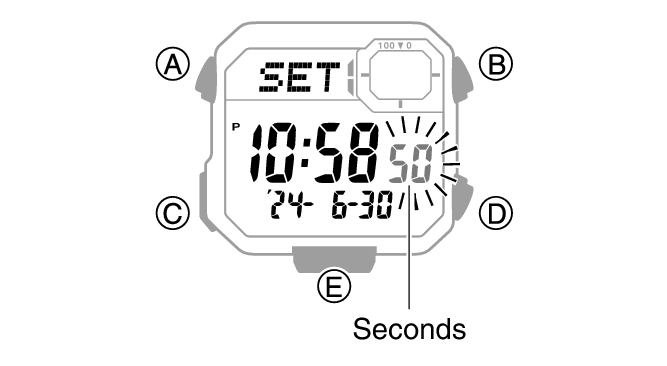
Hold down (A) for at least two seconds.
-
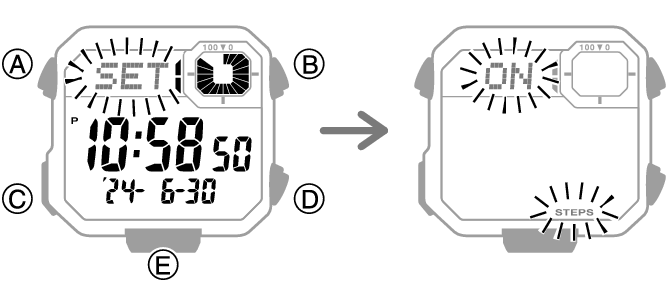
Press (C) twice.
-
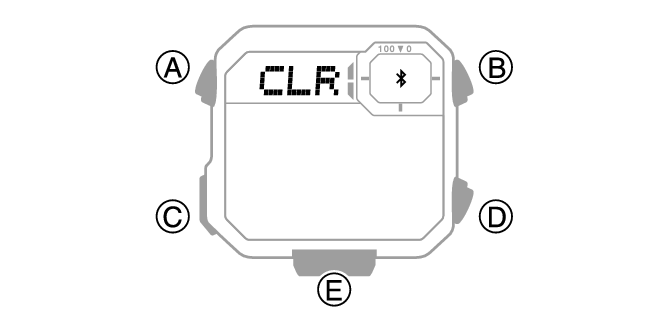
Hold down (E) for at least two seconds. Release when
 and [CLR] stop flashing.
 -
Press (A) to return to the Timekeeping Mode.
This causes the current step reminder setting ([ON] or [OFF]) to flash on the display.
This causes the seconds to flash.
This deletes the pairing information from the watch and returns to the timekeeping display.
Deleting the phone’s pairing information
For details about setting procedures, see your phone documentation.
“Settings”  “Bluetooth” Cancel the watch’s device registration.