
Setting the Time/Date
-
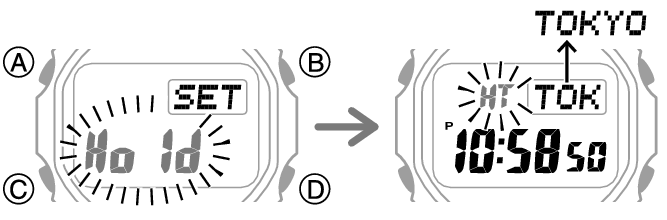
1.Hold down (A) for about two seconds until [HT] flashes.
-
-
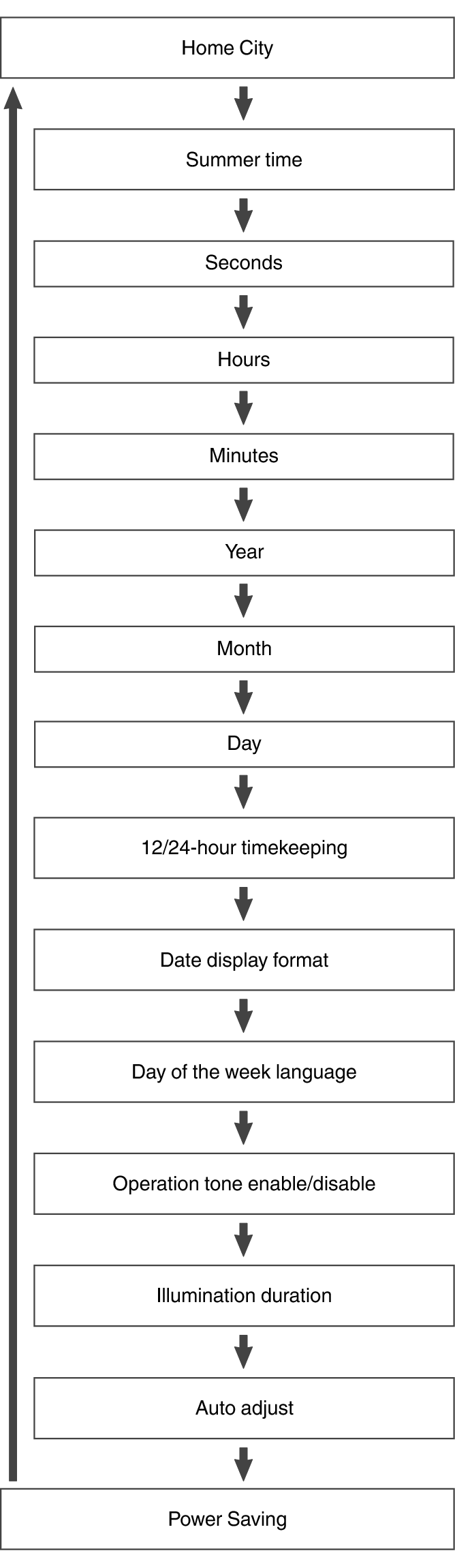
2.Keep pressing (C) until the setting you want to change is flashing.
-
- Each press of (C) moves the flashing to the next setting in the sequence shown below.
-
3.Configure the date and time settings.
-
- To reset the seconds to 00: Press (D). 1 is added to the minutes when the current count is between 30 and 59 seconds.
- Use (D) and (B) to change the other settings.
-
4.Repeat steps 2 and 3 to configure the other settings.
-
5.Press (A) to exit the setting screen.
 Top of page