


STB-1000 × Wahoo Fitness Setup Guide
* Wahoo Fitness v3.6 is used for explanations in this guide.
Re-connect
Perform the procedure below whenever connection is lost between a paired STB-1000 and Wahoo Fitness.
1
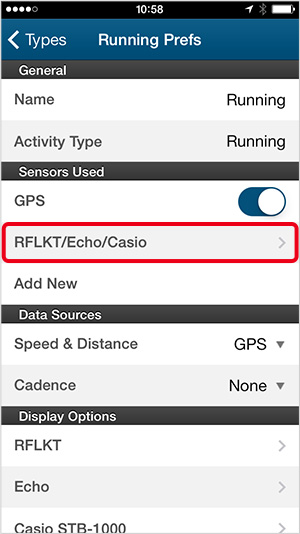
Under [Sensors Used] on the workout prefs screen, tap [RFLKT/Echo/Casio].
2

Tap [Casio STB-1000].
3

When the app displays the screen shown above, hold down the watch's front button for about two seconds.
4

The watch will vibrate and the Bluetooth icon will appear on its display. Reconnection is complete when the app displays the screen shown above. Click [Save] in the upper right corner to return to the workout prefs page.