

LED Indicator
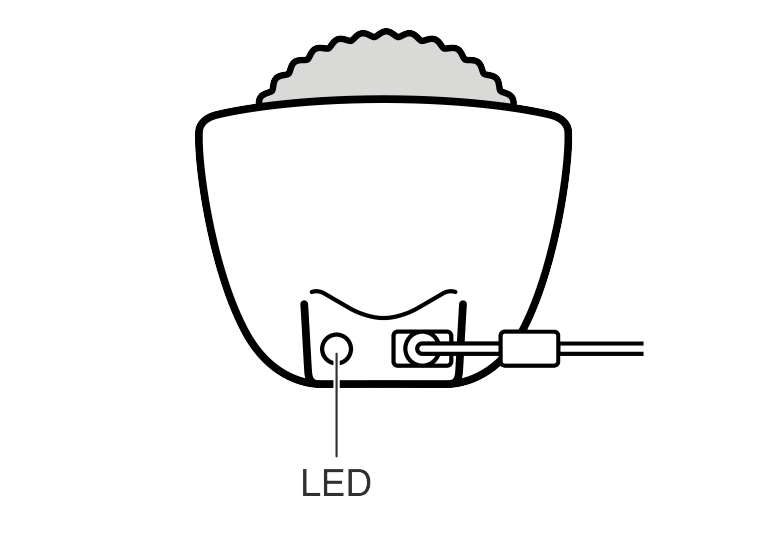
Normal
|
LED color |
 White |
 Green |
 Orange |
 Light blue |
|
|
Lighting pattern |
Lit |
Lit |
Flashing |
||
|
Status |
Moflin not found |
Charging completed |
Charging |
Charging paused*1 |
Charging paused*2 |


Charging has stopped temporarily due to excessive heat. Once the charger cools down, charging will automatically restart.
Charging has stopped temporarily due to excessive heat. Move the Moflin Bed to a cooler location.
Error
|
LED color |
White |
Orange |
 Red |
|
|
Lighting pattern |
Flashing |
Flashing |
Lit |
Flashing |
|
Error type |
Power supply error |
Charging error |
Safety error |
|
|
What to check |
Check whether you are using a USB-AC adaptor or USB cable other than those provided with your Moflin. |
Take your Moflin out of the Moflin Bed and remove any objects (particularly anything metallic) that are in the Moflin Bed. |
Take your Moflin out of the Moflin Bed and remove any objects (particularly anything metallic) that are in the Moflin Bed. |
|
|
What to do after checking |
Check that the LED is lit white. |
Once the LED is lit white, place your Moflin in the Moflin Bed again to charge your Moflin. |
If you have tried checking all the items listed above and the error persists, stop charging and refer to the Support Page (US site / CANADA site). Otherwise, submit an inquiry to CASIO using the contact details provided in the separate warranty. |
|
Important!
Do not place the Moflin Bed in the following locations:
Close to a place where water is used
A place exposed to direct sunlight
A place exposed to hot air
A place subject to high temperatures
A place subject to extremely low temperatures
A sloping or uneven surface
Only connect the Moflin Bed using the USB cable and USB-AC adaptor provided.
Only charge your Moflin in the Moflin Bed.
Even when you are not using your Moflin, you should charge your Moflin’s battery until the LED turns green at least once every six months to prevent over-discharging.
After the charging completed LED (green) lights, leaving your Moflin in Moflin Bed to charge will not affect the charging cycle of the lithium battery.
Charging automatically stops once charging is completed.
Never put anything other than your Moflin into the Moflin Bed.