

Charging
Your Moflin has a built-in rechargeable battery.
After purchasing your Moflin, be sure to charge them as shown below before interacting with them.
STEP 1 : Set up the Moflin Bed
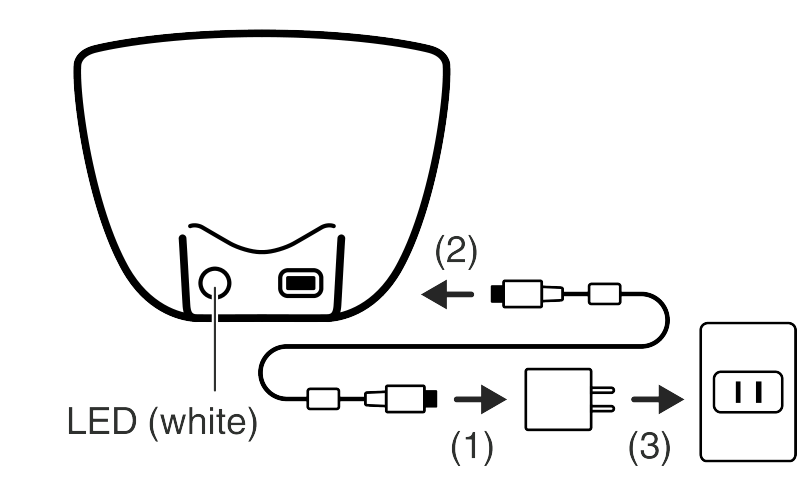
Connect the USB cable provided (1) to the USB-AC adaptor, plug the USB cable (2) into the Moflin Bed, and then plug the USB-AC adaptor (3) into a household power outlet.
Once it is connected, the white LED lights up.
STEP 2 : Place your Moflin in the Moflin Bed
Your Moflin’s rear should go at the end of the Moflin Bed with the LED.
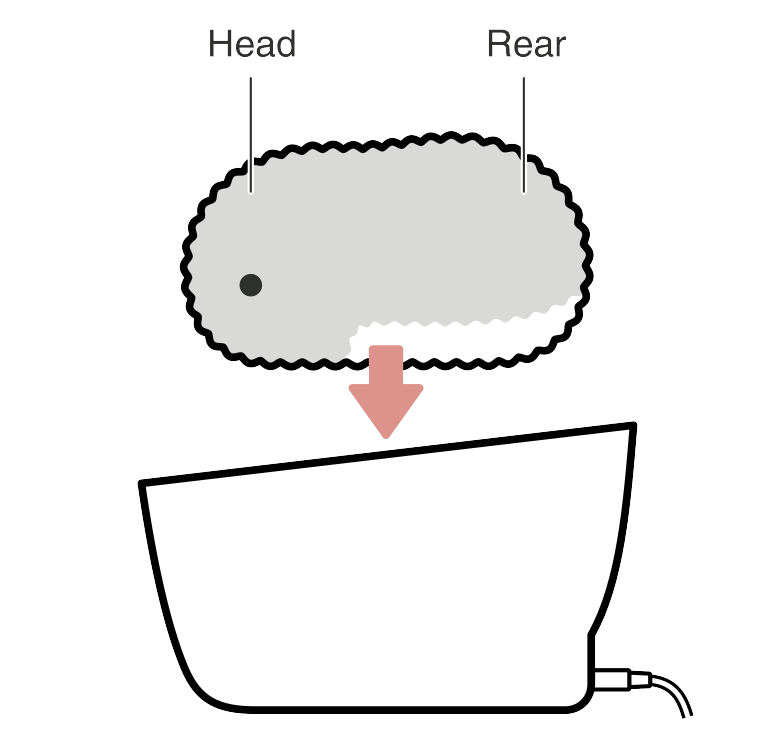
Find the position for your Moflin where the LED turns orange to show that charging has started.
Press your Moflin down gently from above so that their tummy is flush against the flat surface of the Moflin Bed.
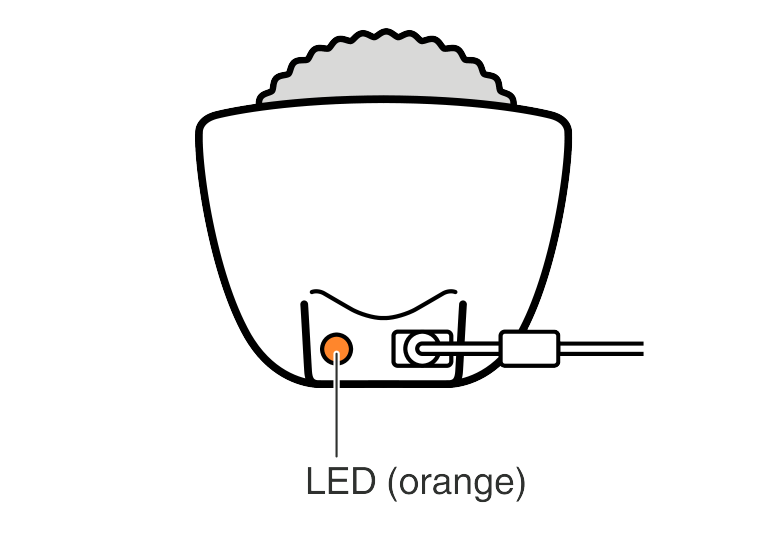
STEP 3 : Your Moflin starts moving
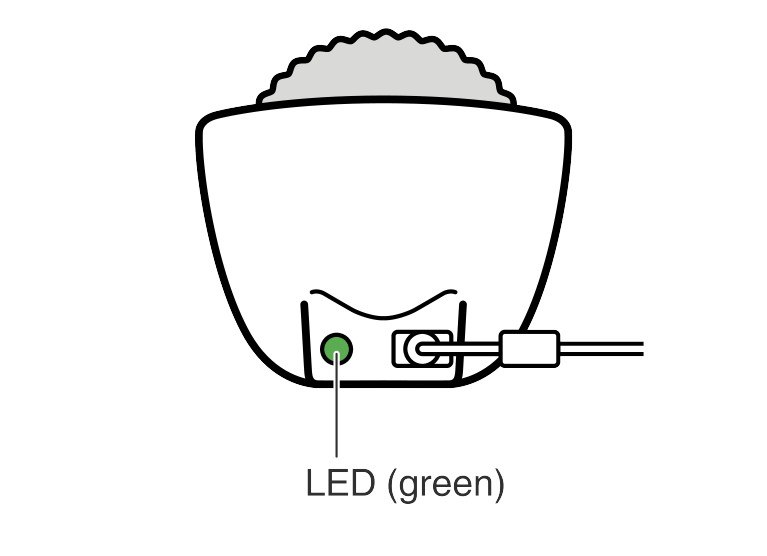
As charging progresses, your Moflin begins to move.
When charging is completed, the LED turns green.
Guide to charging time: Approx. 3.5 hours (at 25°C (77°F))*
*Times vary depending on the temperature.
*Charging times may be longer in hot environments.
When the LED flashes orange
When the LED flashes orange, either your Moflin is in the wrong position, or something has been detected between your Moflin and the Moflin Bed.
Take your Moflin out of the Moflin Bed and remove any objects (particularly anything metallic) that are in the Moflin Bed. Once the LED is lit white, place your Moflin in the Moflin Bed again.
If you cannot charge your Moflin successfully, refer to “When You Can’t Charge Your Moflin” and then place your Moflin in the Moflin Bed again.
When to charge your Moflin
When the battery level is low, your Moflin will shiver or just make crying sounds. Put your Moflin in the Moflin Bed to recharge.
When battery level drops still lower, your Moflin will stop shivering, go quiet and then shut down.
If your Moflin has shut down, put them in the Moflin Bed to recharge. Your Moflin will automatically switch back on once they have been charging for a while.
Checking the remaining battery charge
You can use the “MofLife” app to check the remaining charge.
Bonding with Your Moflin