World Time
World Time lets you look up the current time in any one of 26 cities and 38 time zones around the globe.

Using the CASIO WATCHES Phone App to Configure World Time City Settings
If the watch is paired with a phone, you can also use the CASIO WATCHES phone app to set the World Time city.
Note
World Time cities that can be selected only by using the CASIO WATCHES phone app cannot be selected using watch operations.
Time Zone Navigator
In the Timekeeping Mode, holding down (A) for at least one second causes the second hand to point to a city whose current time is in the 0:00 hour. You can then rotate the bezel to align the bezel pointer with the second hand and determine approximate current times around the world.
-
Enter the Timekeeping Mode.
-
Hold down (A) for at least one second.
-
While the second hand is pointing at the 0:00-hour city, rotate the bezel to align its
 mark with the second hand.
The second hand moves to the 0-second position and then points to a city whose current time is in the 0:00 hour.
The second hand points to the city for about 20 seconds.
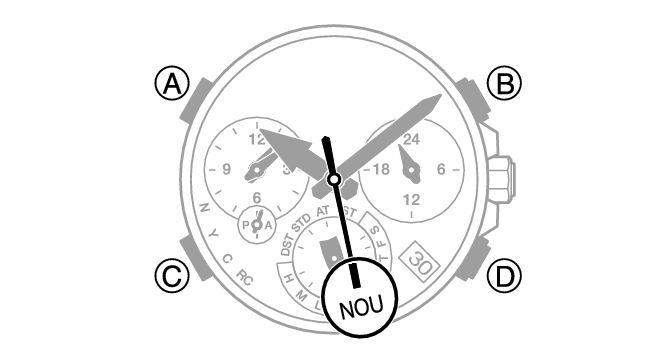
The numbers on the bezel will then indicate the approximate current times in each city.
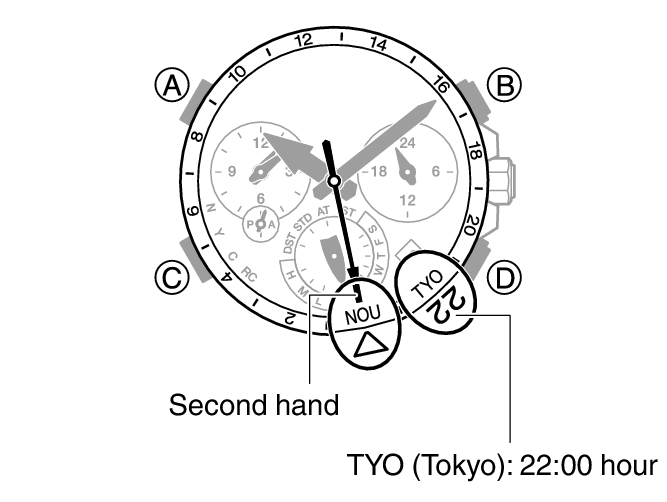
Note
The current time in each city is indicated as standard time. Summer time is not taken into account.
Only cities whose city codes are shown on the dial are indicated by the second hand as 0:00-hour cities. Also note that cities with minute-unit offsets (such as DEL: Delhi) are never indicated as a 0:00-hour city.
Specifying a World Time City
Use the procedure below to specify the city (time zone) whose time you want to view.
-
Enter the Timekeeping Mode.
-
Pull out the crown to the first click.
-
Rotate the crown to change the World Time City (time zone).
-
Push the crown back in.
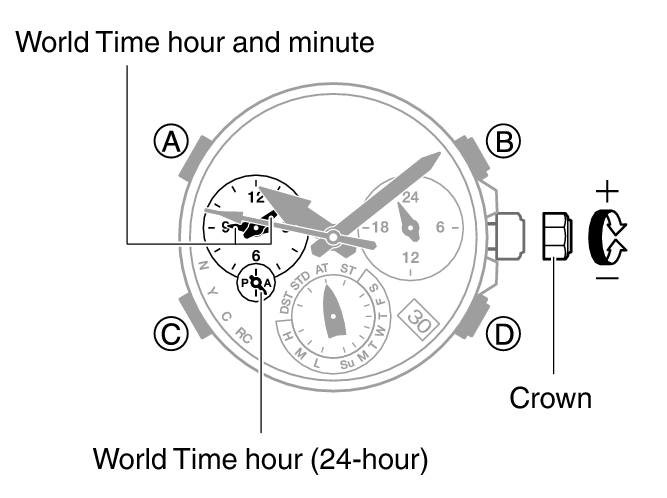
The second hand will point to the currently selected World Time City.
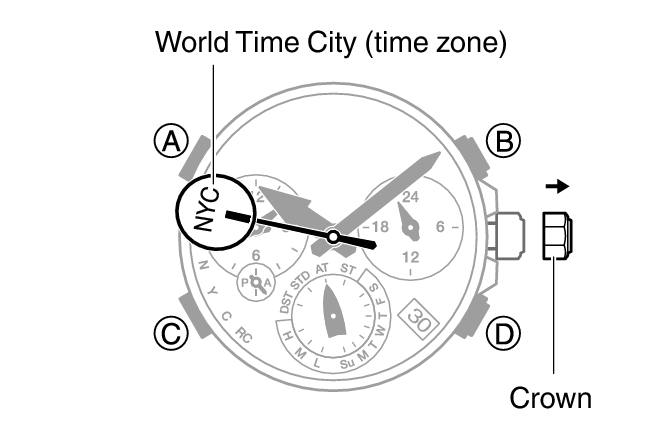
The World Time hour and minute hands indicate the current time in the selected time zone.
You can also select a time zone whose name is not indicated on the face of the watch.
For details about time zones, refer to the information below.
Configuring the Summer Time Setting (World Time)
If you are in an area that observes summer time, you can also configure a summer time setting.
Note
The initial factory default summer time setting for all cities is [AT (AUTO)]. In many cases, the [AT (AUTO)] setting lets you use the watch without switching between summer time and standard time.
When performing a manual operation to select a time zone for which there is no city name displayed, use [STD] or [DST] for the summer time setting.
While [ ] (UTC) is selected as the city, you cannot check or change the daylight saving time setting.
-
Enter the Timekeeping Mode.
-
Pull out the crown to the first click.
-
Hold down (B) for at least one second.
-
Push the crown back in.
The second hand will point to the currently selected World Time City (time zone).
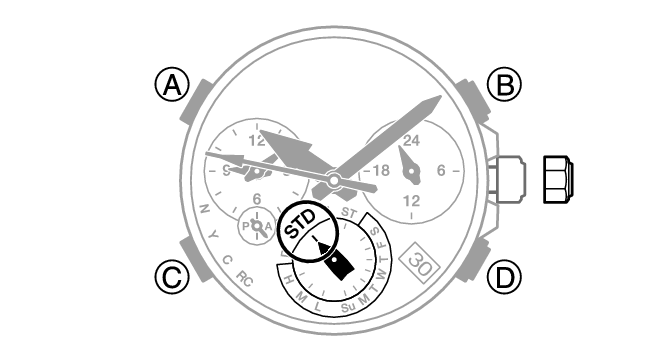
Each time you hold down (B) for at least one second, the summer time setting will cycle to the next available option.
[AT (AUTO)]
The watch switches between standard time and summer time automatically.
[STD]
The watch always indicates standard time.
[DST]
The watch always indicates summer time.
Swapping Your Home City Time and World Time
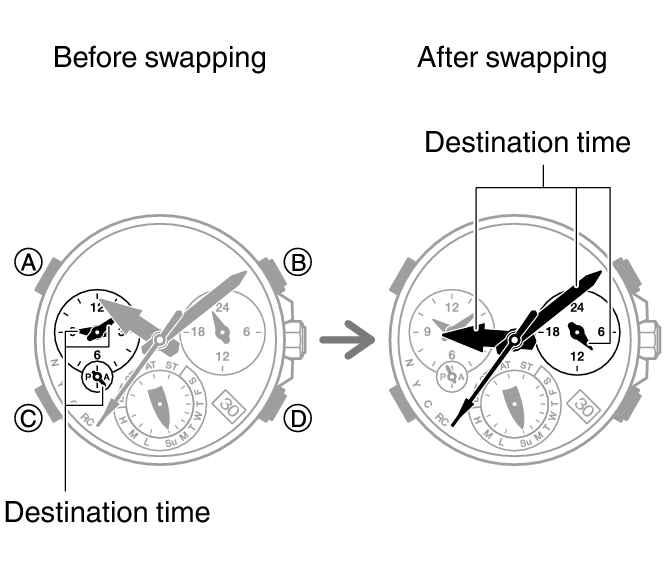
In the Timekeeping Mode, you can swap your Home City time with your World Time by holding down (B) for at least three seconds.
Example: To swap your Home City “TYO” (Tokyo) with your World Time City “NYC” (New York)
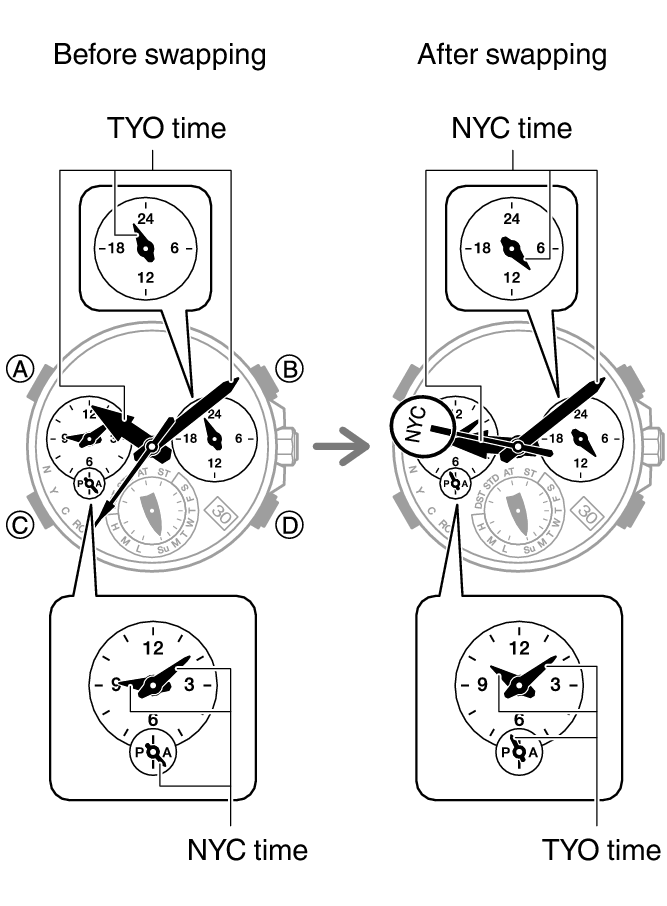
If a swapping operation causes a change in the day indicator setting, the mode hand will rotate repeatedly.
Note
This function comes in handy when you need to move to another time zone. For details about how to use it, go to the section below.
Moving Between Time Zones
Use the procedure below to easily change day and time settings of the watch to a destination location.
Before Boarding
-
Configure the World Time to the current time at your destination.
-
Disable auto time correction.
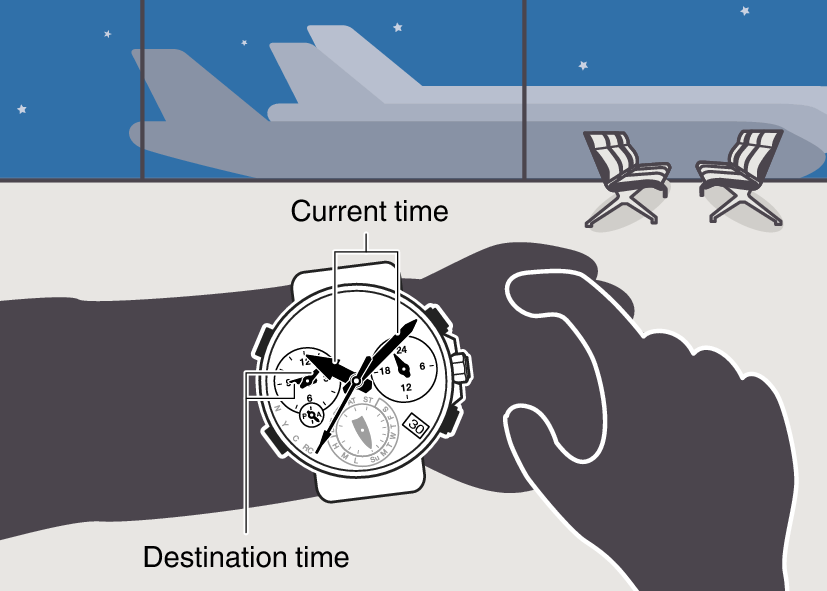
After Arriving
-
Swap the origin time zone time with the destination time zone time.
-
Enable auto time correction.
-
Correct the time setting.